
CreaX vs Google Gemini: Which Is Better for Product Ads?
by the CreaX team
In this guide
- TL;DRThe short answer: CreaX vs Gemini
- The competitorWhat Google Gemini is (and who it's built for)
- Our productWhat CreaX is: the AI ecommerce creative OS
- CompareSide-by-side: features, outputs and workflow
- How the workflows differ
- BudgetPricing: CreaX plans vs Gemini
- Fair playWhere Gemini is the better pick
- Our recommendationWhere CreaX is the better pick
- ExampleWorked example: one product, both workflows
- Choose with confidenceDecision checklist
- FAQFrequently asked questions
- Q.Is CreaX a Gemini alternative?
- Q.Can Gemini make product ads?
- Q.Is Gemini the same as Nano Banana?
- Q.Do I need to write prompts in CreaX?
- Q.Which is better for a new dropshipping store?
- Q.Can I use both?
Comparison · General AI assistant vs ecommerce ad kit
CreaX vs Gemini is a fair question now that Google's assistant can write, research and make images in one chat. For product ads, though, the two start from very different places. Gemini is a general AI assistant you steer with prompts. CreaX starts from your product link and hands back a ready ad kit: studio ads, UGC-style video ads and a landing page. Here is what each does well, where each wins, and how to use both.
By the CreaX team
Key takeaways
- ✓Google Gemini is Google's AI assistant app. It chats, writes, researches with Deep Research, makes and edits images with its Nano Banana models, and can make video on Google AI plans.
- ✓CreaX is an AI ecommerce creative OS: paste a product link or image and get studio ad creatives, UGC-style video ads, a publish-ready landing page and a multi-tenant store in about 60–120 seconds.
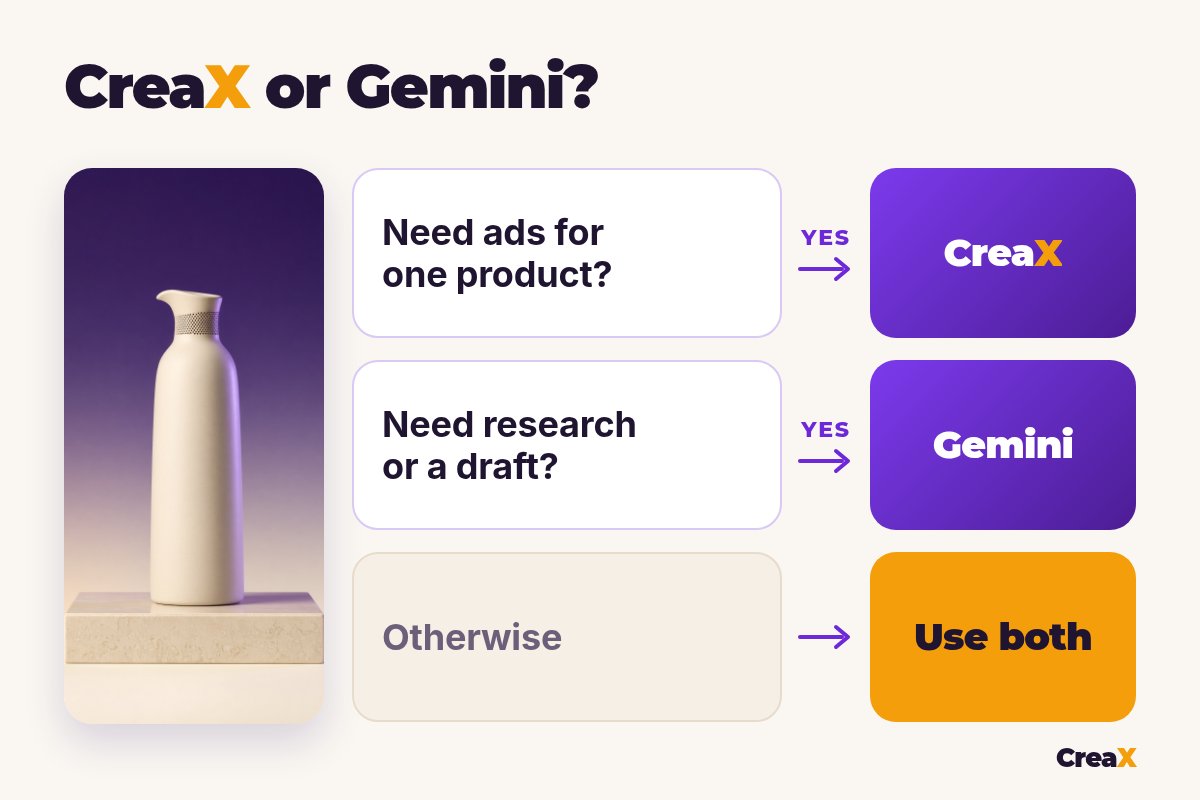
- ✓Pick Gemini for thinking work: market research, drafting copy, brainstorming angles and one-off images you want to shape by chat.
- ✓Pick CreaX when you sell a product and need finished ads and a page to test, without prompting every asset.
In this guide
TL;DRThe short answer: CreaX vs Gemini
Gemini is a very capable generalist. You can ask it to research a niche, summarise reviews, write ad copy, generate a product scene or edit a photo, all in one conversation. It can do a little of everything, but you write every prompt, check every answer and assemble the pieces into ads and a page yourself.
CreaX is a specialist for one job: ecommerce ads. You paste a product link, it reads the product and builds the assets a seller actually launches, such as static ads in set styles and sizes, short UGC-style videos and a landing page. It won't plan your trip or debug your code, and it doesn't try to.
So the real question is what you need at the end of the session. If it's an answer, a plan or a draft, Gemini is the better tool. If it's a set of ads and a page you can put live today, CreaX gets you there with far fewer steps. If you only care about Google's image model, our CreaX vs Nano Banana comparison goes deeper on images alone.
⚖Our bias, stated upfront
The competitorWhat Google Gemini is (and who it's built for)
Gemini is Google's AI assistant, available on the web and in mobile apps. Google describes it as a way to work directly with its latest AI models. According to Google's pages, the main things it does are:
- Chat and writing: drafting emails, outlines and copy, explaining topics, brainstorming and helping with code.
- Files and summaries: upload a document and ask for a summary or the key points.
- Deep Research: give it a question and it builds a plan, browses many websites (and, if you allow it, your Gmail and Drive) and writes a multi-page report.
- Image generation and editing with Google's Nano Banana models: change the scene or lighting, apply a style from a reference photo, combine photos, add text to an image in many languages and resize one visual for different formats. Paid Google AI plans get higher limits and higher-resolution downloads.
- Video: on Google AI plans, Gemini can create and edit short videos from text, photos or existing video. Google says its newer Gemini Omni model is replacing Veo in the app.
Google is also open about the limits. Its own overview says Gemini's answers can be inaccurate, especially on complex or factual topics, so you should check anything you plan to publish. Images and videos it makes carry Google's invisible SynthID watermark. Gemini is built for everyone: students, office workers, developers, creators and marketers. Video ads specifically are covered in our CreaX vs Google Veo comparison.
Our productWhat CreaX is: the AI ecommerce creative OS
CreaX is built for one workflow: turning a product into ads and a page you can launch. Paste a product link (your store, Alibaba, AliExpress, Amazon, Etsy or any product page) or upload one product image, and in about 60–120 seconds you get:
- Studio ad creatives in five styles: Classic, Humble Orbit, Punch, Luxe and Meta Feed, in the four common sizes 1:1, 3:4, 4:5 and 9:16.
- UGC-style video ads of 18, 30 or 45 seconds.
- A publish-ready landing page at a Simple, Detailed or Advanced level, in 40+ languages for 160+ target countries, including RTL languages like Arabic.
- A multi-tenant store so you can keep niches or client brands apart.
Our page on the five CreaX ad styles shows what each one looks like, and the landing page generator explainer covers the three page levels. CreaX is made for dropshippers, media buyers, ecommerce brands, coaches and agencies.
CompareSide-by-side: features, outputs and workflow
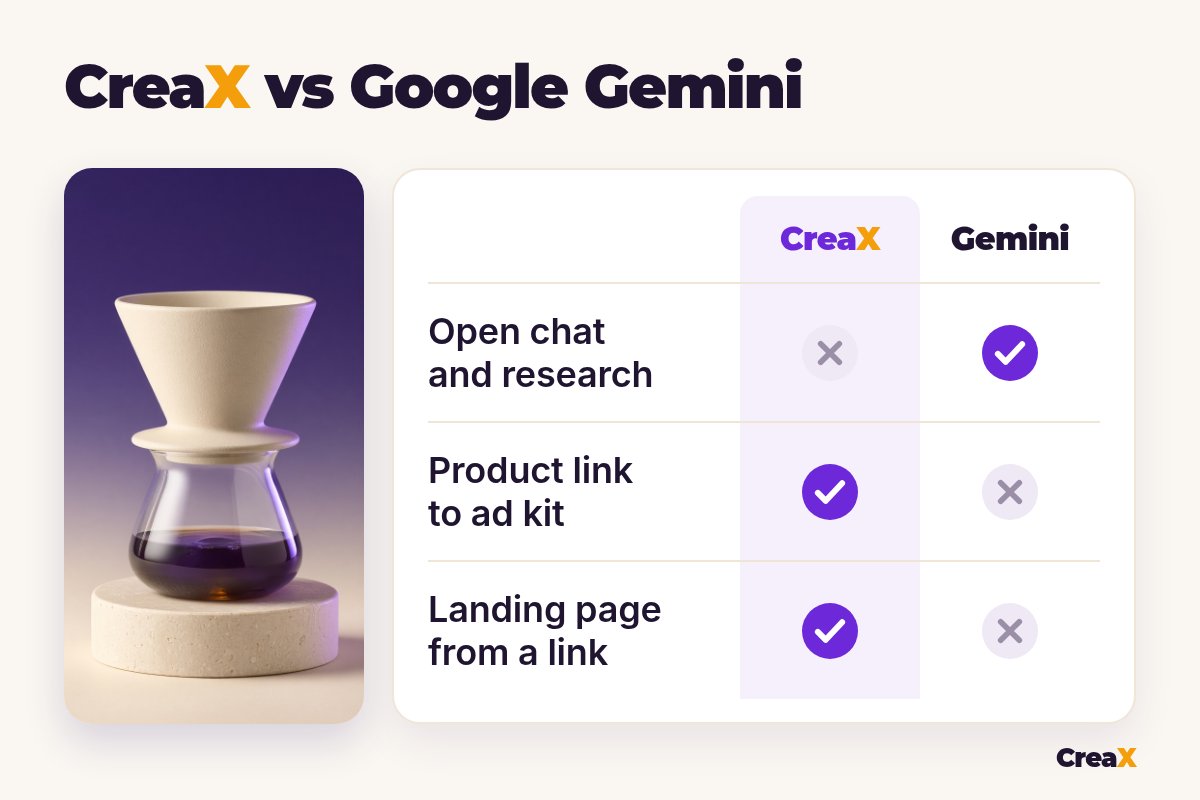
| Google Gemini | CreaX | |
|---|---|---|
| Main job | General AI assistant | Ads and a page for a product |
| What you start with | A prompt, a file or a photo | A product link or one product image |
| Main output | Answers, drafts, reports, images, clips | Static ads, video ads and a landing page |
| Research and reports | Yes, Deep Research | No |
| Ad styles and sizes | You prompt and resize each one | Five styles, four ad sizes built in |
| Landing page | No | Yes, Simple, Detailed or Advanced |
| Video | Short clips on Google AI plans | UGC-style videos of 18, 30 or 45 seconds |
| Who checks the facts | You, on every answer | You review the kit before launch |
From Google's and CreaX's public websites, October 2026. Features change, so check both sites.
How the workflows differ
A typical Gemini session for a product ad: describe the product, upload a photo, ask for a scene, refine it over a few turns, ask for headlines and primary text, resize the image for stories, then build a landing page somewhere else and paste the copy in. It is flexible and conversational, and the result depends on how well you prompt and how carefully you check the product details.
A typical CreaX session: paste the link, review the landing page, pick the static ads and videos you like, download them and launch. Angles, layouts and sizes come ready, so your time goes into choosing and testing. If you're unsure how far AI visuals can go, our guide on whether AI product photos can replace a photoshoot is a good primer.
Skip the prompting, keep the ads
Paste one product link and get studio ads, UGC-style video ads and a landing page in about 60–120 seconds.
BudgetPricing: CreaX plans vs Gemini
CreaX uses simple monthly credit plans. Credits are spent when you generate, and you can top up at any time:
| CreaX plan | Price / month | Credits | Good fit |
|---|---|---|---|
| Free | $0 | 0 | Look around the app before buying credits |
| Basic | $4.99 | 2,000 | Your first product tests |
| Standard | $14.99 | 6,500 | Testing new products every week |
| Pro | $29.99 | 14,000 | Several products or stores at once |
| Premium | $49.99 | 25,000 | Agencies and high-volume media buyers |
| Top-up | $1 | 500 | Extra credits when a test takes off |
Current plans on creax.io/pricing.
Gemini has a free version, and Google sells Google AI plans that unlock its best image model, video creation, higher limits and more. Plans, limits and features differ by tier and country, so we don't quote them here. Check gemini.google for current plans.
★Count the whole job
Fair playWhere Gemini is the better pick
Gemini does several things CreaX doesn't try to do, and for some sellers that settles it:
Google Gemini
Strengths
- +Answers almost any question in a chat
- +Deep Research reports for market and niche research
- +Image creation and editing by conversation
- +Works with your Gmail and Drive if you allow it
- +Free version to start
Trade-offs
- −No landing page
- −You prompt, check and resize every asset
- −No ready ecommerce ad layouts
- −Answers can be wrong and need checking
CreaX
Strengths
- +Static ads, video ads and a landing page from one link
- +Five ad styles and four ad sizes
- +About 60–120 seconds per kit
- +Plans from $4.99/month, top-ups $1 per 500 credits
- +Multi-tenant store for niches and clients
Trade-offs
- −Not a general assistant or research tool
- −Won't write emails, plans or code
- −The Free plan has 0 credits, so generating needs a paid plan
⚖Honest take
Gemini is great for the thinking around a launch. Our guide to using ChatGPT for dropshipping lists prompts that work just as well in any general assistant, and our CreaX vs ChatGPT comparison covers the same choice with OpenAI's assistant.
Our recommendationWhere CreaX is the better pick
For most sellers, the goal isn't a good answer. It's a set of ads to test and a page that converts. That's where we recommend CreaX.
- You are testing a new product. One link gives you ads, videos and a page, so you can launch the same day.
- You need several angles, not one image. Different styles and sizes come ready, which is what testing needs. Our guide to testing ad angles for a new product shows how to use them.
- You need video in the kit. UGC-style videos of 18, 30 or 45 seconds come with it.
- You sell in several markets. Pages in 40+ languages for 160+ target countries, including RTL languages like Arabic.
Turn a product link into a test kit
Get studio ads, UGC-style video ads and a matching landing page from one product link, then launch them wherever you run ads.
ExampleWorked example: one product, both workflows
Say you sell a ceramic pour-over coffee dripper and want to test it on Meta and TikTok. Here is the work involved in each tool:
| Task | With Gemini | With CreaX |
|---|---|---|
| Understand the buyer | Deep Research on coffee buyers | Not covered, use your own research |
| Get the product right | Upload photos and describe it | Paste the product link or one image |
| Make 3 ad angles | Prompt and refine each scene | Studio ads in five styles |
| Sizes for feed and stories | Ask it to resize each image | 1:1, 3:4, 4:5 and 9:16 built in |
| A short video ad | Prompt a clip on a paid plan | UGC-style videos of 18, 30 or 45 seconds |
| Landing page | Write copy, build the page elsewhere | Generated from the same link, then edited |
A qualitative comparison of the work involved, not a speed or results benchmark.
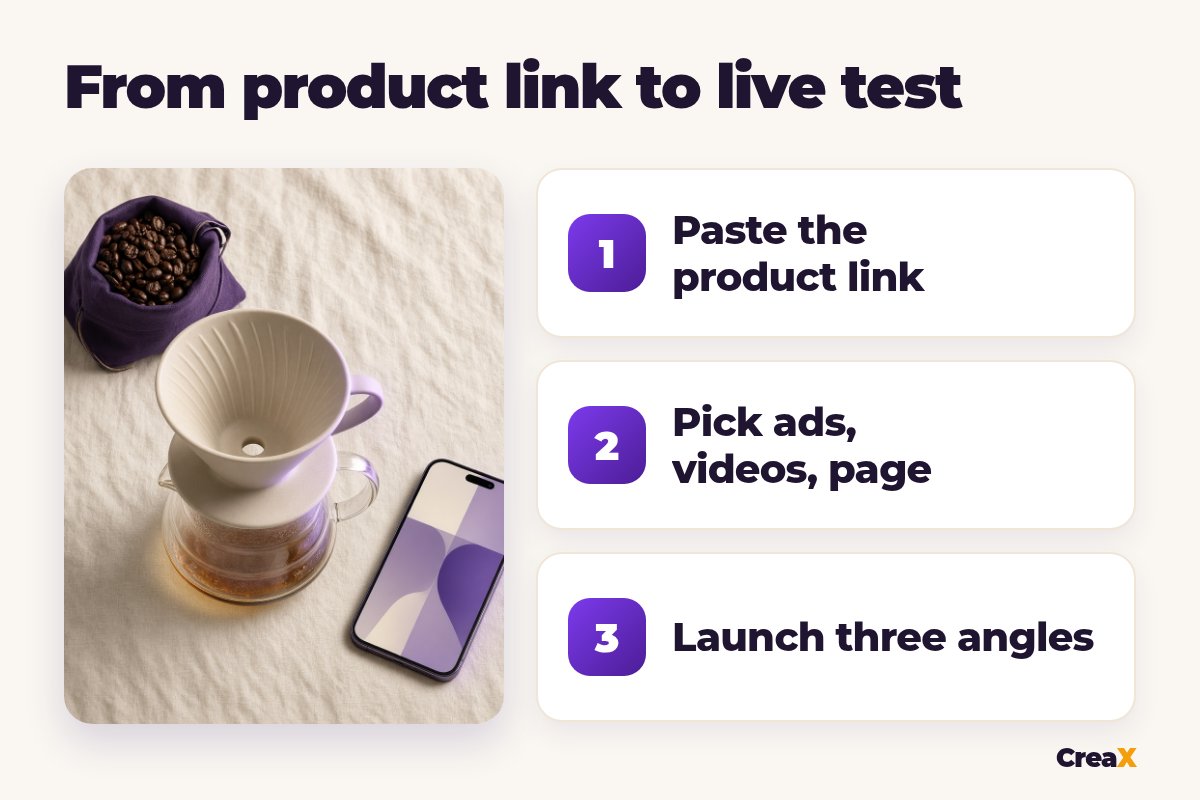
A sensible split: use Gemini before the launch to research coffee buyers, list their objections and brainstorm hooks like “café taste at home” or “a slower, calmer morning”. Then use CreaX to turn the product link into the test kit and page, and launch three angles. Once one wins, our guide to scaling winning creative variations covers what to do next.
!Check every asset before it runs
Choose with confidenceDecision checklist
Answer these before you choose
- ✓Do you need finished ads and a page for a product? CreaX starts from the link.
- ✓Do you need research, a plan or a first draft? Gemini is built for it.
- ✓Do you enjoy shaping images by chat? Gemini rewards it. If not, CreaX does the setup for you.
- ✓Do you need a landing page today? Only CreaX makes one from the same link.
- ✓Do you want both? Use Gemini for thinking and copy ideas, and CreaX for the ads and pages you test.
FAQFrequently asked questions
Q.Is CreaX a Gemini alternative?
Q.Can Gemini make product ads?
Q.Is Gemini the same as Nano Banana?
Q.Do I need to write prompts in CreaX?
Q.Which is better for a new dropshipping store?
Q.Can I use both?
Ready to test your next product?
One product link, about 60–120 seconds, and you have studio ads, UGC-style video ads and a landing page for your next test.
This guide is published by CreaX. We describe other tools from their own public websites, last checked October 2026, avoid invented scores or prices, and recommend checking each vendor's site for current features and plans.
Your next campaign starts with a link.
Paste a product link and get UGC video ads, ad images and a landing page — everything in under 60 seconds.
Start creating