
CreaX vs Google Veo for Product Video Ads
Comparison · AI video ads
CreaX vs Google Veo is not really a fight between two video tools. Veo is Google DeepMind's generative video model: you describe a scene, and it creates a cinematic clip with native audio. CreaX starts from your product link and hands you a ready ad test: UGC-style video ads, studio static ads and the landing page they point to. Here is an honest guide to when each one makes sense for product video ads.
Updated October 2026 · By the CreaX team
Key takeaways
- ✓Google Veo (now Veo 3.1) is a general video generation model with native audio, built for filmmakers and storytellers. You reach it through Google Flow, the Gemini API and Google Cloud; in the Gemini app, Google says Gemini Omni is replacing Veo.
- ✓CreaX is an AI ecommerce creative OS: paste a product link or image and get UGC-style video ads, studio ad creatives, a publish-ready landing page and a multi-tenant store in about 60–120 seconds.
- ✓Pick Veo if you want cinematic shots you direct with prompts, have time to iterate, or are building your own video pipeline on Google's API.
- ✓Pick CreaX if you sell products and need the ads and the page for a test today, without writing prompts or editing clips together.
In this guide
TL;DRThe short answer: CreaX vs Google Veo
Veo is an engine; CreaX is a finished workflow. Veo can generate impressive clips from a text prompt or reference images, with sound effects, ambient noise and dialogue generated alongside the picture. What it gives you is footage. Turning footage into a product ad still means writing prompts that keep your product accurate, picking the best takes, cutting them into a hook-body-CTA structure, adding text and an offer, exporting the right sizes and building a page to send traffic to.
CreaX skips most of that for ecommerce. It reads your product from a link or image and produces the ad formats sellers actually run, plus the landing page, in one pass. You get less creative freedom over each shot, and much less work between idea and launch.
⚖Our bias, stated upfront
The competitorWhat Google Veo is (and who it's built for)
Google DeepMind calls Veo its leading video generation model, designed to empower filmmakers and storytellers. The current version on its site is Veo 3.1. Google's public pages describe:
- Native audio: sound effects, ambient noise and dialogue generated with the video.
- Realism and prompt adherence: Google highlights real-world physics and more accurate responses to instructions.
- Creative control: text to video, image to video from a first frame, first-and-last-frame control, video from reference images and extending clips.
- Several ways in: Google Flow (Google's AI creative studio), the Gemini API for developers, and Google Cloud for businesses.
iVeo and Gemini Omni
In short, Veo is built for creators, filmmakers, agencies and developers who want to generate original footage. Ecommerce is one possible use, not the focus.
CreaXWhat CreaX is: the AI ecommerce creative OS
CreaX starts from a product, not a prompt. Paste a product link, from Alibaba, AliExpress, Amazon, Etsy or any product page, or upload a product image. In about 60–120 seconds you get:
- UGC-style video ads of 18, 30 or 45 seconds.
- Studio ad creatives in five styles (Classic, Humble Orbit, Punch, Luxe and Meta Feed) and four sizes (1:1, 3:4, 4:5 and 9:16).
- A publish-ready landing page at three levels: Simple, Detailed or Advanced.
- A multi-tenant store to keep niches or client brands apart.
CreaX is built for dropshippers, media buyers, affiliates, coaches, ecommerce brands and agencies, and covers 40+ languages and 160+ target countries. For a deeper look at the video side, see how CreaX UGC-style video ads work.
CompareSide-by-side: features, outputs and workflow
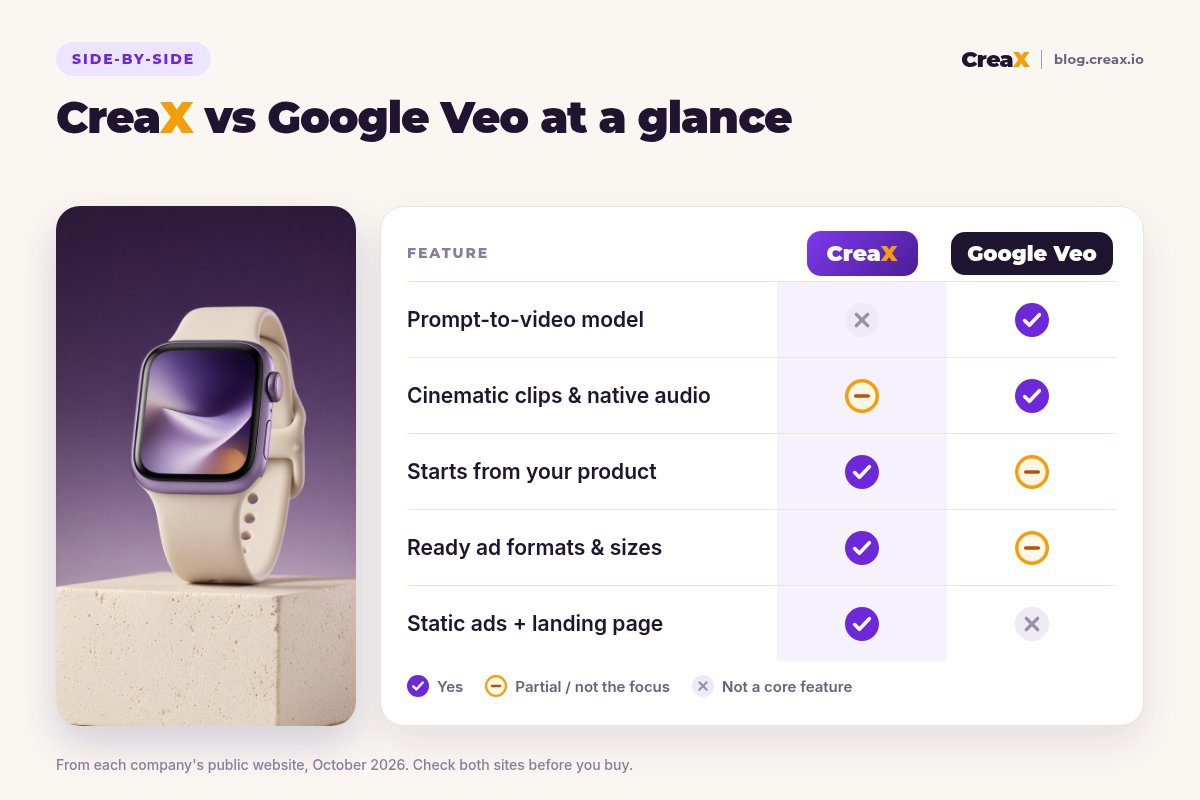
| Google Veo | CreaX | |
|---|---|---|
| What it is | Generative video model | AI ecommerce creative OS |
| Starting point | Text prompt, or images as frames and references | Product link or product image |
| Output | Video clips with native audio | UGC-style video ads, static ads, landing page, store |
| Ad structure (hook, offer, CTA) | You build it in prompts and editing | Built into the ad formats |
| Product accuracy | Depends on your references and prompts; check every take | Built from your product link or image; review before launch |
| Landing page | No | Yes, from the same input |
| Where you use it | Google Flow, Gemini API, Google Cloud | creax.io |
From each company's public website, October 2026.
How the workflows differ
A typical Veo product ad workflow: write a detailed prompt describing the scene, camera and sound; add your product photo as a reference or first frame; generate several takes; pick the ones where the product looks right; extend or regenerate shots; edit them together with captions and an end card in a video editor; export each size; then build or reuse a landing page.
A typical CreaX workflow:
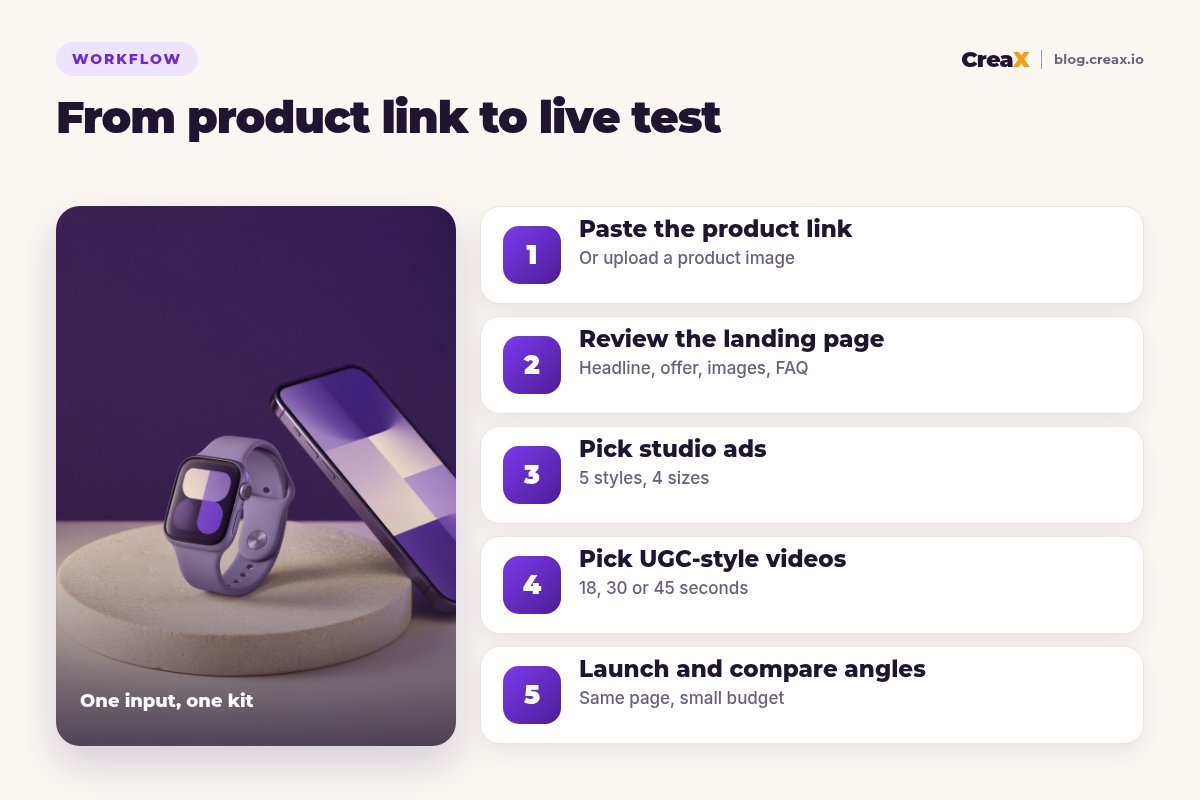
Paste the product link
Review the landing page
Pick studio ads
Pick UGC-style videos
Launch and compare angles
BudgetPricing: CreaX plans vs Google Veo
CreaX uses simple monthly credit plans. Credits are spent when you generate, and you can top up any time:
| CreaX plan | Price / month | Credits | Good fit |
|---|---|---|---|
| Free | $0 | 0 | Look around the app before buying credits |
| Basic | $4.99 | 2,000 | Your first product tests |
| Standard | $14.99 | 6,500 | Testing new products every week |
| Pro | $29.99 | 14,000 | Several products or stores at once |
| Premium | $49.99 | 25,000 | Agencies and high-volume media buyers |
| Top-up | $1 | 500 | Extra credits when a test takes off |
Current plans on creax.io/pricing.
Google Veo is priced differently depending on how you reach it: through Google AI subscription plans and Flow, or per use through the Gemini API and Google Cloud. We do not quote those prices because they vary by route, model version and region and change often; check Google's own pricing pages.
★Count the takes, not just the price per clip
Fair playWhere Google Veo is the better pick
Veo is one of the most capable video models available, and for some projects it is clearly the better choice:
Google Veo
Strengths
- +Cinematic, realistic footage from a text prompt
- +Native audio: effects, ambience and dialogue
- +Fine control with frames, references and extensions
- +Any subject or scene, not just products
- +API access for teams building their own pipelines
Trade-offs
- −Outputs footage, not finished ads
- −No landing page, store or static ad set
- −Product accuracy needs careful prompting and review
- −Access and features vary by Google product and plan
CreaX
Strengths
- +UGC-style video, static ads and a page from one link
- +Ad formats and sizes ready to run
- +About 60–120 seconds per kit
- +Plans from $4.99/month, top-ups $1 per 500 credits
- +No prompt writing or editing needed
Trade-offs
- −Not a general video model: less control per shot
- −Not for films, story content or non-product video
- −Built around products, not open-ended concepts
⚖Honest take
Our recommendationWhere CreaX is the better pick
For most product tests, the limiting factor is not how cinematic the video looks. It is how fast you can get a complete, consistent test live and learn from it:
- You test lots of products. One input per product beats a prompt-and-edit project per product.
- You need more than video. Static ads and the landing page come from the same input, so the message matches from ad to page.
- You don’t edit video. CreaX outputs ad-ready formats, so there is no cutting, captioning or resizing step for a first test.
- You run several stores or clients. The multi-tenant store keeps them apart.
If you are comparing other generative video tools, see CreaX vs Runway, CreaX vs Higgsfield and our roundup of the best AI video generators for product ads.
Build your next product test in one pass
Paste a product link and get UGC-style video ads, studio ads and a landing page together, so your test can go live today.
ExampleWorked example: one product, both workflows
Say you sell a minimalist smartwatch and want to test three angles: “fitness tracking that looks like jewellery”, “a week on one charge” and “a gift for someone who has everything”. Only use battery or health claims your supplier can prove.
| Task | Google Veo setup | CreaX setup |
|---|---|---|
| Hero video | Strong: a cinematic wrist shot with ambient sound, from a prompt and product reference | UGC-style video per angle from the product link |
| Video ads for 3 angles | Several prompts and takes per angle, then edit with captions and CTA | One video per angle, 18, 30 or 45 seconds |
| Static ads | Not part of Veo; use another tool | Studio ads in 5 styles and 4 sizes |
| Landing page | Build in your store or a page builder | Generated from the same link, then edited |
| Hand-offs between tools | Several (Veo → editor → design tool → page builder) | None for the first test |
A qualitative comparison of the work involved, not a speed or performance benchmark.
A sensible split many teams could use: launch with CreaX to find the winning angle, then, once an angle is proven, spend time in Veo or Flow on a cinematic hero video for that angle. For other ways to make product demos without a shoot, see product demo video ads without filming.
!Check every AI clip before it runs
Choose with confidenceDecision checklist
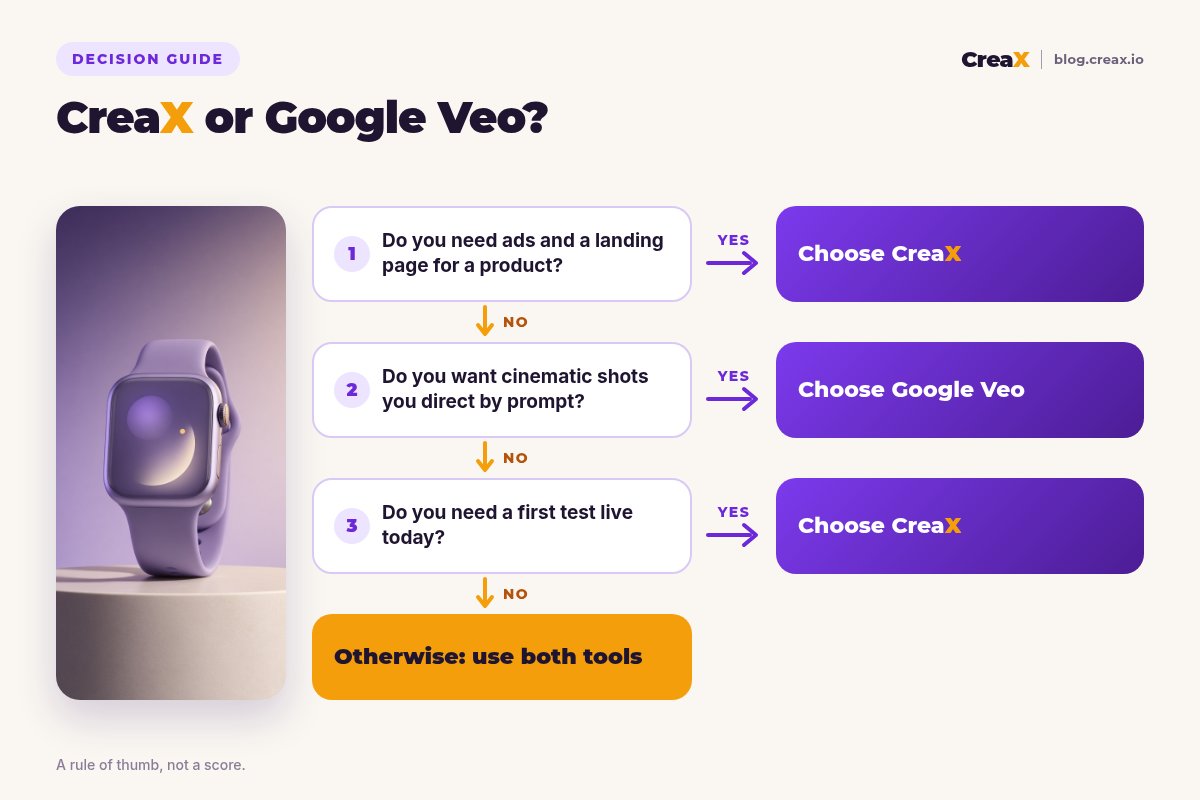
Answer these before you choose
- ✓Do you need the landing page and static ads as well as video? If yes, lean CreaX.
- ✓Do you want to direct each shot with prompts? If yes, lean Veo.
- ✓Do you edit video, or have an editor? Veo footage needs editing to become an ad.
- ✓How many products do you test each month? Many products favour a kit-per-product tool.
- ✓Are you building your own app or pipeline? Veo's API access is a real advantage.
- ✓Is it a brand film rather than a product test? That points to Veo.
Using both is a fair answer. CreaX can find the angle and run the test; Veo can make a cinematic hero piece once you know what sells.
FAQFrequently asked questions
Q.Is CreaX a good Google Veo alternative for ecommerce?
Q.Can Google Veo make ads from a product link?
Q.Is Veo still in the Gemini app?
Q.Which is cheaper, CreaX or Veo?
Q.Can I use Veo clips in paid ads?
Q.Can I use CreaX and Veo together?
Ready to test your next product?
One product link, about 60–120 seconds, and you have UGC-style video ads, studio ads and a landing page for your first test.
This guide is published by CreaX. We describe other tools from their own public websites as of October 2026, avoid invented scores or prices, and recommend checking each vendor's site for current features and plans.