

CreaX Landing Page Generator Explained
Feature · AI landing page generator
The CreaX AI landing page generator turns a product link into a publish-ready sales page: AI-written copy, product images and a mobile-first design, generated in about 60–120 seconds. This guide explains what it produces, how the workflow runs step by step, which plan fits, and where another tool is the better choice.
Updated October 2026 · By the CreaX team
Key takeaways
- ✓Paste a product link (or upload a product image), choose your market and language, and CreaX generates a full sales page.
- ✓According to creax.io, pages come with AI copywriting, high-resolution product images and a design optimized for mobile.
- ✓The same product link also gives you studio ad creatives and UGC-style video ads, so the ads and the page tell one story.
- ✓Your job is the review: check every claim, price and promise before you publish and send traffic.
In this guide
AudienceWho this is for: all sellers
The landing page generator is useful for anyone who needs a product page faster than a designer or page builder can deliver it:
- Dropshippers testing several products a month, each needing its own page.
- Media buyers who want a page that matches each ad angle.
- Affiliates who need a pre-sell or product page without code.
- Ecommerce brands and agencies launching new products or client stores.
- Coaches and service sellers with a single offer to promote.
WhyThe problem this solves
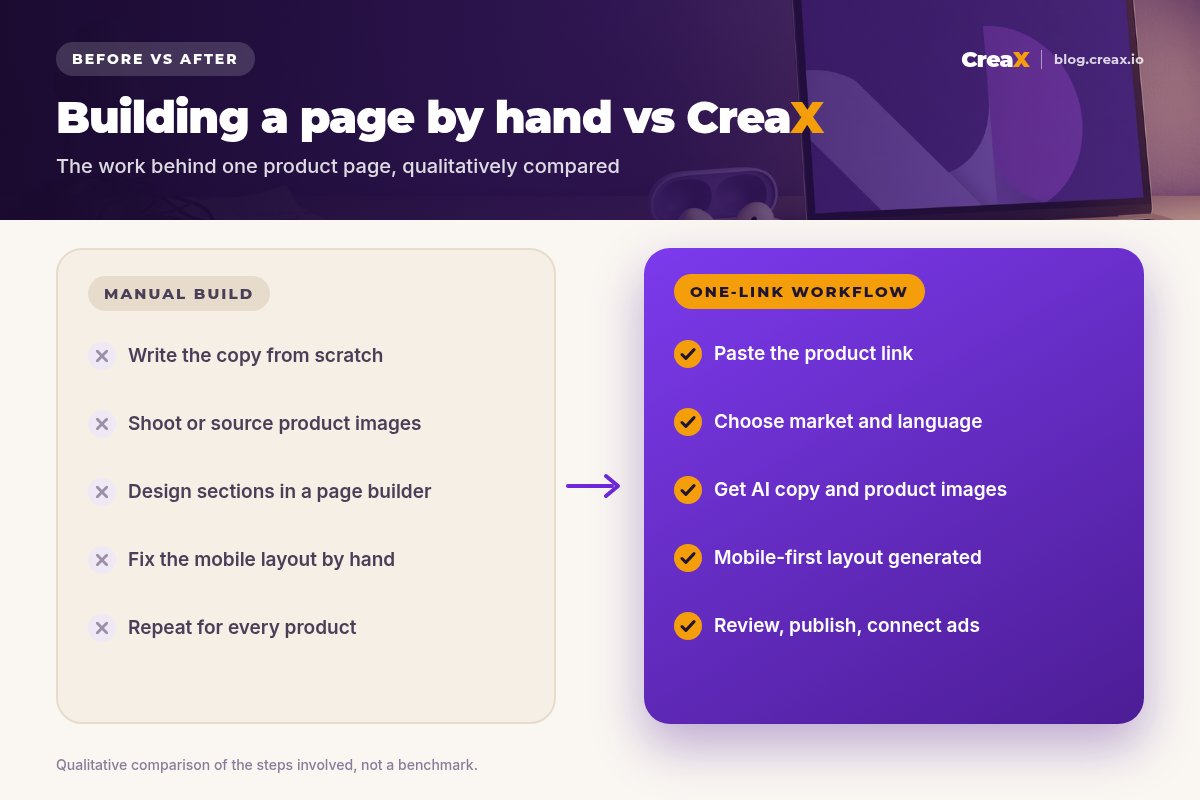
A product test needs a page before it needs anything else. Building one by hand means writing copy, sourcing or shooting images, arranging sections in a page builder and fixing the mobile layout, for every product. That's often the step that delays a launch by days, and it's why many sellers fall back to the default theme page with the supplier's description.
The default page rarely matches the ad. The visitor clicks a specific promise and lands on a generic catalog page. A dedicated landing page that continues the ad's promise is one of the simplest fixes, as we explain in our FAQ on what makes a high-converting product page.
OutputWhat CreaX produces from one product link or image
CreaX is an all-in-one AI ecommerce creative OS. From one product link or product image, it can generate:
- A publish-ready landing page: according to creax.io, a full sales page with AI copywriting, high-resolution product images and a design optimized for mobile conversions.
- Studio ad creatives: product photos and static ads in multiple sizes for Facebook, Instagram and other ad platforms.
- UGC-style video ads: AI presenter videos, 15 or 30 seconds, for TikTok, Reels and Facebook.
- A multi-tenant store for testing products and niches.
Creax.io also describes localization: you choose your target market and language (it lists 40+ languages and 160+ countries with localized currencies), and each project gets a consistent visual style with your brand colors.
iWhat we're not claiming
How it worksStep-by-step workflow
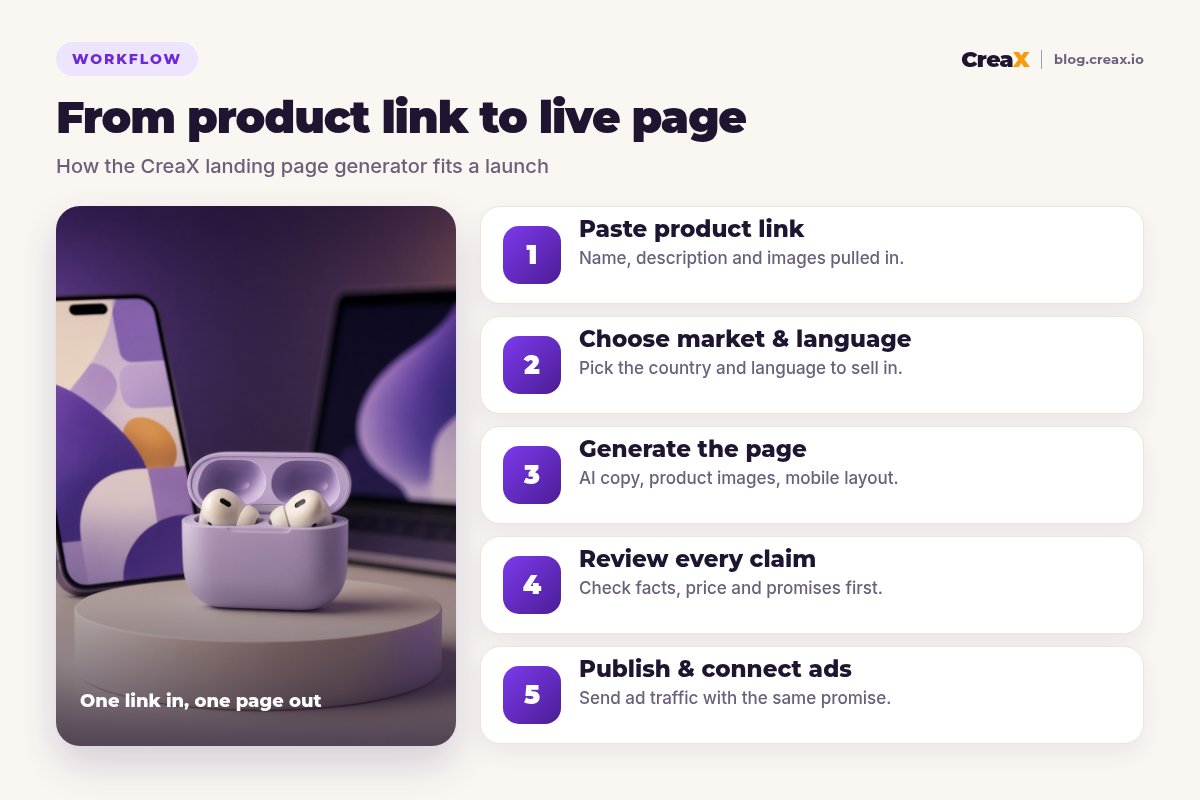
Paste your product link
Choose market and language
Generate the page
Review every claim
Publish and connect ads
For the full launch sequence, including ads and tracking, see how to turn a product link into a landing page without a designer.
What to review in each part of the page
Whatever the exact layout of your generated page, run through these parts before you publish:
| Part of the page | What to check |
|---|---|
| Headline and first screen | One clear promise that matches your ad; the main product image is the right variant |
| Benefits | Each benefit is true for this product and backed by a spec, demo or review |
| Images | They show the real product, colors and accessories the buyer will receive |
| Price and offer | Price, bundle and currency match your checkout exactly |
| Shipping and returns | Delivery times and return terms match your real policy |
| Buttons | Every button leads to the right product in checkout; test a real order |
A review pass usually takes a few minutes and catches most problems before traffic does.
Generate your first page from a product link
Paste a link, choose your market and language, and get a publish-ready landing page, plus ads to match.
ExampleWorked example: wireless earbuds
Say you want to test wireless earbuds aimed at commuters. Here's how the page comes together:
| Step | What you do | What to check |
|---|---|---|
| Link | Paste the supplier or store link for the earbuds | The right product variant and images were fetched |
| Market | Choose your country and language | Currency and wording fit your buyers |
| Generate | Create the landing page | Headline promise fits your angle, e.g. a quiet commute |
| Review | Read every section on your phone | Battery life, noise features and specs match the real product |
| Publish | Publish and place a test order | Button, checkout and tracking all work |
| Ads | Generate statics and UGC-style videos for the same angle | The ads repeat the page's promise |
Illustrative workflow. Use only specs the supplier or your own testing confirms.
Electronics are a category where specs matter. If the supplier states battery life or noise reduction, keep the exact wording they can support; if they don't, leave it out. Buyers who feel misled return products and leave reviews.
Pages for several products or niches
If you test many products, keep each test separate: one product, one angle, one page. CreaX also includes a multi-tenant store, which lets you keep niche tests or client stores apart; our explainer on the CreaX multi-tenant store shows how that works. If you sell on Shopify, our guide to CreaX for Shopify sellers covers how the pages and ads fit next to your existing store.
PricingWhich plan fits (real CreaX prices)
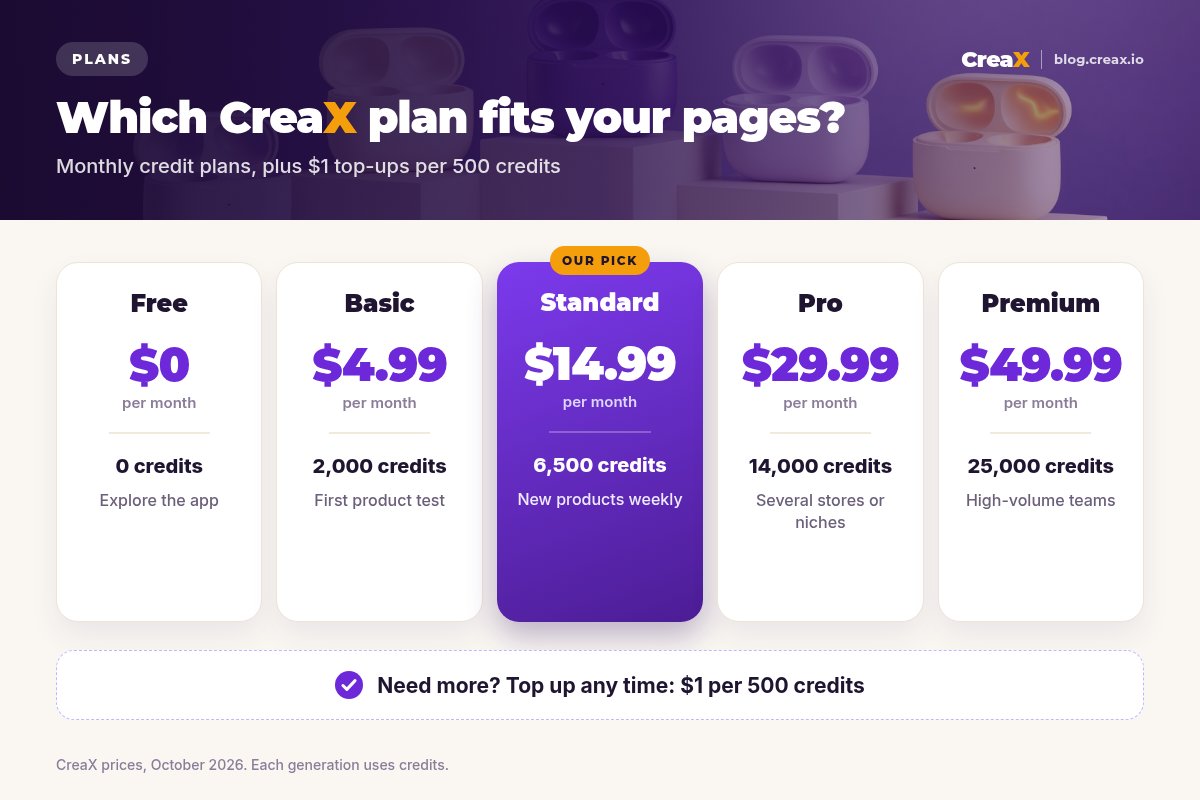
CreaX uses monthly credit plans. Each generation uses credits, and you can top up at $1 per 500 credits:
| Plan | Price / month | Credits | Good fit for |
|---|---|---|---|
| Free | $0 | 0 | Exploring the app |
| Basic | $4.99 | 2,000 | A first product test |
| Standard | $14.99 | 6,500 | New products every week |
| Pro | $29.99 | 14,000 | Several stores or niches |
| Premium | $49.99 | 25,000 | High-volume teams and agencies |
CreaX prices, October 2026. Top-ups: $1 per 500 credits.
If you mostly need pages, start small and watch how many credits a typical product uses for you; if you also generate several ads per product, a larger plan usually makes more sense than frequent top-ups.
TipsTips for better results
- Start from a clean product link. The better the source page (clear title, real images, accurate description), the better the generated page.
- Decide the angle first. Know which promise your ad makes, and check that the headline carries it.
- Check claims line by line. Nothing you can't prove should go live: results, certifications, “best” claims.
- Add your real policies. Shipping times and returns should match what you actually offer.
- Test on a phone. Most ad traffic is mobile; scroll the whole page before you publish.
- Make one page per angle. If you test two angles, two matching pages give cleaner results.
- Keep a fact sheet next to you. Specs, sizes, materials, shipping times and return terms in one place make the review pass fast and accurate.
Need ads that match the page?
The same product link gives you studio creatives and UGC-style video ads, so every click lands on the promise it saw.
FairLimits and when to use other tools
A generator is the fastest way to a good first page, but it isn't the right tool for every job:
- Pixel-level custom design: if you need a unique brand layout with custom sections and animations, a page builder or a designer gives more control. Our comparison of CreaX vs PageFly and GemPages covers that trade-off.
- Complex stores: catalogs with hundreds of products, subscriptions or custom checkout logic belong in a full store platform.
- Regulated products: health, finance or supplements need human and sometimes legal review of every claim, whatever tool wrote it.
⚖Where another tool may be better
FAQFrequently asked questions
Q.What do I need to generate a landing page with CreaX?
Q.How long does it take?
Q.Can I generate pages in other languages?
Q.Do I need design skills?
Q.Does CreaX also make the ads?
Q.Can I start from a product image instead of a link?
Q.Is the landing page enough to start selling?
Ready to launch your next product page?
One product link, about 60–120 seconds: a landing page, studio creatives and UGC-style video ads from the same product story.
This guide is published by CreaX. We describe other tools from their own public websites as of October 2026, avoid invented scores or prices, and recommend checking each vendor's site for current features and plans.