
Can AI Product Photos Replace a Real Photoshoot?
FAQ · AI product photography
Can AI product photos replace a real photoshoot? For many ecommerce images, mostly yes: lifestyle scenes, backgrounds, ad variations and fast tests. For others, no: close-up details, exact colours, fit and anything a buyer inspects before paying. This guide explains where AI is good enough, where real photos still win, how to avoid misleading images, and the mix that works best.
Updated October 2026 · By the CreaX team
Key takeaways
- ✓AI product photos are often good enough for ads, lifestyle scenes and backgrounds, as long as the product itself is shown accurately.
- ✓Real photos still win for fine details, exact colour, texture, scale and fit, and for marketplace main images with strict rules.
- ✓An AI image is misleading when it changes what the buyer receives. New scenes are fine; new features, colours or sizes are not.
- ✓The best setup for most sellers is a mix: a small set of real photos, plus AI scenes and variations for testing. CreaX makes studio creatives from one product photo or link.
In this guide
TL;DRThe short answer
AI can replace part of a photoshoot, not all of it. AI image tools are now very good at placing a product into a convincing scene, changing backgrounds, and producing many variations for ads in minutes. That covers a large share of the images an ecommerce brand uses every month, especially for ad testing.
What AI can't do reliably is prove what your product looks like up close. Texture, stitching, exact colour, small text on packaging, how a garment fits a body, how big something really is: buyers look for those details before they pay, and an AI guess isn't good enough. For those images, you still want real photos of the real product.
So the practical answer is: keep a small, honest set of real photos, and use AI for everything around them. The rest of this guide explains how to decide which is which.
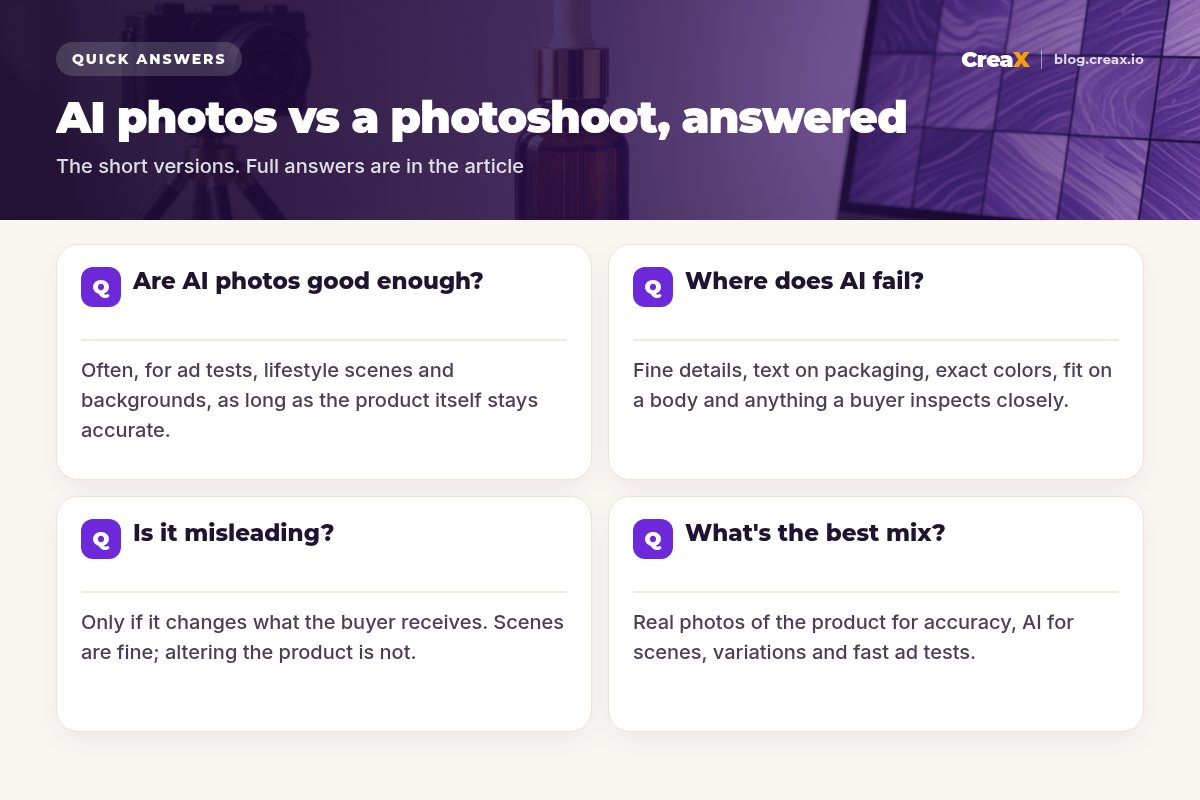
Where AI worksAre AI photos good enough?
For many uses, yes. Here's where AI product photos usually hold up well, and why:
| Use | AI is usually good enough? | Why |
|---|---|---|
| Lifestyle and scene images | Yes | The scene sells a mood; the product just needs to look right |
| Backgrounds and seasonal versions | Yes | Same product, new setting, no reshoot |
| Ad creative variations | Yes | You need many versions fast to find a winner |
| Social posts and thumbnails | Yes | Viewed small and quickly |
| Product page hero image | Sometimes | Fine if accurate; many brands prefer a real photo |
| Close-ups of texture and details | Rarely | Buyers inspect these; AI may invent detail |
| Fit on a body, true scale | Rarely | Hard to get exactly right, easy to mislead |
| Marketplace main images | Check rules | Platforms like Amazon have strict main-image requirements |
A rule of thumb, not a guarantee. Always compare AI images with the real product.
The common thread: AI works best when the scene is the variable and the product stays exactly as it is. That's why the best AI product images start from a real, sharp photo of the product. For a deeper look at what studio-style AI images can do, see studio ad creatives explained.
★Judge images by their job
LimitsWhere does AI fail?
AI image tools have improved quickly, but these weak spots still show up often enough that you should check every image for them:
- Text and logos on packaging. Letters can warp, shift or turn into nonsense.
- Fine details. Stitching, buttons, ports, hinges and patterns can be simplified or invented.
- Exact colours. A product can drift a shade warmer, cooler or more saturated than reality.
- Scale. A small item can look bigger next to AI-generated props, or the other way round.
- Fit and drape. Clothing and accessories on a body are hard to get exactly right.
- Hands and contact. Hands holding a product can look unnatural or merge with it.
- Consistency. Two images of the same product can differ in small but noticeable ways.
None of this means you shouldn't use AI. It means you need a review step before any image goes live, and a real photo for anything the buyer must see precisely. If you're choosing a tool, our roundup of the best AI product photo generators compares the main options.
HonestyIs it misleading?
An AI product image is not misleading just because it's AI. It becomes misleading when it changes what the buyer will receive. A simple test helps:
| Usually fine | Not okay |
|---|---|
| Placing the real product in a new scene | Changing the product's colour, shape or size |
| Changing the background, light or season | Adding features, parts or accessories it doesn't have |
| Adding props that clearly aren't included | Hiding flaws the real product has |
| Showing the product in a styled lifestyle setting | Implying results the product can't deliver |
A simple honesty test for AI product images.
!Rules still apply
Being honest is also good business. Images that oversell create returns, bad reviews and chargebacks, which cost far more than the photoshoot you saved.
The practical answerWhat's the best mix?
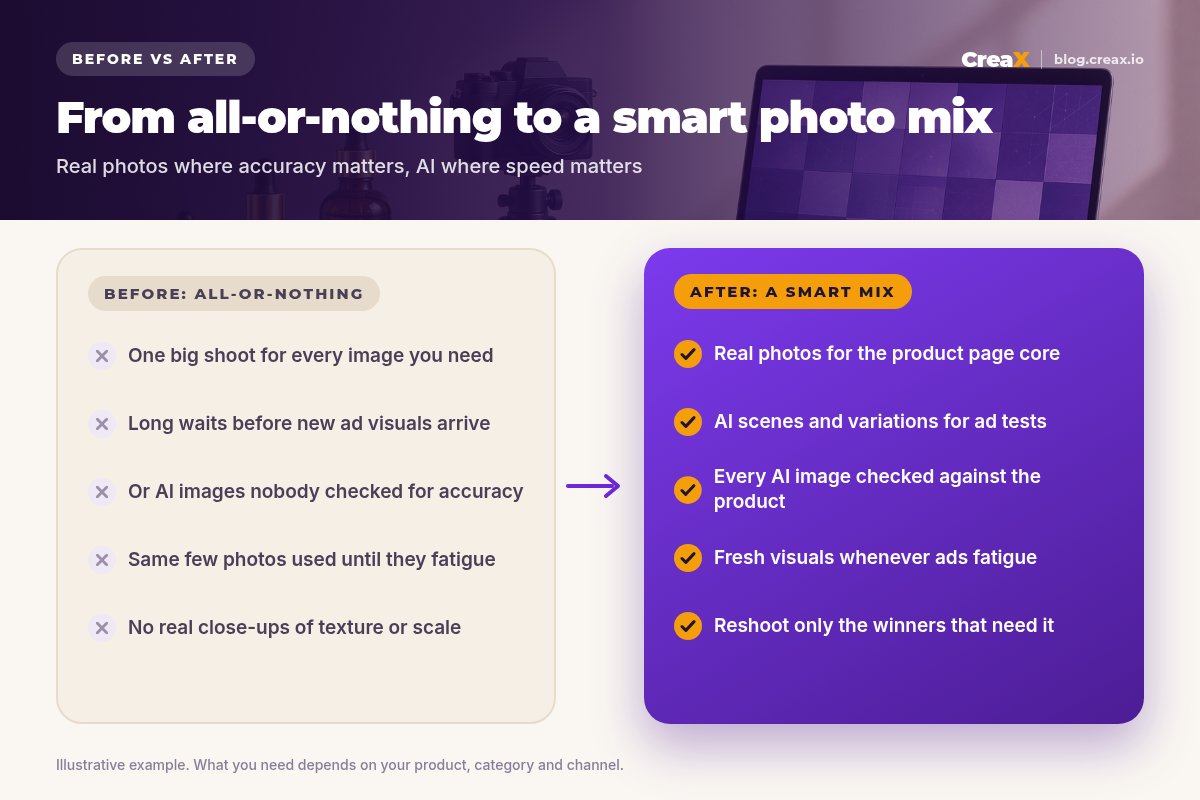
For most small and mid-size ecommerce brands, this mix works well:
Shoot a small real set
Use real photos where accuracy matters
Use AI for scenes and variations
Test before you invest
Refresh with AI
This gives you the accuracy of real photography where buyers need it and the speed of AI where you need volume. It also fits how ad testing works: see how to turn one product image into a week of ad tests and the signs your creatives need a refresh.
Worked example: an amber serum bottle
Say you sell a skincare serum in an amber glass bottle with a gold dropper. Here's how the mix could look:
- Real photos (one short session): the bottle front and back with the label readable, the dropper and the serum texture on a glass surface, and the bottle in a hand for scale.
- AI images (from those photos): the bottle on a bathroom shelf, on a travertine pedestal, in a gift setting, in a summer and a winter version, and several ad-ready studio compositions.
- Checks: the label text is correct, the glass colour matches, and the bottle size looks right next to props. Any image with a warped label gets dropped.
The product page leads with the real photos, because buyers want to read the label and see the texture. The ads use AI scenes, because you need several angles quickly and the scene is what changes between them. When one ad angle clearly wins, that's the moment a dedicated shoot for that angle can pay off.
Turn one product photo into studio creatives
Paste a product link or upload a photo and get studio ad creatives, UGC-style video ads and a landing page in about 60–120 seconds.
Watch outCommon mistakes to avoid
- Starting from a blurry supplier photo. The AI can't add accuracy that isn't in the input.
- Publishing without checking. Every AI image needs a side-by-side check with the real product.
- Letting AI “improve” the product. Smoother, shinier or bigger than reality leads to returns.
- Using AI for marketplace main images without checking the platform's current rules.
- Skipping real close-ups entirely. Buyers want to see texture and detail before they pay.
- Treating AI as all-or-nothing. The best results come from combining real and AI images.
Before you publishChecklist you can copy
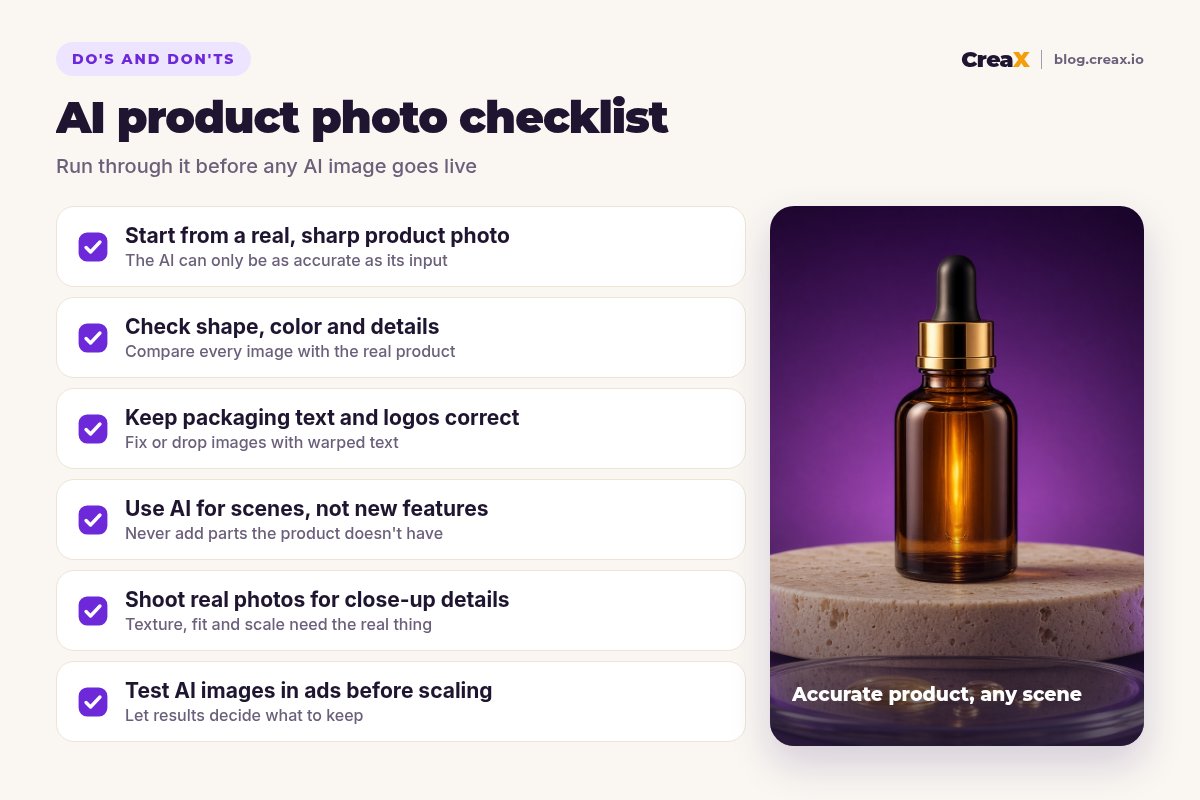
AI product photo checklist
- ✓Input photo is sharp, well lit and shows the whole product.
- ✓Shape, proportions and colour match the real product.
- ✓Packaging text and logos are correct, or the image is dropped.
- ✓No added parts, features or accessories that aren't included.
- ✓Scale looks believable next to props.
- ✓Props that aren't included can't be mistaken for included items.
- ✓Real photos cover close-ups, texture and fit.
- ✓Marketplace image rules checked before uploading.
- ✓AI creatives tested in ads before investing in a dedicated shoot.
Where we fitHow CreaX helps (briefly)
CreaX is an all-in-one AI ecommerce creative OS. Paste a product link or upload a product image, and in about 60–120 seconds it generates studio ad creatives (polished product photos and static ads), UGC-style video ads, a publish-ready landing page and a multi-tenant store. For the mix above, that means one real product photo can feed a full set of ad visuals for testing, plus the page they point to.
It won't replace a real close-up of your stitching, and it shouldn't. Use it for the scene and variation side of the mix. Comparing tools? See CreaX vs Photoroom and CreaX vs Flair AI. Plans start at $4.99/month for 2,000 credits.
Get your next batch of ad visuals without a reshoot
One product photo or link, about 60–120 seconds: studio creatives, UGC-style video ads and a landing page.
FAQFrequently asked questions
Q.Can AI product photos replace a photoshoot completely?
Q.Are AI product photos allowed in ads?
Q.Can I use AI images on Amazon or Google Shopping?
Q.What photo should I give an AI tool?
Q.How do I check an AI product photo?
Q.How much does CreaX cost for product images?
Ready to test AI visuals for your product?
Paste a product link or upload a photo and get studio creatives, UGC-style video ads and a landing page for your next test.
This guide is published by CreaX. We describe other tools from their own public websites as of October 2026, avoid invented scores or prices, and recommend checking each vendor's site for current features and plans.