
CreaX vs Nano Banana: Which Is Better for Product Photos and Ads?
Comparison · AI product photos
CreaX vs Nano Banana is a question a lot of sellers are asking now that Google's image model can edit product photos from a simple text prompt. Nano Banana is a brilliant general image generator and editor: describe a scene, upload a photo, and it changes the background, the light or the angle. CreaX starts from your product link and hands back a finished ad kit: studio ads, UGC-style video ads and a landing page. This guide shows where each one fits, so you can pick the right tool for the job, or use both.
By the CreaX team
Key takeaways
- ✓Nano Banana is the nickname for Google's Gemini image models (Nano Banana Pro, Nano Banana 2 and lighter versions). You use it in the Gemini app, Google AI Studio, Vertex AI and other Google products, by prompting and editing one image at a time.
- ✓CreaX is an AI ecommerce creative OS: paste a product link or image and get studio ad creatives, UGC-style video ads, a publish-ready landing page and a multi-tenant store in about 60–120 seconds.
- ✓Pick Nano Banana for one-off images, creative edits, mockups, lifestyle scenes and anything that is not a product ad. It is flexible and you can start for free in the Gemini app.
- ✓Pick CreaX when you need a complete, consistent test per product (ads, video and the page) without prompting every asset by hand. Many sellers use Nano Banana for extra visuals and CreaX for the launch kit.
In this guide
TL;DRThe short answer: CreaX vs Nano Banana
Nano Banana is an image model. CreaX is an ad workflow. That one difference explains most of this comparison. With Nano Banana you are the art director: you write the prompt, upload references, look at the result and ask for changes until the picture is right. It is excellent at that.
CreaX is narrower on purpose. It only cares about selling a product. You paste the link, and instead of one image you get the pieces of a product test that belong together: static ads in set styles and sizes, UGC-style video ads and the landing page the ads point to. If you have used a general assistant for this before, our CreaX vs ChatGPT comparison covers the same trade-off from the chatbot side.
So the useful question is not which tool makes nicer pictures. It is what you need at the end of the session: one great image, or a full set of ads and a page you can launch today.
⚖Our bias, stated upfront
The competitorWhat Nano Banana is (and who it's built for)
Nano Banana started as the nickname for Gemini 2.5 Flash Image and went viral for photo edits. Google now uses the name for a family of Gemini image generation and editing models. Its public pages describe these main versions:
- Nano Banana Pro (Gemini 3 Pro Image): Google's studio-quality model, aimed at precise control, accurate text inside images and complex designs such as infographics and product mockups.
- Nano Banana 2 (Gemini 3.1 Flash Image): close to Pro quality at Flash speed. It replaced Pro as the default image model across the Gemini app's model modes.
- Nano Banana 2 Lite: Google's fastest and most efficient version, built for high-volume generation and editing.
Across the family, Google highlights the same strengths:
- Editing by conversation: upload a photo and ask for a new background, different lighting, another camera angle or an added object, and keep refining in plain language.
- Combining images: blend several reference images into one scene, and keep a character or object looking the same across images.
- Text in images: clearer, more accurate text in many languages, plus translating text that is already in an image.
- Real-world knowledge: it uses Gemini's knowledge to draw real things more accurately.
You can use it in the Gemini app (choose “Create images” in the tools menu), in Google AI Studio and the Gemini API, in Vertex AI for businesses, and inside other Google products such as Search, Flow and Google Ads, where Google says Nano Banana 2 powers suggestions while you create campaigns. Every image carries an invisible SynthID watermark, and Google adds a visible Gemini sparkle on some plans.
In short, Nano Banana is built for anyone who wants to create or edit images: designers, marketers, creators, developers building apps, and sellers who need a quick visual.
The ad kitWhat CreaX is: the AI ecommerce creative OS
CreaX starts from the product, not from a blank prompt. Paste a product link (from Alibaba, AliExpress, Amazon, Etsy or any product page) or upload a product image, and in about 60–120 seconds you get:
- Studio ad creatives: product photos and static ads in five styles (Classic, Humble Orbit, Punch, Luxe and Meta Feed) and four sizes (1:1, 3:4, 4:5 and 9:16).
- UGC-style video ads of 18, 30 or 45 seconds.
- A publish-ready landing page at three levels: Simple, Detailed or Advanced.
- A multi-tenant store to keep niches or client brands apart.
CreaX is built for dropshippers, media buyers, affiliates, coaches, ecommerce brands and agencies, works in 40+ languages and 160+ target countries, and supports right-to-left languages such as Arabic on its pages. If you want to see what a studio ad looks like when it starts from a single photo, read our guide to studio ad creatives from one product photo.
CreaX is not a general image studio. You won't use it to design a poster or restore an old photo. It makes product ads and the page they send traffic to.
CompareSide-by-side: features, outputs and workflow
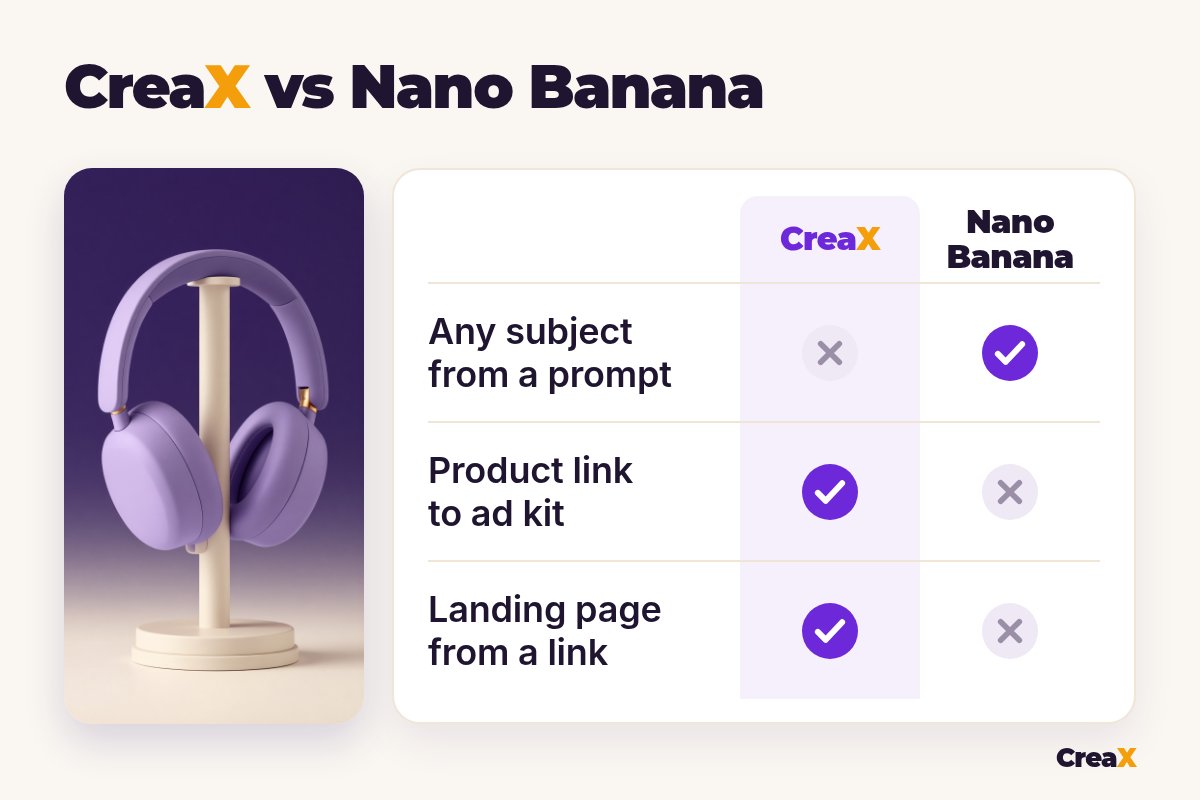
| Nano Banana | CreaX | |
|---|---|---|
| What it is | Google's Gemini image generation and editing models | AI ecommerce creative OS: ads, video, page, store |
| Starting point | A text prompt, plus optional photos to edit or combine | A product link or product image |
| Output | Images, one conversation at a time | A kit: static ads, video ads and a landing page |
| Subjects | Almost anything you can describe | Your product and its ads |
| Editing | Conversational edits: background, light, angle, objects | Pick and refine the generated assets |
| Video ads | Not part of the image model (Google offers video through other tools) | UGC-style videos of 18, 30 or 45 seconds |
| Landing page | No | Yes, Simple, Detailed or Advanced |
| Ad sizes | Any aspect ratio you ask for | 1:1, 3:4, 4:5 and 9:16, ready to run |
| Where you use it | Gemini app, AI Studio, Vertex AI, other Google products | creax.io |
From Google's and CreaX's public websites, October 2026. Features change, so check both sites.
How the workflows differ
A typical Nano Banana session for a product: upload a clean product photo, ask for the product on a marble counter in morning light, then ask for a second version on a gym bench, then a square crop, then a version with a headline. Each image is a new prompt, and you check every one for small changes to the product's shape, label or colour. Then you add copy in a design tool, make the video somewhere else and build the page.
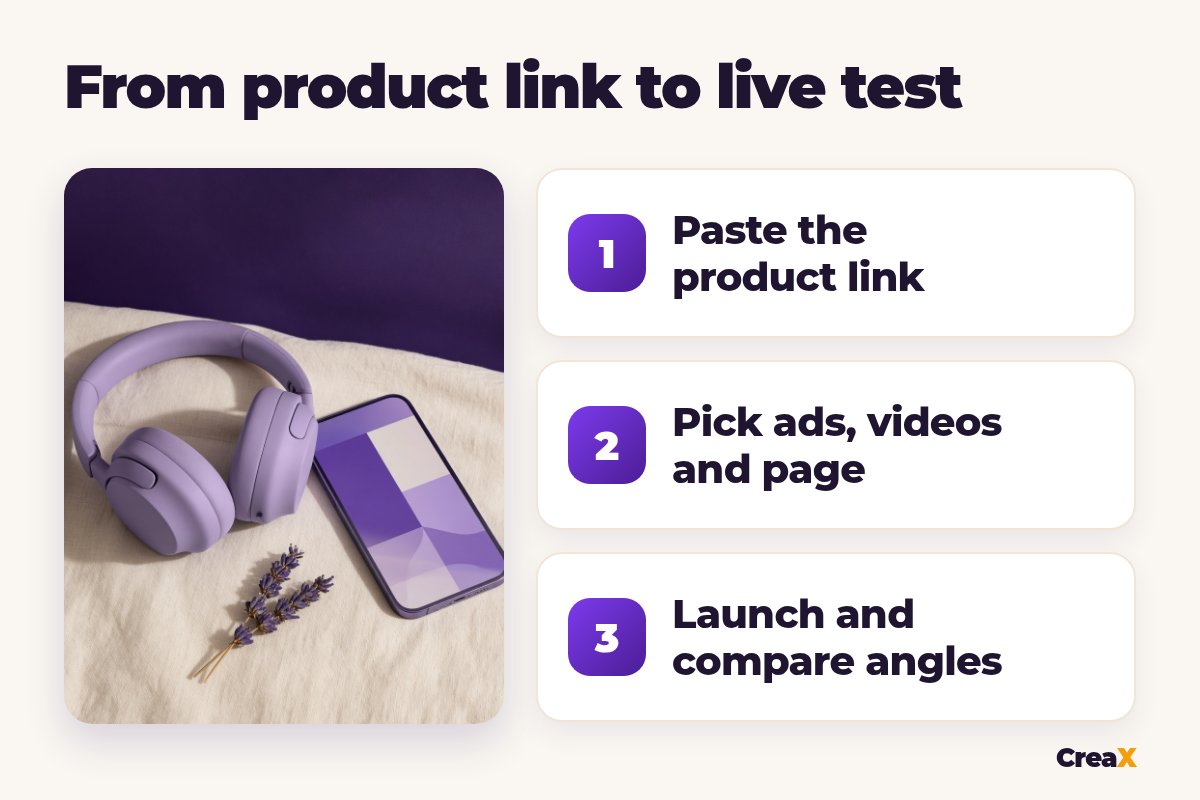
A typical CreaX session: paste the link, review the landing page, pick the static ads and videos you like, download them and launch. Fewer creative decisions, less freedom, much less assembly. For a wider view of the image-only tools in this space, our list of the best AI product photo generators compares the main options.
See your product as a full ad kit
Paste one product link and get studio ads, UGC-style video ads and a landing page in about 60–120 seconds.
BudgetPricing: CreaX plans vs Nano Banana
CreaX uses simple monthly credit plans. Credits are spent when you generate, and you can top up any time:
| CreaX plan | Price / month | Credits | Good fit |
|---|---|---|---|
| Free | $0 | 0 | Look around the app before buying credits |
| Basic | $4.99 | 2,000 | Your first product tests |
| Standard | $14.99 | 6,500 | Testing new products every week |
| Pro | $29.99 | 14,000 | Several products or stores at once |
| Premium | $49.99 | 25,000 | Agencies and high-volume media buyers |
| Top-up | $1 | 500 | Extra credits when a test takes off |
Current plans on creax.io/pricing.
Google says Nano Banana is available for free in the Gemini app, with limits. Google AI plans unlock its best image model and higher limits, and developers pay per use through the Gemini API in AI Studio or Vertex AI. We don't quote Google's prices because they vary by plan, country and model. Check the Gemini app's plan page and Google's API pricing page for current numbers.
★Count the whole job, not the image
Fair playWhere Nano Banana is the better pick
Nano Banana does things CreaX doesn't attempt, and for some sellers that settles it:
Nano Banana
Strengths
- +Creates or edits almost any image you can describe
- +Conversational edits: background, light, angle, objects
- +Blends several reference images into one scene
- +Strong text rendering and translation inside images
- +Free to start in the Gemini app
Trade-offs
- −One image at a time, prompted by you
- −No video ads or landing page from the image model
- −You check every image for changes to the product
- −Visible watermark on some plans
CreaX
Strengths
- +Static ads, video ads and a landing page from one link
- +Five ad styles and four ad sizes, ready to run
- +About 60–120 seconds per kit
- +Plans from $4.99/month, top-ups $1 per 500 credits
- +Multi-tenant store for niches and clients
Trade-offs
- −Built for product ads, not general images
- −Less free-form creative control than prompting
- −The Free plan has 0 credits, so generating needs a paid plan
⚖Honest take
Our recommendationWhere CreaX is the better pick
For many sellers the slow part isn't making one good image. It's turning a new product into a full test, several angles that match each other and the page:
- You test new products often. One link gives you the ads, the video and the landing page together, so the message stays the same from ad to page.
- You need video as well as images. UGC-style video ads of 18, 30 or 45 seconds come from the same input.
- You don’t want to prompt every asset. Ad styles and sizes are built in, so you choose instead of describing.
- You run several niches or client brands. The multi-tenant store keeps them apart.
Product shots also need a decision on style. Our guide to lifestyle vs white background product photos explains when each works, and if you're still waiting for samples, see how to make product photos without the product in hand.
Build the whole test from one link
Get studio ads, UGC-style video ads and a matching landing page from one product link, then launch them wherever you run ads.
ExampleWorked example: one product, both workflows
Say you sell wireless over-ear headphones and want to test three angles: “quiet focus at home”, “commute comfort” and “a gift for students”. Only use claims your supplier can back up, such as battery life and weight, and keep the product looking exactly like the real one.
| Task | Nano Banana setup | CreaX setup |
|---|---|---|
| Lifestyle images for 3 angles | Upload the product photo and prompt each scene, then refine | Studio ads in set styles from the product link |
| Ad sizes | Ask for each aspect ratio, or resize | 1:1, 3:4, 4:5 and 9:16 included |
| Headline on the ad | Prompt the text into the image, or add it in a design tool | Built into the ad styles |
| Video ads | Use a separate video tool | UGC-style videos of 18, 30 or 45 seconds |
| Landing page | Use your store page or another builder | Generated from the same link, then edited |
A qualitative comparison of the work involved, not a speed or quality benchmark.
A sensible split: use CreaX to build the launch kit for the product, then open Nano Banana when you want something extra, such as a holiday scene for a seasonal ad or a banner for your homepage. If you also compare image tools for pure art direction, our CreaX vs Midjourney comparison covers that side.
Before any AI image goes into a paid ad, read up on the rules. Our guide to whether AI-generated ads are safe to use commercially lists what to check, and Google's own terms apply to anything you make with Nano Banana.
!Check every AI image before it runs
Choose with confidenceDecision checklist
Answer these before you choose
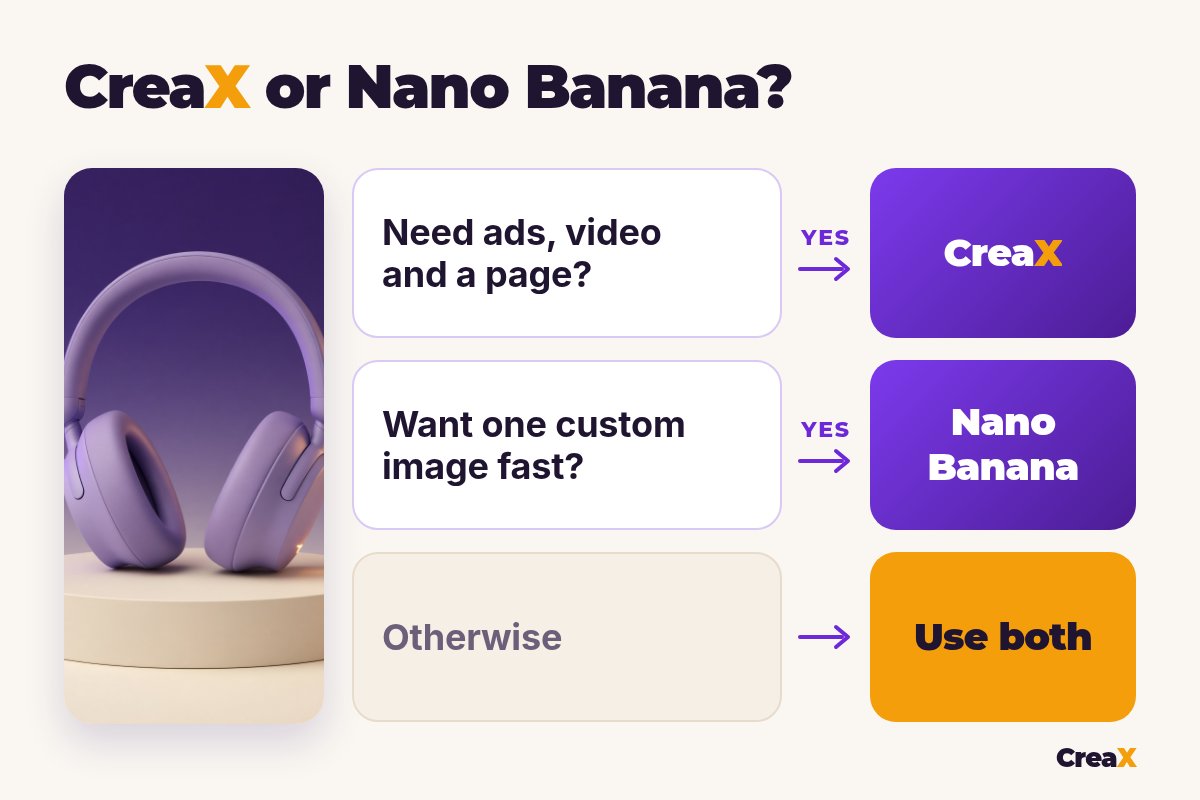
- ✓Do you need one image, or a set of ads? One image points to Nano Banana, a set to CreaX.
- ✓Do you need video ads too? CreaX makes UGC-style videos from the same link.
- ✓Do you need a landing page for each product? If yes, lean CreaX.
- ✓Do you want full creative freedom over every pixel? That's Nano Banana's strength.
- ✓Is the image not about a product at all? Use Nano Banana.
- ✓Do you have time to prompt and check each asset? If not, CreaX saves the assembly.
FAQFrequently asked questions
Q.Is CreaX a Nano Banana alternative?
Q.Can Nano Banana make product photos for ads?
Q.Does Nano Banana make videos or landing pages?
Q.Is Nano Banana free?
Q.Do Nano Banana images have a watermark?
Q.Can I use both tools together?
Ready to test your next product?
One product link, about 60–120 seconds, and you have studio ads, UGC-style video ads and a landing page for your first test.
This guide is published by CreaX. We describe other tools from their own public websites, last checked October 2026, avoid invented scores or prices, and recommend checking each vendor's site for current features and plans.