
How to Make Objection Handling Ads That Answer Buyer Doubts
by the CreaX team
In this guide
- Understanding the Role of Objection Handling Ads
- Step 1: Identify Your Buyer’s Top Doubts
- Step 2: Open with the Doubt as Your Hook
- Step 3: Provide Proof with Product Facts
- Step 4: Leverage Social Proof and Reviews
- Step 5: Address Price and Value
- Step 6: Use Comparison to Clarify Value
- Step 7: Final Checklist for Your Ad
- Frequently Asked Questions
Understanding the Role of Objection Handling Ads
In the world of ecommerce, a customer's journey is often interrupted by a flicker of doubt. Whether it is a concern about shipping times, product quality, or price, these hesitations often stop a purchase. Objection handling ads are designed to meet these doubts head-on. By creating content that proactively answers questions before the customer even asks them, you build trust and shorten the path to purchase.
When you use an AI ecommerce creative OS like CreaX, you can quickly generate assets that focus on specific product attributes to address these concerns. By pasting your product link, you can generate UGC-style video ads, landing pages, and ad images tailored to your target market.
Start Creating Objection Handling Ads
Step 1: Identify Your Buyer’s Top Doubts
Before you start filming or generating assets, you must know what is holding your audience back. Common objections usually fall into five categories: price, quality, size or fit, shipping time, and efficacy. To write effective UGC ad hooks that stop the scroll, you need to pick one specific doubt per ad. Do not try to answer every question in a single 18-second video. Focus is your best friend when it comes to conversion.
Step 2: Open with the Doubt as Your Hook
The first three seconds of your ad are critical. Instead of starting with a generic brand logo, start by stating the objection clearly. For example, if your product is a high-end kitchen gadget, start with: "Think this is too expensive for a simple slicer? Here is what it is made of and how it works." By addressing the elephant in the room immediately, you grab the viewer's attention and signal that you understand their perspective.
Step 3: Provide Proof with Product Facts
Once you have hooked the viewer, you must provide the solution. This is where a problem-solution video ad shines. Use your ad to show the product in action, focusing on the specific materials, the build quality, or a clear demonstration of how it works. If you are a new brand, you can learn to advertise a product with no reviews by leaning heavily on these factual demonstrations. Show the texture of the materials, what is in the box, and the product working.
Step 4: Leverage Social Proof and Reviews
If you have existing customers, their voices are your most powerful tool. Learning to turn customer reviews into ads allows you to use real-world validation to overcome skepticism. If a customer mentions that the product arrived faster than expected, use that quote in your ad to address shipping concerns. If you lack reviews, focus your creative assets on the "what is in the box" experience to set clear expectations.
Step 5: Address Price and Value
Price is the most common objection. When deciding whether you should show the price in your ads, consider whether your value proposition is strong enough to justify it. If your product is premium, focus your visuals on the quality and longevity. Using CreaX, you can generate studio ad images in styles like Luxe or Punch to convey that premium feel, helping the customer understand why the price point is justified.
Step 6: Use Comparison to Clarify Value
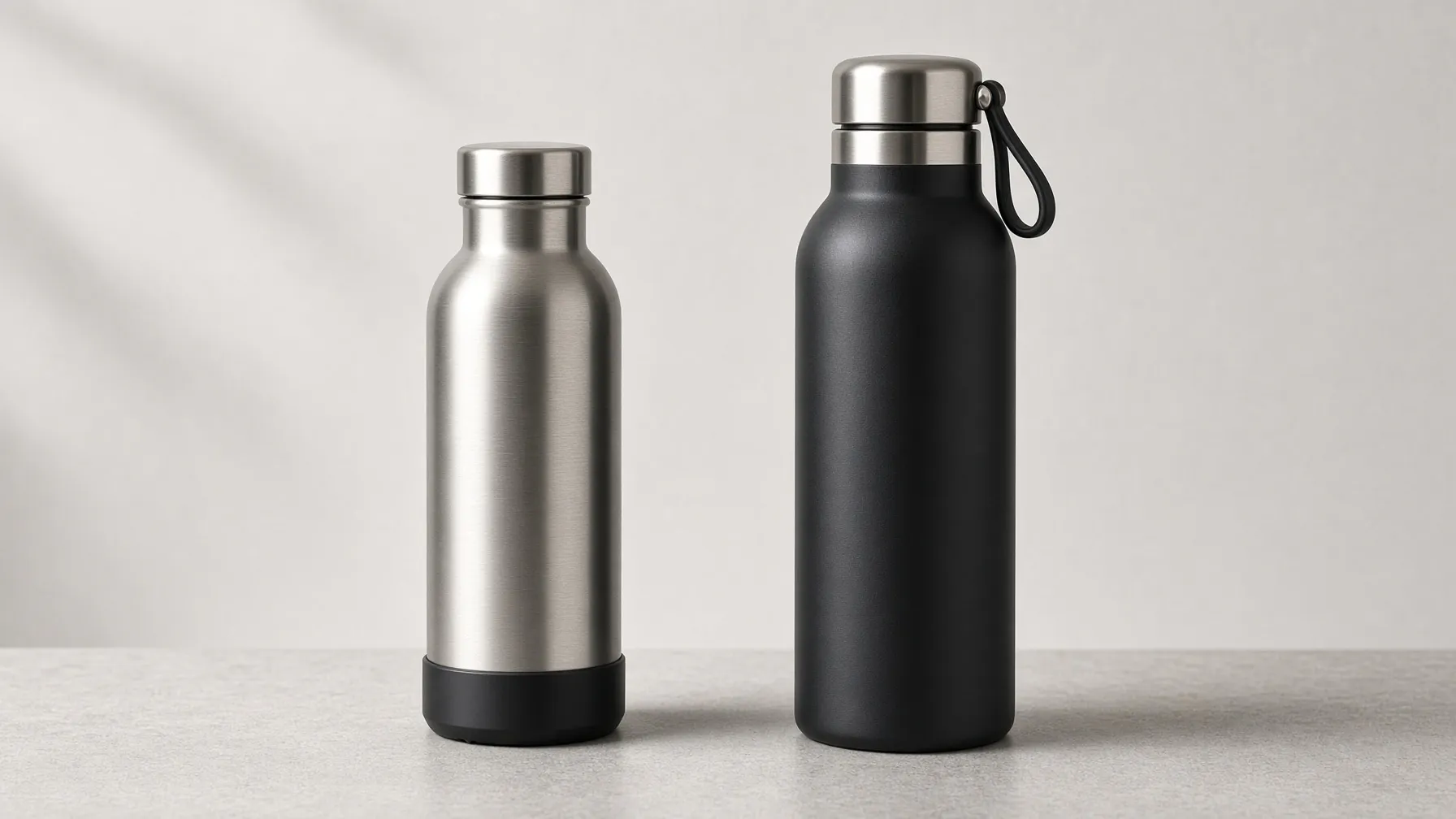
Sometimes, the best way to handle an objection is to show how your product stacks up against the status quo. A fair us-vs-them comparison ad is an excellent way to contrast your product with the usual alternatives. Keep it fair and factual. Focus on the specific features that make your product superior, such as better materials or a more intuitive design. This helps the buyer see the tangible difference between your solution and what they might be currently using.
Step 7: Final Checklist for Your Ad
Before you publish, make sure your ad is ready. Here is a quick checklist: 1) Did you pick one specific doubt? 2) Is your hook addressing that doubt directly? 3) Does your video show the product in action? 4) Is your call to action clear and direct? 5) Is your landing page ready in the language of your buyers? Following these steps helps your ads answer the doubt that matters most.
Frequently Asked Questions
How do I handle multiple objections? Create separate ads for each objection. One ad should focus on price, another on quality, and another on shipping. This keeps your messaging clear.
Can I use CreaX to target different regions? Yes, CreaX supports 40+ languages and 160+ target countries, including right-to-left languages like Arabic, so your ads can speak to local audiences.
What if I don't have video footage? You can use CreaX to generate UGC-style video ads by simply pasting your product URL, which provides you with 18, 30, or 45-second video assets.
How do I change the style of my ad images? Within the CreaX platform, you can choose from various visual styles like Classic, Humble Orbit, Punch, Luxe or Meta Feed to match your brand identity.
Can I create landing pages for my ads? Yes, CreaX allows you to generate Simple, Detailed, or Advanced landing pages directly from your product link.
Your next campaign starts with a link.
Paste a product link and get UGC video ads, ad images and a landing page — everything in under 60 seconds.
Start creating