

How to Turn Customer Reviews Into Ads (With Permission)
How to · Review ads
Turning customer reviews into ads is one of the most honest ways to sell: real buyers, in their own words, saying why they like your product. Done badly, it is also one of the easiest ways to get into trouble. This guide shows how to turn real reviews into ads step by step, with permission, without changing what customers said, and with a simple test to see if it works.
Updated October 2026 · By the CreaX team
Key takeaways
- ✓Only use real reviews from real customers. Never write, buy or invent reviews, and never present AI-generated or paid content as a customer review.
- ✓Get permission in writing before you use a customer's words, name or photo in an ad, unless your review platform's terms clearly allow it for ads.
- ✓Pick specific quotes. "It fits in my small bag and lasts all week" beats "Great product!" every time.
- ✓Test the review ad against your current best ad, same audience and same page, so you know whether social proof helps.
In this guide
The goalWhat you'll have at the end
By the end you will have a small library of real customer quotes you are allowed to use, two or three review ads (static and video) built around the best ones, and a simple test that tells you whether review ads beat your current best creative.
Review ads work because they answer the question every new visitor has: "Is this actually good, or just well advertised?" A specific quote from a real buyer does that better than any claim you could write yourself.
!This is not legal advice
PrepWhat you need before you start
- A source of genuine reviews: your store's review app, post-purchase emails, support tickets, marketplace reviews, or comments on your social posts.
- A way to contact reviewers: usually the email from their order.
- A simple permission message (template below) and a place to save replies.
- Good product images or video to show next to the quote.
- Your current best ad, to use as the control in your test.
GatherStep 1: Collect real reviews
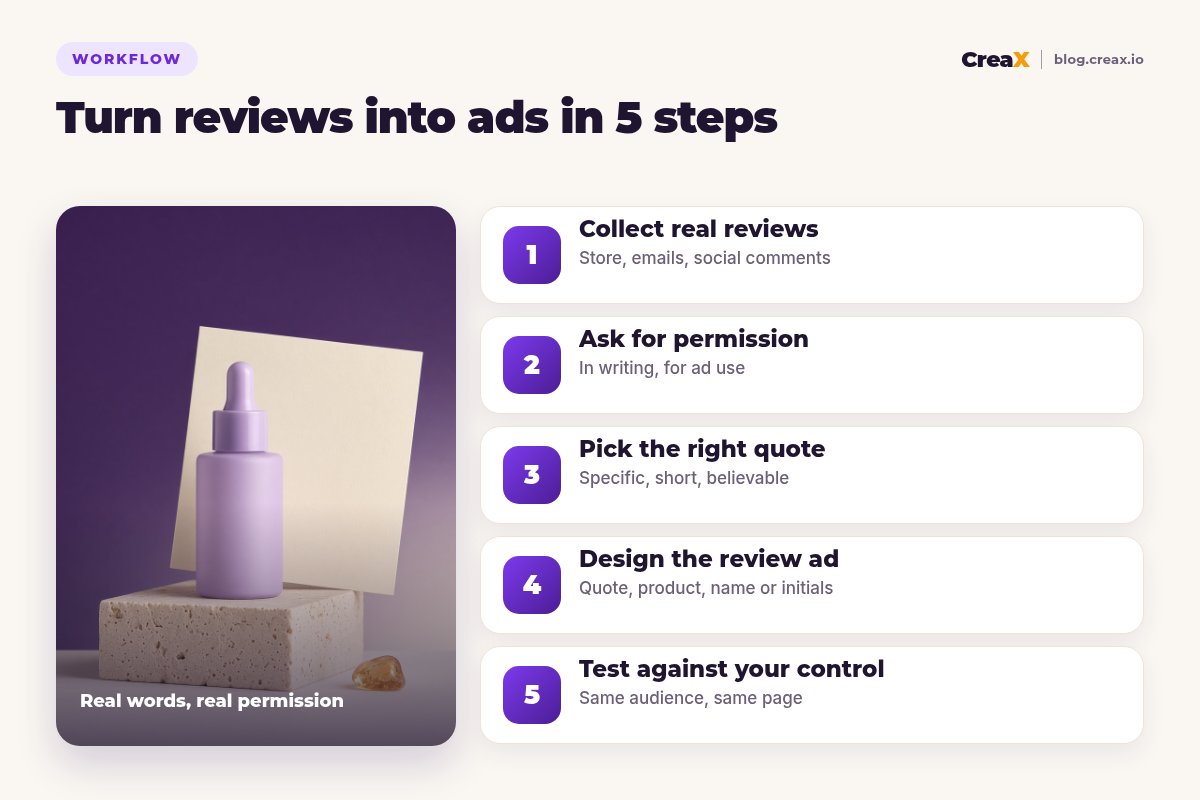
Gather every honest piece of feedback you have in one sheet. Do not filter yet, just collect. For each one, note where it came from, the date, the product, and the customer's name or handle.
- Store reviews. Usually the richest source, often with photos.
- Emails and support messages. People often explain what problem the product solved for them.
- Social comments and DMs. Short, natural and often funny, which suits ads.
- Marketplace reviews. Check the marketplace's terms before reusing them off-platform.
If you do not have reviews yet, do not fake them. Read our guide on how to advertise a new product with no reviews instead, and come back once real buyers have shared their experience.
Do this firstStep 2: Ask for permission
This is the step most sellers skip, and the one that matters most. A review posted on your store is not automatically permission to use that person's words, name or photo in a paid ad. Some review platforms' terms cover marketing use; many customers would still expect to be asked. Asking is polite, protects you, and often gets you a better quote.
A simple permission message
"Hi [name], thank you for your review of [product]. We would love to use your words in our ads on [platforms]. We would show your quote as written, with [your first name / initials / no name]. Is that OK? You can say no, and you can ask us to stop at any time."
- Be specific about where it will appear and how you will credit them.
- Save the reply with the date in your sheet.
- Ask separately for photos or video of the customer. Faces and homes need clear consent.
- Do not offer payment for a positive review. If you do give a thank-you gift for permission, check whether you need to disclose it where you advertise.
Pair real reviews with studio-quality creatives
CreaX turns one product link into studio ad creatives, UGC-style video ads and a landing page, so your customers' quotes sit next to visuals that look the part.
ChooseStep 3: Pick the right quote
Now filter. The best review quotes for ads have three things in common:
| Quality | Weak example | Strong example |
|---|---|---|
| Specific | "Love it!" | "Finally a serum that doesn't feel sticky under makeup." |
| About one benefit | "Great price, fast shipping, nice smell, works well." | "My skin felt less tight by the end of the first week." |
| Believable | "Life-changing, best thing ever made!" | "I was sceptical, but I've reordered twice." |
Made-up examples to show the difference. Only ever use real quotes from real customers.
You can shorten a quote to fit, but never change its meaning, never combine two reviews into one, and never cut a sentence in a way that makes it sound more positive than it was. If someone wrote "Not bad, but shipping was slow", you cannot use "Not bad" as praise.
Avoid quotes that make claims you could not make yourself. If a review says a cream cured a skin condition, using it in an ad turns their opinion into your health claim, which ad platforms and regulators treat seriously.
DesignStep 4: Design the review ad
Review ads come in a few simple formats:
Quote card
Review screenshot
Product + quote overlay
Video with quote captions
Several short quotes
Keep the same design rules as any static ad: one message, product clearly visible, text readable on a phone. For the visual side, see studio ad creatives from a product photo and ecommerce ad creative sizes.
!Never fake the reviewer
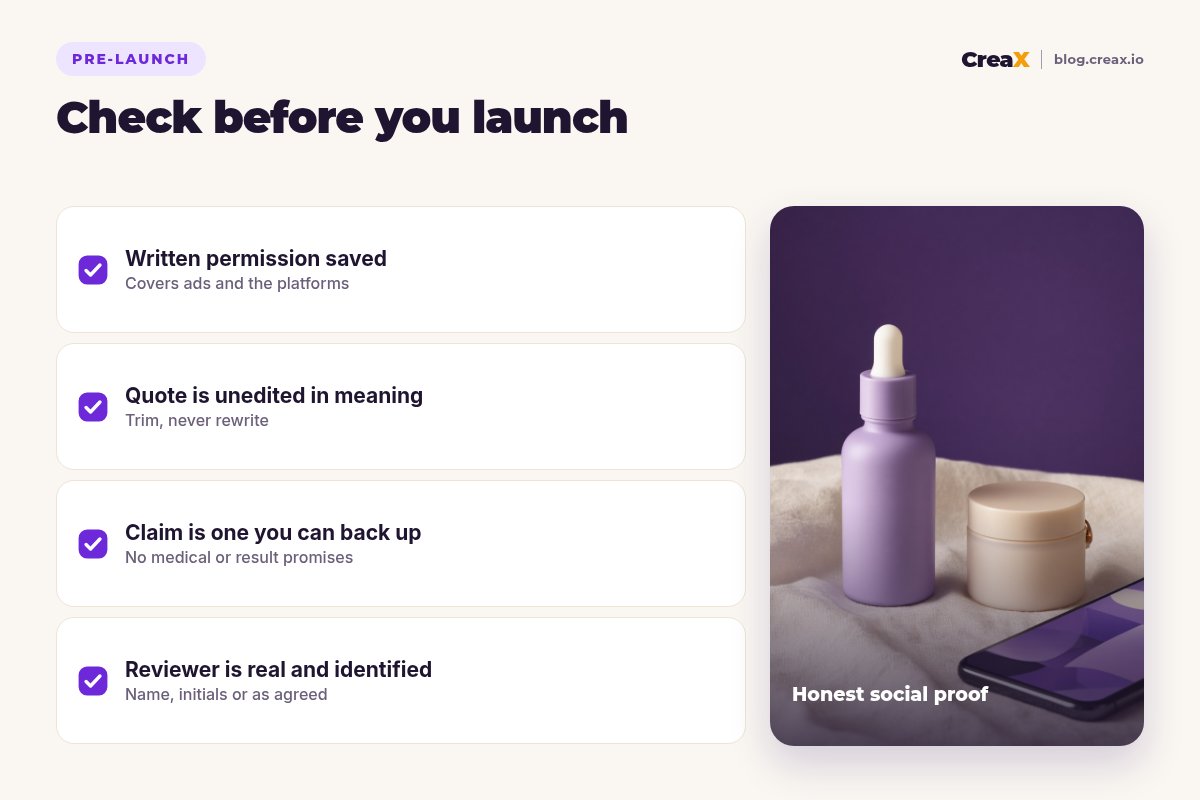
TestingStep 5: Test against your control
A review ad is a hypothesis: "social proof will beat our current best ad". Test it properly:
- Same audience, same budget, same landing page as your current best ad.
- Change one thing. If your control is a product static, make the review ad a product static with the quote added.
- Judge on purchases or cost per purchase, not likes.
- Give it enough time and spend to compare fairly. See how many ad creatives to test per product.
If the review ad wins, try other quotes about the same benefit, and put the winning quote on your landing page near the buy button too.
Build the control and the review ad in one pass
One product link gives you studio statics, UGC-style video ads and a landing page to test against.
ExampleWorked example
Say you sell a hydrating face serum and have a few dozen store reviews.
- Collect: you export the reviews and add a handful of comments from Instagram.
- Permission: you email ten reviewers whose quotes are specific. Several agree, some ask to be credited by initials only.
- Pick: the strongest is about texture under makeup, which matches your main ad angle.
- Design: a quote card with the serum bottle on the right and the quote on the left, credited with initials, in 4:5 and 9:16.
- Test: it runs against your current best studio static to the same page. You judge on cost per purchase after enough spend to compare.
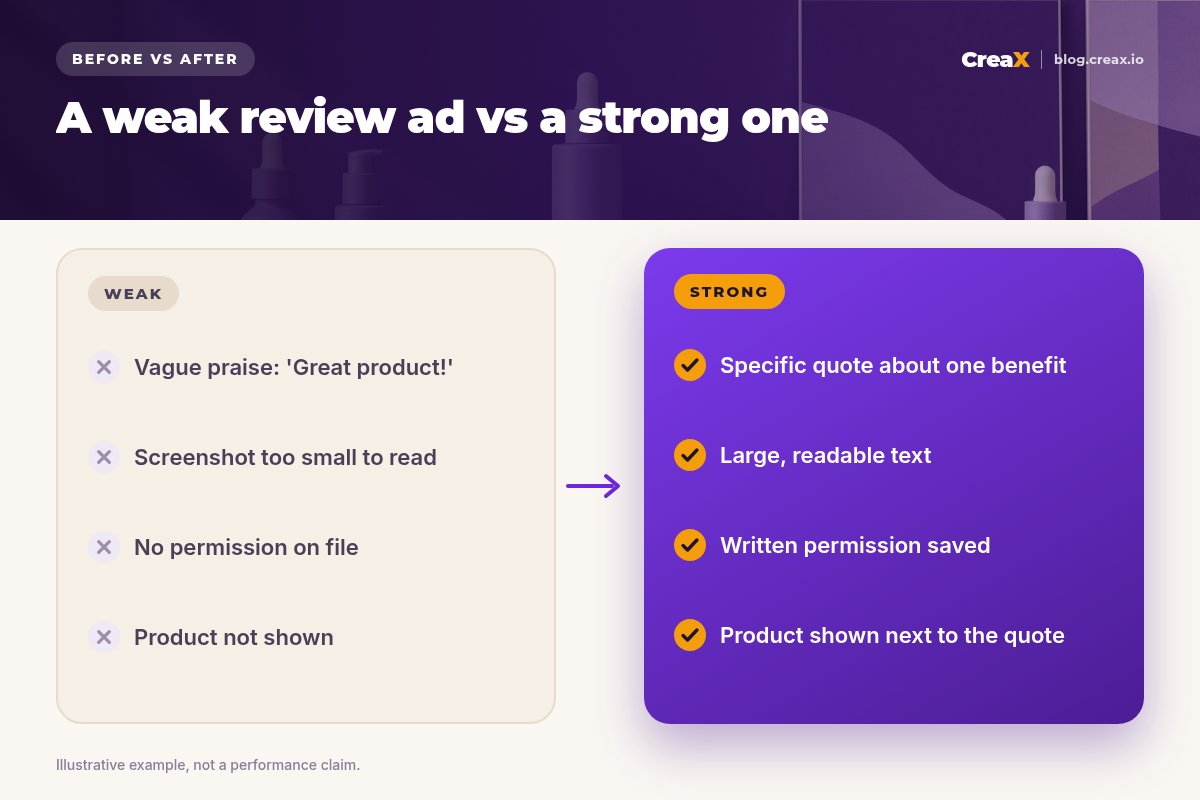
Notice that nothing here required a big budget. It required asking customers and being careful with their words.
PitfallsMistakes to avoid
- Using reviews without permission. Ask first, save the answer.
- Editing the meaning. Trimming is fine; rewriting is not.
- Fake or incentivised reviews. Never write, buy or pay for positive reviews.
- Health or result claims in quotes. You are responsible for what your ad implies.
- Tiny, unreadable screenshots. Enlarge or retype the quote exactly.
- Showing a model as the reviewer. Keep the reviewer's identity honest.
- Not testing. Review ads do not always win. Find out.
Copy thisChecklist
Before any review ad goes live
- ✓Review is real and from a real customer.
- ✓Written permission saved, covering ads and the platforms you will use.
- ✓Quote unchanged in meaning; trimmed only.
- ✓No claim you could not make yourself.
- ✓Reviewer credited as agreed: name, initials or anonymous.
- ✓Quote readable on a phone, product clearly shown.
- ✓Disclosures for any gifts or incentives where required.
- ✓Tested against your current best ad.
FAQFrequently asked questions
Q.Can I use customer reviews in ads without asking?
Q.Can I edit a customer review for an ad?
Q.Can I use AI to make review ads?
Q.Should I use the customer's full name?
Q.Can I pay customers for reviews?
Q.Do review ads work better than normal ads?
Make your review ads look as good as the reviews
Paste a product link and get studio creatives, UGC-style video ads and a landing page in about 60–120 seconds.
This guide is published by CreaX. We describe other tools from their own public websites as of October 2026, avoid invented scores or prices, and recommend checking each vendor's site for current features and plans.