

CreaX vs Kling AI: Which Is Better for Product Video Ads?
Comparison · AI product video ads
CreaX vs Kling AI is a question more sellers ask now that AI video looks good enough to run as ads. Kling AI is a powerful video model: you write a prompt or upload an image and it generates cinematic clips, even with sound. CreaX starts from your product link and hands back a ready ad test: UGC-style video ads, studio ads and a landing page. Here is where each one wins, and how to use them together.
By the CreaX team
Key takeaways
- ✓Kling AI is an AI video and image generator: text-to-video, image-to-video, start and end frames, native audio with lip-sync and multi-shot scenes, in short clips you then assemble.
- ✓CreaX is an AI ecommerce creative OS: paste a product link or image and get UGC-style video ads, studio ad creatives, a publish-ready landing page and a multi-tenant store in about 60–120 seconds.
- ✓Pick Kling AI for cinematic b-roll, creative concepts, brand films and hero shots, when you are happy to prompt, review and edit.
- ✓Pick CreaX when you need a full, matching product test today without writing prompts or editing clips. Many sellers can use both: a Kling hero clip plus a CreaX ad kit and page.
In this guide
TL;DRThe short answer: CreaX vs Kling AI
Kling AI is a video model. CreaX is a product-to-ad workflow. Kling gives you very good raw material: short clips that you direct with prompts, reference images and keyframes. What you do with those clips, how you script them into an ad, add captions, pair them with static ads and send traffic to a page, is still your job.
CreaX is narrower on purpose. It is built for one thing: selling a product. You paste a link, and you get the pieces of a product test that belong together: UGC-style video ads, studio ads in set styles and sizes, and the landing page those ads point to. If you are comparing several video models, our guide to the best AI video generators for product ads puts the main options side by side.
So the real question is what you need at the end of the day: one beautiful clip you will edit into something, or a set of ads and a page you can launch.
⚖Our bias, stated upfront
The competitorWhat Kling AI is (and who it's built for)
Kling AI is an AI video and image generation platform from Kuaishou, available on the web at klingai.com and through an API. It is one of the best-known names in AI video, and its own site shows brand films, music videos and short films made with it. Its public pages describe:
- Text-to-video and image-to-video: describe a scene, or upload an image and animate it, with options such as start and end frames.
- Native audio: its Video 3.0 models can generate dialogue, sound effects and lip-sync together with the picture.
- Multi-shot scenes: the model can plan several shots with transitions and camera angles, or you can set each shot yourself.
- References and consistency: its Omni models accept several reference images and elements to keep a character or object consistent.
- Images and Canvas: an image model, plus a Canvas workspace where an agent helps write scripts, storyboards and assets, including ecommerce assets.
- API, MCP and CLI: for teams that want to batch-generate videos from their own tools.
Kling's Video 3.0 guide describes clips of roughly 3 to 15 seconds per generation, and the site now promotes a newer Kling 4.0. Models change fast, so check Kling's site for what is current. Kling is built for creators, studios, agencies and brands who want cinematic control and are comfortable writing prompts, preparing references and editing the results.
The ad kitWhat CreaX is: the AI ecommerce creative OS
CreaX starts from the product, not from a prompt. Paste a product link (from Alibaba, AliExpress, Amazon, Etsy or any product page) or upload a product image, and in about 60–120 seconds you get:
- UGC-style video ads of 18, 30 or 45 seconds, with the selling angle already written in.
- Studio ad creatives: product photos and static ads in five styles (Classic, Humble Orbit, Punch, Luxe and Meta Feed) and four sizes (1:1, 3:4, 4:5 and 9:16).
- A publish-ready landing page at three levels: Simple, Detailed or Advanced.
- A multi-tenant store to keep niches or client brands apart.
CreaX is built for dropshippers, media buyers, affiliates, coaches, ecommerce brands and agencies. It is not a cinematic video model, and you won't direct camera moves or keyframes in it. If you have never filmed your product, our guide to product demo video ads without filming shows how the CreaX route works from a single link.
CompareSide-by-side: features, outputs and workflow
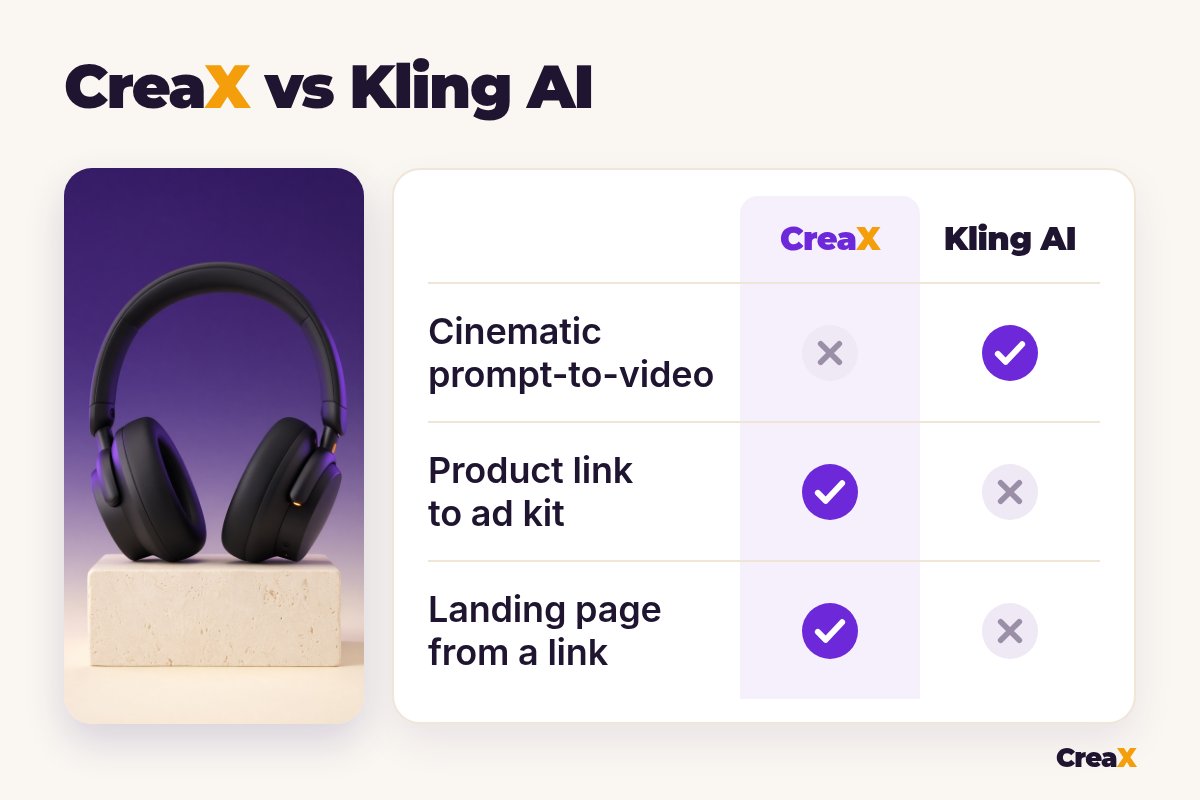
| Kling AI | CreaX | |
|---|---|---|
| What it is | AI video and image generation model | AI ecommerce creative OS: ads, video, page, store |
| Starting point | A prompt, an image, frames or references | A product link or product image |
| Output | Short video clips (and images) you assemble | A kit: video ads, static ads and a landing page |
| Video length | Short clips per generation; check current models | UGC-style ads of 18, 30 or 45 seconds |
| Creative control | High: prompts, frames, shots, references | Pick and refine the generated assets |
| Static ads | Image model; you design each ad | Five ad styles, four sizes, from the link |
| Landing page / store | No | Yes: landing page plus multi-tenant store |
| Learning curve | Prompting and editing skills help a lot | Paste a link, review, download |
From Kling AI's and CreaX's public websites, October 2026. Features change, so check both sites.
Product accuracy matters more than beauty
For ads, the product must look like the one the buyer receives. Any image-to-video model, Kling included, can drift: a logo changes, a strap moves, a color shifts between shots. That is fine for a mood film but risky for an ad. Whatever you use, compare every frame with the real product before it runs. Our honest look at whether AI video ads work for ecommerce covers what to check and where AI video still falls short.
How the workflows differ
A typical Kling AI session for a product ad: write a shot list, prepare a clean product image, prompt each clip (or use multi-shot), regenerate the ones that drift, then open an editor to add captions, a voiceover or music, and the hook. Static ads and the landing page happen elsewhere.
A typical CreaX session: paste the link, review the landing page, pick the videos and studio ads you like, download and launch. Less creative freedom, far less assembly.
See your product as a full ad kit
Paste one product link and get UGC-style video ads, studio ads and a landing page in about 60–120 seconds.
BudgetPricing: CreaX plans vs Kling AI
CreaX uses simple monthly credit plans. Credits are spent when you generate, and you can top up at any time:
| CreaX plan | Price / month | Credits | Good fit |
|---|---|---|---|
| Free | $0 | 0 | Look around the app before buying credits |
| Basic | $4.99 | 2,000 | Your first product tests |
| Standard | $14.99 | 6,500 | Testing new products every week |
| Pro | $29.99 | 14,000 | Several products or stores at once |
| Premium | $49.99 | 25,000 | Agencies and high-volume media buyers |
| Top-up | $1 | 500 | Extra credits when a test takes off |
Current plans on creax.io/pricing.
Kling AI also works with credits and memberships, and its API is priced separately. We don't quote Kling's prices because plans, credit costs per model and regional prices change. Check Kling's own pricing page for current numbers.
★Count the whole job, not the clip
Fair playWhere Kling AI is the better pick
Kling AI does things CreaX doesn't try to do, and for some projects that settles it:
Kling AI
Strengths
- +Cinematic text-to-video and image-to-video
- +Native audio, lip-sync and multi-shot scenes
- +Fine control with frames and references
- +Images, Canvas workspace and API in one platform
- +Strong for brand films and creative concepts
Trade-offs
- −You prompt, review and assemble each clip
- −Short clips per generation
- −No landing page or store
- −Product details can drift and need checking
CreaX
Strengths
- +Video ads, static ads and a landing page from one link
- +UGC-style ads of 18, 30 or 45 seconds
- +About 60–120 seconds per kit
- +Plans from $4.99/month, top-ups $1 per 500 credits
- +Multi-tenant store for niches and clients
Trade-offs
- −Not a cinematic video model
- −Less shot-by-shot control
- −The Free plan has 0 credits, so generating needs a paid plan
⚖Honest take
Kling is not the only model in this space. Our CreaX vs Google Veo comparison and the CreaX vs Runway breakdown cover two other big names, with the same honest split.
Our recommendationWhere CreaX is the better pick
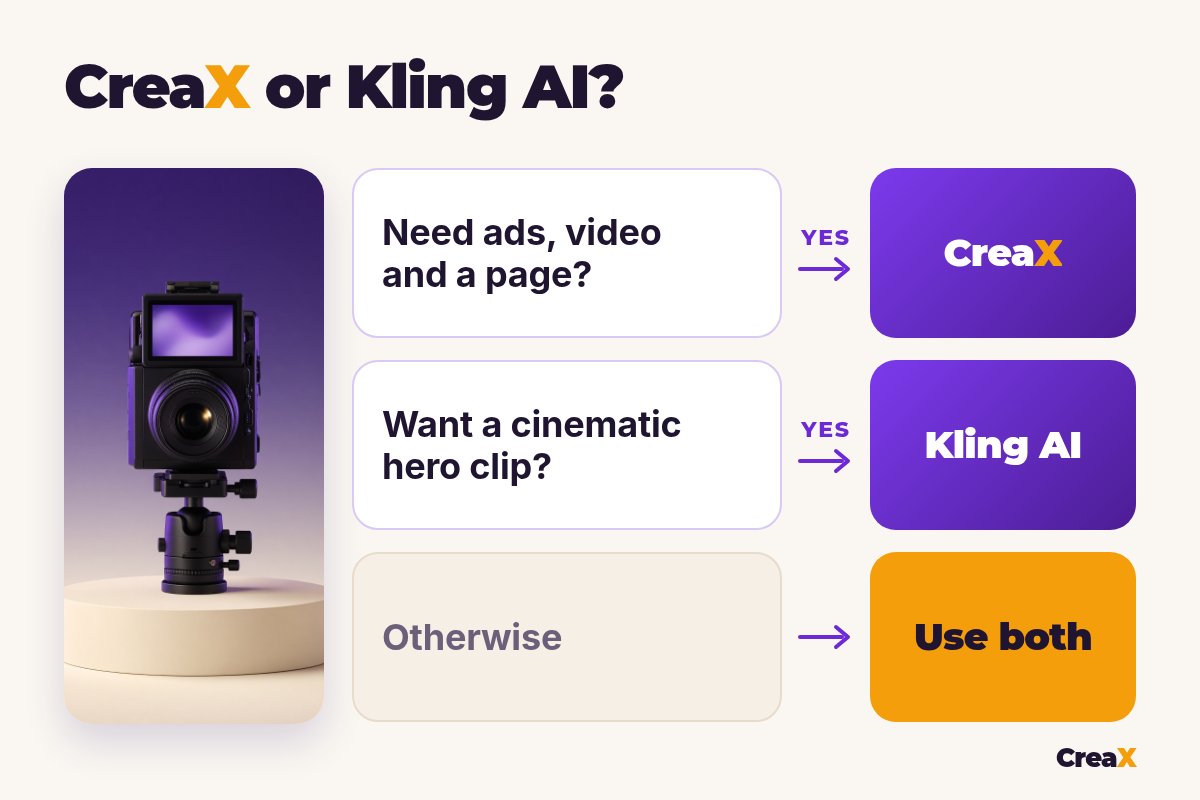
For most sellers, the slow part is not making one nice clip. It is turning a new product into a full test: several angles that match each other and the page.
- You test new products often. One link gives you video ads, static ads and the landing page together, so the message stays the same from ad to page.
- You don’t want to write prompts. CreaX writes the angle and builds the assets from the product page.
- You need longer UGC-style ads. 18, 30 or 45 seconds, ready to run, instead of stitching short clips.
- You run several niches or client brands. The multi-tenant store keeps them apart.
Build the whole test from one link
Get UGC-style video ads, studio ads and a matching landing page from one product link, then launch them wherever you run ads.
ExampleWorked example: one product, both workflows
Say you sell over-ear wireless headphones and want to test three angles: “focus at work”, “comfortable on long flights” and “a gift for a music lover”. Use only claims the supplier can back up, such as battery life on the spec sheet, and keep the product looking exactly like the real one.
| Task | Kling AI setup | CreaX setup |
|---|---|---|
| Video ad for each of 3 angles | Shot list and prompts per clip, then edit clips together | UGC-style videos generated from the product link |
| Voice and captions | Native audio in clips; captions in an editor | Built into the generated videos |
| Static ads | Generate images, then lay out each ad | Studio ads in five styles and four sizes |
| Landing page | Use your store page or another builder | Generated from the same link, then edited |
| Cinematic hero shot | Strong: camera moves, lighting, mood | Not the goal |
A qualitative comparison of the work involved, not a speed or quality benchmark.
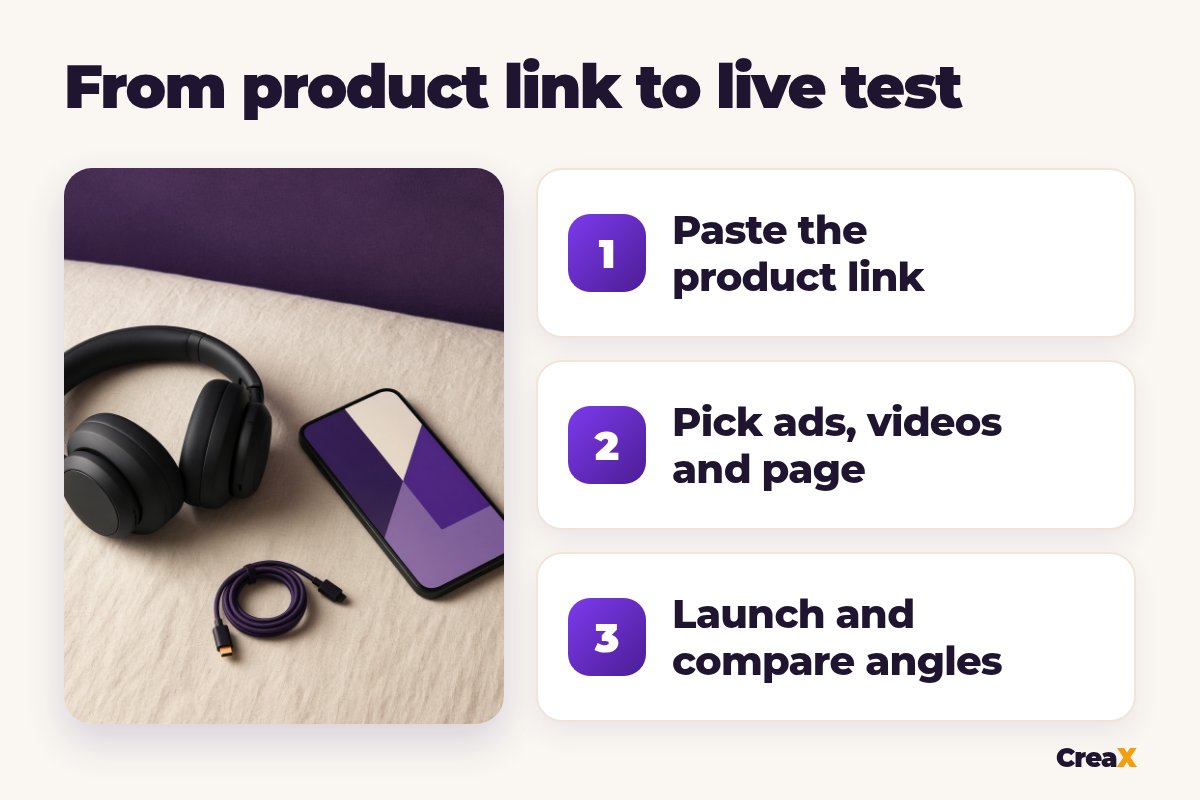
With CreaX you would have the three angles as video ads, a set of static ads and a page in one session. With Kling you would have better-looking clips, but you would still need to edit, design and build. Higgsfield sits somewhere between the two, with many models and camera presets; our CreaX vs Higgsfield comparison explains that option.
Best of bothUsing both together
You don't have to choose forever. A practical split that plays to each tool's strength:
Build the test in CreaX
Make one hero clip in Kling AI
Combine in your editor
Check the product in every frame
Launch and compare
!Check every video before it runs
Choose with confidenceDecision checklist
Answer these before you choose
- ✓Do you need a cinematic shot no product link can give? Kling AI.
- ✓Do you need ads for a product you haven’t filmed? CreaX starts from the link or one image.
- ✓Do you need a landing page for each product? Lean CreaX.
- ✓Are you comfortable prompting and editing? Kling rewards that skill.
- ✓Do you need static ads and video from the same input? CreaX makes both.
- ✓Do you test several products a week? CreaX saves the assembly.
FAQFrequently asked questions
Q.Is CreaX a Kling AI alternative?
Q.Can Kling AI make product videos?
Q.Does Kling AI build landing pages?
Q.How long are Kling AI videos?
Q.Can I use a Kling clip in a CreaX ad?
Q.Which is better for dropshipping?
Ready to test your next product?
One product link, about 60–120 seconds, and you have UGC-style video ads, studio ads and a landing page for your first test.
This guide is published by CreaX. We describe other tools from their own public websites, last checked October 2026, avoid invented scores or prices, and recommend checking each vendor's site for current features and plans.