
How to Make Product Demo Video Ads Without Filming
How-to · Product video without filming
You can make product demo video ads without filming a single frame. Start from the product images you already have, pick one benefit to prove, generate vertical videos, add captions and a clear call to action, then test three variants. This guide walks through each step, with a worked example and a pre-launch checklist.
Updated October 2026 · By the CreaX team
Key takeaways
- ✓A demo ad sells one benefit by showing the product doing its job. Decide that benefit before you generate anything.
- ✓Your inputs are product images (or a product link): a clean hero shot, an in-use shot, a detail shot and something that shows scale.
- ✓AI tools such as CreaX can turn a product link or image into UGC-style video ads in about 60–120 seconds, together with studio ads and a landing page.
- ✓Never launch one video. Launch three variants with different hooks, keep the page the same, and let the results pick the winner.
In this guide
The goalWhat you'll have at the end
By the end of this guide you will have three short vertical demo video ads for one product, each opening with a different hook, all pointing to the same landing page, plus a simple plan for reading the results. No camera, no studio, no creator to brief and no sample to wait for.
A “demo†ad is not a product slideshow. It shows the product solving a problem: the blender crushing frozen fruit, the lint remover clearing a sweater, the lamp changing the mood of a room. The viewer should understand what the product does and why they would want it within the first few seconds, even with the sound off.
That used to require filming. Today you can get there from product images alone. If you have never run this kind of creative, our explainer on what a UGC video ad is covers the format and why it works on TikTok, Reels and Shorts.
PrepWhat you need before you start
- One product with a clear use case. Demo ads work best when the product visibly does something.
- A product link or 3–6 product images: the supplier page, your store page, or your own photos.
- The offer: price, any bundle or discount, shipping time and returns. The video and the page must say the same thing.
- A landing page to send traffic to. If you don't have one yet, you can generate it from the same link (more on that below).
- A small test budget on Meta or TikTok, and an idea of your break-even numbers. Our guide to break-even ROAS shows how to work them out.
- An AI video tool. This guide uses CreaX as the example, but the steps apply to any tool that builds videos from product images.
iWhy “without filming†is realistic now
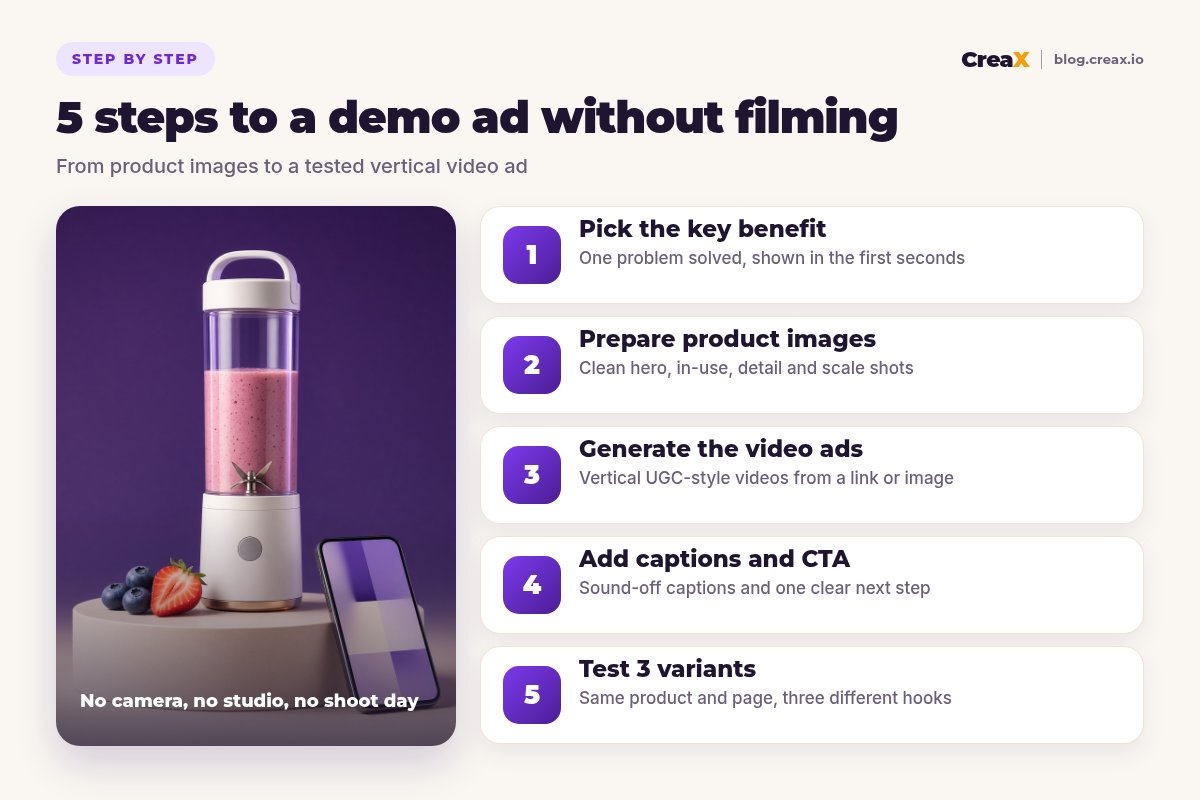
Step 1Step 1: Pick the key benefit
Most weak demo ads try to say everything. A strong one proves one thing. Before you open any tool, write a single sentence that finishes this line: “After using this product, the buyer can…â€.
Good benefits are visible and specific. “Smoothies anywhere, no kitchen needed†is visible. “High quality materials†is not. Use these three questions to choose:
- What problem does the buyer have right before they need this? (No blender at the office, frozen fruit that jams cheap blenders, washing a big jug.)
- What can the product show in two or three seconds? Pick the moment that proves the benefit, not the one that looks prettiest.
- What can you honestly back up? If the supplier can't confirm battery life or blend time, don't make it the hook.
Then write three hook lines for the same benefit, each from a different angle: a problem hook (“Your blender is too big for your deskâ€), a result hook (“Fresh smoothie in the time it takes to find a cupâ€), and a curiosity hook (“The gym bag gadget everyone asks aboutâ€). You will use these in step 5.
Step 2Step 2: Prepare product images
AI can only work with what you give it. A blurry supplier photo with a watermark produces a blurry video with a watermark. Spend ten minutes on your inputs and every output improves.
| Image type | Why you need it | Quick fix if you don't have it |
|---|---|---|
| Clean hero shot | Shows exactly what the buyer receives | Remove the background and clean up the edges |
| In-use or lifestyle shot | Lets the viewer imagine using it | Generate studio scenes from the hero shot |
| Detail or close-up | Proves quality: texture, buttons, materials | Crop a high-resolution shot, never upscale a tiny image |
| Scale reference | Avoids “smaller than expected†returns | Show it in a hand, bag or next to a common object |
| What's in the box | Sets expectations and cuts support tickets | Lay out every included part on a plain surface |
You don't need all five to start, but the hero shot and one in-use shot make a big difference.
If your only asset is a supplier photo, you can still start. Our guide on turning one product image into a week of ad tests shows how far a single good photo can go, and studio ad creatives from one product photo covers cleaning it up into polished visuals.
!Keep the product honest
Turn your product link into demo video ads
Paste a product link or upload an image and get UGC-style video ads, studio creatives and a landing page in about 60–120 seconds.
Step 3Step 3: Generate the video ads
Now turn the images into video. There are three common routes, and they suit different situations:
| Route | How it works | Best when |
|---|---|---|
| Product-link ad kit (e.g. CreaX) | Paste a link or image; get UGC-style video ads plus studio ads and a landing page | You need the whole test (ads and page) built today |
| Avatar or AI actor tools | Pick a presenter, write a script, generate a talking video | Your angle needs a person talking to camera |
| Image-to-video and editors | Animate single images, then cut them together yourself | You want frame-by-frame control and have time to edit |
Many sellers use more than one route. Start with the one that removes your biggest bottleneck.
With CreaX, the flow is short: paste the product link (or upload the image), and in about 60–120 seconds you get UGC-style video ads along with studio ad creatives and a publish-ready landing page built from the same product. That last part matters for demo ads: the page repeats the promise the video makes, so the click lands on the same message.
Whichever tool you use, review each video against your one-sentence benefit from step 1:
- Does the product appear early, ideally in the first frame?
- Is the benefit shown, not just described?
- Does it look natural in a vertical feed, or like a TV commercial squeezed into 9:16?
- Is anything wrong with the product: extra buttons, the wrong color, a missing part? If so, regenerate.
For a deeper look at fast UGC-style generation, see how to generate a UGC video in under two minutes.
Step 4Step 4: Add captions and CTA
Many people scroll with the sound off, so a demo ad has to make sense silently. Check whether your generated video already carries on-screen text. If it doesn't, add captions in a simple editor or with the auto-caption tools most ad platforms and free mobile editors offer.
Caption rules that keep demo ads readable
- Short lines: three to six words per line, so they can be read in a glance.
- High contrast: white text with a dark outline or a solid background bar.
- Safe zone: keep text away from the bottom and right edges, where TikTok and Reels place buttons and captions.
- Hook as text: put your hook line on screen in the first second, so it works even before the voice-over starts.
One call to action, matched to the page
End with a single next step that matches the landing page: “Get yours at 20% off today†only works if the page shows 20% off. Generic “Shop now†is fine; a CTA that promises something the page doesn't deliver is not. Keep the same product name, price and offer across the video, the ad text and the page.
Step 5Step 5: Test 3 variants
One video tells you almost nothing. If it fails, you don't know whether the product, the hook or the edit was the problem. Three variants of the same benefit, with different hooks, give you a real comparison.
Build three variants
Give each a fair chance
Read the early signals
Keep, cut, iterate
How many creatives should a first test include? It depends on budget, and our guide on how many ad creatives to test per product goes through the trade-offs. Three is a sensible minimum for a demo ad test. When a winner starts to slow down, watch for the signs of creative fatigue and refresh it before costs climb.
★Change one thing at a time
ExampleWorked example: a portable blender, zero filming
Say you are testing a cordless portable blender from a supplier. You have the supplier link and four product photos: one clean shot on white, one lifestyle shot with fruit, one close-up of the blades and one showing it in a gym bag.
| Step | What you do | Output |
|---|---|---|
| 1. Benefit | “Fresh smoothies anywhere, without a kitchen blender†| One sentence + three hooks |
| 2. Images | Remove the watermark, keep the four photos, add a scale shot in a hand | 5 clean input images |
| 3. Generate | Paste the supplier link into CreaX and review the UGC-style videos | Video ads, studio ads, landing page |
| 4. Captions | Hook on screen in second one, short captions, CTA matching the page offer | 3 sound-off-ready videos |
| 5. Test | Problem, result and curiosity hooks, equal budget, same page | A clear winning hook to build on |
Illustrative workflow. Timings and results depend on your product, offer and ad account.
Notice what didn't happen: no sample order, no shoot day, no editor waiting for footage. The time goes into choosing the benefit, checking the product looks right and reading the results, which is where your judgement actually matters.
Build your first demo ad test today
One product link, about 60–120 seconds: UGC-style video ads, studio creatives and the landing page they point to.
Common trapsMistakes to avoid
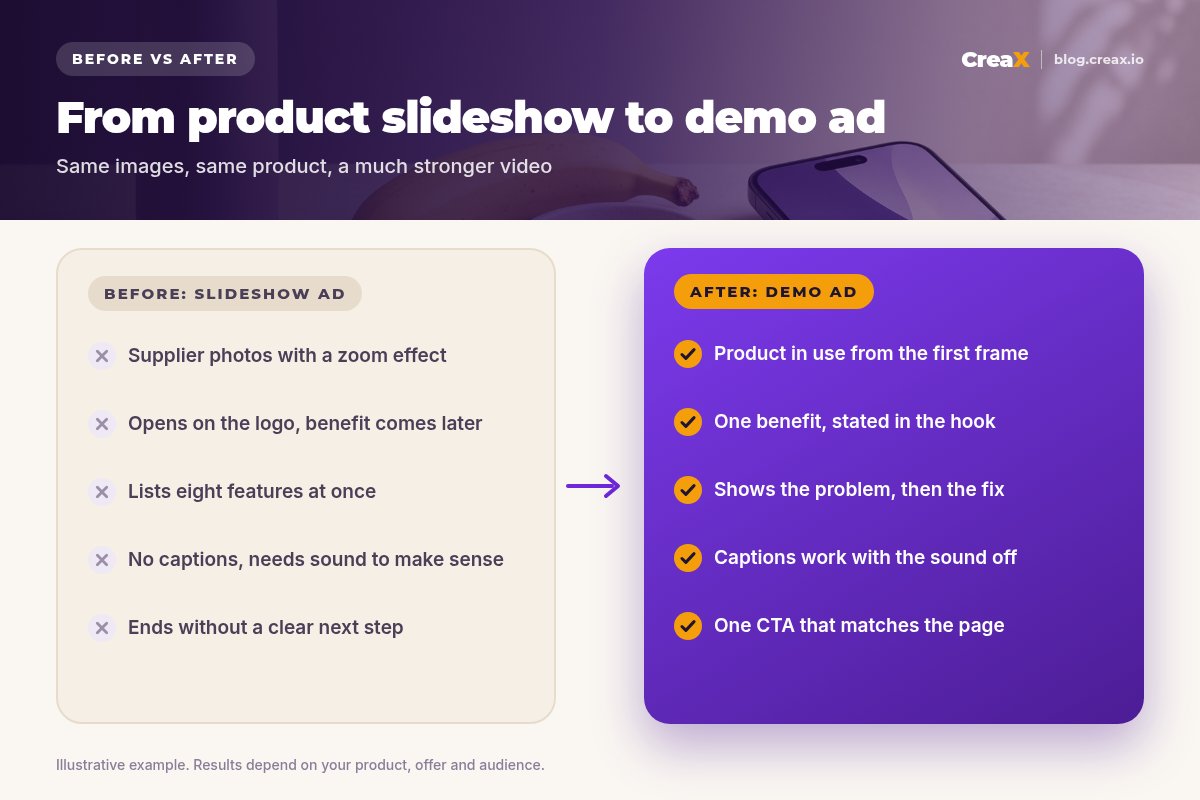
- Opening on the logo. Nobody scrolls for your logo. Open on the problem or the product in action.
- Listing features. Eight features in fifteen seconds means none of them land. Prove one benefit.
- Changing the product. AI scenes that alter color, size or parts create refunds and policy problems.
- Ignoring the page. A great demo that sends people to a slow, unrelated product page wastes the click.
- Judging too early or too late. Decide in advance what spend and which signals will make you keep or cut a variant.
- Inventing proof. Fake reviews, made-up numbers and “doctor recommended†claims you can't support get ads rejected and accounts restricted.
If your ads get views but no sales, the problem is often after the click. Our guides on TikTok ads with views but no sales and turning a product link into a landing page cover the page side.
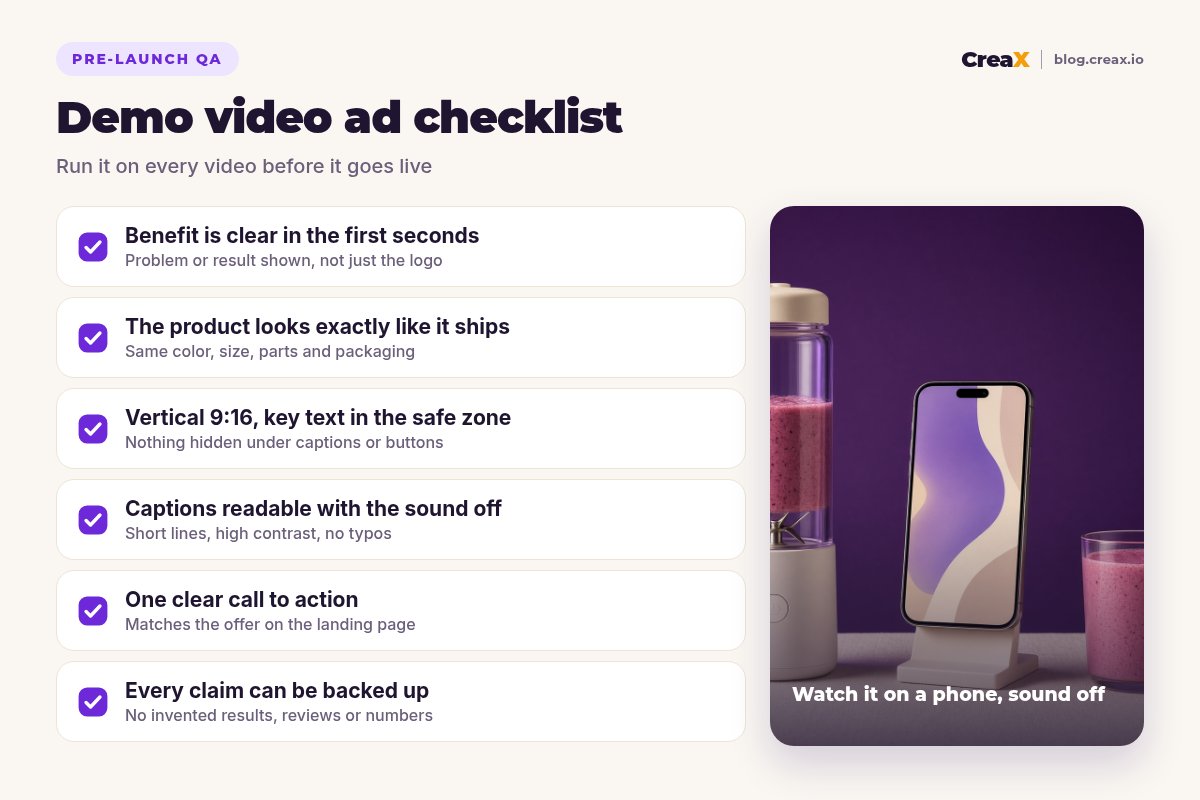
Copy thisChecklist: before every demo ad goes live
Pre-launch QA
- ✓Benefit in the first seconds: the problem or result is visible before the viewer can scroll away.
- ✓Product accuracy: color, size, parts and packaging match what the customer receives.
- ✓Format: vertical 9:16, with key text and the product inside the safe zone.
- ✓Sound off: captions are readable, short and free of typos.
- ✓One CTA: the offer in the video matches the landing page exactly.
- ✓Claims: every claim can be backed up by the supplier or your own testing.
- ✓Three variants: different hooks, same page, equal budgets.
FAQFrequently asked questions
Q.Can I really make a product demo video ad without filming?
Q.What images do I need for an AI product demo video?
Q.How long should a product demo video ad be?
Q.Does CreaX add captions to the videos?
Q.How much does it cost to make demo video ads with CreaX?
Q.Are AI-generated demo ads allowed on Meta and TikTok?
Ready to skip the shoot?
Paste a product link and get demo-ready UGC video ads, studio creatives and a landing page for your next test.
This guide is published by CreaX. We describe other tools from their own public websites as of October 2026, avoid invented scores or prices, and recommend checking each vendor's site for current features and plans.