
10 Best AI Video Generators for Product Ads in 2026
Buyer's guide · 2026
Choosing an AI video generator for product ads in 2026 means choosing between two kinds of tool: ad-ready kits that turn a product into finished ads, and generative video models that can film almost anything you can describe. This guide ranks the 10 best for ecommerce product ads, explains what each one is really built for, and shows a small-budget stack you can copy.
Updated October 2026 · By the CreaX team
Key takeaways
- ✓Ad-ready kits (like CreaX) start from your product and output finished ads. Generative models (like Veo, Seedance and Kling) output footage you direct, edit and turn into ads yourself.
- ✓CreaX is our top pick for product ads: one product link or image becomes UGC-style video ads (18s, 30s or 45s), studio static ads and a landing page.
- ✓For cinematic hero shots and brand films, Google Veo, Seedance and Kling AI lead; Runway and Higgsfield add studio and multi-model workflows.
- ✓Whatever you use, check that the product stays accurate in every frame, and read each tool's commercial-use terms.
In this guide
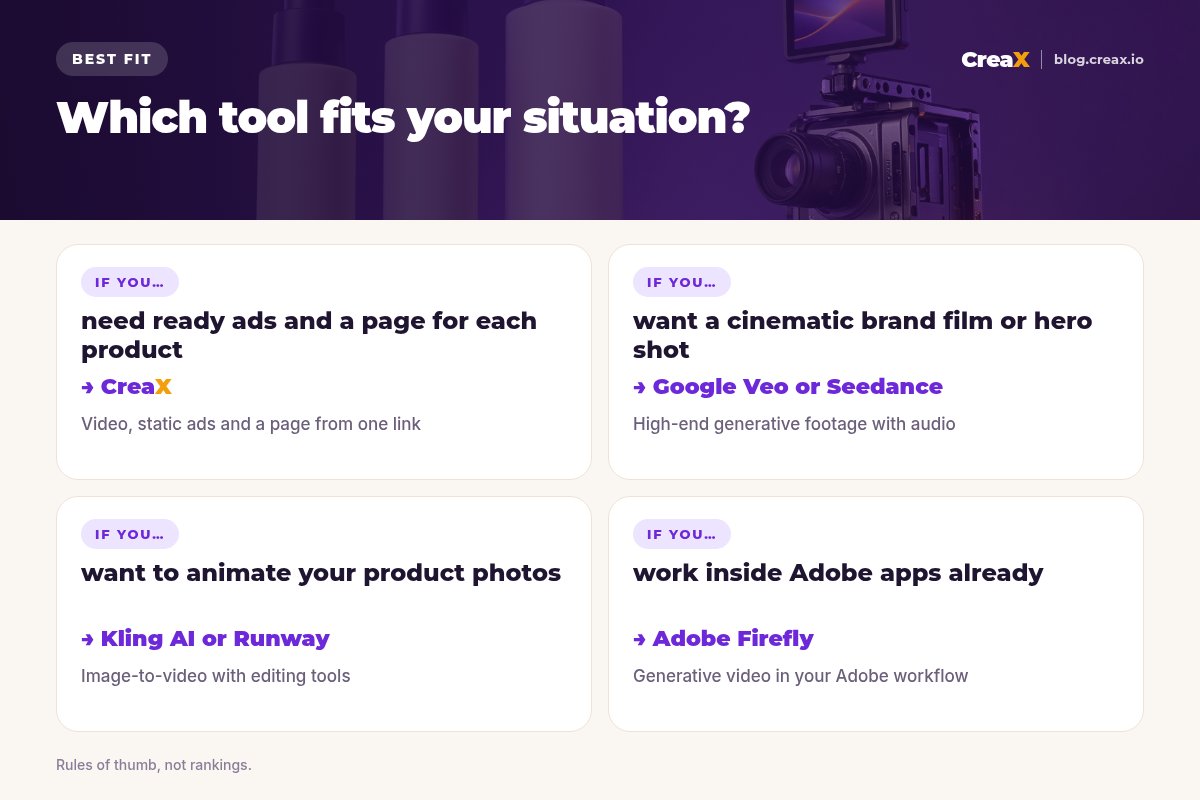
Short answerQuick picks: the best tool for each situation
| If you need… | Start with |
|---|---|
| Finished product video ads, statics and a page from one product link | CreaX |
| Cinematic clips with native audio for a hero shot or brand film | Google Veo |
| Multi-reference generation with images, video and audio inputs | Seedance |
| Animating product photos into motion | Kling AI |
| Generative video plus editing tools, or an automated ads engine | Runway |
| Many models and cinematic camera presets in one place | Higgsfield |
| Fast idea exploration and camera moves | Luma Dream Machine |
| Playful effects and transitions for social | Pika |
| Quick text- and image-to-video clips | Hailuo AI |
| Generative video inside an Adobe workflow | Adobe Firefly |
Rules of thumb from each tool's public website, October 2026.
iWhat happened to Sora?
MethodHow we chose (criteria, no invented scores)
We judged each tool on what an ecommerce seller needs from a product video ad, not on how impressive a demo reel looks:
- Product accuracy. Does the product keep its real shape, color and label, or does it drift between frames?
- Ad readiness. Does it output a finished ad with a hook, product and call to action, or raw footage to edit?
- Placement fit. Vertical 9:16 for Reels, TikTok and Shorts, plus feed sizes, and lengths that suit ads.
- Workflow speed. How many tools and steps from product to a live test?
- Pricing model and terms. Credits or subscriptions, and clear commercial-use terms.
⚖No fake ratings
ComparisonAll 10 at a glance
| Tool | Type | Starts from | Finished ad? |
|---|---|---|---|
| CreaX | Ad-ready kit | Product link or image | Yes, plus statics and page |
| Google Veo | Generative model | Text, images, frames | No, footage to edit |
| Seedance | Generative model | Text, images, video, audio references | No, footage to edit |
| Kling AI | Generative model | Text or images | No, footage to edit |
| Runway | Model + studio + ads product | Text, images, brand inputs | Runway Ads generates ads |
| Higgsfield | Multi-model platform | Text or images | No, footage and presets |
| Luma Dream Machine | Generative model | Text, images, video | No, footage to edit |
| Pika | Generative model | Text or images | No, short clips |
| Hailuo AI | Generative model | Text or images | No, short clips |
| Adobe Firefly | Generative model in Adobe apps | Text or images | No, footage to edit |
Qualitative summary from each vendor's website, October 2026.
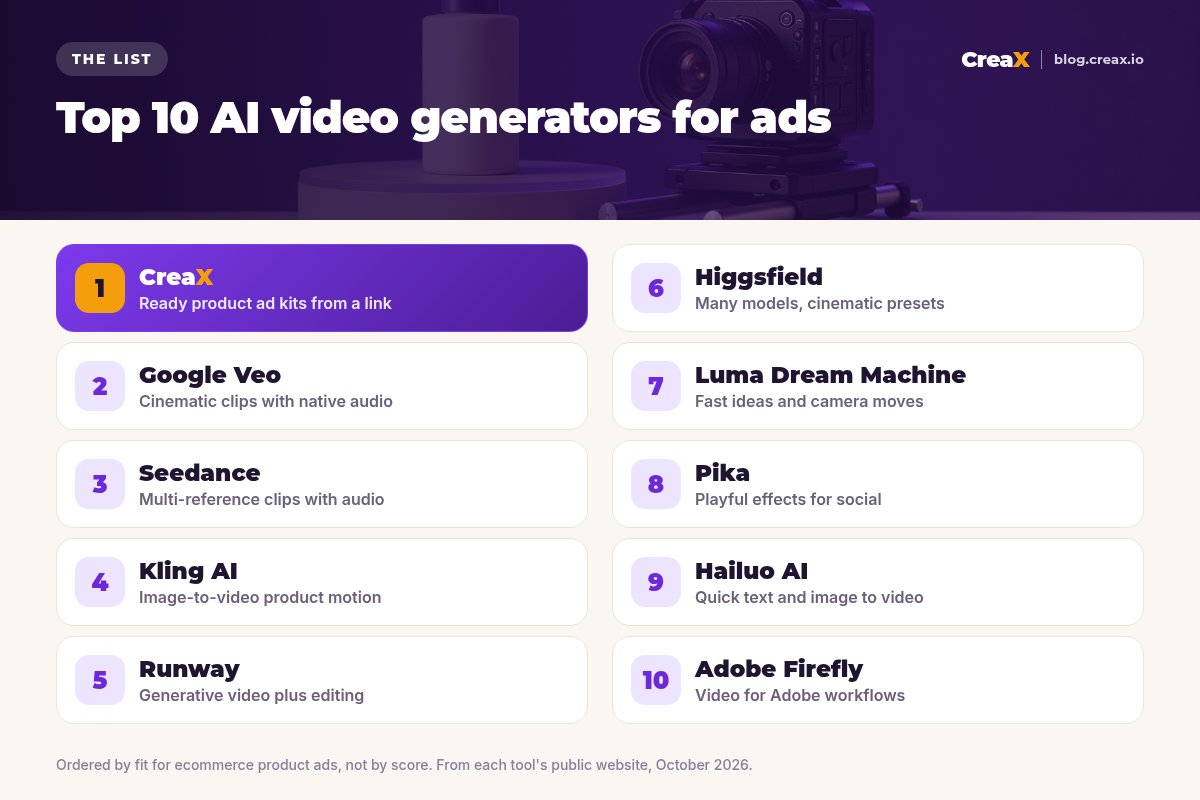
The listThe 10 best AI video generators for product ads
CreaX
Best for: finished product video ads, statics and a page from one link
CreaX is an all-in-one AI ecommerce creative OS. Paste a product link or upload a product image and, in about 60–120 seconds, it generates UGC-style video ads, studio ad creatives, a publish-ready landing page and a multi-tenant store. Instead of prompting scenes and editing clips together, you review a finished kit built around your real product.
Video ads run 18, 30 or 45 seconds; static ads come in five styles (Classic, Humble Orbit, Punch, Luxe and Meta Feed) and four sizes (1:1, 3:4, 4:5 and 9:16); landing pages come in Simple, Detailed or Advanced levels. Plans start at $4.99 a month for 2,000 credits. See how CreaX UGC-style video ads work.
Good for
- Finished ads, not raw footage
- Built around your actual product
- Video, statics and page from one input
Keep in mind
- Less cinematic freedom than open video models
- Not a general-purpose film tool
Google Veo
Best for: cinematic clips with native audio
Veo is Google DeepMind's video model, available in tools like Google Flow, the Gemini app and the Gemini API. Google's pages describe text-to-video and image-to-video (from first or first-and-last frames), reference images, vertical and horizontal formats and natively generated audio. For product ads, it is strong for hero shots and short cinematic moments you then cut into an ad.
Good for
- High-end footage with sound
- Frames and references for control
- Vertical 9:16 supported
Keep in mind
- Short clips: you edit the ad yourself
- Product details need checking
Website: deepmind.google/models/veo/
Seedance
Best for: multi-reference clips with audio
Seedance is ByteDance's video model, offered through Dreamina by CapCut. Its pages describe image-to-video that preserves the source image's objects and composition, synchronized native audio (voice, effects and music), and generation guided by several image, video and audio references. It suits sellers who want product motion with sound and already edit in CapCut.
Good for
- Several references per generation
- Native audio
- Fits a CapCut editing workflow
Keep in mind
- Footage, not finished ads
- Check terms for commercial use
Website: dreamina.capcut.com
Want finished ads instead of raw clips?
Paste a product link into CreaX and get UGC-style video ads, studio statics and a landing page in about 60–120 seconds.
Kling AI
Best for: animating product photos
Kling AI is a video model from Kuaishou. Its site describes text-to-video and image-to-video, including first- and last-frame control, reference elements for consistency, multi-shot generation and native audio. Image-to-video is the most useful mode for sellers: start from a clean product photo and add controlled motion.
Good for
- Strong image-to-video
- Frame and reference controls
- Multi-shot generation
Keep in mind
- You still build the ad around the clips
- Watch for product drift in motion
Website: kling.ai
Runway
Best for: generative video, editing and an ads engine
Runway offers generative video models (its Gen-4 research page describes consistent characters, objects and locations from references) alongside editing tools. On September 30, 2026 it announced Runway Ads, which it describes as generating video and image ads from brand guidelines, past ads and product imagery, publishing approved variants to Meta, Google and TikTok, and iterating on performance.
Good for
- Models plus editing in one place
- Reference-based consistency
- New ads product for performance teams
Keep in mind
- Runway Ads is new: check availability and terms
- No landing pages
Website: runway.com
Higgsfield
Best for: many models and cinematic presets
Higgsfield is a creator platform that brings several third-party video models together (its site lists models such as Seedance, Kling, Veo and Wan) with its own Cinema Studio and camera-motion presets. It is handy if you want to try several models on the same product shot without juggling accounts.
Good for
- Several models in one account
- Camera-motion and effect presets
- Commercial use on its plans, per its help center
Keep in mind
- Third-party model terms may add limits
- Footage, not finished ads
Website: higgsfield.ai
Luma Dream Machine
Best for: fast ideas and camera moves
Dream Machine is Luma AI's app for its Ray video models. Luma describes text- and image-to-video, keyframes, modifying existing video and reframing. It is useful for quickly exploring camera moves and moods for a product scene.
Good for
- Quick exploration
- Keyframes and video modification
- Reframing for different formats
Keep in mind
- Clips need editing into ads
- Check product accuracy
Website: lumalabs.ai
Pika
Best for: playful effects for social
Pika focuses on short, playful video: text- and image-to-video, keyframe transitions (Pikaframes) and effects. For product brands, it can add a fun, scroll-stopping moment to a social post or the first second of an ad.
Good for
- Fun effects and transitions
- Simple to use
Keep in mind
- Short clips
- Less suited to precise product demos
Website: pika.art
Hailuo AI
Best for: quick text- and image-to-video clips
Hailuo AI is MiniMax's video generator, offering text-to-video and image-to-video with first- and last-frame control and reference inputs. It is a straightforward option for generating short product motion clips to cut into ads.
Good for
- Simple text and image to video
- Frame controls
Keep in mind
- Footage only
- Check terms and product accuracy
Website: hailuoai.video
Adobe Firefly
Best for: generative video inside Adobe workflows
Adobe Firefly includes a video generator and connects with Adobe apps like Premiere Pro and Photoshop. Adobe describes its own Firefly Video Model as designed to be commercially safe, while partner models available in Firefly may have different terms. It suits teams already editing in Adobe tools.
Good for
- Fits Adobe editing workflows
- Adobe's commercial-safety positioning for its own model
Keep in mind
- Partner models have their own terms
- You assemble the ad yourself
Website: www.adobe.com/products/firefly.html
Buyer's checklistHow to choose: 5-question checklist
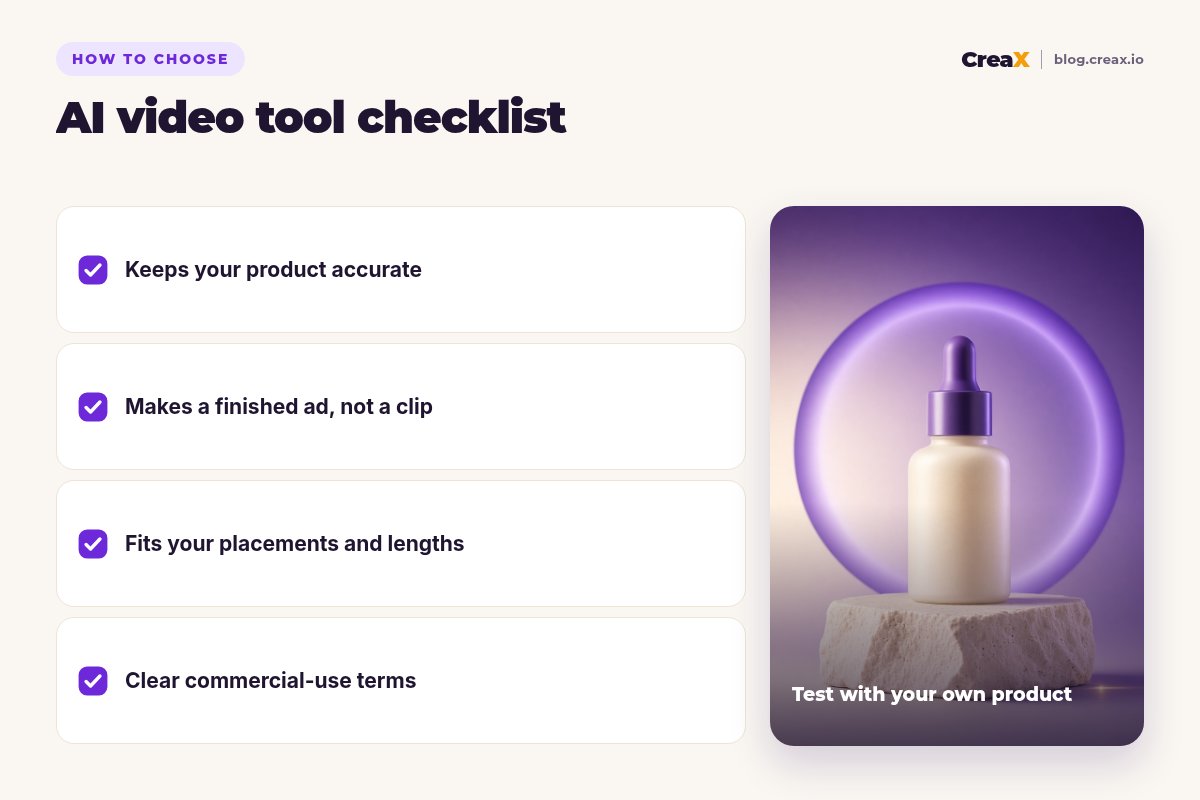
Demo reels always look great. Your own product is the real test. Take one product you sell, ideally one with a label or fine detail, and run it through your top two or three tools with the same goal.
Answer these before you pay
- ✓Does the product stay accurate? Pause on several frames and compare shape, color and label with the real item.
- ✓Do you get a finished ad or a clip? Count the editing, copy and sizing work still left.
- ✓Does it fit your placements? Vertical 9:16 for Reels, TikTok and Shorts; lengths that suit ads.
- ✓How fast is product to live test? Count tools and steps, not just render time.
- ✓Are commercial-use terms clear? Especially for third-party or partner models.
★Count the whole ad, not the clip
ExampleWorked example: a small-budget stack
Say you sell a vitamin C face serum and want to test three angles: “morning glow routine”, “lightweight, not sticky” and “a simple gift for skincare fans”. A lean setup could look like this:
Build the test kit
Add one cinematic hero shot
Check every frame
Launch to the same page
Iterate on the winner
One tool does most of the work, and a generative model adds polish where it is worth it. Skincare claims need extra care: only say what you can support, and avoid before-and-after or medical claims you cannot prove.
Get product video ads that are ready to run
One product link, about 60–120 seconds: UGC-style video ads, studio static ads and a landing page for your next test.
Watch outKeep product video honest
- Product drift. Generative video can subtly change labels, shapes or colors between frames. Check before you publish.
- Impossible demos. Do not show results, features or accessories the product does not deliver.
- AI people. If a video shows an AI-generated person, never present them as a real customer, and label AI content where platforms require it.
- Music and audio. Generated audio and music still need to fit each platform's ad rules and each tool's terms.
!Read the terms for each model
For more options focused on avatars and UGC, see the best AI avatar video generators and best AI UGC video ad generators for dropshipping.
FAQFrequently asked questions
Q.What is the best AI video generator for product ads?
Q.Can AI video generators keep my exact product?
Q.Is Sora still available for product videos?
Q.Do I need to edit AI-generated clips?
Q.Can I use AI-generated video in paid ads?
Q.How long should a product video ad be?
Ready to make your next product video ad?
Paste a product link and get video ads, studio creatives and a landing page for your first test, all from one input.
This guide is published by CreaX. We describe other tools from their own public websites as of October 2026, avoid invented scores or prices, and recommend checking each vendor's site for current features and plans.