
How to Make Size Comparison Ads That Show True Product Scale
by the CreaX team
In this guide
- Why Accurate Product Scale Matters for Your Ads
- Choosing the Right Reference Object
- Mastering Close-Up and Wide-Angle Shots
- Visualizing Variants and Comparisons
- Selecting the Right Background for Context
- Designing Static Ads for Maximum Impact
- Matching Your Landing Page to Your Ads
- Frequently Asked Questions
Why Accurate Product Scale Matters for Your Ads
One of the most common reasons buyers feel let down by an online order is a mismatch between expectation and reality. When a customer receives a product that is significantly smaller or larger than they imagined, the trust in your brand diminishes immediately. Size comparison ads are your best defense against this problem. By clearly communicating dimensions early in the funnel, you filter for informed buyers who know exactly what they are getting.
Understanding the importance of scale is the first step in building a sustainable brand. Whether you are selling tech gadgets, home decor, or jewelry, providing a visual anchor allows the brain to process the size instantly. When you ignore this, you leave the customer to guess, and their guess is often wrong. Clear size information sets honest expectations before the click.
Start Creating Professional Ads with CreaX
Choosing the Right Reference Object
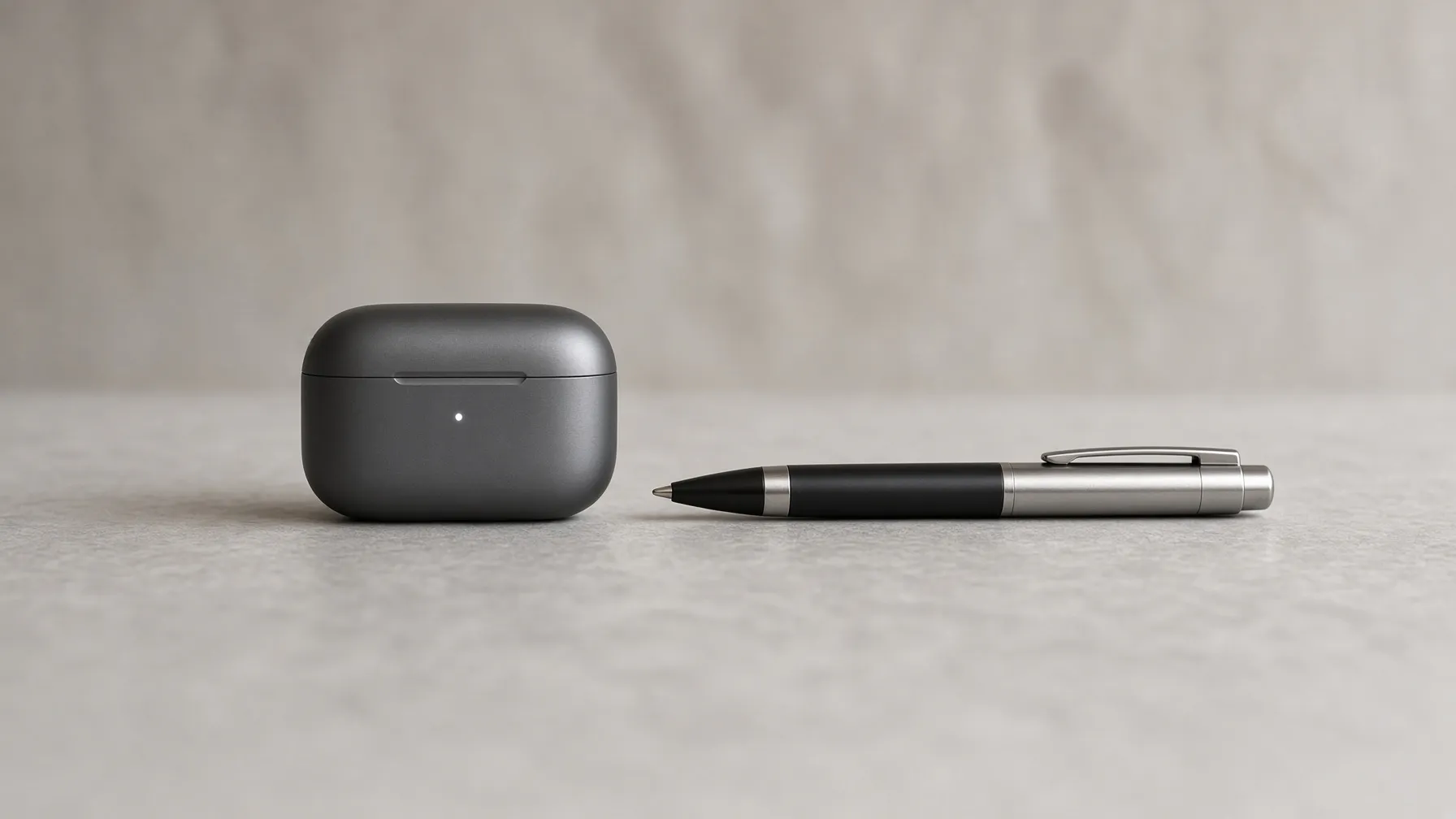
To show true product scale, you need a reference point that is universally understood. A common mistake is using objects that vary in size, such as a "standard" coffee mug or a generic fruit, which can confuse international audiences. Instead, opt for consistent, recognizable items or tools that provide a clear sense of proportion.
If you are filming or photographing your product, consider using a human hand as the primary reference. This is the most intuitive way for a viewer to gauge how a product fits into their daily life. If the product is larger, a flat surface with a grid or a ruler can work, but keep it clean and professional. When you are ready to scale your creative process, you can use AI platforms like CreaX to generate studio-quality assets that maintain consistent proportions across various styles like Classic, Humble Orbit, Punch, Luxe, or Meta Feed.
Mastering Close-Up and Wide-Angle Shots
Balance is key when showcasing dimensions. You need to provide both the "big picture" and the granular detail. Following our guide on how to make product close-up ads, you should ensure that your macro shots highlight the quality of the materials while your wide shots establish the environment. It is vital to keep the lighting consistent between these two types of shots so the product doesn't look like it belongs in two different worlds.
If you are shooting for a flat-lay aesthetic, refer to our tips on how to make flat-lay product ads to ensure your layout doesn't distort the perceived size of the item. Always shoot from a stable angle to avoid forced perspective, which can make a small item look massive or a large item look tiny.
Visualizing Variants and Comparisons
If your product comes in multiple sizes or colors, you have a unique opportunity to use comparison as a selling point. When you learn how to make color variant ads, you can apply the same logic to size variants. Showing two versions of the same product side-by-side acts as an instant scale reference for the viewer. This is particularly effective for items like backpacks, storage containers, or jewelry where the difference in size is the primary decision factor for the buyer.
By placing the products in a shared frame, you remove the need for the customer to read a complex size chart. They can simply look at the visual comparison and decide which version fits their needs. This visual shorthand keeps your ad creative simple and easy to read.

Selecting the Right Background for Context
The background you choose can either clarify or obscure the size of your product. When deciding between lifestyle vs white background product photos, consider what your audience needs to see. A lifestyle background provides context—showing the product in a home or office setting—which naturally helps the viewer understand the scale. A white background, conversely, is perfect for isolating the product and focusing purely on its dimensions.
For those who want to automate this process, CreaX allows you to generate high-quality ad images in various styles. By pasting your product link, you can quickly produce assets that place your product in a professional setting without needing a physical studio setup. This ensures that your brand identity remains consistent across all your marketing channels.
Designing Static Ads for Maximum Impact
Once you have your photography, it is time to focus on static ad design. Keep your text minimal. If you are highlighting dimensions, use a clean, bold font that doesn't distract from the product itself. The goal is to make the size information a secondary element that supports the visual, not a primary element that clutters the image.
You must also ensure your creative is optimized for the platform. Following the best practices for ecommerce ad creative sizes is non-negotiable. Whether you are outputting 1:1, 3:4, 4:5, or 9:16, ensure that the product and the reference object remain centered and clear. With CreaX, you can generate these specific aspect ratios automatically, ensuring your ads look perfect on every social feed.
Matching Your Landing Page to Your Ads
The journey shouldn't end when the user clicks your ad. Your landing page must reinforce the scale information provided in the creative. If your ad shows a product next to a phone for scale, the landing page should feature similar imagery. This continuity builds confidence and ensures that the user feels they are in the right place.
CreaX helps you maintain this consistency by generating landing pages that align with your ad creative. You can choose from Simple, Detailed, or Advanced page structures to ensure your product details are presented clearly. By providing a consistent experience from the first click to the final checkout, you give shoppers fewer reasons to hesitate.
Frequently Asked Questions
How does CreaX help with showing product scale? CreaX generates studio-quality ad images and UGC-style video ads that allow you to showcase your product in various professional styles, ensuring your product is presented with clarity and high visual quality.
Can I use CreaX to create ads in different languages? Yes. CreaX supports 40+ languages and 160+ target countries, including right-to-left languages like Arabic, so you can localize your pages for different markets.
How do I ensure my ad sizes are correct for social platforms? CreaX provides multiple aspect ratios, including 1:1, 3:4, 4:5, and 9:16, helping you meet the specific requirements of various social media platforms.
What if I don't have professional product photos? You can simply paste your product link into CreaX, and the platform will generate professional-grade ad images and video assets for you.
How long are the UGC-style video ads generated by CreaX? CreaX generates UGC-style video ads in 18, 30, or 45-second durations.
Your next campaign starts with a link.
Paste a product link and get UGC video ads, ad images and a landing page — everything in under 60 seconds.
Start creating