
How to Create a TikTok Shop Video Ad From a Product Link
How to · TikTok Shop ads
You have a product listed on TikTok Shop and no video to sell it with. This guide walks you through turning a product link into a vertical, UGC-style ad: choosing an angle, writing a hook, generating the video, checking it against TikTok's recommendations and launching a small test, all in a day and without filming anything.
Updated October 2026 · By the CreaX team
Key takeaways
- ✓A TikTok Shop ad is mostly one clear angle and a fast hook. The product link gives you everything you need to build both.
- ✓With CreaX, a product link or image becomes a UGC-style video ad, studio creatives and a landing page in about 60–120 seconds.
- ✓TikTok recommends vertical 9:16 video of at least 720x1280, with sound and captions. Check every video on a phone before you post.
- ✓Launch several videos at once. TikTok's own guidance suggests starting Product GMV Max with about five videos, not one.
In this guide
SetupBefore you start
You'll get the most out of this guide if a few things are already in place. None of them take long, but skipping them is the most common reason a first TikTok Shop ad never goes live:
- Your product is listed and approved in TikTok Shop, with clear photos, an honest title and a working price.
- A TikTok account is connected to your shop (your official or business account), so your videos can carry a product link.
- You know your numbers. Price, product cost, shipping and fees decide how much you can spend to get a sale.
- You have the product link (your TikTok Shop listing, store page or supplier page) or at least one clean product photo.
Throughout this guide we'll use one example product: a cordless hair straightener with ceramic plates, sold as a travel-friendly styling tool. Swap in your own product as you read.
iWhat we mean by a TikTok Shop ad
Step 1Step 1: Paste the product link
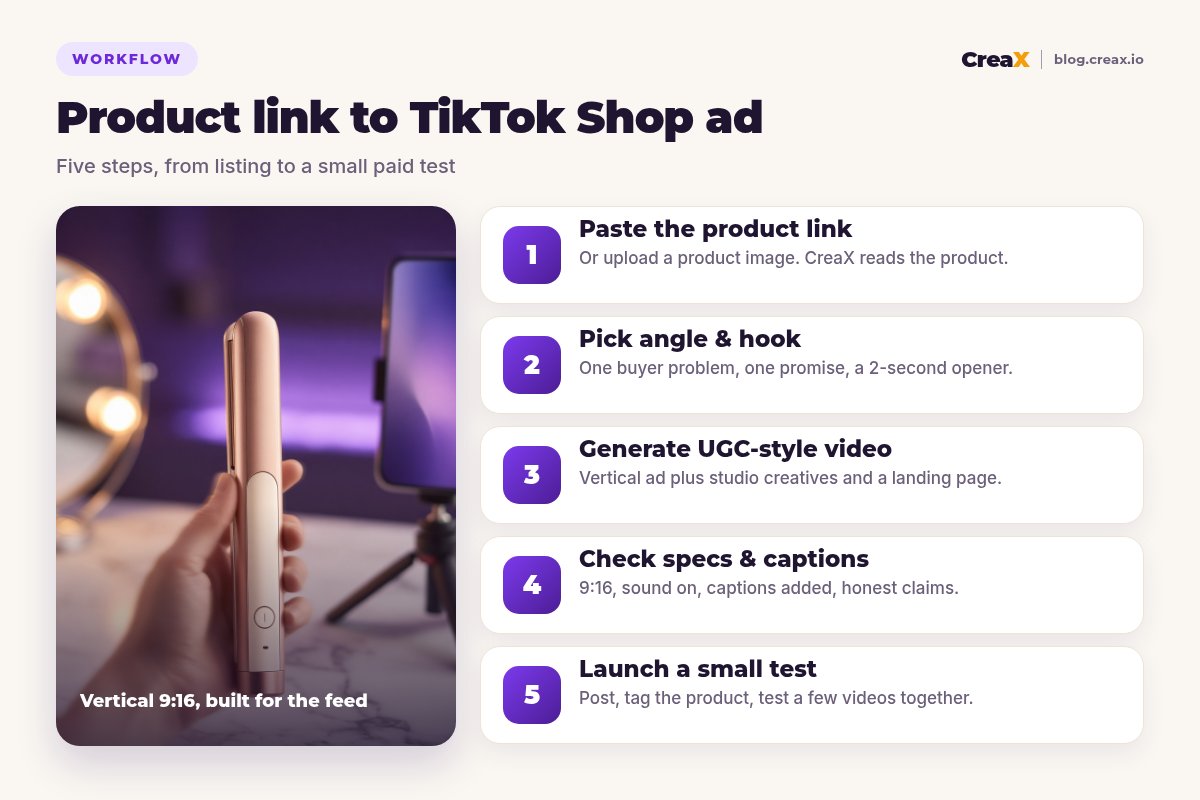
Start in CreaX. Paste your product link or upload a product image. CreaX reads the product (what it is, what it looks like, what it's for) and uses that as the base for everything it generates.
A good input makes a better ad. Before you paste, check the listing behind the link:
- The main photo shows the whole product clearly, on a clean background.
- The title and description say what the product does in plain words.
- Key details (size, battery, materials, what's in the box) are accurate, because your ad will repeat them.
- There are no claims on the page you can't back up. If it's wrong on the listing, it'll be wrong in the ad.
In about 60–120 seconds you get the full kit: a UGC-style video ad, studio ad creatives and a publish-ready landing page. For TikTok Shop, checkout happens inside TikTok, so the video is the star. The statics and landing page are useful when you also send traffic to your own store. Our guide on turning a product link into a landing page covers that side.
Step 2Step 2: Pick an angle and a hook
An angle is the reason someone buys. A hook is the first second or two that makes them stop scrolling. On TikTok, both need to be obvious, because people decide almost instantly whether to keep watching.
Write three angles before you generate anything. Here's what that looks like for the hair straightener:
| Angle | The buyer thinks… | Example hook (first seconds) |
|---|---|---|
| Problem | “My hair frizzes and I have no time.†| Show frizzy ends, then one smooth pass. |
| Portability | “My straightener is too bulky to travel with.†| Pull it out of a small bag, no cable. |
| Result | “I want salon-smooth hair at home.†| Start on the finished, glossy result. |
| Gift | “I need a present she'll actually use.†| Unbox it as a gift, open the case. |
| Routine | “Mornings are chaos.†| A quick get-ready-with-me in a few cuts. |
Pick three angles to test first. Keep hooks visual: show, don't announce.
★One angle per video
Need more angle ideas? Our guide to turning one product image into a week of ad tests shows how to plan angles across a full week.
Step 3Step 3: Generate the UGC-style video
Now generate. CreaX produces a vertical, social-first video in a UGC style: the casual, native look that fits the TikTok feed better than a polished TV-style commercial. Then match the output to your plan:
Generate from your product
Watch it on your phone
Match videos to your angles
Put the hook on screen
Keep the statics
Each generation shows its credit cost before you confirm. Plans start at $4.99/month for 2,000 credits, with top-ups at $1 per 500 credits, so making several versions per angle stays affordable. See current plans.
Turn your TikTok Shop listing into an ad
Paste the product link and get a UGC-style video ad, studio creatives and a landing page in about 60–120 seconds.
Step 4Step 4: Check specs and captions
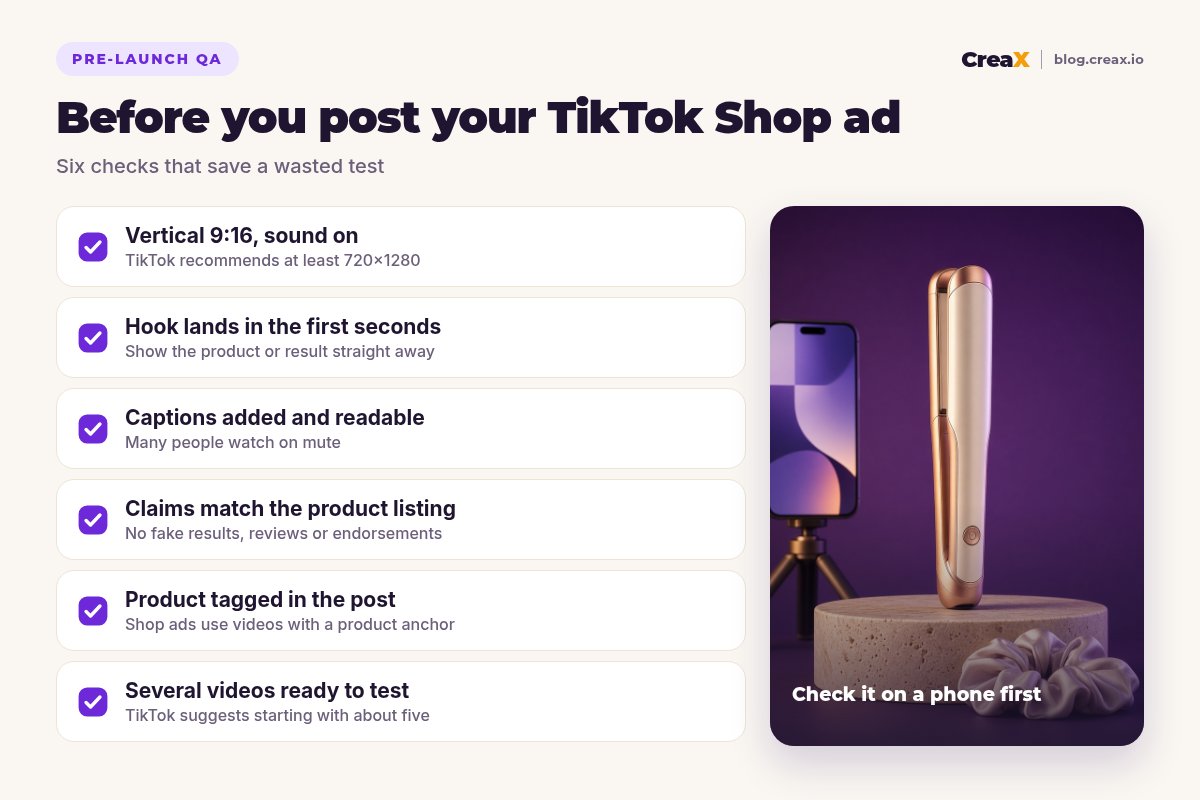
Before anything goes live, check the video against TikTok's recommendations. TikTok's help center recommends vertical 9:16 video, a resolution of at least 720x1280, and sound enabled with captions included (TikTok Ads Manager).
- Aspect ratio: 9:16, filling the whole screen. Nothing important hidden behind TikTok's buttons on the right or the caption area at the bottom.
- Captions: add them in TikTok's editor or your editing app. Many people watch without sound, and captions also help your hook land.
- Sound: use audio you have the right to use in ads. Commercial content has stricter music rules than personal posts.
- Claims: every claim must match the product listing. No invented results, fake reviews or “doctor recommended†lines.
- AI content: TikTok has rules about labelling realistic AI-generated content. Check the current policy and follow it.
!Don't skip the claims check
Step 5Step 5: Launch a small test
Post your videos from the TikTok account connected to your shop and tag your product, so each video carries a product anchor link. TikTok's Product GMV Max campaigns can then use eligible, authorised videos with a single product anchor from your shop's accounts and Spark Ads posts.
Then test properly:
- Launch several videos together. TikTok's guidance suggests starting Product GMV Max with about five different videos (TikTok best practices).
- Keep the offer the same. Same price, same listing, so the video is the only thing that changes.
- Set a budget you can afford to lose. A first test is for learning, not for profit.
- Give it time. Don't kill or scale after a few hours. Agree your kill and scale rules before you launch.
For a full launch plan, see how to launch a product test in 24 hours, and for volume, how many ad creatives to test per product.
IterateRead the results and go again
After the test, sort your videos into three groups and act on each one:
| What you see | What it usually means | Next move |
|---|---|---|
| People scroll past quickly | The hook isn't working | New openings for the same angle |
| Good watch time, few clicks | Interesting video, weak offer or call to action | Show the product and price sooner |
| Clicks, but few orders | The listing or price isn't convincing | Fix photos, title, reviews or price |
| Orders at a cost you can live with | A winning angle | Make more hooks and versions of it |
A simple way to read a first test. Use your own break-even numbers to define “a cost you can live withâ€.
If you're getting plenty of views but no sales, our guide on TikTok ads with views but no sales goes through the fixes in order.
Then go back to Step 2 with what you learned. The sellers who win on TikTok Shop are rarely the ones with the single best video. They're the ones who test new angles and hooks every week.
Watch outMistakes to avoid
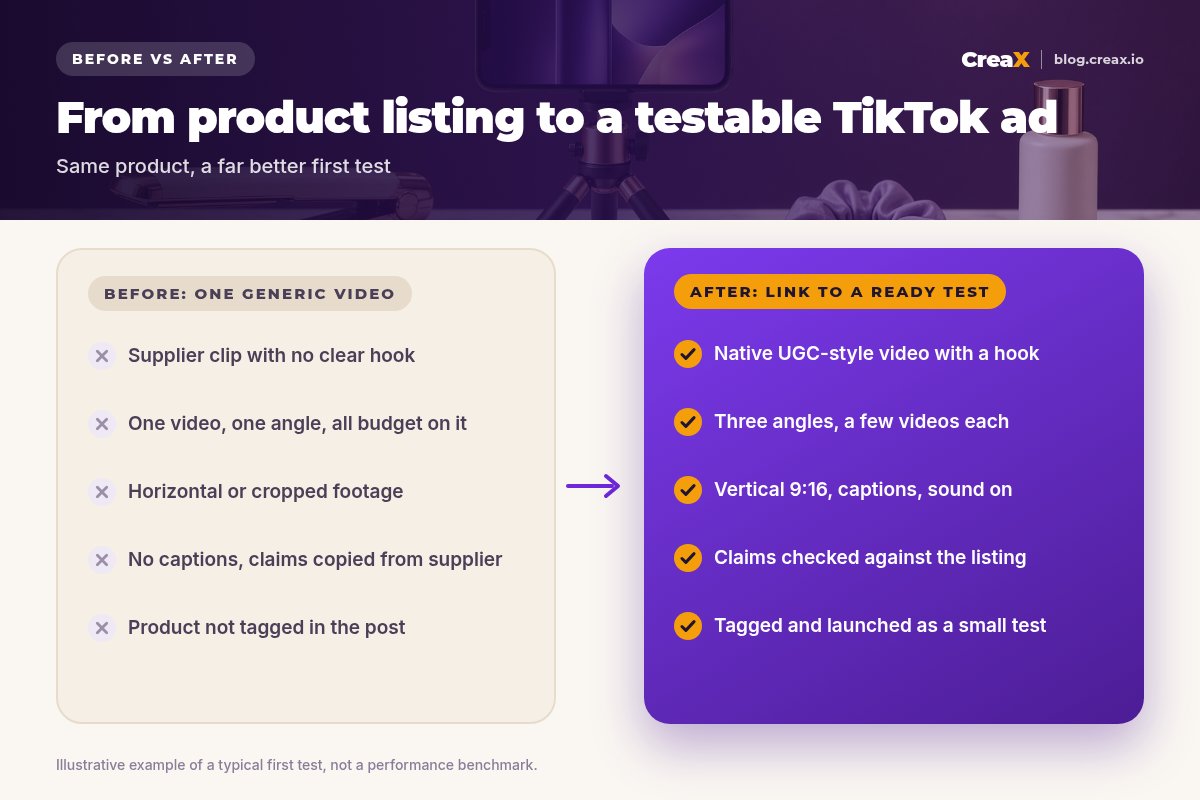
- Posting the supplier video. Everyone selling the same product has it, and it rarely looks native to TikTok.
- One video, all the budget. If it fails, you learn almost nothing.
- A slow start. Logos, intros and “hey guys†openings lose people before the product appears.
- Forgetting to tag the product. Without the product link, the video can't send people to your listing.
- Overclaiming. Fake results and invented reviews get ads rejected and erode trust.
- Judging too early. Decide your kill and scale rules before launch, and stick to them.
Make your first TikTok Shop test today
One product link, about 60–120 seconds: UGC-style video ads, studio creatives and a landing page for your next test.
Copy thisPre-launch checklist
TikTok Shop ad checklist
- ✓Product listed and approved in TikTok Shop, with accurate details.
- ✓Three angles written down, one promise per video.
- ✓Two or three hook versions for each angle.
- ✓Every video vertical 9:16, at least 720x1280, sound on.
- ✓Captions added and readable on a phone.
- ✓Claims checked against the listing. No fake results or reviews.
- ✓AI content labelled where TikTok's rules require it.
- ✓Product tagged in each post, from an account connected to your shop.
- ✓Budget, kill rules and scale rules agreed before launch.
Comparing tools before you commit? See our roundup of the best AI UGC video ad generators for dropshipping, or read what a UGC video ad is if the format is new to you.
FAQFrequently asked questions
Q.Can I make a TikTok Shop ad without filming?
Q.What video size should a TikTok Shop ad be?
Q.How many videos should I launch with?
Q.Do I need a landing page for TikTok Shop?
Q.Are AI-generated videos allowed on TikTok?
Q.How much does it cost to make the video with CreaX?
Ready to turn your product link into a TikTok Shop ad?
Paste the link, pick your angle and get the video, studio creatives and landing page in about 60–120 seconds.
This guide is published by CreaX. We describe other tools from their own public websites as of October 2026, avoid invented scores or prices, and recommend checking each vendor's site for current features and plans.