
How to Run Pinterest Ads for Ecommerce Products
How to · Pinterest ads
Pinterest ads for ecommerce work differently from Meta or TikTok. People open Pinterest to plan: a room, an outfit, a gift, a recipe. That means your pins have to look like ideas worth saving, not interruptions. This guide walks you through checking whether Pinterest fits your product, setting up the tag and catalog, making pin creatives, launching a small test and reading the results honestly.
Updated October 2026 · By the CreaX team
Key takeaways
- ✓Pinterest suits visual products people plan purchases around: home decor, fashion, beauty, gifts, kitchen, crafts and seasonal items.
- ✓Set up the basics first: a business account, a claimed website, the Pinterest tag (ideally with the Conversions API) and a product catalog.
- ✓Pinterest recommends tall 2:3 images (1000 × 1500 px) for standard image ads and 6–15 seconds for video ads, so plan your creatives for that shape.
- ✓Start with one Sales campaign, one product group and a few pin creatives, and judge it on purchases over a few weeks, not clicks after two days.
In this guide
The goalWhat you'll have at the end
By the end of this guide you will have a working Pinterest ads setup for one store: conversion tracking you can trust, your products uploaded as product Pins, a small set of tall pin creatives built for how people browse Pinterest, one test campaign and a simple routine for deciding what to keep, change or switch off.
Pinterest ads (often called promoted pins) appear in the home feed, in search results and next to related pins. They look like normal pins with a small “Promoted” label. That is the main creative lesson of this whole guide: the best Pinterest ads look like something a person would happily save to a board, with your product clearly in it.
PrepWhat you need before you start
- A Pinterest business account. Pinterest says you need one to run ads and see analytics. It is free, and you can convert a personal account.
- Ads availability in your market. Pinterest ads are not available in every country. Check Pinterest's list of supported ad countries before you plan a budget.
- A store that meets Pinterest’s merchant guidelines. For catalogs, Pinterest asks for a website with easy-to-find contact details, a delivery policy and a refund policy.
- A product page worth sending people to. Pinterest traffic is often earlier in the buying journey, so the page has to explain and reassure. See what makes a high-converting product page.
- Product images you are allowed to use and at least a few lifestyle shots, because plain white-background photos rarely look like ideas worth saving.
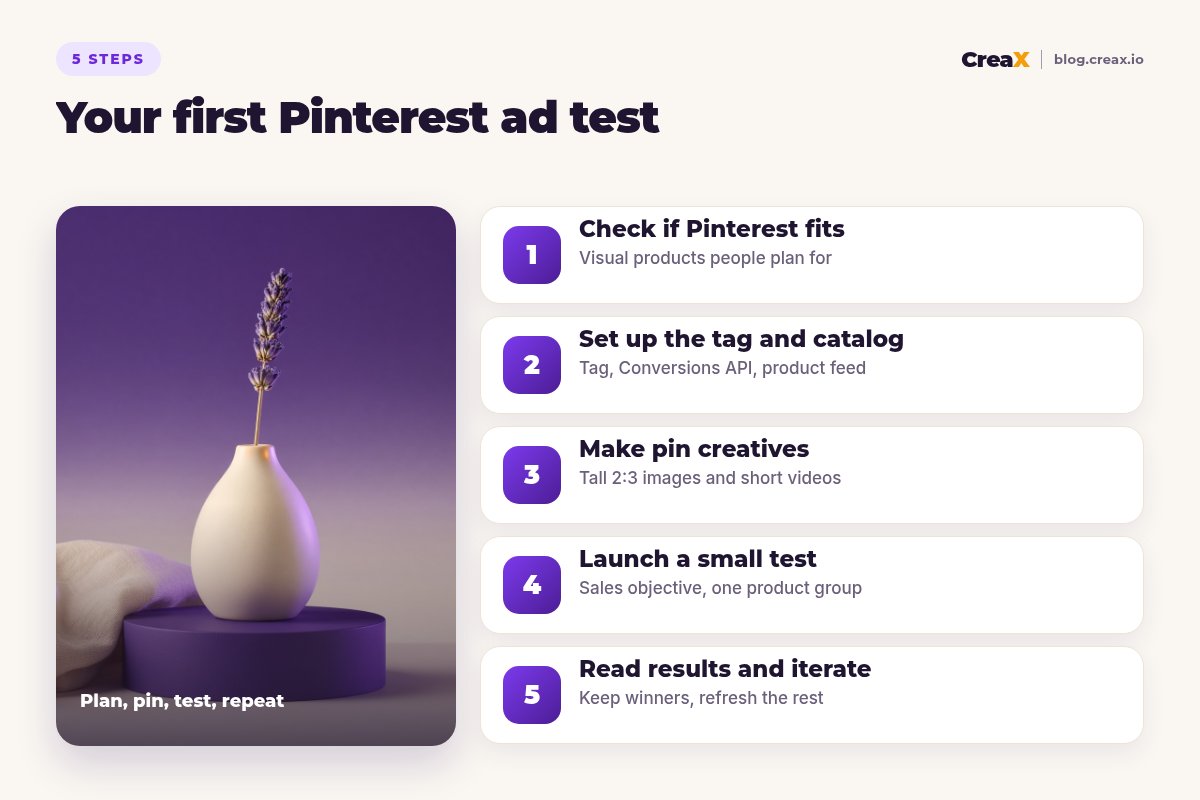
Step 1Step 1: Check if Pinterest fits your product
Before you spend anything, answer three questions honestly:
Do people search for ideas around it?
Does it look good in a photo?
Is the purchase planned rather than impulsive?
If you answer yes to at least two, Pinterest deserves a test. If not, keep your budget on the platforms where your product already works and come back later. If you are still finding your first winner, our guide to launching a product test in 24 hours is a better first step.
Step 2Step 2: Set up the tag and catalog
Tracking and product data come before creative. Without them, Pinterest cannot optimise for sales and you cannot tell what worked.
- Claim your website in your business account settings, so Pinterest knows the domain is yours.
- Install the Pinterest tag on every page, plus event code for the actions you care about: page visit, add to cart and checkout (Pinterest's name for a purchase). Many store platforms have an official Pinterest app or integration that does this for you.
- Add the Conversions API if you can. Pinterest recommends using it alongside the tag to fill gaps the browser tag alone can miss. Send the same event ID from both so Pinterest can remove duplicates.
- Upload your catalog as a data source (a hosted feed, a manual file or a store integration). Pinterest turns each product into a product Pin with title, description, price and availability.
- Keep the feed fresh. Pinterest says products stop being shown organically if the data source isn't updated every seven days, and stop appearing in ads after 90 days without an update. A connected store app usually handles this automatically.
| Piece | What it does | Check it |
|---|---|---|
| Business account | Unlocks Ads Manager and analytics | You can open Ads Manager |
| Claimed website | Links your domain to your account | Shows as claimed in settings |
| Pinterest tag + events | Records visits, carts and checkouts | Test events show up in the tag manager |
| Conversions API | Sends events from your server too | Events arrive without duplicates |
| Catalog | Turns products into shoppable product Pins | Approved, with no open errors |
Fix catalog errors before launch. Products with errors may not be shown at all.
!Match product IDs everywhere
Step 3Step 3: Make pin creatives
This is where most of your results come from. Pinterest's own specs recommend a 2:3 aspect ratio (1000 × 1500 pixels) for standard image ads and warn that taller images may get cut off in the feed. For video ads it recommends square or vertical formats (1:1, 2:3, 4:5 or 9:16) and a length of 6 to 15 seconds.
What a good product pin looks like
- The product in a real setting. A vase on a styled shelf, a jacket in an outfit, a serum on a bathroom counter. Context is the idea people save.
- One clear idea per pin. “A calm reading corner”, “a 5-minute morning routine”, “a gift under your budget”. Not five benefits at once.
- Little text, large enough to read. A short headline overlay can help, but the image should work without it.
- Your brand, quietly. A small logo or a consistent colour style helps people remember you without making the pin feel like a banner ad.
- A title that front-loads the point. Pin titles can be up to 100 characters, and Pinterest says the first 40 are the most likely to show.
Which ad formats to use
Once your catalog is uploaded, Pinterest offers four kinds of shopping ads: standard (one image), video, carousel (several images or videos) and personalised collections (one large lifestyle image or video plus three supporting product images). You can also run standard and video ads from pins you create yourself. For a first test, keep it simple: a few standard image pins plus one short video. Carousels work well when a product has several features or colours; our guide to making carousel ads for ecommerce covers how to structure them.
Make product creatives for your first pins
Paste a product link or upload a product image, and CreaX generates studio ad creatives, UGC-style video ads and a landing page in about 60–120 seconds.
Using CreaX creatives on Pinterest
CreaX makes studio ad creatives in 1:1, 3:4, 4:5 and 9:16, in five styles (Classic, Humble Orbit, Punch, Luxe and Meta Feed), and UGC-style videos in 18, 30 or 45 seconds. None of those is exactly Pinterest's recommended 2:3 image, so be deliberate: the 3:4 and 4:5 statics are a little wider than 2:3 and are fine for a test, or you can extend the background to 1000 × 1500 in any editor. For video, trim the 18-second version to its strongest 6–15 seconds. Our guide to ecommerce ad creative sizes lists the sizes for other platforms.
Step 4Step 4: Launch a small test
Now set up one clean test you can actually learn from:
- In Ads Manager, create a campaign and choose the Sales objective (Pinterest has been moving its older catalog sales and conversion objectives into Sales).
- Create one ad group with your default “All products” group or a small product group if you want to focus on one hero product. Pinterest itself suggests starting with All Products and breaking out groups later.
- Leave targeting broad. For sales campaigns, Pinterest says keyword or interest targeting is not necessary, because it uses your product data to find relevant people. Set only the basics such as location and language.
- Choose a budget you can hold steady for a few weeks without panicking. Pinterest suggests trying Performance+ bidding, which spends your whole budget while trying to get results at the lowest cost per result.
- Add 3–5 creatives that test genuinely different ideas (different scenes or angles), not five crops of the same photo. See how many ad creatives to test per product.
Send every pin to the exact product page or a matching landing page, never your homepage. If the pin shows a cosy reading corner, the page should open with that same idea. If you don't have a dedicated page yet, you can turn a product link into a landing page without a designer.
Step 5Step 5: Read results and iterate
Pinterest tends to reward patience. Give each test enough time and spend to show a pattern, then make one change at a time:
| What you see | Likely cause | What to try |
|---|---|---|
| Few impressions | Budget too low, catalog errors or very narrow settings | Check catalog health, widen settings, hold budget steady |
| Impressions but few clicks | Pins look like ads, not ideas | New lifestyle scenes, clearer single idea, shorter text |
| Clicks but no add to carts | Page does not match the pin or does not reassure | Match the headline to the pin, add details, shipping and returns |
| Carts but no checkouts | Total cost or trust surprises | Show delivery costs early, add payment and returns info |
| Saves but slow sales | Normal for planned purchases | Keep running, add retargeting for people who visited |
Read trends over weeks. Day-to-day swings on a small budget mean little.
When one pin clearly beats the others, make new variations of the winning idea: the same scene from a new angle, the same idea with a different product colour, or a short video of the same moment. Pause pins that have had a fair chance and still trail the rest. Pinterest also offers dynamic retargeting, which shows products to people who visited your site or left items in their cart, and it is a natural second campaign once your tag is collecting data.
★Saves are a signal, not a sale
ExampleWorked example: a ceramic vase store
Say you sell handmade ceramic bud vases and want to test Pinterest. Here is how the steps above play out:
Fit check
Setup
Creatives
Test
Iterate
Watch outMistakes to avoid
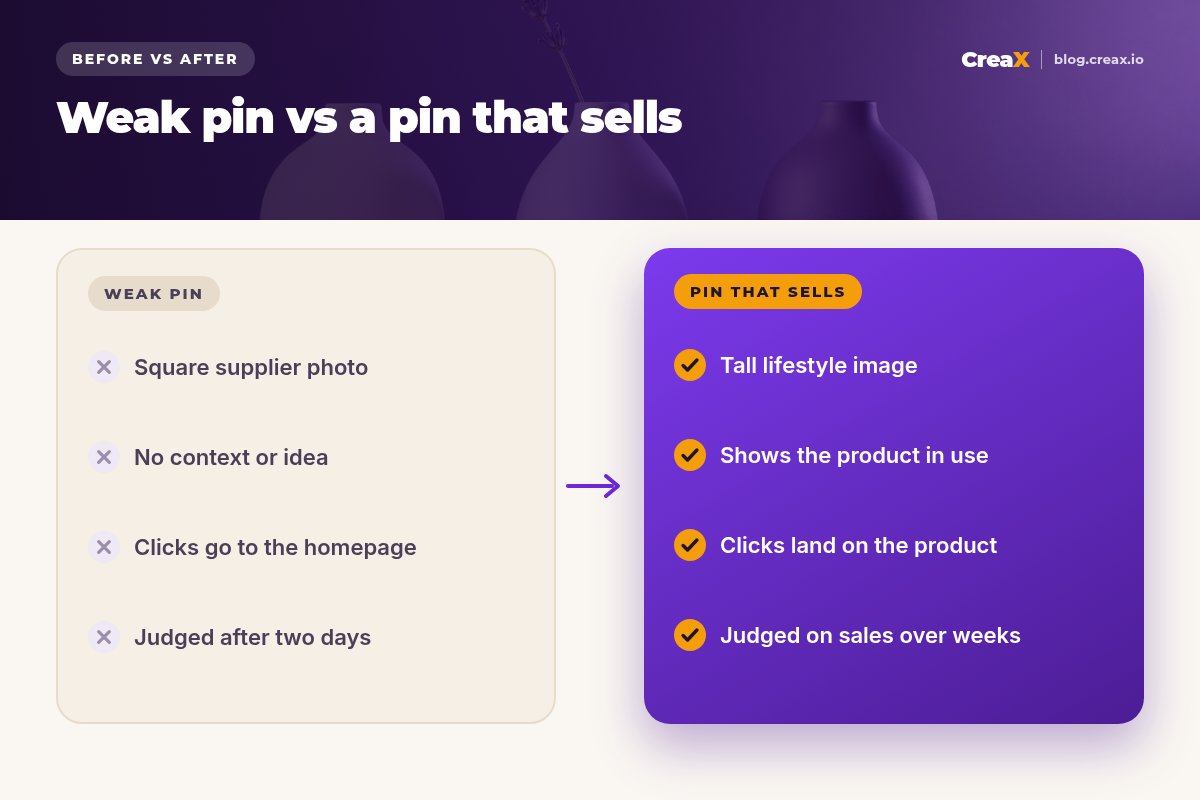
- Reusing square Meta ads unchanged. They work, but they waste the tall space that makes pins stand out.
- Sending clicks to the homepage. People clicked on one idea; show them that product.
- Launching before tracking works. Without checkout events, Pinterest cannot optimise for sales and you are guessing.
- Judging too early. Pinterest audiences often save first and buy later.
- Overclaiming. Pinterest has ad policies like every platform: no misleading claims, no fake discounts and no before-and-after promises you can't support.
⚖No magic numbers
Copy thisChecklist before you launch
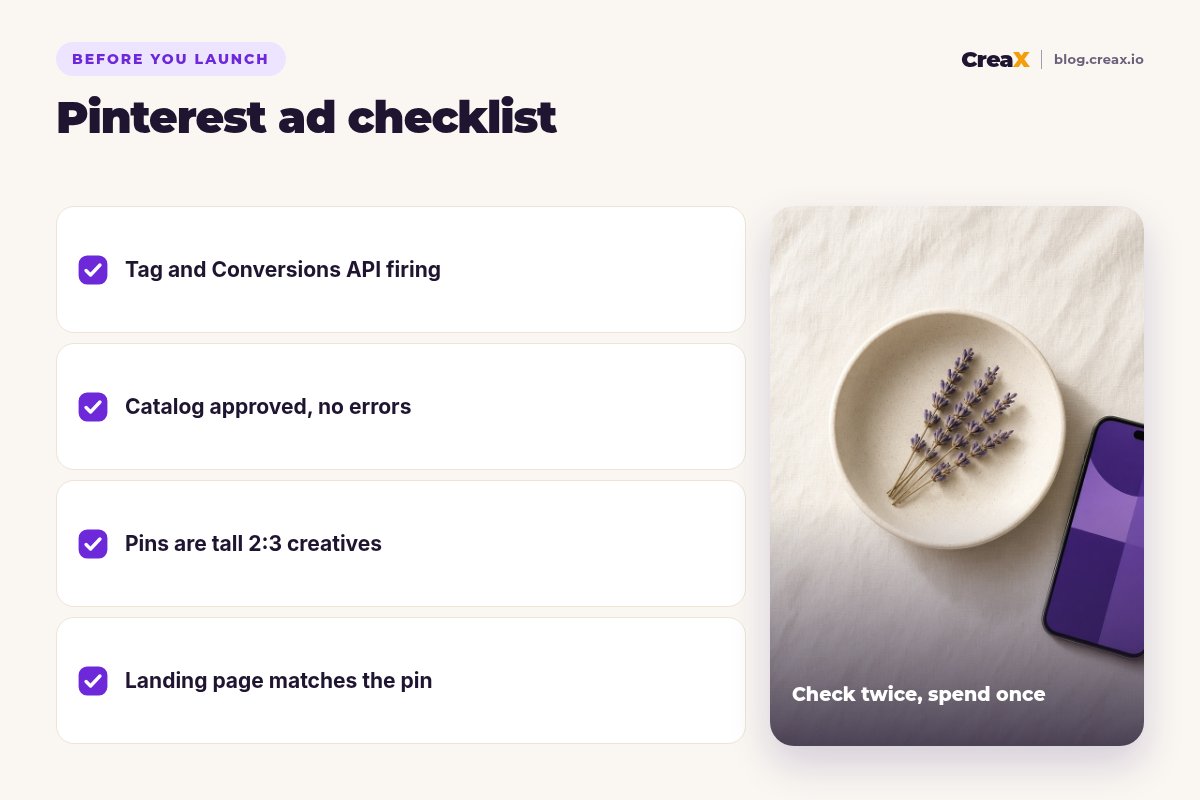
Pinterest ads launch checklist
- ✓Business account set up and ads available in your country
- ✓Website claimed, tag installed, checkout events firing (plus Conversions API if possible)
- ✓Catalog approved with no open errors, and a feed that updates automatically
- ✓3–5 pin creatives in 2:3, each showing the product in a real setting with one clear idea
- ✓Titles that put the main idea in the first 40 characters
- ✓Landing page that matches the pin and shows delivery and returns clearly
- ✓One Sales campaign, broad targeting, a budget you can hold for a few weeks
Get your pin creatives and landing page in one pass
One product link in, and CreaX gives you studio ad creatives, UGC-style video ads and a matching landing page, so your Pinterest test can start today.
FAQFrequently asked questions
Q.Are Pinterest ads good for ecommerce?
Q.What size should Pinterest ad images be?
Q.Do I need a product catalog to run Pinterest ads?
Q.Should I use interest targeting on Pinterest?
Q.How long should I run a Pinterest ad test?
Ready to test Pinterest with better creatives?
Paste your product link and get studio ads, UGC-style videos and a landing page in about 60–120 seconds.
This guide is published by CreaX. Pinterest features, specs and objectives are described from Pinterest's own help pages as of October 2026 and can change, so check Pinterest Business help before you launch.