
How to Research Competitor Ads With the Meta Ad Library
How-to · Creative research
The Meta Ad Library is the best free tool for competitor ad research: anyone can search the ads running on Facebook, Instagram and Meta's other apps, see the creative and copy, and check when each ad started running. This guide shows you how to search it properly, what to log, how to spot the ads a market keeps paying for, and how to turn what you find into your own briefs without copying anyone.
Updated October 2026 · By the CreaX team
Key takeaways
- ✓Search two ways: by advertiser to study one competitor, and by keyword to see a whole market's angles.
- ✓Filter before you scroll: country, active ads, platform and media type turn a wall of ads into a shortlist.
- ✓Log what you see in a simple sheet: hook, angle, offer, format, landing page and start date. Patterns appear after 10–20 ads.
- ✓Long-running ads are a signal, not proof. Use them to form ideas, then brief your own versions for your product and test them.
In this guide
GoalWhat you'll have at the end
After one research session of an hour or two, you will have:
- A research log of 10–30 competitor ads in your niche, with the hook, angle, offer and format of each.
- A short list of patterns: the angles, formats and offers that several advertisers keep running.
- Three to five briefs for your own ads, written in your words for your product, ready to produce and test.
That is the bridge between "I need new creatives" and knowing what to make. It pairs naturally with our guide to creative strategy for ecommerce.
PrepWhat you need before you start
- The Ad Library: go to facebook.com/ads/library. It is free and public, and you do not need an ad account to browse it.
- A list of competitors: five to ten brands or stores that sell to the same customer, including indirect competitors that solve the same problem differently.
- A list of keywords: your product type, the problem it solves and the words customers use, such as “posture corrector”, “back pain at desk” or “standing desk mat”.
- A simple log: a spreadsheet with columns for advertiser, Library ID, start date, format, hook, angle, offer, landing page and notes.
iWhat the Ad Library does and doesn't show
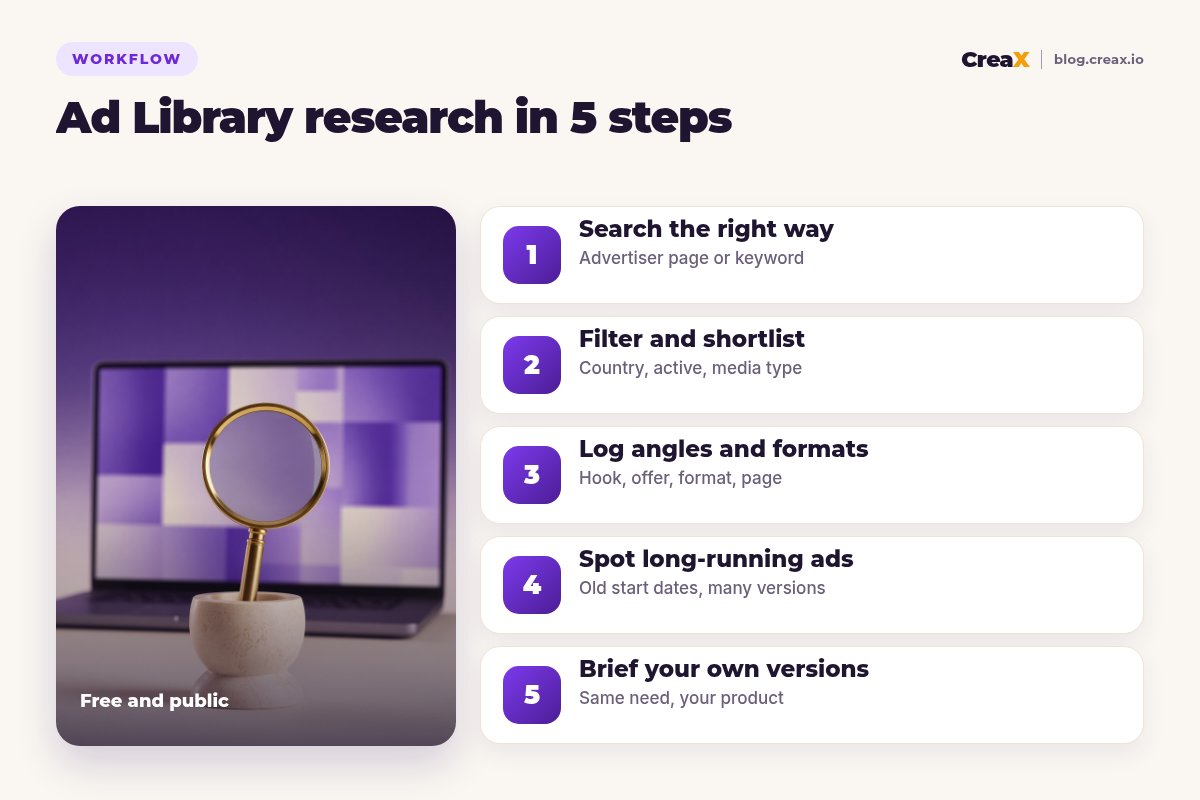
Step 1Step 1: Search the right way
Start by choosing the country you sell in and keeping the category on all ads. Then use the search box in one of two ways:
- Advertiser search. Start typing a competitor's name and pick their Page from the suggestions. You then see only that advertiser's ads, which is the way to study one brand in depth.
- Keyword search. Type a word or phrase and press Enter. You see ads from any advertiser whose ad matches, which is the way to see how a whole market sells a product or problem.
Do both. Advertiser searches show you how your direct competitors test; keyword searches show you angles from brands you never knew existed, often in other countries. Try the problem keywords as well as the product name: people who sell solutions often lead with the problem.
★Search where your customers are
Step 2Step 2: Filter and shortlist
Once results load, open the filters. The useful ones for ecommerce research:
- Active status: set it to active ads, so you study what is running now.
- Platform: Facebook, Instagram, Messenger and others. An ad that runs only on Instagram was probably built for it.
- Media type: images or videos. Filter for the format you plan to make.
- Date range: narrow by when ads started running, for example to find ads that started months ago.
- Language: useful in multilingual markets.
Now skim fast and shortlist. Don't read every ad; open the ones that make you stop scrolling, which is exactly the reaction you want from your own ads. Aim for 10–30 ads across several advertisers. Clicking an ad opens its details, including the landing page it links to.
Step 3Step 3: Log angles and formats
This is where research turns into something useful. For each shortlisted ad, fill in a row of your log:
| Column | What to write | Example |
|---|---|---|
| Hook | The first line or the first seconds, in short | “Sitting all day? Watch your shoulders.” |
| Angle | The reason to buy it is selling | Pain relief at the desk |
| Format | UGC talking video, demo, static, carousel… | UGC talking video, 9:16 |
| Offer | Discount, bundle, guarantee, free shipping | Two-pack bundle |
| Landing page | Product page, landing page, quiz, advertorial | Long landing page with FAQ |
| Start date | From “Started running on” | Copy the date shown on the ad |
An illustrative log row. Write your own observations, not copied text.
Keep entries short and in your own words. After 10–20 rows, patterns jump out: the same angle used by several brands, a format everyone uses, an offer structure that keeps appearing. Those patterns matter more than any single ad. If you name and track your own creatives, the same habit helps there too; see ad creative naming and tracking.
Step 4Step 4: Spot long-running ads
Each ad shows the date it started running. Advertisers usually switch off ads that lose money, so an active ad with an old start date is worth a closer look. Two other clues:
- Multiple versions. An ad marked as having several versions means the advertiser is testing variations of copy or creative.
- The same creative used several times. When one creative appears in several ads, the advertiser may be scaling it into new campaigns or audiences.
!A long-running ad is a clue, not proof
Ads that just started are interesting too: a cluster of new ads from one advertiser often means they are testing a new product or angle. Comparing new tests against long runners shows you how a brand iterates.
Step 5Step 5: Brief your own versions
Research is only useful if it changes what you make. Turn your patterns into three to five briefs. Each brief should fit on one screen:
- Angle: the customer need you will speak to, taken from a repeated pattern.
- Hook: your own opening line or first seconds, in your words.
- Format: static, UGC-style video or carousel, and the sizes you need.
- Proof: what in your product backs the promise: a feature, a detail, a guarantee.
- Landing page: which page the ad sends to and what its headline says.
Then produce the briefs and test them against each other. Our guides on testing ad angles for a new product and how many creatives to test per product cover budgets and how long to run them.
Turn your research into creatives in minutes
Paste your product link and get studio ads, UGC-style video and a landing page, then adapt them to the angles you found.
ExampleWorked example: a posture corrector
Say you sell a posture corrector and want new angles. A research session might go like this:
Search
Filter
Log 20 ads
Spot patterns
Brief three versions
Notice what you are not doing: copying a competitor's script, footage or images. You are learning what the market responds to and saying it your way, with proof from your own product. Health claims such as “fixes back pain” stay out unless you can prove them.
MistakesMistakes to avoid
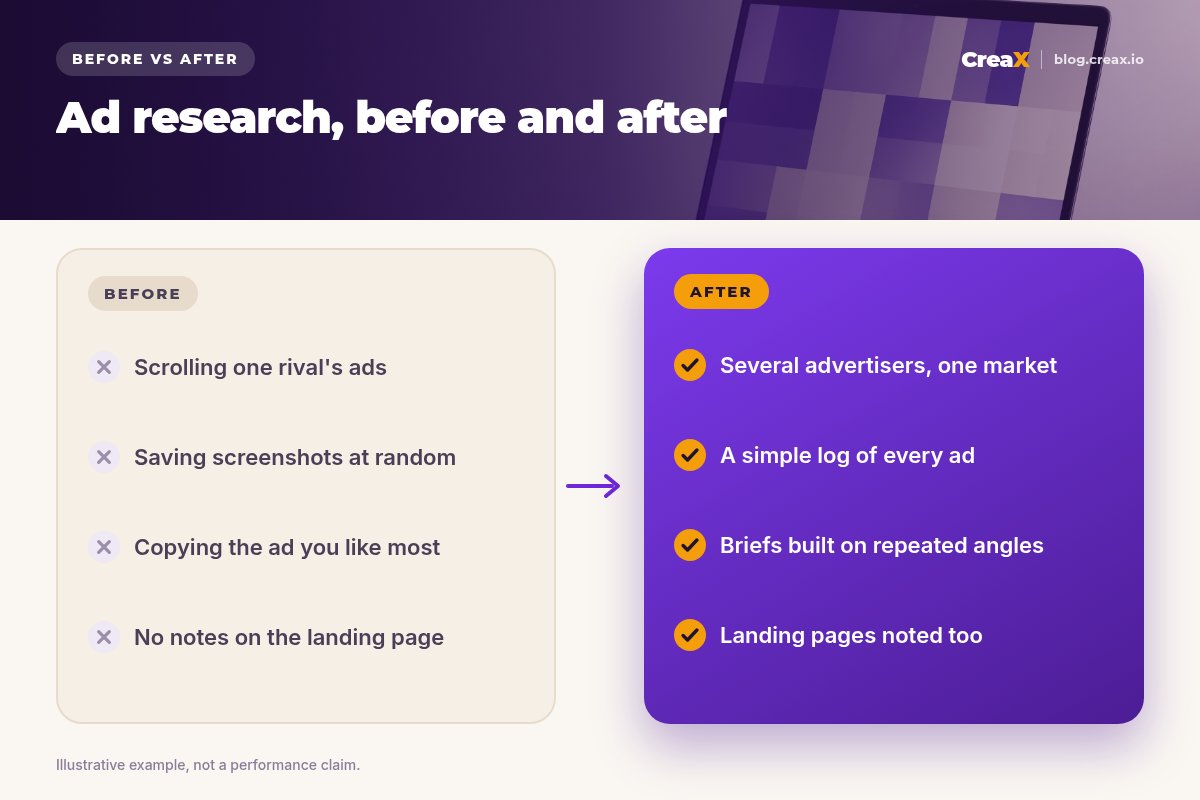
- Copying ads. Reusing someone's video, photos or script is a fast route to rejected ads and legal trouble. Learn the pattern, make your own.
- Studying only one competitor. You end up a weaker copy of them. Look across the market.
- Treating longevity as proof. An old ad is a clue, not a guarantee.
- Ignoring the landing page. Half of a winning ad is the page after the click.
- Researching forever. Set a time limit. One focused session and three briefs beat a week of screenshots.
- Forgetting your own proof. If your product can't back an angle, skip it, however popular it is.
ChecklistChecklist
Ad Library research checklist
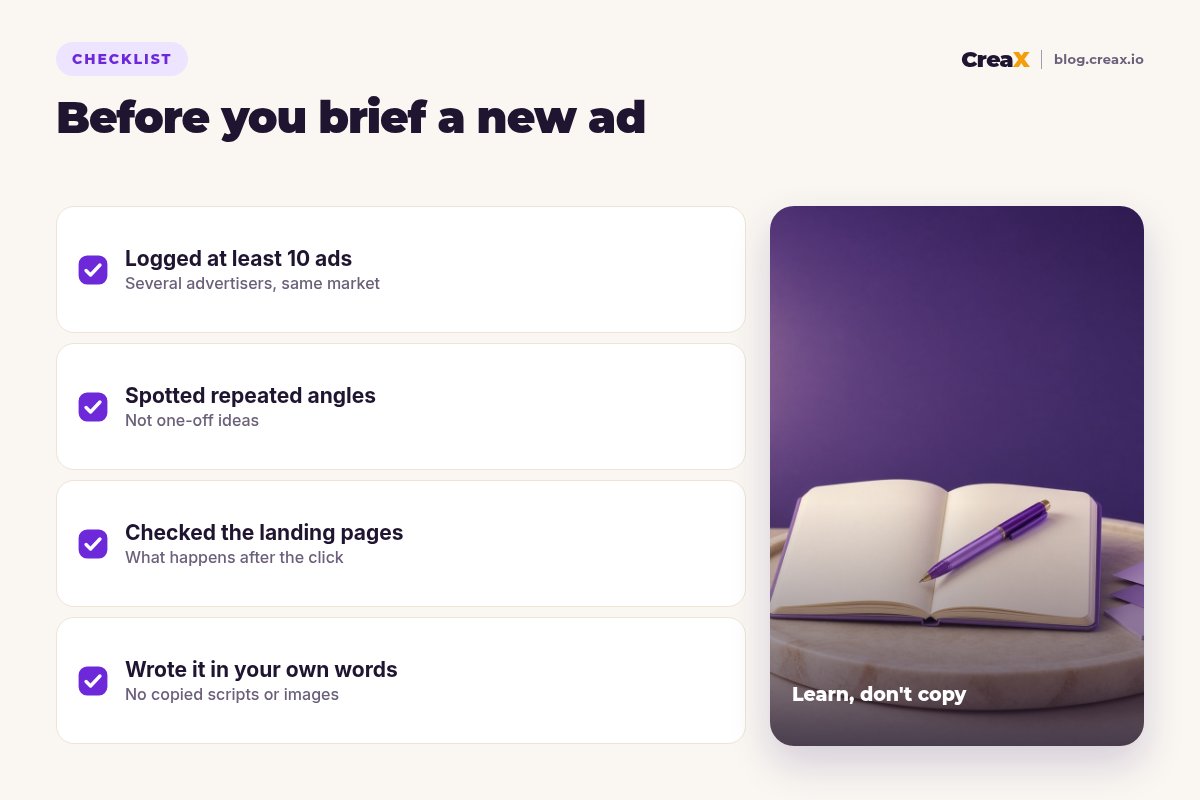
- ✓Country set to the market you sell in, category on all ads.
- ✓Advertiser searches for five to ten competitors done.
- ✓Keyword searches for the product and the problem done.
- ✓Filters set: active ads, platform, media type.
- ✓10–30 ads logged with hook, angle, format, offer, page and start date.
- ✓Repeated patterns written down, not single favourite ads.
- ✓Three to five briefs written in your own words.
- ✓Every claim in your briefs is one your product can prove.
CreaXWhere CreaX fits
Research tells you what to make. CreaX helps you make it fast. Paste a product link, from Alibaba, AliExpress, Amazon, Etsy or any product page, or upload a product image, and in about 60–120 seconds you get studio ad creatives in five styles and four sizes (1:1, 3:4, 4:5 and 9:16), UGC-style video ads of 18, 30 or 45 seconds and a publish-ready landing page. Adjust the hooks and headlines to match your briefs, then launch the test.
For a related free research habit, read about us vs them comparison ads, a format that often shows up in Ad Library research.
From brief to live test today
One product link, about 60–120 seconds: studio ads, UGC-style video and a landing page for each angle you want to test.
FAQFrequently asked questions
Q.Is the Meta Ad Library free?
Q.Can I see how much a competitor spends?
Q.Can I see inactive ads?
Q.Is it legal to use what I find?
Q.How often should I research?
Q.Does the Ad Library show TikTok ads?
Ready to test what you learned?
Paste a product link and get ads and a landing page for your new angles in about 60–120 seconds.
This guide is published by CreaX. It describes the public Meta Ad Library as of October 2026; features and data differ by region. Examples are illustrative. CreaX features are described from creax.io.