
How to Make Your Online Store Look Trustworthy
How-to · Store trust
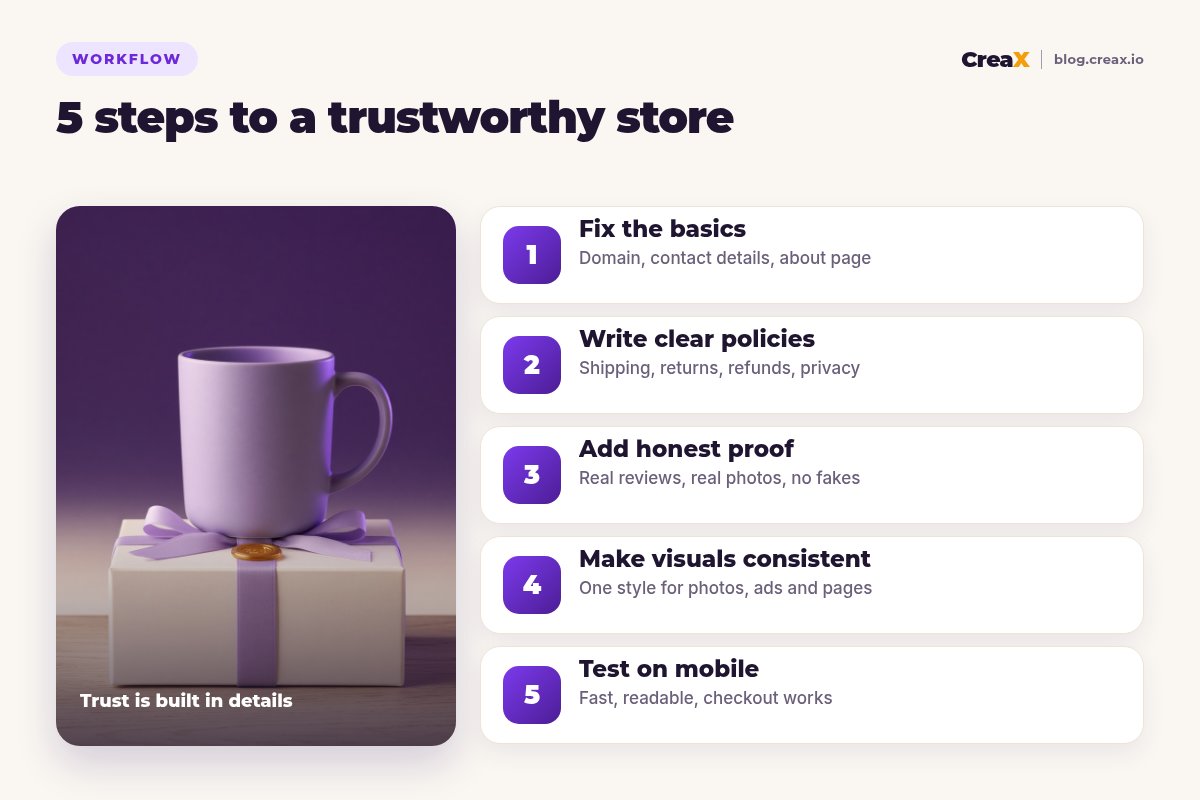
If shoppers land on your store, look around and leave, the problem is often trust, not price. A new store has no reputation yet, so every detail is a clue: the domain, the contact page, the policies, the photos, how the page behaves on a phone. Here is how to make your online store look trustworthy in five honest steps, without fake reviews, fake badges or a big budget.
Updated October 2026 · By the CreaX team
Key takeaways
- ✓Trust is a sum of small signals: real contact details, clear policies, honest proof, consistent visuals and a store that works well on a phone.
- ✓Never fake it. Invented reviews, fake “as seen on” logos and made-up security seals destroy trust faster than having none, and can break platform rules and the law.
- ✓Start with the basics shoppers check first: a proper domain and email, an About page, a contact page and easy-to-find shipping and returns.
- ✓Finish by testing on a phone as a stranger: most ad traffic arrives on mobile, so that is where trust is won or lost.
In this guide
The goalWhat you'll have at the end
By the end of this guide your store should answer, within a few seconds, the questions every first-time visitor silently asks:
- Is this a real business? A proper domain, a business email, a name and a way to reach a person.
- What happens if something goes wrong? Shipping times, returns and refunds written in plain language and easy to find.
- Do other people buy here? Honest proof, or an honest explanation if you are brand new.
- Does this look cared for? Consistent photos, fonts and colors, no broken links, no placeholder text.
- Will checkout work? A fast mobile page, familiar payment options and no surprises at the last step.
These signals matter most for new stores running paid traffic, where visitors have never heard of you. If your ads get clicks but no sales, trust is one of the first things to audit, alongside the issues in our guide to Facebook ads that don’t convert.
PrepWhat you need before you start
- Your own domain connected to the store (not a long default subdomain).
- A business email on that domain, and a phone number or chat you will actually answer.
- Your real shipping facts: processing time, delivery estimates by region, and costs. Ask your supplier if you dropship.
- Your returns rules: how many days, who pays return shipping, and how refunds are issued.
- Any proof you genuinely have: reviews from real orders, photos from customers who agreed to share them, press you really received.
iRules vary by country
Step 1Step 1: Fix the basics
Shoppers check the basics first, often without realising it. Fix these before you spend anything on design:
Use your own domain and email
Write a real About page
Add a contact page people can use
Clean the footer
Remove placeholder content
★Name a real business
Step 2Step 2: Write clear policies
Copy-pasted policy templates are easy to spot: wrong store name, impossible delivery promises, a returns window that contradicts the FAQ. Write your own in plain language and make them consistent everywhere.
| Policy | What it must say clearly | Where to show it |
|---|---|---|
| Shipping | Processing time, delivery estimate by region, cost, tracking | Product page, cart, footer |
| Returns | Return window, condition, who pays return shipping | Product page, footer, FAQ |
| Refunds | How and when refunds are issued | Returns page, order emails |
| Privacy | What data you collect and why | Footer, checkout |
| Terms | Basic terms of sale | Footer, checkout |
Keep every number identical across the policy pages, product pages, FAQ and emails.
Then bring the key facts onto the product page itself. A short line under the buy button, such as “Ships in 2–4 business days · 30-day returns”, answers the question at the moment of doubt. Only write numbers you can actually deliver. Our guide to product page copy that converts shows how to fit this in without clutter.
Step 3Step 3: Add honest proof
Social proof works because it is believable. The moment it looks fake, it works against you. Use only what is real:
- Reviews from real orders. Use a review app that collects reviews from verified buyers, and show the critical ones too. A wall of identical five-star reviews looks invented.
- Customer photos, with permission. A few real photos from buyers beat a hundred stock images.
- Specific product facts. Materials, dimensions, what's in the box, care instructions. Precise details signal that you know your product.
- Payment logos you actually accept. Showing familiar payment methods at checkout is useful; showing ones you don't support is misleading.
- A clear guarantee you honour. If you offer a satisfaction guarantee, state the terms exactly.
!Never fake reviews, badges or press
Brand new with no reviews? That is normal. Lean on clear product information, honest photos and a strong returns policy, and read our guide on how to advertise a product with no reviews yet.
Give your product a page that looks like a real brand
Paste a product link or upload an image: CreaX builds a publish-ready landing page, studio ads and UGC-style video ads in one consistent style.
Step 4Step 4: Make visuals consistent
Mixed visuals are one of the clearest signs of a thrown-together store: supplier photos with different backgrounds, watermarks, three font styles and banners in colors that match nothing. Consistency tells shoppers someone cares.
- One photo style. Same background type, lighting and framing across your product images. Remove supplier watermarks and text overlays.
- Two fonts, a few colors. Pick a heading font, a body font and a small palette, and use them everywhere.
- Ads that match the store. When the ad and the page look like the same brand, the click feels safe. When they don't, visitors wonder if they landed on the right site.
- Real scale and detail. Show the product in use and close up, so buyers know what they are getting.
This is where CreaX helps most. Paste a product link (from Alibaba, AliExpress, Amazon, Etsy or any product page) or upload an image, and in about 60–120 seconds it generates studio ad creatives, UGC-style video ads, a publish-ready landing page and a multi-tenant store from the same product, so the look and the message stay consistent. Landing pages come in Simple, Detailed and Advanced levels, and you edit anything before publishing. See how a product link becomes a landing page without a designer.
Step 5Step 5: Test on mobile
Most traffic from social ads arrives on a phone, so test there, ideally on mobile data and on a phone you don't normally use. Go through the store as a stranger would:
- Open the ad link. Does the page load quickly and show the product straight away?
- Can you read the price, the key benefit and the shipping line without zooming?
- Do the images load sharply and swipe smoothly?
- Can you find contact, shipping and returns from the product page in one or two taps?
- Add to cart and go to checkout. Are there surprise costs, broken buttons or pop-ups covering the form?
- Place a real test order and check the confirmation email: correct store name, order details and contact info.
Ask one or two friends who have never seen the store to do the same, and watch where they hesitate. If people add to cart but stop at checkout, look at shipping costs and delivery times first. For more, see what makes a high-converting product page.
ExampleWorked example
Take a new store selling handmade ceramic mugs, running small ad tests. Visitors click, browse and leave. A trust audit finds a free email address on the contact page, a returns policy copied from another store, supplier photos with four different backgrounds, and a homepage banner that still says “Your text here”.
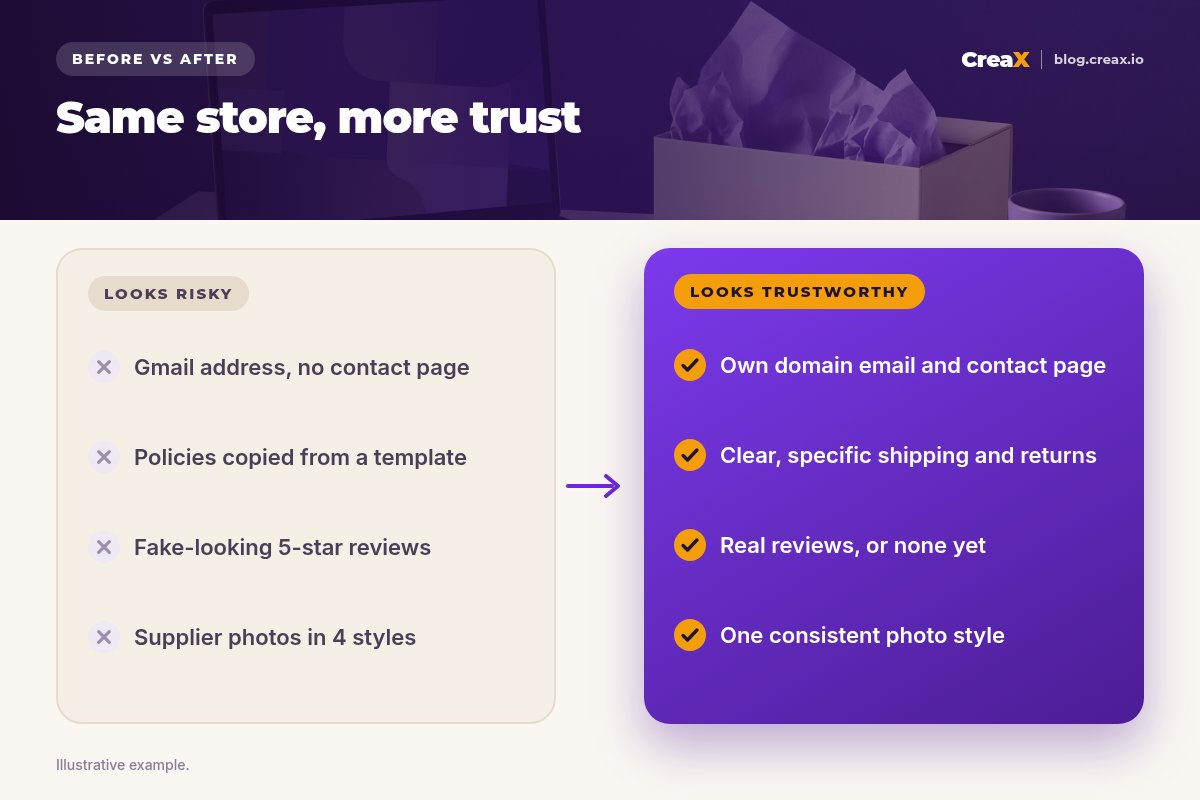
The fixes take an afternoon: a domain email and a contact page with a reply time, a returns policy rewritten with the real 30-day window the owner can honour, the placeholder banner removed, one consistent photo style for every mug, and a shipping line under the buy button. The store has no reviews yet, so instead of inventing any, the product page explains that each mug is made in small batches and shows real close-ups of the glaze.
Nothing here guarantees sales, and we won't pretend it does. What it does is remove the reasons a careful shopper had to leave, so your ads and offer get a fair test.
Avoid theseMistakes to avoid
- Fake urgency. Countdown timers that reset and “only 2 left” banners that never change are easy to spot.
- Too many badges. A row of generic “100% secure” and “guaranteed” icons looks like the opposite of secure.
- Promises you cannot keep. Delivery times or guarantees your supplier can't support turn into refunds and chargebacks.
- Hiding the policies. If shoppers have to hunt for returns information, they assume the worst.
- Ads that overpromise. If the ad says one thing and the page another, trust breaks on the first scroll.
Before you launchChecklist
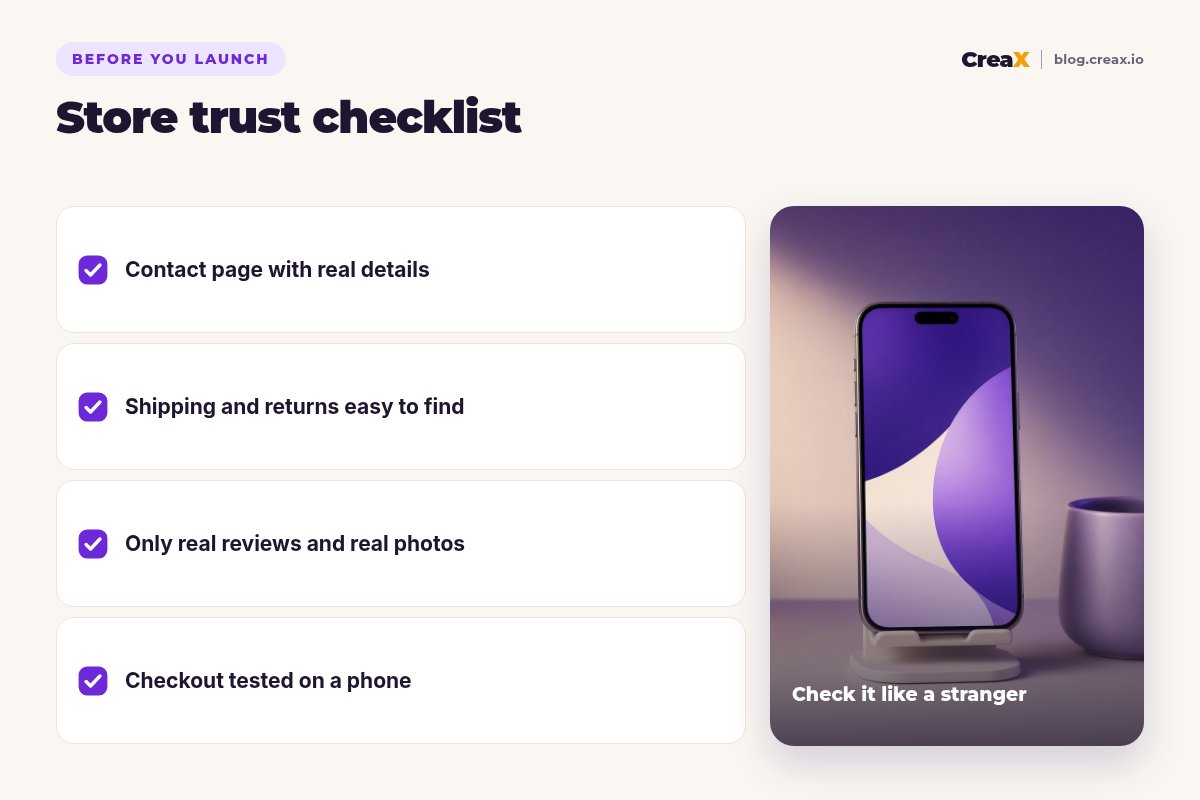
Store trust checklist
- ✓Domain and email: own domain, business email, no default subdomain.
- ✓About and contact: real story, real contact options, stated reply time.
- ✓Policies: shipping, returns, refunds, privacy and terms, all consistent.
- ✓Product page: shipping and returns line near the buy button.
- ✓Proof: only real reviews and photos; no fake badges or press logos.
- ✓Visuals: one photo style, no watermarks, ads match the store.
- ✓Mobile: fast load, readable text, working checkout, test order done.
Make your next product look ready to buy
One product link or image, about 60–120 seconds: a consistent landing page, studio ads and UGC-style video ads you can review and publish.
FAQFrequently asked questions
Q.Why don't customers trust my store?
Q.Do trust badges work?
Q.How can a new store look trustworthy with no reviews?
Q.Should I show a phone number?
Q.Does store design affect ad results?
Q.Can CreaX build a trustworthy store?
Ready to launch a store shoppers trust?
Paste a product link and get a landing page, studio ads and UGC-style video ads that look like one brand.
This guide is published by CreaX. It covers good practice for store trust as of October 2026 and is not legal advice; consumer and advertising rules vary by country, so check what applies where you sell.