
How to Build a Link-in-Bio Page That Actually Sells
How-to · Link in bio
A link in bio page for sellers is not a menu of links. It is the one page your TikTok and Instagram viewers land on after a post made them curious, and it has a few seconds to turn that curiosity into a sale. This guide shows you how to build one that sells: one hero product, a clear offer, a fast mobile layout and tracking that tells you which post made money.
Updated October 2026 · By the CreaX team
Key takeaways
- ✓A bio page that sells has one hero action: usually “buy the product from my latest post”. Everything else is secondary.
- ✓Structure it like a mini landing page: hero product, proof, offer, button, then a short list of secondary links.
- ✓Show photo, price, delivery and returns on the page itself, so viewers do not have to hunt for basics.
- ✓Tag every link with UTM parameters per platform, and update the page with every post, so the top of the page always matches what people just watched.
In this guide
The goalWhat you'll have at the end
By the end of this guide you will have a mobile page that:
- Opens with the product people just saw in your video or post, with a clear photo and price.
- Answers the basic questions (what is it, how much, when will it arrive, can I return it) without leaving the page.
- Has one obvious button to buy, and a few secondary links below it.
- Tells you which platform and post sent the visitors who bought.
Whether you use a link-in-bio tool, a page in your store or a dedicated landing page, the principles are the same. If you mostly sell through social DMs, see CreaX for Instagram and WhatsApp sellers.
PrepWhat you need before you start
- A hero product. The product you post about most, or the one your latest content features.
- Good product visuals. A clean product photo and, ideally, a short video clip. Supplier photos with old text on them hurt trust.
- A place to check out. Your store's product page, a checkout link, or a landing page with a buy button.
- Basic policies. Delivery times, shipping cost and a return policy you can link to.
- A link builder for UTM tags. Any free UTM builder works; you just need consistent naming.
iCheck your platform's bio link rules
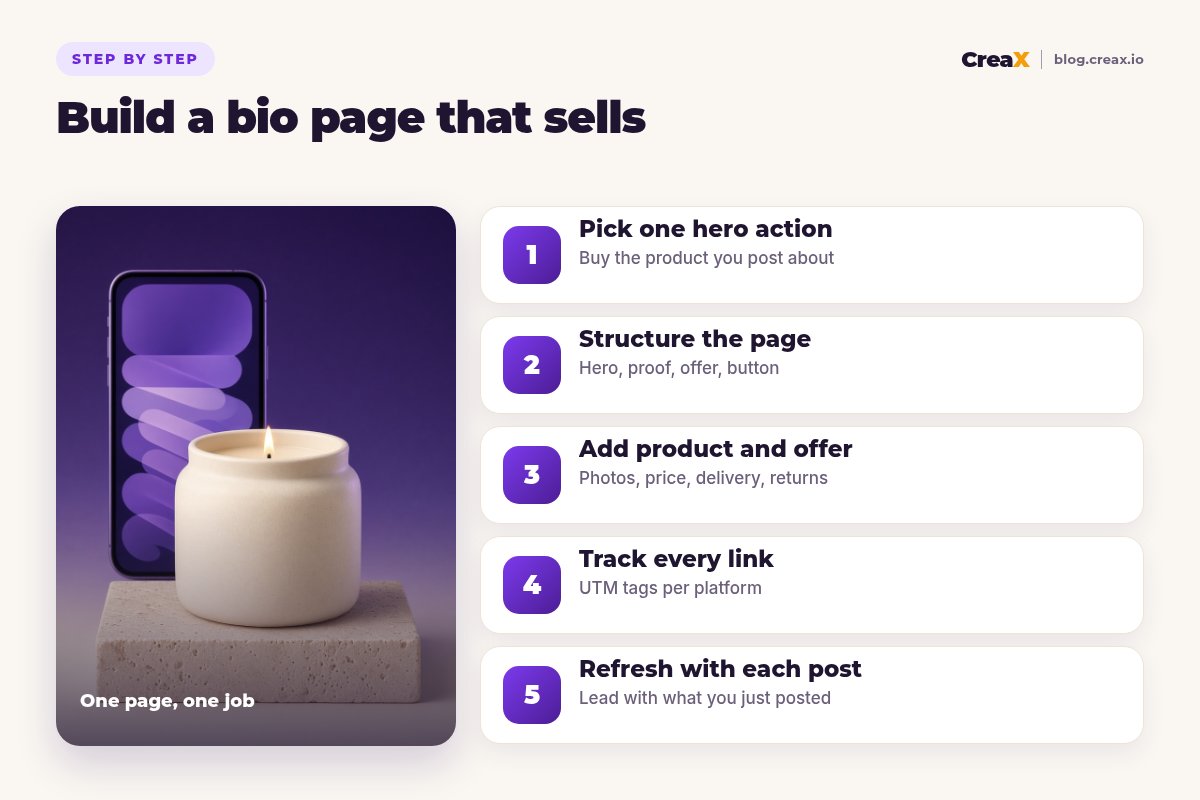
Step 1Step 1: Pick one hero action
Most bio pages fail because they try to do everything: shop, blog, newsletter, podcast, every product, every social profile. Every extra button competes with the one that makes money. Decide what a visitor should do first, and design the page around that.
- If you sell one main product: the hero action is “buy it”.
- If you post different products: the hero action is “buy the product from my latest post”, and it changes with each post (Step 5).
- If you are pre-launching: the hero action might be “join the waitlist”, and you switch to “buy” at launch.
Everything else (other products, your store, a newsletter) goes below the hero, smaller and quieter.
Step 2Step 2: Structure the page
Think of your bio page as a mini landing page for mobile. A simple structure that works for most sellers:
| Block | What goes in it | Why |
|---|---|---|
| 1. Hero | Product photo or short clip, one-line benefit, price, main button | Matches what the viewer just saw and gives them the action |
| 2. Proof | Genuine reviews, a short demo, or what's in the box | Answers “is it real and does it work?” |
| 3. Offer | Bundle, free shipping threshold or gift, if you have one | Gives a reason to buy now without fake urgency |
| 4. Basics | Delivery time, shipping cost, returns | Removes the doubts that stop a first purchase |
| 5. Secondary links | Other products, store, newsletter | Useful for fans without distracting new visitors |
A simple mobile structure. Keep each block short.
Keep the page short and fast. People arrive from a video on a phone, often on mobile data, so heavy images and long scrolls cost you buyers. If you are not sure whether to use a separate page or your product page, see landing page vs product page.
★Match the first screen to the post
Step 3Step 3: Add product and offer
Now fill the hero and offer blocks with what a buyer needs to decide:
A clear product image or clip
One benefit line
Price and offer
Delivery and returns
One big button
If writing the copy is the slow part, our guide on writing product page copy that converts has templates you can adapt.
Need a page for your hero product?
Paste a product link into CreaX and get a publish-ready landing page, studio ads and UGC-style videos for it in about 60–120 seconds.
Step 4Step 4: Track every link
Without tracking, you only know that “social” sends sales. With tracking, you know which platform and which post did. Add UTM parameters to every link on your bio page, and use a different link for each platform's bio:
| Where the link lives | Example UTM tags |
|---|---|
| TikTok bio | utm_source=tiktok&utm_medium=bio&utm_campaign=lavender-candle |
| Instagram bio | utm_source=instagram&utm_medium=bio&utm_campaign=lavender-candle |
| Instagram Story link | utm_source=instagram&utm_medium=story&utm_campaign=lavender-candle |
| Hero button on the bio page | utm_content=hero-button |
Use lowercase, consistent names. Your store analytics or Google Analytics will then show sales by source.
Keep names simple and consistent; a messy naming scheme is almost as bad as none. Our guide on ad creative naming and tracking shows a naming system you can reuse for paid ads too.
Step 5Step 5: Refresh with each post
A bio page that sells is never finished. Every time you post a product, move that product to the top. Viewers who tap your bio link after a video expect to find what they just watched within a second.
- Update the hero when you post a new product, and move the previous one down to the secondary list.
- Match the angle. If the post sold the candle as a gift, lead with the gift angle on the page.
- Pin your best post on your profile so new visitors see the product that sells.
- Review weekly. Check which links got clicks and sales, remove dead links and drop products that do not sell.
ExampleWorked example: a candle seller
Say you sell scented soy candles and post short videos on TikTok and Instagram. Your old bio page has ten equal buttons: shop, about, blog, every scent, a newsletter and three social profiles. Here is the rebuilt version:
- Hero: a short clip of the lavender candle being lit, the line “Calm evenings in a jar”, the price, and a “Get yours” button straight to the product page.
- Proof: a few genuine customer reviews (only real ones) and what's in the box.
- Offer: “Free shipping on 2 or more candles” if that is your actual policy.
- Basics: “Ships in 1–2 days, arrives in X–Y days” (your real times) and a link to returns.
- Secondary: other scents, the full store and the newsletter, smaller and lower on the page.
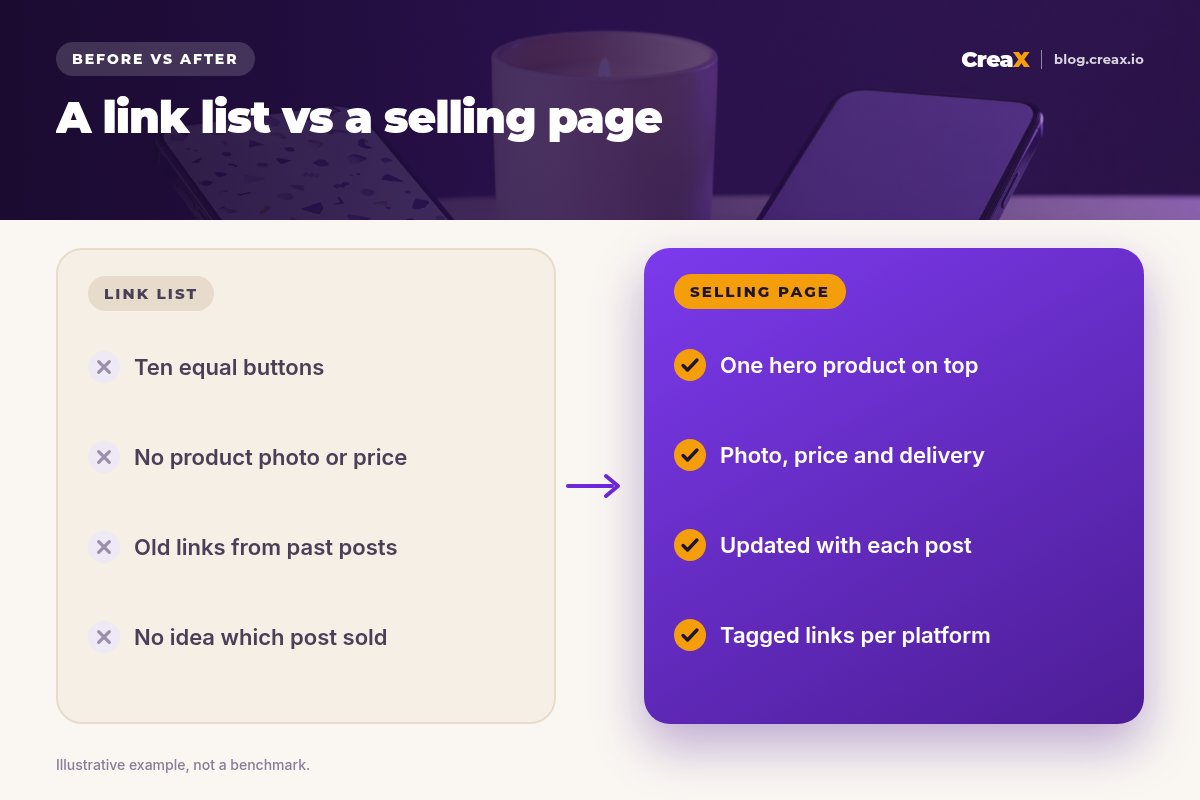
Each platform's bio gets its own tagged link, and the hero switches to whichever scent was in the latest post. After a couple of weeks, the analytics show which platform and which scent drive sales, and that tells you what to post next.
Watch outMistakes to avoid
- Ten equal buttons. If everything is important, nothing is. Make one button the hero.
- Sending people to the homepage. The homepage makes them search again. Link straight to the product.
- No price on the page. Hiding the price adds a step and feels evasive.
- Old products on top. If the latest post is not at the top, many viewers leave.
- Untracked links. You cannot improve what you cannot see.
- Fake reviews or fake urgency. Only show real reviews and real offers. Buyers and platforms notice.
Before you publishChecklist
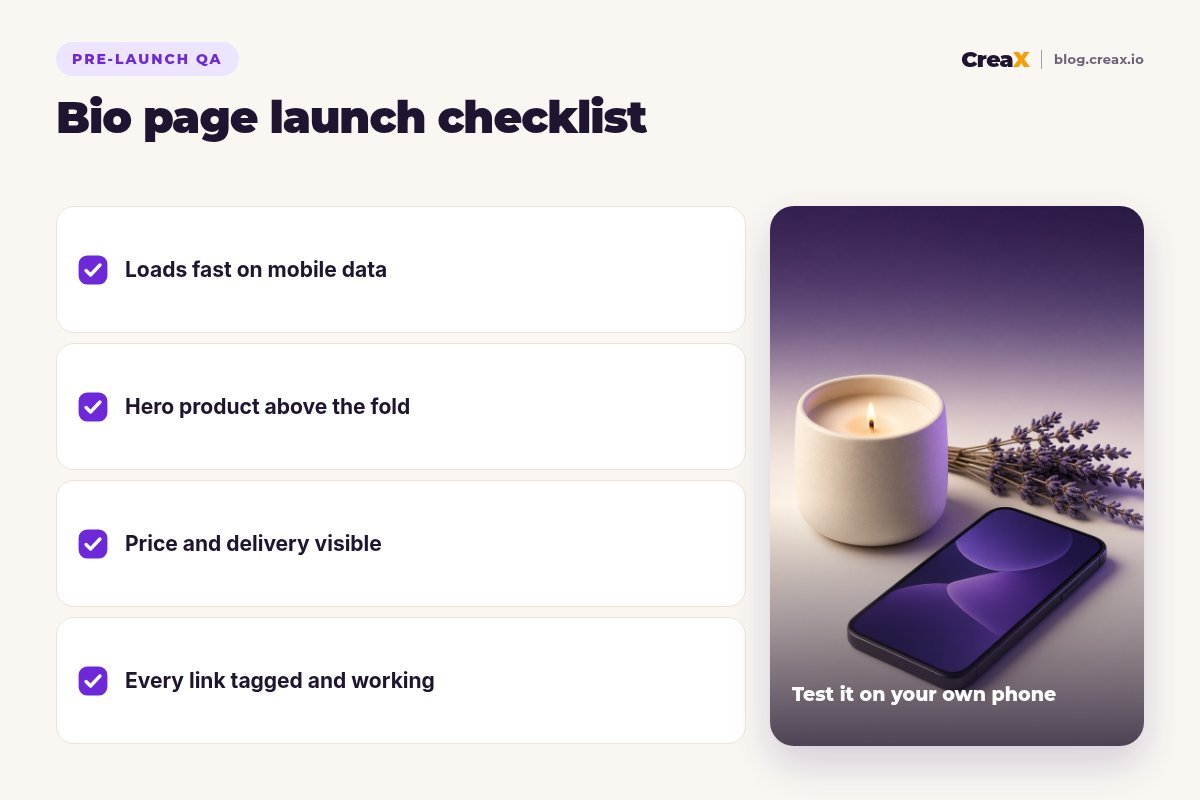
Bio page launch checklist
- ✓The page loads quickly on mobile data.
- ✓The hero product matches your latest post.
- ✓Photo, price, delivery and returns are visible.
- ✓One main button goes straight to the product or checkout.
- ✓Every link has UTM tags per platform.
- ✓You tested every link on your own phone.
ToolsWhere CreaX fits
You can build a bio page with any link-in-bio tool or in your store. Where CreaX helps is the hero product itself. Paste a product link or upload a product image, and in about 60–120 seconds CreaX produces a publish-ready landing page you can point your bio link to, plus studio ad creatives and UGC-style video ads for the same product, in 1:1, 3:4, 4:5 and 9:16 sizes. Pages come in Simple, Detailed or Advanced levels; the Simple level suits a short mobile page.
Because the videos and the page come from the same input, the post and the page tell the same story. For more on short-form video, see UGC ad hooks that stop the scroll.
Give your bio link a page that sells
One product link, about 60–120 seconds: a landing page for your hero product, plus video and static creatives for your next posts.
FAQFrequently asked questions
Q.What should a seller put in their link in bio?
Q.Is Linktree enough for selling?
Q.Should my bio link go to my store homepage?
Q.How do I know which post drove a sale?
Q.How often should I update my bio page?
Q.Can CreaX make the page my bio link points to?
Ready to turn followers into buyers?
Paste a product link and get the page and creatives for your hero product, all from one input.
This guide is published by CreaX. It contains general guidance only; check Instagram's and TikTok's current help pages for link rules and eligibility.