
How to Make Instagram Reels Ads for an Ecommerce Product
How to · Instagram Reels ads
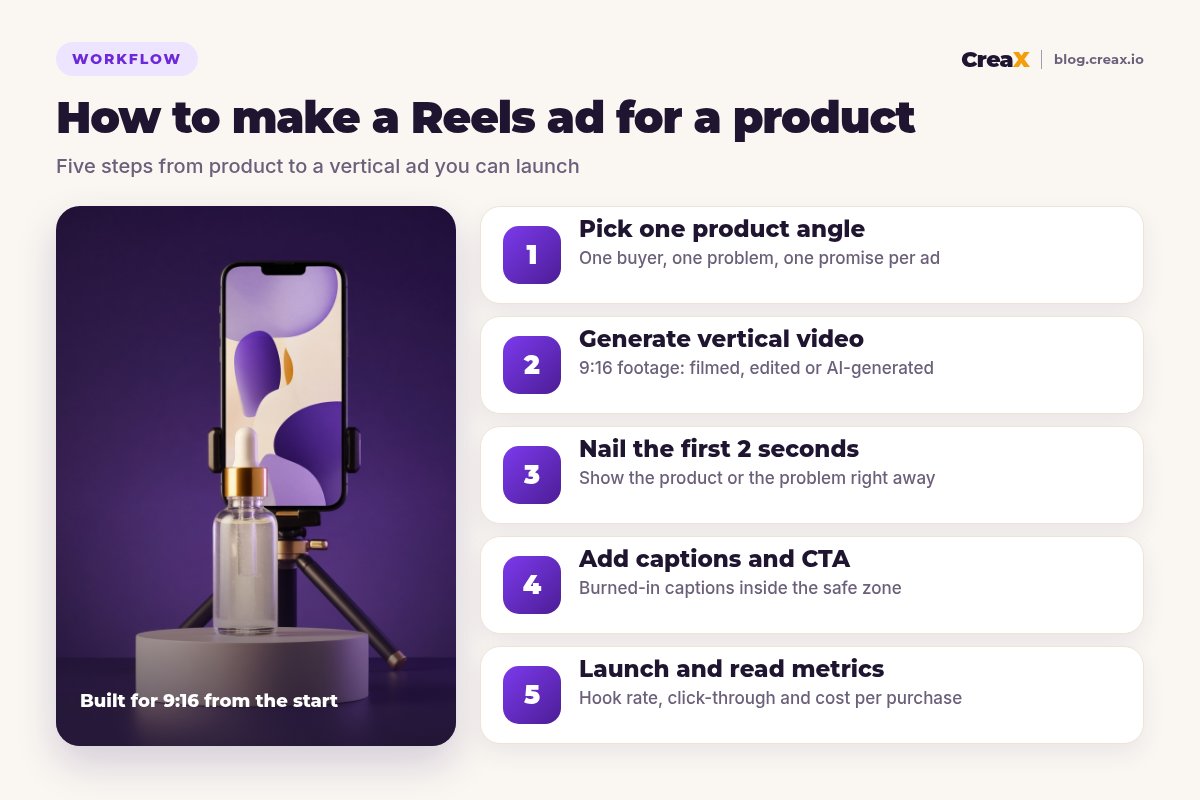
Instagram Reels ads reward one thing above all: a vertical video that feels like it belongs in the feed and shows the product fast. You don't need a film crew or a big budget to make one. This guide walks through five practical steps to make Reels ads for an ecommerce product, from picking the angle to reading the numbers after launch, with a worked example and a checklist you can reuse.
Updated October 2026 · By the CreaX team
Key takeaways
- ✓Make every Reels ad about one angle: one buyer, one problem, one promise. Test angles against each other instead of cramming them into one video.
- ✓Build for 9:16 from the start and keep key text away from the top and bottom of the frame, where Instagram's interface sits.
- ✓The first two seconds decide whether anyone watches. Open with the product or the problem, never a logo.
- ✓Add burned-in captions and one clear call to action, then judge the ad on hook rate, click-through and cost per purchase.
In this guide
OutcomeWhat you'll have at the end
By the end of this guide you'll have two or three short vertical video ads for one product, each built around a different angle, with captions, a clear call to action and a landing page that matches. That's the minimum useful test: enough variety to learn which message works, not so much that your budget is spread thin.
PrepWhat you need before you start
- A product page or landing page the ad will send people to. The page should repeat the ad's promise.
- Product footage or images. Phone footage, supplier clips or a few good photos are enough to start.
- A way to make vertical video: film and edit yourself, hire a creator, or generate UGC-style videos with an AI tool.
- A Meta ad account connected to your Instagram professional account, and a small test budget.
- Your break-even numbers, so you know what cost per purchase you can afford.
If you're new to the format, our FAQ on what a UGC video ad is explains why creator-style videos tend to feel native in Reels.
Step 1Step 1: Pick one product angle
An angle is the reason a specific person would want this product right now. The same product can have several: a skincare serum could be sold on “glow before a big day”, “a simpler routine” or “gentle enough for sensitive skin”. Each one speaks to a different buyer and needs a different opening, so each one gets its own ad.
To find angles, read your product reviews and comments, look at how competitors pitch similar products and write down the one problem each angle solves. Pick two or three to test first.
| Angle | Who it's for | Opening idea |
|---|---|---|
| Glow before an event | Someone with a wedding or night out coming up | Close-up of the dropper, “3 days before the wedding…” |
| A simpler routine | Busy people with too many products | Shelf full of bottles swept aside for one serum |
| Gentle on sensitive skin | People who react to strong actives | Hand applying a drop, text: “finally, no sting” |
Example angles for a skincare serum. Only use claims you can back up.
Step 2Step 2: Generate vertical video
Reels ads run full-screen in a 9:16 vertical frame. Make the video vertical from the start instead of cropping a horizontal clip, which usually cuts off the product or leaves black bars. You have three practical options:
- Film it yourself on a phone: product in hand, in use and in context. Natural light and a steady shot beat fancy gear.
- Work with a creator for talking-head or hands-on UGC. Brief them with the angle and the first line.
- Generate it with AI. Tools like CreaX create UGC-style video ads from a product link or image, which is useful when you need several angles quickly.
Keep the video short and focused. You can run longer Reels ads, but for a product test, a tight video that shows the product, the benefit and the offer is easier to judge. For a comparison of video tools, see the best AI UGC video ad generators.
iMind the safe zone
Get UGC-style Reels ads from one product link
CreaX generates vertical UGC-style video ads, studio creatives and a matching landing page in about 60–120 seconds.
Step 3Step 3: Nail the first 2 seconds
People decide very quickly whether to keep watching a Reel. Your opening has one job: make the right person stop. Show the product or the problem immediately, with motion and a short line of text.
Hooks that tend to work for products:
- The problem, shown. Tangled cables, a dull complexion, a messy desk, then the product.
- The result first. The finished look or the tidy space, then how you got there.
- A bold, true statement. “The only serum I've repurchased this year” works only if it's honest.
- Hands-on demo. A satisfying close-up of the product working.
- A question to the viewer. “Do you have sensitive skin?” filters for the right audience.
Make two or three hooks for the same body of the video. Changing only the opening is one of the cheapest ways to find a better ad. Our guide to how many ad creatives to test per product helps you size this.
Step 4Step 4: Add captions and CTA
Many people watch with the sound off, so burn captions into the video. Keep lines short, use high contrast and place them in the middle of the frame where nothing will cover them.
Then close with one clear next step that matches the button and the page: “Tap Shop Now to get yours” or “See the routine on our page”. Don't ask people to do three things. In Ads Manager, keep the primary text short too, because Reels shows only the start of it before truncating.
Step 5Step 5: Launch and read metrics
Put your two or three angles in the same campaign with the same budget, audience and landing page, so the creative is the only variable. Let each ad get enough spend to tell you something, then read the numbers in order:
| Metric | What it tells you | If it's weak |
|---|---|---|
| Hook rate (3-second views ÷ impressions) | Does the opening stop the scroll? | Change the first 2 seconds |
| Hold rate / average watch time | Does the middle keep attention? | Cut slow parts, show the benefit sooner |
| Click-through rate | Does the ad make people want to act? | Sharpen the offer and CTA |
| Cost per purchase | Does it make money? | Check the page, price and offer |
Read top to bottom: fix the first weak link before changing anything else.
If views are high but sales are low, the problem may be the page or the offer, not the video. Our guide to views with no sales walks through that diagnosis, and signs of creative fatigue tells you when a winner needs a refresh.
ExampleWorked example: a serum, three Reels ads
Imagine a small brand selling a hydrating face serum in a glass dropper bottle. They have supplier photos, a product page and a small test budget.
Choose three angles
Create the videos
Write three hooks
Caption and check
Launch and compare
!Skincare claims need extra care
Avoid theseMistakes to avoid
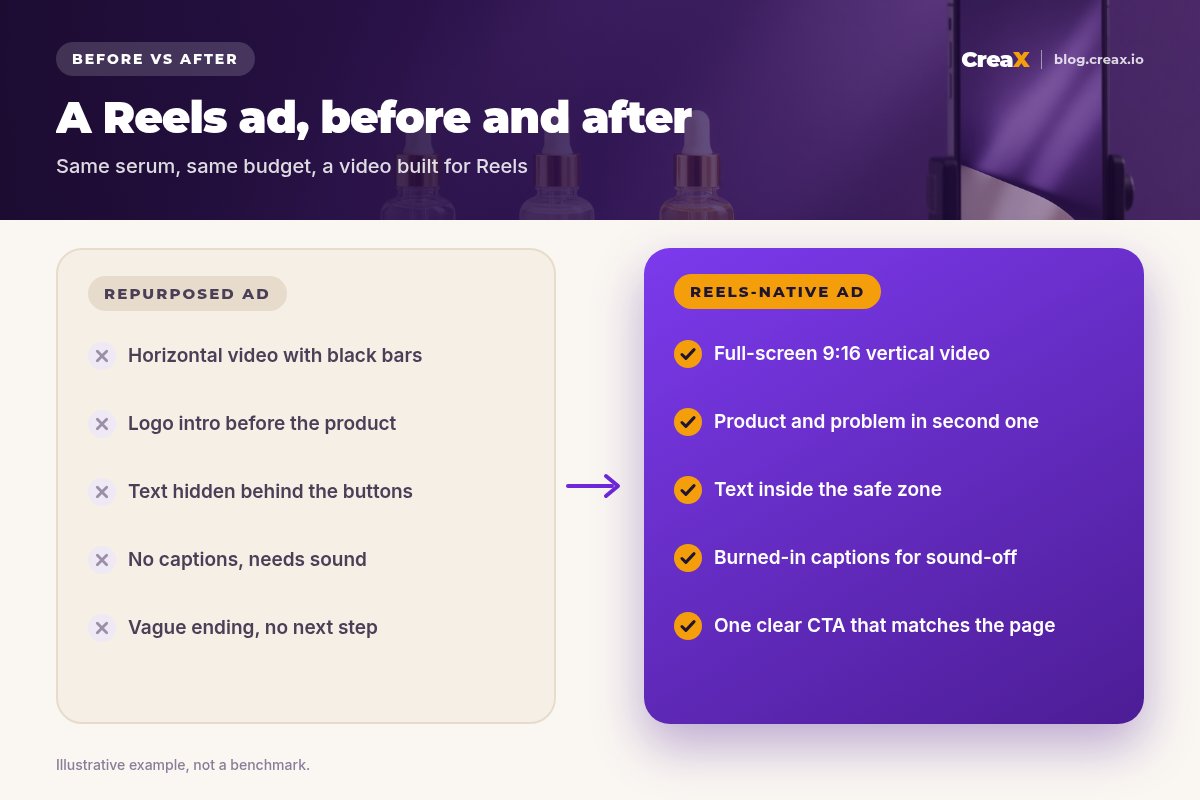
- Resizing a horizontal ad. Black bars and tiny products look like an ad from another platform.
- Opening with your logo. Show the product or problem first; branding can come later.
- Text behind the buttons. Anything in the bottom area may be covered by the caption and CTA.
- Testing too many things at once. Change one element per variation so you know what worked.
- A page that doesn’t match. If the ad promises “gentle on sensitive skin”, the page should open with that.
ChecklistChecklist before you launch
Run this on every Reels ad
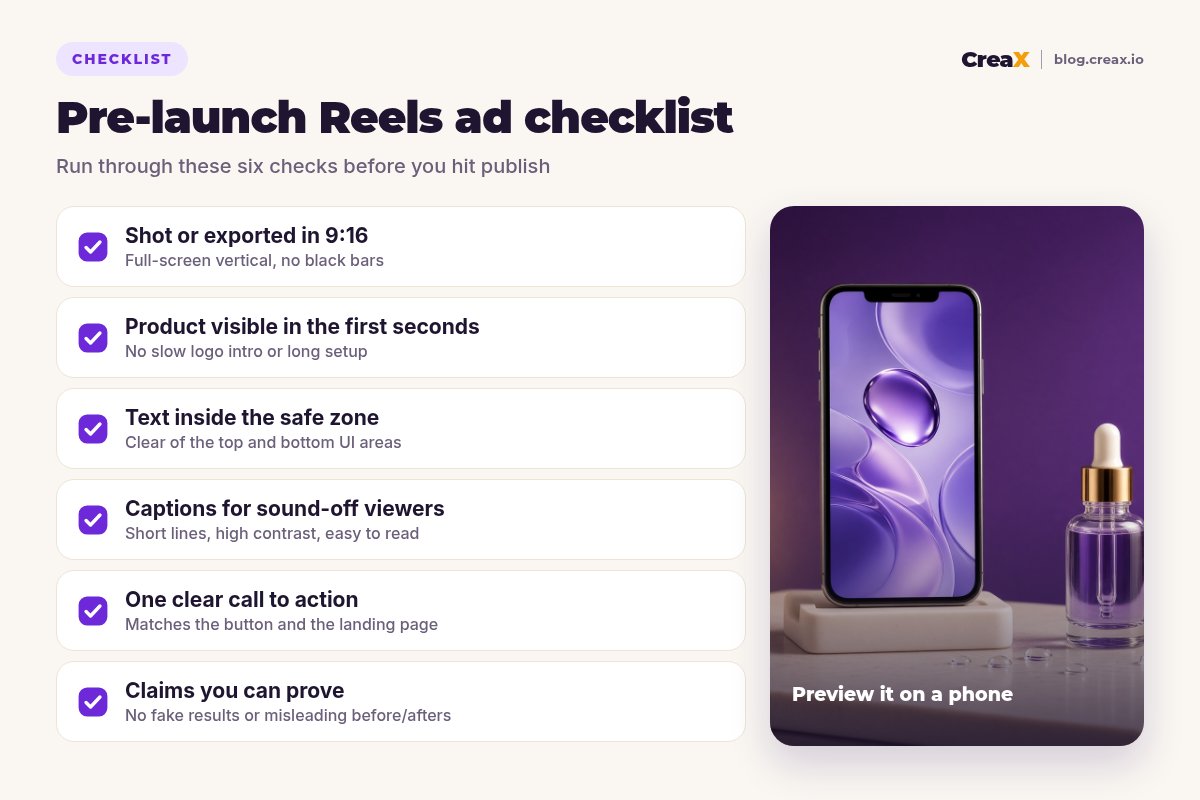
- ✓Format: 9:16 vertical, full-screen, no black bars.
- ✓Opening: product or problem visible in the first two seconds.
- ✓Safe zone: headline, product and captions in the middle of the frame.
- ✓Captions: burned in, short, high-contrast.
- ✓CTA: one action that matches the button and the landing page.
- ✓Claims: every line is true and provable.
- ✓Test setup: same budget, audience and page for each angle.
How CreaX helps: paste a product link or upload a product image and CreaX generates UGC-style video ads, studio ad creatives and a publish-ready landing page in about 60–120 seconds, so you can test several Reels angles without a shoot. You still choose the angle, edit the copy and check the claims. For broader campaign setup, see creatives for Meta Advantage+ campaigns.
Make your first Reels ad test this week
One product link gives you vertical video ads, statics and a landing page that matches, ready to launch.
FAQFrequently asked questions
Q.What size should an Instagram Reels ad be?
Q.How long should a Reels ad be?
Q.Do I need to show a person in my Reels ad?
Q.Can I use the same video for TikTok?
Q.What is a good hook rate?
Q.How much does CreaX cost?
Ready to make Reels ads that sell?
Paste a product link: UGC-style video ads, studio creatives and a landing page in about 60–120 seconds.
This guide is published by CreaX. Platform specifications are summarised from Meta's public guidance as of October 2026 and can change; check Meta's ads guide before you launch. We avoid invented statistics and benchmarks.