
CreaX vs Flair.ai: AI Product Photoshoots Compared
Comparison · AI product photoshoots
CreaX vs Flair.ai comes down to one question: do you want to art-direct each product shot yourself, or get a complete ad test from one product link? Flair.ai is a drag-and-drop AI photoshoot canvas with props, templates, AI fashion models and product videos. CreaX turns a link or image into studio ad creatives, UGC-style video ads, a landing page and a store. Here is how to choose, and when to use both.
Updated October 2026 · By the CreaX team
Key takeaways
- ✓Flair.ai is an AI product photoshoot designer: stage scenes with drag-and-drop props, reuse templates, put clothing and jewelry on AI models, animate product videos and generate ads.
- ✓CreaX is an AI ecommerce creative OS: one product link or image in, studio ad creatives, UGC-style video ads, a publish-ready landing page and a multi-tenant store out, in about 60–120 seconds.
- ✓Pick Flair.ai when the look of each image matters most: brand campaigns, hero shots, fashion on models.
- ✓Pick CreaX when speed to a complete test matters most: ads, video and the page they click to, from one product.
In this guide
TL;DRThe short answer: CreaX vs Flair.ai
Both tools create product imagery with AI, but they sit at opposite ends of a control-versus-speed scale. Flair.ai works like a digital photo studio: you place your product on a canvas, add props, pick a template or describe a scene, and the AI renders it. You decide the composition. CreaX works like a creative team on a deadline: you paste a product link, and it returns a full kit for a product test (statics, video, landing page, store) that you review and edit.
If your brand lives or dies on how each image looks, Flair.ai gives you more say over every shot. If you need to know by the weekend whether a product sells, CreaX gets more of the test built in one pass. Many brands do both: Flair.ai for hero imagery, CreaX for testing new products and angles.
⚖Our bias, stated upfront
The competitorWhat Flair.ai is (and who it's built for)
Flair.ai calls itself an AI product photo generator and editor for ecommerce images. Its signature idea is the drag-and-drop canvas: you stage a scene digitally with props and then “bring it to life” with AI. Its public feature list includes:
- AI product photoshoots staged on a canvas with drag-and-drop props, backgrounds and your own assets.
- Templates you can mix and match with your product and reuse at scale.
- Fashion photoshoots that fit clothing and jewelry onto AI-generated models with patterns and logos preserved, plus custom AI human models you can build and reuse.
- AI ad generation with brand consistency and a template library.
- AI product videos: start from a product image, choose a camera movement, describe the scene, and export a short product video.
- Bulk content generation, custom models trained on your products, real-time team collaboration and API access.
In short, Flair.ai is built for brands and creative teams who think like art directors. Fashion, jewelry, beauty and home brands that care about a consistent, styled look across their catalog and campaigns are its natural audience.
Our approachWhat CreaX is: the AI ecommerce creative OS
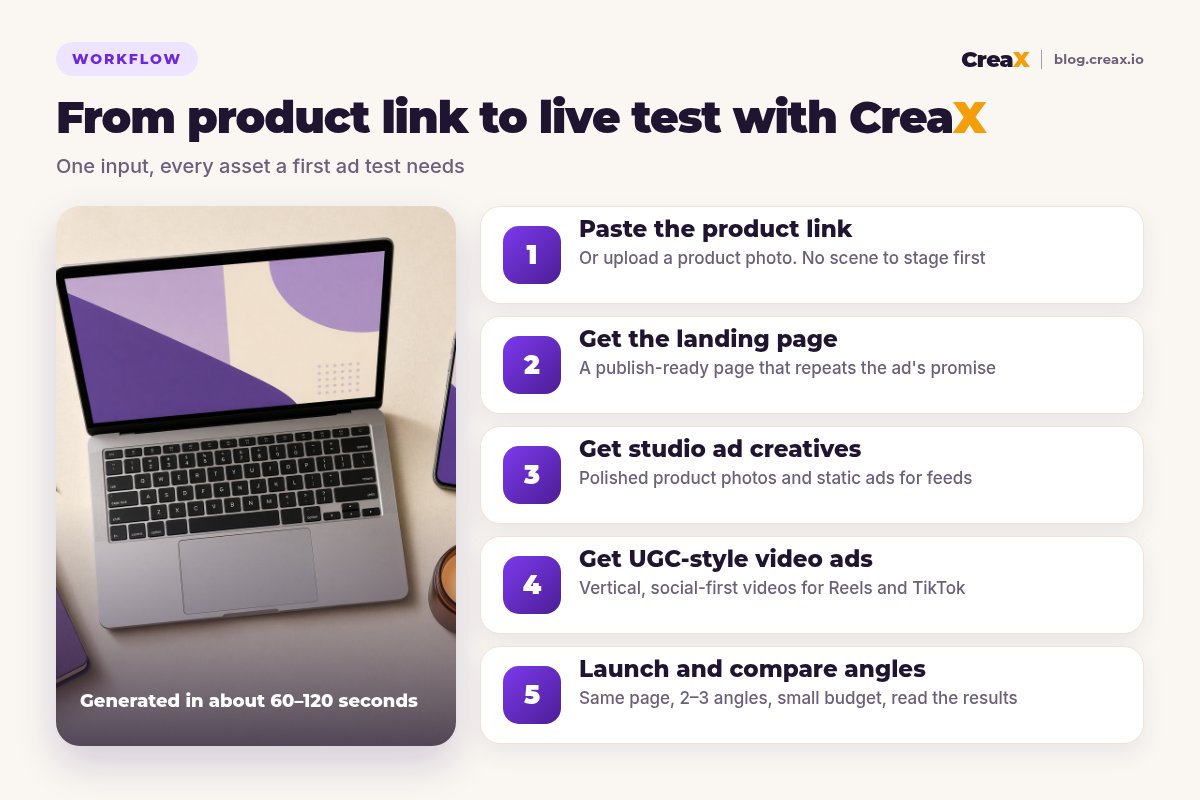
CreaX skips the staging step. Paste a product link or upload a product image, and in about 60–120 seconds you get the assets a first product test needs:
- Studio ad creatives: polished product photos and static ads for feeds and stories (more in our guide to studio ad creatives from one product photo).
- UGC-style video ads: vertical, social-first videos that show and sell the product.
- A publish-ready landing page that repeats the promise of the ads.
- A multi-tenant store for testing several niches or running separate stores for clients.
It is built for dropshippers, media buyers, affiliates, coaches, ecommerce brands and agencies who want to launch tests quickly without a designer. You trade some control over each individual shot for a complete, consistent kit in minutes.
ComparisonSide-by-side: features, outputs and workflow
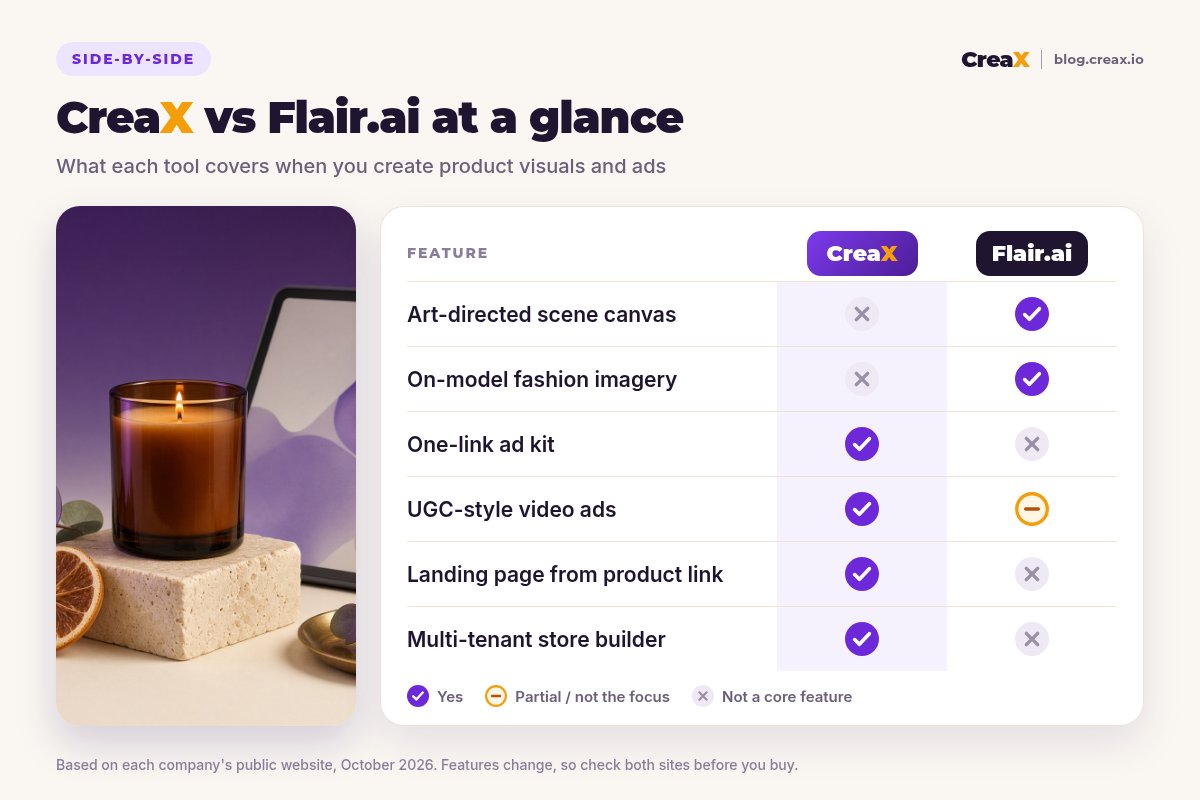
Here is how the two tools compare on the jobs that matter for an ecommerce seller. “Partial” means the tool can help, but it is not what the product is built around.
| CreaX | Flair.ai | |
|---|---|---|
| Core idea | One product link or image → a complete ad test kit | Stage a product scene on a canvas → AI-rendered photoshoot |
| Creative control | Review and edit a generated kit | Drag-and-drop props, templates, scene prompts |
| Fashion on models | Not the focus | AI fashion photoshoots and custom human models |
| Static ads | Ad-ready statics in the same generation | AI ad generation with templates |
| Video | UGC-style video ads | Animated product videos from an image |
| Landing page | Publish-ready page from the same link | Not listed as a feature |
| Store | Multi-tenant store builder | No |
| Teams & scale | A kit per product or angle | Team collaboration, bulk generation, API, custom models |
| Pricing | $4.99–$49.99/month credit plans, top-ups $1 per 500 credits | Check flair.ai for current plans |
Flair.ai details summarised from its public website, October 2026. Always confirm current features and plans on each vendor's site.
Skip the staging, get the whole test
Paste a product link and get studio ads, UGC-style video ads and a landing page you can launch today.
What the workflow feels like
With Flair.ai, you upload a product, open the canvas, place it in a scene, add props or choose a template, generate, then refine until it looks right. You can animate the result into a product video or generate ad variations. The page and the store the ads point to are built elsewhere.
With CreaX, you paste the product link and review a kit. Your effort goes into choosing angles and checking claims rather than composing scenes. It's faster to a live test, with less say over the exact styling of each image.
BudgetPricing: CreaX plans vs Flair.ai
CreaX uses simple monthly credit plans. Credits are spent when you generate assets, and you can top up at any time:
| CreaX plan | Price / month | Credits | Good fit |
|---|---|---|---|
| Free | $0 | 0 | Look around the app before buying credits |
| Basic | $4.99 | 2,000 | Your first product tests |
| Standard | $14.99 | 6,500 | Testing new products every week |
| Pro | $29.99 | 14,000 | Several products or stores at once |
| Premium | $49.99 | 25,000 | Agencies and high-volume media buyers |
| Top-up | $1 | 500 | Extra credits when a test takes off |
Current plans on creax.io/pricing. The credit cost of each generation is shown in the app before you generate.
Flair.ai publishes its own tiered plans, with limits on images and videos per plan. We won't quote its prices because they change. When you compare, check which plan includes the features you need (such as custom models, video and commercial-use rights) on Flair.ai's own pricing page.
★Price the outcome you need
Fair playWhere Flair.ai is the better pick
Flair.ai is a strong product with a clear point of view, and for some teams it is the right choice:
Flair.ai
Strengths
- +Canvas-based control over composition and props
- +AI fashion photoshoots and reusable human models
- +Templates you can reuse across a catalog
- +Product videos animated from your shots
- +Team collaboration, bulk generation and an API
Trade-offs
- −More hands-on time per image
- −Landing pages and stores happen elsewhere
- −Video is product animation rather than UGC-style ads
CreaX
Strengths
- +Studio ads, UGC-style video, landing page and store from one link
- +Ads and page share one message
- +About 60–120 seconds per kit
- +Low entry price: $4.99/month, top-ups $1 per 500 credits
- +No design skills needed
Trade-offs
- −Less control over the exact styling of each shot
- −No on-model fashion imagery
- −Not built for art-directed brand campaigns
⚖Honest take
Our recommendationWhere CreaX is the better pick
Beautiful images are only half of a product launch. The other half is turning them into ads, producing video and building a page that keeps the promise. That is where CreaX earns its place:
- You test many products. Staging a scene per product doesn't scale when you test several products a week.
- You need video ads, not just product animation. UGC-style videos come out of the same generation as the statics. Our roundup of AI UGC video ad generators compares options.
- You need the page too. The landing page is built from the same link, so the ad and the page match. See how to turn a product link into a landing page.
- You don’t have a designer. You review a finished kit instead of composing scenes.
If images are your main concern, our guide to the best AI product photo generators puts Flair.ai, CreaX and eight other tools side by side.
Launch your next product test in one pass
Paste a product link and get studio ads, UGC-style video ads and a landing page together, so your test can go live today.
ExampleWorked example: one product, both workflows
Say you sell a scented soy candle in an amber glass jar and want to test two angles: “a cozy evening ritual” and “the easy gift for a host”. You want lifestyle images, a few ads and a page.
| Task | Flair.ai setup | CreaX setup |
|---|---|---|
| Lifestyle images | Strong: stage each scene with props, exactly as you picture it | Studio ad creatives generated from the product link |
| Ads for 2 angles | AI ad generation and templates, refined per angle | Generated with the kit, then edited per angle |
| Video | Animate a staged shot into a product video | UGC-style video ads from the product |
| Landing page | Build in your store or a page builder | Generated from the same link |
| Time spent on | Composing and refining scenes | Reviewing the kit and choosing angles |
A qualitative comparison of the work involved, not a speed or performance benchmark.
A combined setup works well here: use Flair.ai for a handful of hero images for the brand and the homepage, and CreaX to produce test kits for each new scent and angle. If a scent wins, you can invest more design time in it.
!Keep the product accurate
Choose with confidenceDecision checklist
Answer these before you pay
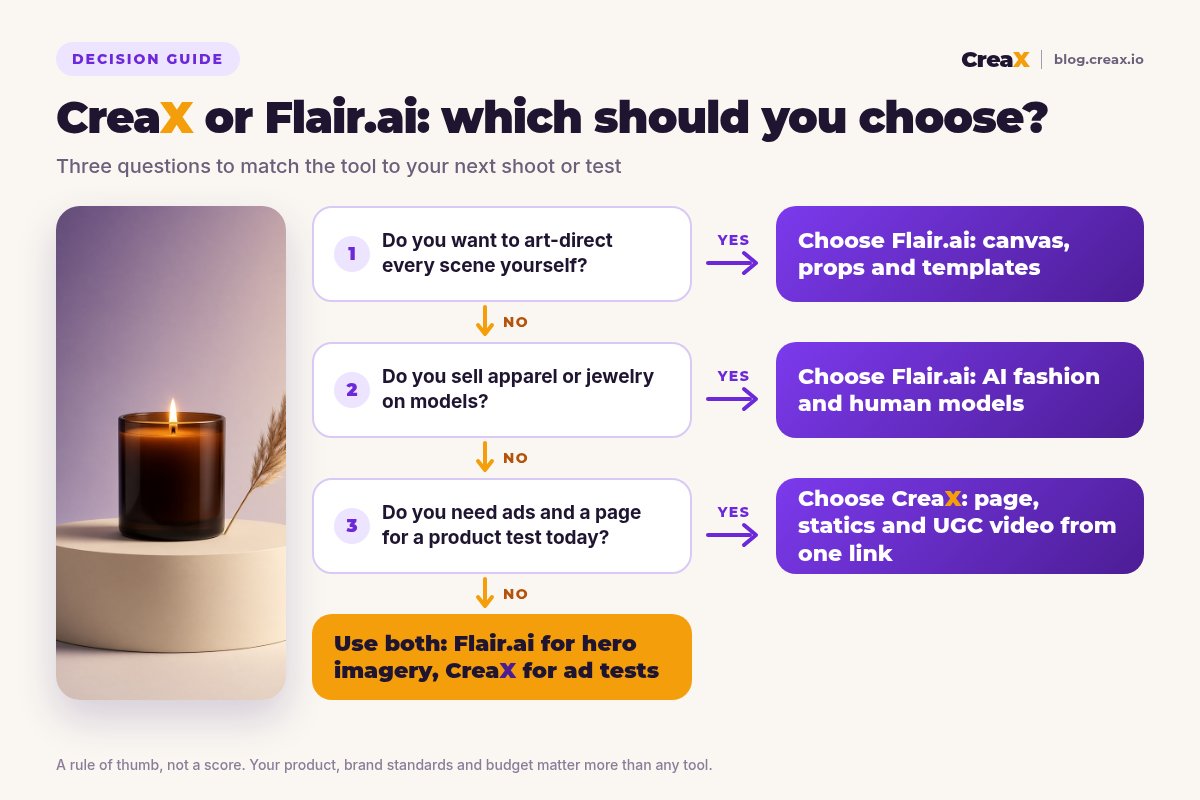
- ✓Do you want to compose each scene yourself? Lean Flair.ai.
- ✓Do you need clothing or jewelry on models? Lean Flair.ai.
- ✓Do you need static ads and video ads for a test this week? Lean CreaX.
- ✓Do you have a landing page that matches your ads? If not, lean CreaX.
- ✓How many products do you test per month? Many products favour a kit per product.
- ✓Do you run several stores or client brands? The CreaX multi-tenant store helps.
Using both is a legitimate answer. Flair.ai for brand-defining imagery, CreaX for fast product tests and the pages behind them. For more ways to stretch one good image, see one product image into a week of ad tests.
FAQFrequently asked questions
Q.Is CreaX a good Flair.ai alternative?
Q.Does Flair.ai make video ads?
Q.Does Flair.ai build landing pages?
Q.Which is cheaper, CreaX or Flair.ai?
Q.Can I use Flair.ai and CreaX together?
Q.Do I need design skills for either tool?
Ready to test your next product?
One product link or image, about 60–120 seconds: studio creatives, UGC-style video ads and a landing page for your next test.
This guide is published by CreaX. We describe other tools from their own public websites as of October 2026, avoid invented scores or prices, and recommend checking each vendor's site for current features and plans.