

CreaX for Shopify Sellers: Pages and Ads Without the Busywork
Use case · Shopify sellers
Your Shopify store already handles products, checkout and orders. What eats your week is everything in front of it: product photos, static ads, video ads and campaign pages. CreaX is an AI tool for Shopify sellers that turns a product URL into a landing page, studio ad creatives and UGC-style video ads in about 60–120 seconds, so you can launch and refresh campaigns without the busywork. Here is how it fits alongside your store.
Updated October 2026 · By the CreaX team
Key takeaways
- ✓Keep Shopify for what it does best: catalog, checkout, payments and fulfilment. Use CreaX for the creative work in front of the store.
- ✓One product URL in: CreaX generates a publish-ready landing page, studio ad creatives and UGC-style video ads from your Shopify product page.
- ✓A weekly routine of copy URL, generate, link to checkout, launch and refresh keeps new creatives flowing without theme edits or design tickets.
- ✓Plans start at $4.99/month (2,000 credits); many Shopify sellers settle on Standard ($14.99, 6,500 credits) once they test weekly.
In this guide
AudienceWho this is for: Shopify sellers
This guide is for anyone who sells on Shopify and advertises their products:
- Small brands with a handful of hero products and no in-house designer.
- Dropshippers on Shopify who test new products every week and need ads and pages fast.
- Growing stores whose catalog has outgrown the time they have for creatives.
- Freelancers and agencies running Shopify stores for clients.
If you already use Shopify's built-in AI for product descriptions, CreaX doesn't replace that; it covers the visual and ad side. Our comparison of CreaX vs Shopify Magic explains how the two fit together.
Why it mattersThe problem this solves
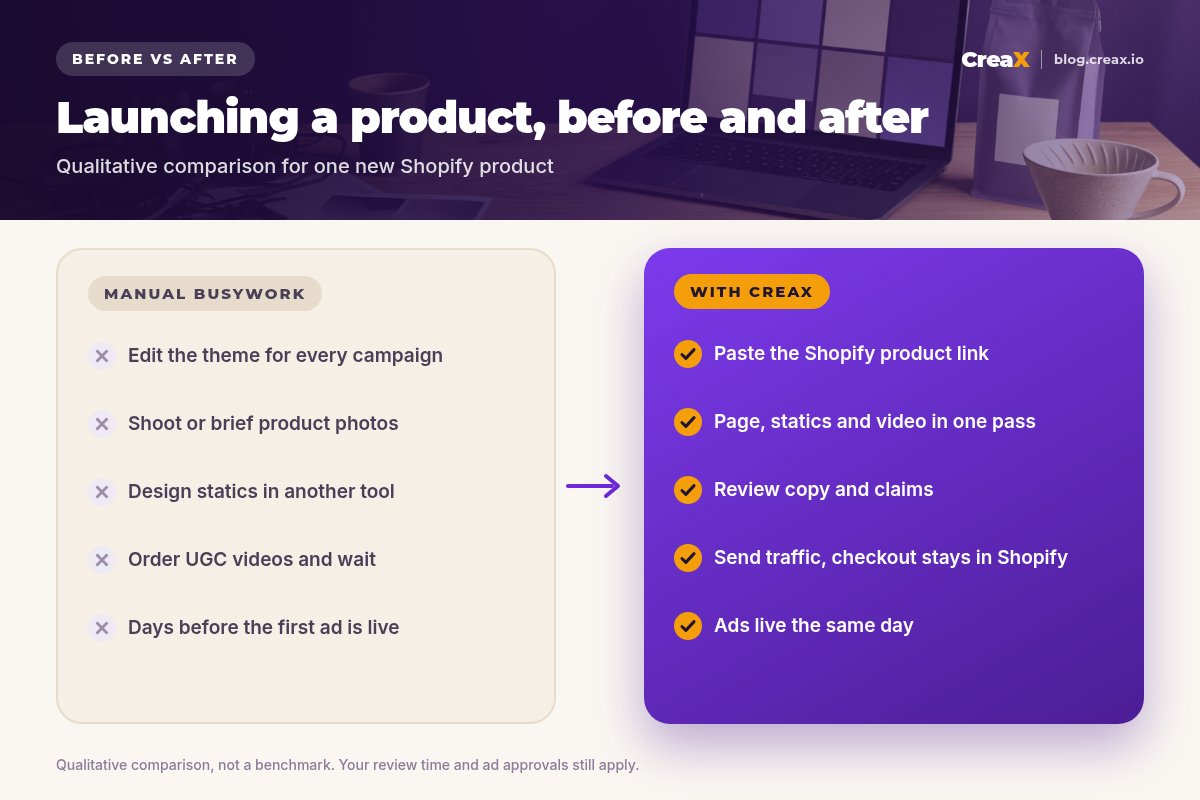
Shopify makes it easy to run a store. It does not make it easy to keep that store fed with traffic. Every new product or campaign usually means the same chores:
- Taking or commissioning product photos that look better than supplier images.
- Designing static ads in a separate tool, in several sizes.
- Ordering UGC videos and waiting for them to arrive.
- Editing your theme or a page builder to create a campaign page that matches the ad.
- Doing it all again two weeks later when the creatives fatigue.
None of this is hard. It is just slow, and it competes with customer service, stock and everything else. The result is that many stores run the same tired ads for too long. If that sounds familiar, the signs of ad creative fatigue are worth a read.
The kitWhat CreaX produces from one product link or image
Copy the URL of a product page in your Shopify store (or upload a product image), paste it into CreaX, and in about 60–120 seconds you get:
| Output | What it is | How Shopify sellers use it |
|---|---|---|
| Landing page | A publish-ready page built around the product and its main promise | A focused campaign page that repeats the ad, without editing your theme |
| Studio ad creatives | Polished product photos and static ads | Feed and story ads, and fresh images for your product page or emails |
| UGC-style video ads | Vertical, social-first videos that show and sell the product | Reels, TikTok and Shorts ads without ordering videos for every test |
| Multi-tenant store | Separate storefronts on one platform | Optional: test a new niche without touching your main Shopify store |
The four outputs CreaX generates from one product link or image.
The studio creatives are useful beyond ads: many sellers use them to refresh product page images, as long as at least one true-to-life photo stays on the page. Our guide to studio ad creatives from one product photo shows examples of the approach.
See what CreaX builds from your Shopify product
Paste a product URL from your store and get a landing page, studio ads and UGC-style video ads in about 60–120 seconds.
How to run itStep-by-step workflow
Here is a simple routine that works alongside your store. Most sellers run it once per new product and then weekly for refreshes:
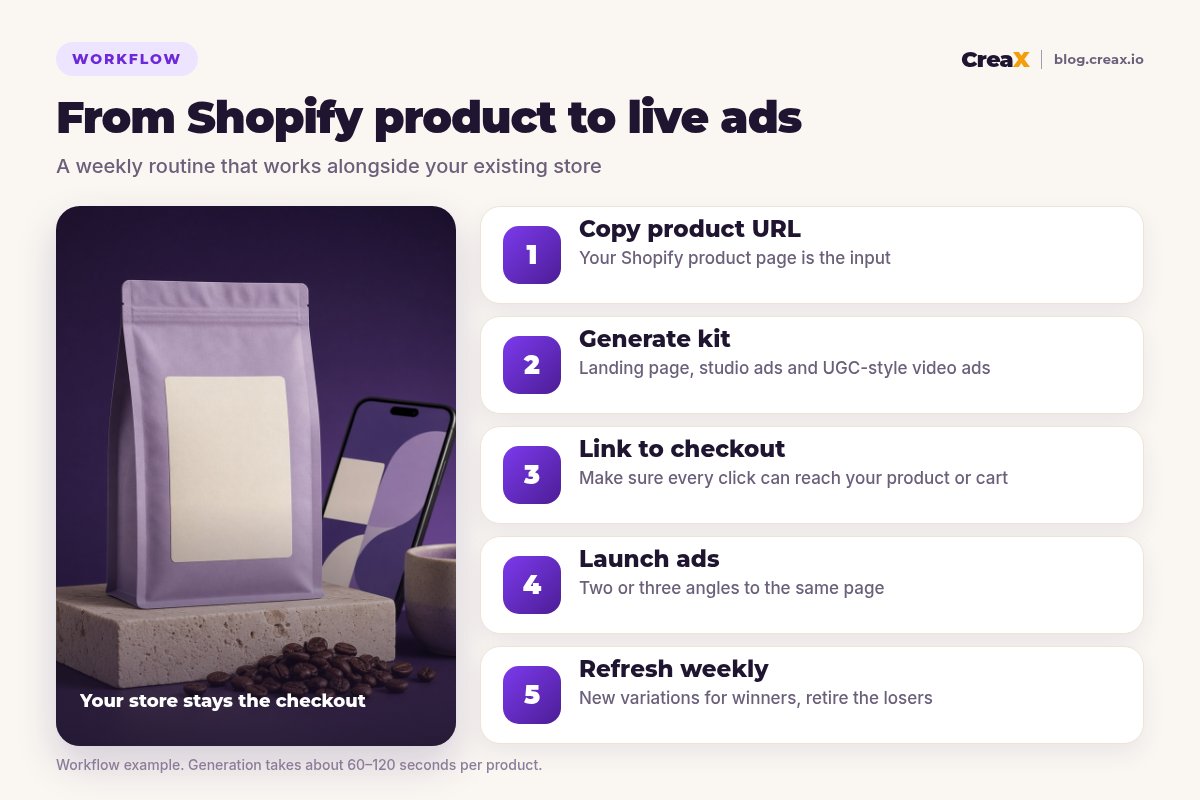
Copy the product URL
Generate the kit
Link to checkout
Launch the ads
Refresh weekly
★Landing page or product page?
ExampleWorked example: a specialty coffee store
Imagine a small Shopify store selling specialty coffee beans, launching a new single-origin bag for the season. The owner wants to test two angles on Meta: “café-quality coffee at home” and “a gift for the coffee lover who has everything”.
| Step | What the seller does | Time spent on |
|---|---|---|
| 1 · Copy URL | Copies the new product URL from the storefront | Copying one link |
| 2 · Generate | Generates the kit in CreaX; edits tasting notes and origin details to match the real product | Reviewing facts, not designing |
| 3 · Link | Uses the CreaX landing page for the gift angle and the Shopify product page for the at-home angle | Checking both paths on a phone |
| 4 · Launch | Runs two ad sets with equal budgets, one per angle | Setting up the campaign |
| 5 · Refresh | Next week, generates new hooks for the angle with the better cost per purchase | Reading results |
Illustrative example. Your timings depend on your review process and ad account approvals.
Notice what's missing: no theme edits, no photo shoot, no waiting for a video vendor. The owner's time goes into checking facts (origin, roast, tasting notes) and reading results, which nobody else can do for them.
!Facts and claims are yours to check
PricingWhich plan fits (real CreaX prices)
CreaX uses monthly credit plans. Credits are spent when you generate assets; the credit cost of each generation is shown in the app before you generate, and top-ups are available any time.
| Plan | Price / month | Credits | Shopify seller fit |
|---|---|---|---|
| Free | $0 | 0 | Look around the app first |
| Basic | $4.99 | 2,000 | A few products or an occasional launch |
| Standard | $14.99 | 6,500 | Launching or refreshing products every week |
| Pro | $29.99 | 14,000 | Larger catalogs or several stores |
| Premium | $49.99 | 25,000 | High-volume stores and agencies |
| Top-up | $1 | 500 | Seasonal peaks like holiday campaigns |
Current plans on creax.io/pricing.
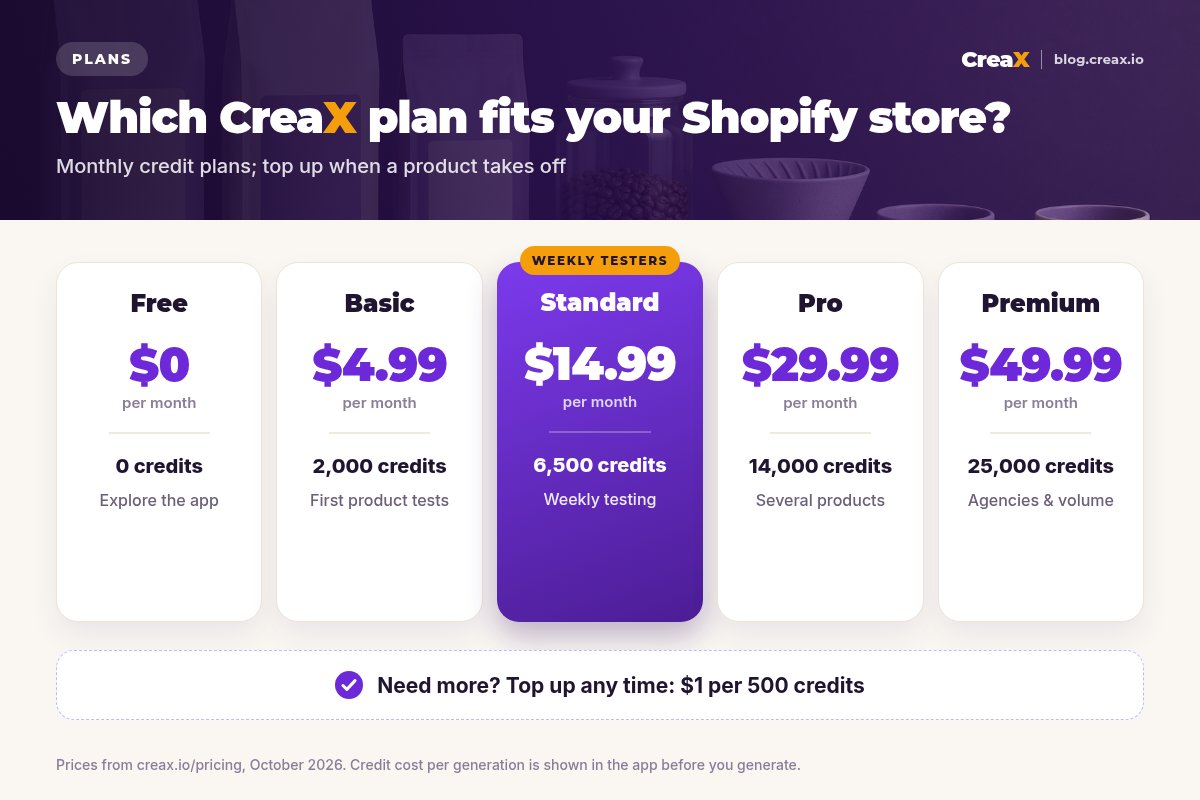
To choose, count how many products you launch or refresh in a normal month, check the credit cost per generation in the app, and pick the plan that covers that month. Use top-ups for seasonal peaks rather than paying for a bigger plan all year.
Best practiceTips for better results
- Clean up the product page first. Clear images and an accurate description lead to better generated assets.
- One angle per ad. Give each creative one reason to buy so your results are readable.
- Match page and ad. Whichever page you send traffic to, its headline should repeat the ad's promise.
- Keep a real photo on every page so buyers see exactly what arrives.
- Name creatives consistently (product, angle, version) so reporting in Ads Manager stays easy.
- Reuse winners across channels. A winning static can become an email banner or a product page image.
Spend your week on the store, not the busywork
One product URL, about 60–120 seconds: a landing page, studio ads and UGC-style video ads, ready for your next campaign.
Fair playLimits and when to use other tools
CreaX covers creative production in front of your store. Other tools are better for other jobs:
- Theme and store design. For a fully custom storefront or advanced product page sections, a Shopify page builder or developer is the right tool. See CreaX vs PageFly and GemPages.
- Product descriptions inside the admin. Shopify's built-in AI is convenient for text edits in place.
- Catalog photo retouching. For hundreds of SKUs needing consistent white backgrounds, a batch photo editor fits better.
- Running and reporting campaigns. CreaX doesn't launch or manage ads; use your ad manager and analytics for that.
⚖What we do and don't claim
Comparing page tools more broadly? Our roundup of AI landing page generators for ecommerce puts the options side by side.
FAQFrequently asked questions
Q.Does CreaX work with Shopify?
Q.Do I need to change my Shopify theme?
Q.Should ads go to my Shopify product page or the CreaX landing page?
Q.Can I use CreaX images on my Shopify product page?
Q.How much does CreaX cost for a Shopify store?
Q.Is CreaX a replacement for Shopify?
Ready to launch your next Shopify product?
Paste a product URL and get the landing page, studio ads and UGC-style video ads that tell the same story.
This guide is published by CreaX. It describes CreaX features and real plan prices as of October 2026, contains no invented statistics or customer results, and is not affiliated with Shopify.