
CreaX for Print-on-Demand Sellers: Mockups to Ads
Use case · Print-on-demand
Print-on-demand sellers have endless designs and limited time. Every new t-shirt, hoodie or tote needs ads that make people stop scrolling, but most POD listings run on the same flat mockups. This guide shows how POD sellers can use CreaX, an AI ecommerce creative OS, to turn one product mockup or listing link into studio ad creatives, UGC-style video ads and a landing page, so every design gets a fair test.
Updated October 2026 · By the CreaX team
Key takeaways
- ✓Paste a listing link or upload a mockup, and CreaX generates a landing page, studio ad creatives and UGC-style video ads in about 60–120 seconds.
- ✓That makes it practical to test designs and angles instead of guessing which design to promote.
- ✓Always check the design details in every generated asset: colors, print placement and any text in the design must match what you actually print.
- ✓Your POD provider still handles printing, fulfillment and shipping; CreaX covers the creative side.
In this guide
AudienceWho this is for: POD sellers
This guide is for print-on-demand sellers who promote designs with paid social ads or want better visuals for their listings:
- Niche apparel stores selling t-shirts, hoodies and caps around hobbies, jobs or communities.
- Home and gift sellers with mugs, posters, totes and phone cases.
- Designers and artists turning their artwork into products.
- Agencies running POD stores for clients, or testing several niches at once.
WhyThe problem this solves
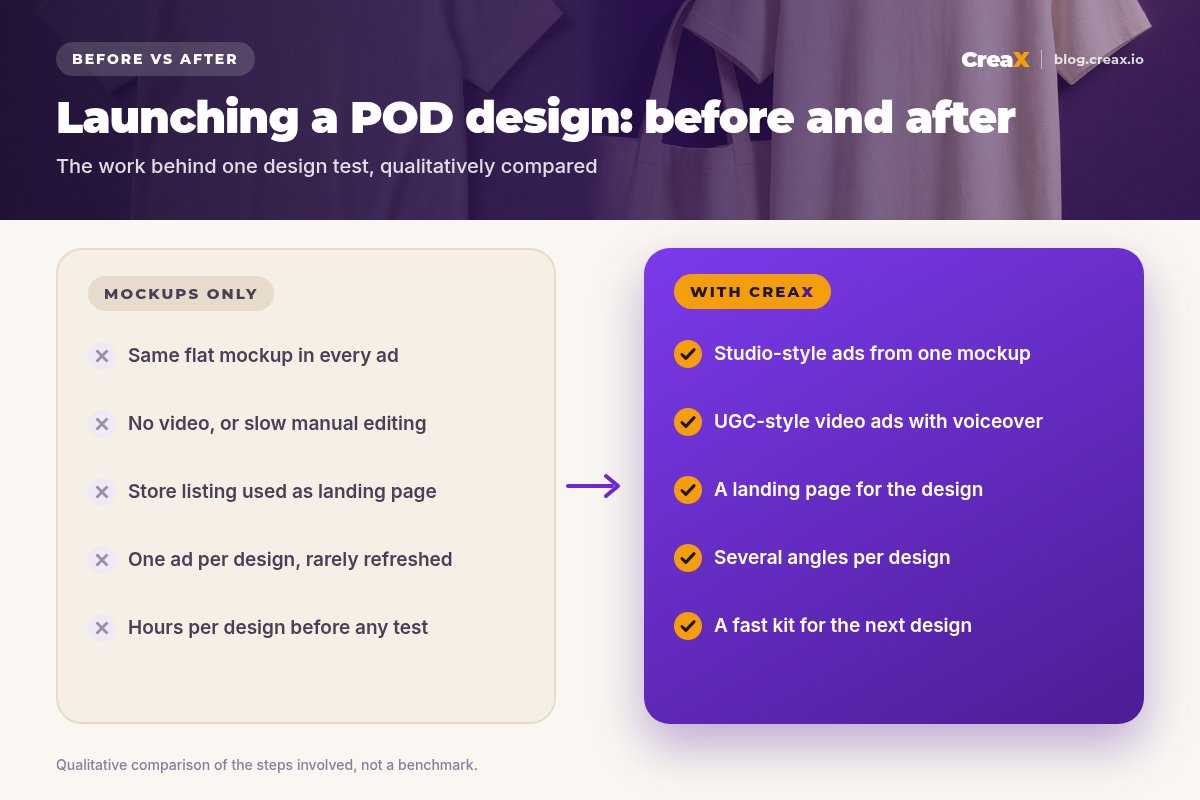
POD's strength is also its creative problem: you can add a new design in minutes, but making ads for it takes hours. Most sellers end up running the same flat mockup in every ad, with no video and a generic product listing as the landing page. Good designs never get a fair chance, and you can't tell whether a design failed or the ad did.
Testing well in POD means volume: several designs, each with a couple of angles (the gift, the identity, the humor), in both static and video formats. Without a fast way to make those assets, most sellers test too little and guess too much.
There's also a timing problem. Many POD niches are seasonal or trend-driven, so a design that would sell in November is worth little if its ads are only ready in January. The faster you can go from a finished design to a running test, the more of those windows you catch, and the sooner you learn which niches deserve more designs.
OutputsWhat CreaX produces from one product link or image
Paste your product listing link or upload a clean mockup, choose your market and language, and CreaX generates:
| Output | What you get | How POD sellers use it |
|---|---|---|
| Studio ad creatives | Polished product photos and static ads in multiple sizes | Feed and Story ads that look styled, not flat |
| UGC-style video ads | AI presenter videos with voiceover, 15 or 30 seconds | TikTok and Reels ads for each design |
| Landing page | A publish-ready page with AI copywriting | A focused page for one design instead of a crowded store |
| Multi-tenant store | Store pages for several products or niches | Testing several POD niches side by side |
Based on creax.io, October 2026. Check the app for current options.
creax.io also lists 40+ languages and localization for your target country, which helps if you sell designs in more than one market. For how studio creatives work in general, see studio ad creatives from a product photo.
!Check every design detail
HowStep-by-step workflow
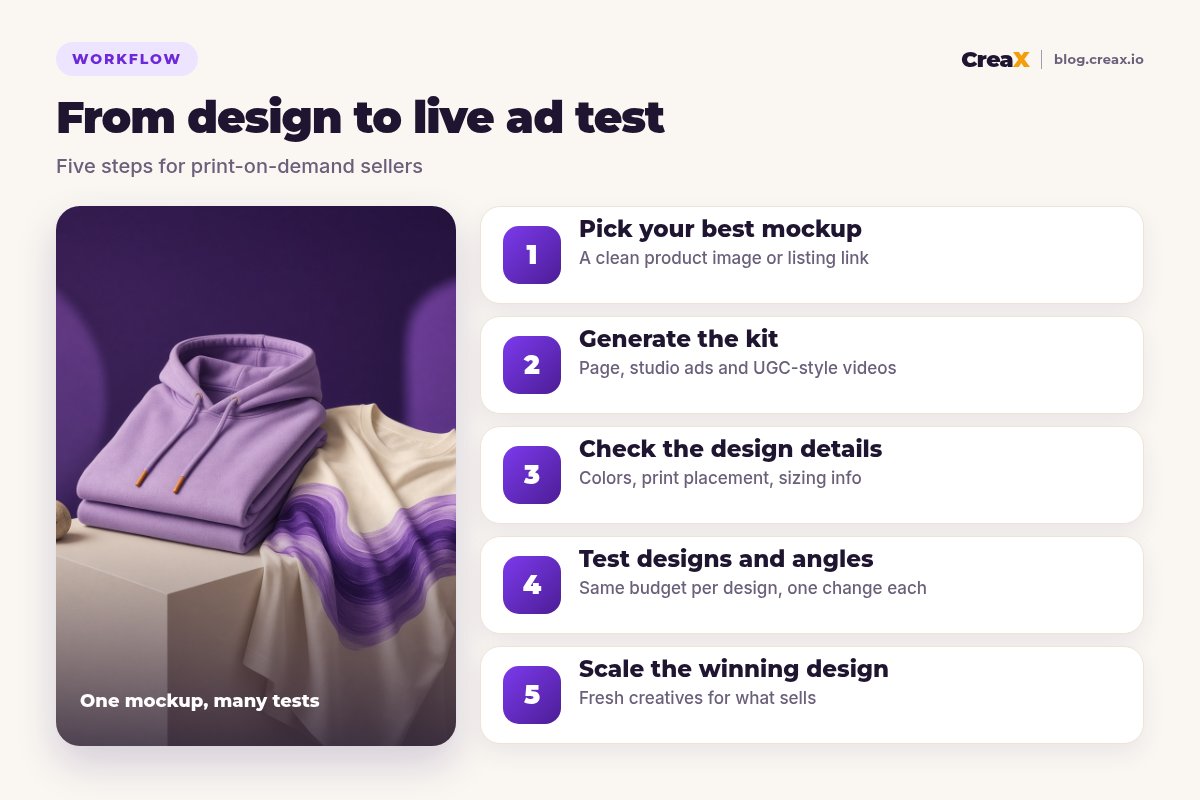
Pick your best mockup
Generate the kit
Check the design details
Test designs and angles
Scale the winning design
For a fast weekly rhythm, our guide to turning one product image into a week of ad tests shows how to plan the variations.
Give every design a real ad test
Paste a listing link or upload a mockup: studio creatives, UGC-style video ads and a landing page in about 60–120 seconds.
ExampleWorked example: a hiking-themed hoodie
Say you sell a lavender hoodie with a minimalist mountain print for hikers, and you want to know whether it sells better as a gift or as an identity piece.
| Step | What you do | Output |
|---|---|---|
| Mockup | Upload the cleanest front mockup on a plain background | A clear starting image |
| Kit | Generate a page, studio ads and UGC-style videos | Statics and videos for the hoodie |
| Check | Confirm the print, color and placement match your product | Only accurate assets kept |
| Angles | “A gift for the hiker in your life” vs “For people who'd rather be on the trail” | Two angles, same budget |
| Decide | Compare cost per purchase after enough spend | A winning angle to scale |
Illustrative example. Use your own product facts and results.
If the identity angle wins, you can reuse it for other designs in the same niche. If neither angle sells after a fair test, the design may be the issue, and your next test should be a new design rather than a new ad. Our guide to how many ad creatives to test per product helps you size the test.
Angles that often suit POD products
POD designs usually sell on meaning more than on features, so your angles should say who the product is for and why it matters to them. A few starting points worth testing:
- Identity: “for people who'd rather be on the trail”. The buyer sees themselves in the design.
- Gift: “the hoodie your hiking friend will actually wear”. Strong around birthdays and holidays.
- Humor: a light, self-aware line that fits the niche's inside jokes.
- Occasion: a design for a season, an event or a milestone, timed to when people shop for it.
Test one or two of these per design, keep the rest of the ad and the page the same, and let cost per purchase decide which angle to scale.
PricingWhich plan fits (real CreaX prices)
CreaX uses monthly credit plans. Each generation uses credits, and the app shows the cost before you generate. Top-ups cost $1 per 500 credits.
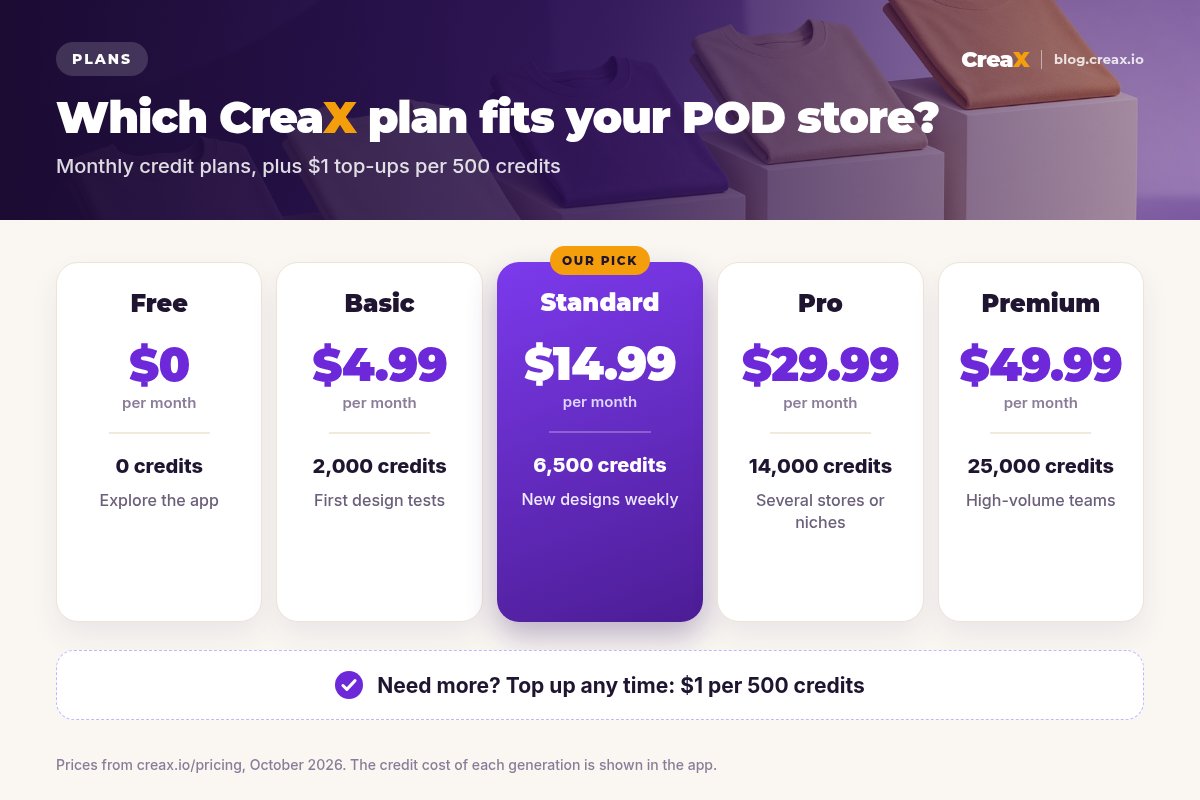
| Plan | Price / month | Credits | Good fit for |
|---|---|---|---|
| Free | $0 | 0 | Exploring the app |
| Basic | $4.99 | 2,000 | Your first design tests |
| Standard | $14.99 | 6,500 | New designs every week |
| Pro | $29.99 | 14,000 | Several stores or niches |
| Premium | $49.99 | 25,000 | Agencies and high-volume sellers |
Prices from creax.io/pricing, October 2026. Top-ups: $1 per 500 credits.
Pick a plan and test your next design
Start with a few designs, then scale to weekly launches once you know what sells.
TipsTips for better results
- Start from your best mockup. Clean lighting and a plain background give the AI a clear picture of the design.
- Test the angle, not just the design. The same design can win as a gift and lose as a statement, or the reverse.
- Lead with who it's for. POD buyers often buy identity: the nurse, the gardener, the dog parent.
- Use video for fit and feel. UGC-style videos help show how a garment looks in everyday life.
- Keep claims honest. Describe fabric and print quality only as your provider specifies them.
- Refresh winners early. Generate new hooks for a selling design before the first ads fade.
Before you launch a design
- ✓Clean, high-resolution mockup or listing link
- ✓Every asset checked against the real design and color
- ✓One or two angles per design
- ✓Equal budgets per design in the first test
- ✓Product details match your POD provider's specs
- ✓Decision on cost per purchase, not likes
HonestLimits and when to use other tools
CreaX covers the creative side of POD. You'll still need:
- A POD provider for printing, fulfillment and shipping.
- A design tool to create the artwork itself, and a mockup generator if you want many product mockups for your catalog.
- A store platform connected to your POD provider, unless you're testing with single landing pages first.
- Ad accounts on Meta, TikTok or Pinterest to run the campaigns.
⚖Where other tools are the better pick
FAQFrequently asked questions
Q.Can CreaX make ads from a POD mockup?
Q.Will the AI change my design?
Q.Does CreaX print or ship products?
Q.Can I test several designs at once?
Q.Is there a free plan?
Q.How much does CreaX cost?
Ready to sell more of your designs?
One mockup or link, about 60–120 seconds: studio creatives, UGC-style video ads and a landing page for your next design.
This guide is published by CreaX. We describe other tools from their own public websites as of October 2026, avoid invented scores or prices, and recommend checking each vendor's site for current features and plans.