
CreaX for Ecommerce Freelancers and Consultants
Use case · Freelancers
If you are an ecommerce freelancer or consultant, your time is the product. CreaX is an AI tool for ecommerce freelancers that turns each client product link into studio ad creatives, UGC-style video ads and a landing page in about 60–120 seconds, so you spend less time producing and more time on the strategy clients actually pay for. Here is how freelancers and consultants use it, a full client workflow, a worked example and how to price the work.
Updated October 2026 · By the CreaX team
Key takeaways
- ✓Who it is for: freelance media buyers, ad creative freelancers, Shopify and landing page freelancers, and ecommerce consultants who deliver creatives for clients.
- ✓What you get per product: studio ad creatives in five styles and four sizes, UGC-style video ads in 18, 30 or 45 seconds, a publish-ready landing page and a multi-tenant store to keep clients apart.
- ✓Where it saves time: the hand-offs. No waiting on a photoshoot, no separate video editor, no rebuilding a page for every test.
- ✓What stays your job: the strategy, the angles, the client review, honest claims and the reporting. That is what clients pay you for.
In this guide
AudienceWho this is for: freelancers and consultants
CreaX fits independent professionals who deliver ecommerce creative work for clients, usually alone or with one or two subcontractors:
- Freelance media buyers who run Meta and TikTok ads for stores and need a steady supply of new creatives to test. See also CreaX for media buyers.
- Ad creative freelancers who sell static ads and short videos per batch.
- Shopify and landing page freelancers who build product pages and want to add ads to the offer.
- Ecommerce consultants who advise brands on offers and growth and want to show, not just tell, what a better ad or page looks like.
- Virtual assistants for store owners who handle product launches end to end.
If you run a bigger team with many clients and staff, our page on CreaX for agencies covers that setup.
Why it mattersThe problem this solves
Most freelance ecommerce projects lose time in the same places:
- Waiting on assets. The client has supplier photos, a blurry phone shot and no video. Nothing can start until better visuals exist.
- Production eats the margin. Designing every static ad, editing every video and building every page by hand turns a fixed-price project into a low hourly rate.
- Clients want more variants. Ads tire. A client who approved six ads last month needs six new ones this month.
- Too many tools. A design tool, a video editor, a page builder and a store platform, each with its own login and learning curve.
- Message drift. When ads and pages are made separately, the promise in the ad does not match the page, and tests fail for the wrong reason.
CreaX attacks the production part. It does not replace your judgment; it removes the hours between “here is the product” and “here are the options to review”.
The outputWhat CreaX produces from one product link or image
Paste a client's product link (from Alibaba, AliExpress, Amazon, Etsy, their own store or any product page) or upload a product image. In about 60–120 seconds you get:
| Output | What it includes | How freelancers use it |
|---|---|---|
| Studio ad creatives | Product photos and static ads in 5 styles (Classic, Humble Orbit, Punch, Luxe, Meta Feed) and 4 sizes (1:1, 3:4, 4:5, 9:16) | First batch of angles to review with the client |
| UGC-style video ads | 18, 30 or 45-second videos | Video variants for TikTok, Reels and Meta |
| Landing page | Simple, Detailed or Advanced levels, built from the same product understanding | A test page that matches the ads |
| Multi-tenant store | Separate stores in one account | Keep each client or niche apart |
CreaX outputs, from creax.io, October 2026.
CreaX supports 40+ languages and 160+ target countries, and its pages support right-to-left languages like Arabic, which helps when a client sells in several markets.
Try it on a client product today
Paste one product link and see the studio ads, UGC-style video and landing page you could put in front of your client.
How it worksStep-by-step client workflow
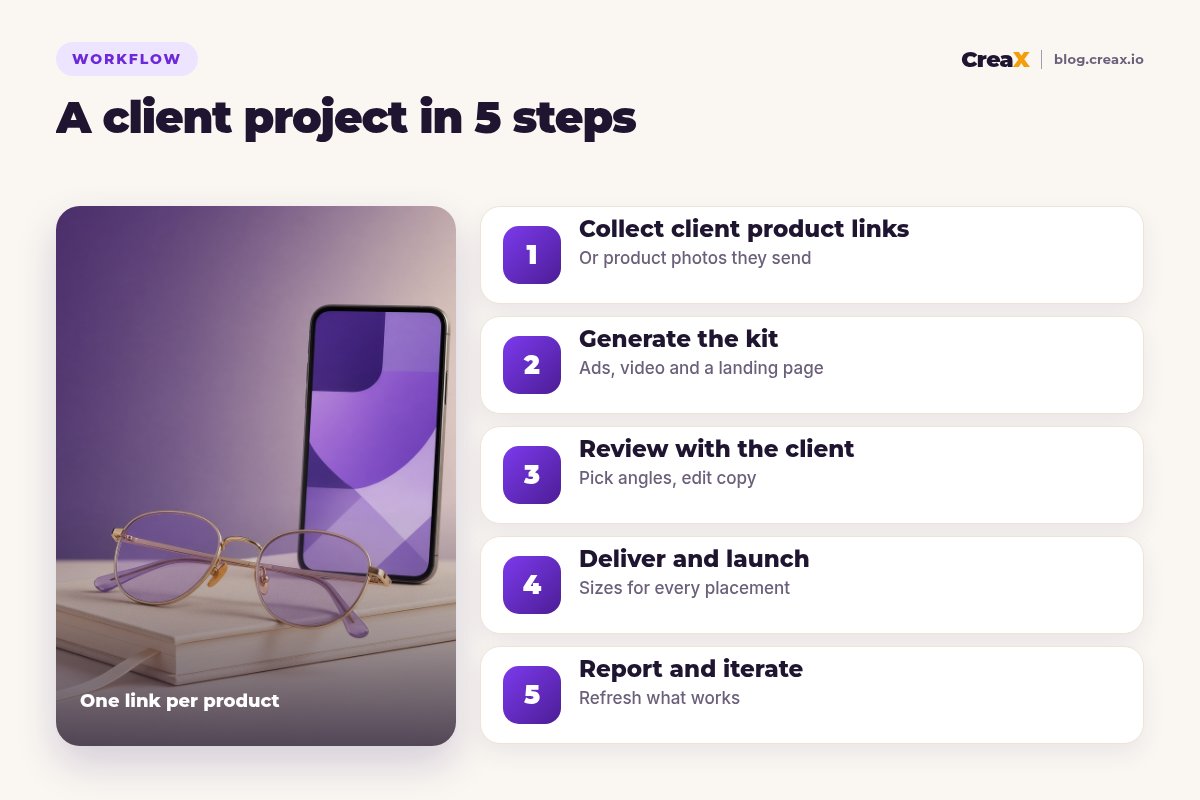
Collect client product links
Generate the kit
Review with the client
Deliver and launch
Report and iterate
★Use the multi-tenant store to stay organised
ExampleWorked example: a monthly creative retainer
Say you are a freelance media buyer with a client who sells sunglasses online. You agree on a monthly retainer: a fresh batch of ads, one new landing page test and a short report.
| Week | What you do | Where CreaX helps |
|---|---|---|
| Week 1 | Kickoff: pick two hero products and three angles (UV protection the supplier can prove, a summer gift, everyday style) | Generate a kit per product and shortlist options |
| Week 1 | Client review and approval of claims | Edit copy and swap styles before sign-off |
| Week 2 | Launch the test: statics in 4:5 and 9:16, one video per angle, one landing page | Exports in every size, page ready to publish |
| Week 3 | Read early results, cut losers, add variations of the leader | Fresh variations from the same product |
| Week 4 | Report and plan next month | Next month's first batch is one link away |
An illustrative retainer plan, not a performance claim.
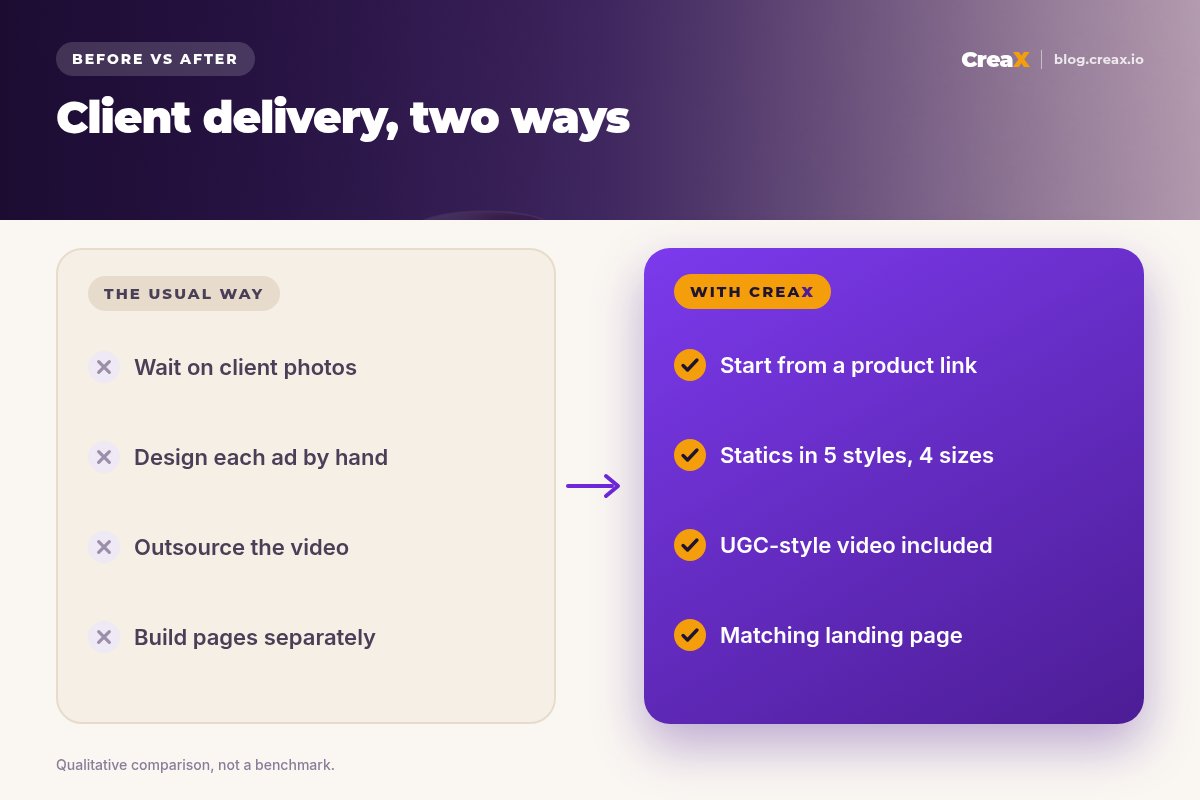
Without a creative tool, the same month might mean booking a product shoot, hiring a video creator and building the page from scratch. You can still do those things for flagship campaigns; for weekly testing, speed matters more. For a fuller agency version, see how agencies build a client store and ad kit in one day.
BusinessPricing your work as a freelancer
Faster production changes how you should price. If you charge by the hour, every time saving cuts your income. Most freelancers who use AI production tools move to pricing by deliverable or by outcome:
- Per batch: a set number of statics, videos and one landing page per product.
- Monthly retainer: a fixed fee for a creative refresh cycle, testing and a report.
- Launch package: everything a new product needs for its first test.
- Consulting plus delivery: strategy sessions with the kit produced as part of the engagement.
Treat your CreaX plan like any other tool cost: include it in your package prices rather than billing clients for credits. And be open about using AI tools if a client asks; what they buy is your judgment, your angles and the results, not your hours in an editor.
⚖Be honest with clients about AI
PlansWhich plan fits (real CreaX prices)
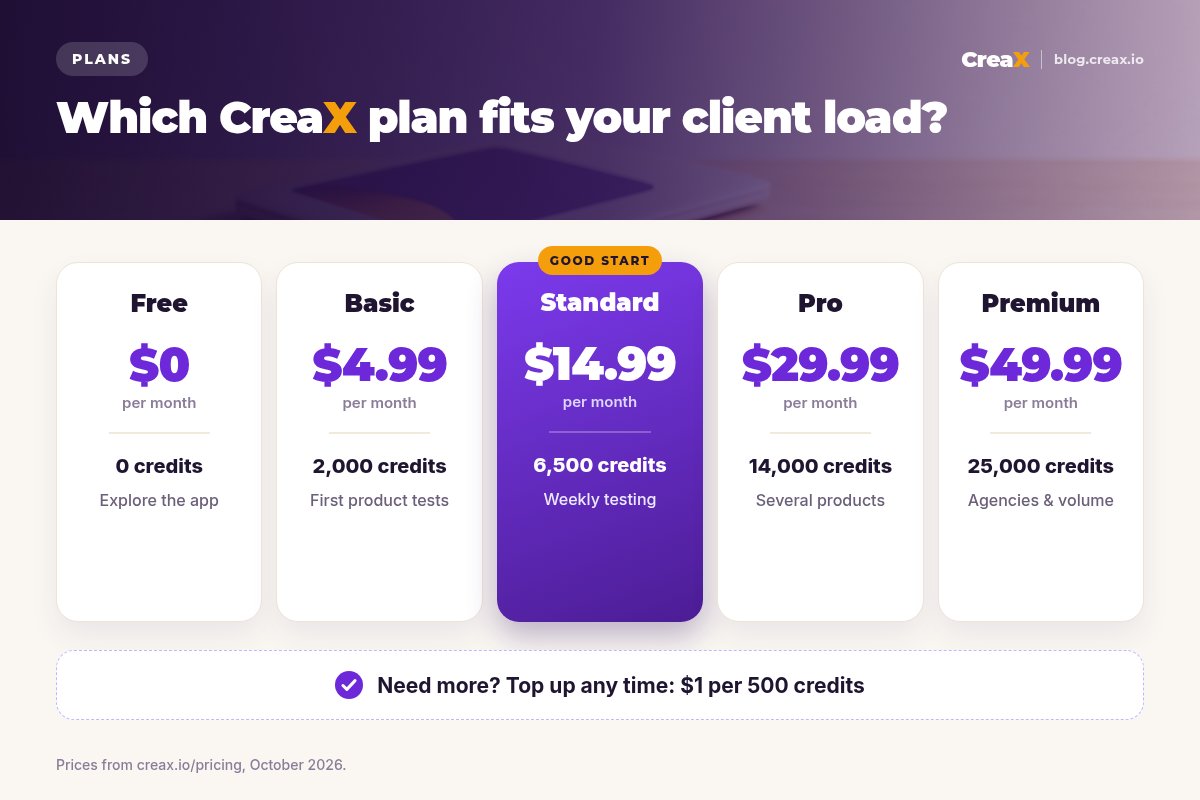
| Plan | Price / month | Credits | Good fit for freelancers |
|---|---|---|---|
| Free | $0 | 0 | Look around the app before your first project |
| Basic | $4.99 | 2,000 | Trying it on one client product |
| Standard | $14.99 | 6,500 | One or two active clients |
| Pro | $29.99 | 14,000 | Several clients with monthly refreshes |
| Premium | $49.99 | 25,000 | A full client roster or high-volume testing |
| Top-up | $1 | 500 | Extra credits in a busy month |
Current plans on creax.io/pricing. The app shows the credit cost before you generate.
Start small, track how many credits a typical client month uses, then pick the plan that covers your normal load and top up in busy months.
TipsTips for better results
Freelancer checklist
- ✓Start from the best product link or photo you can get. Better input gives better output.
- ✓Brief the angle, not just the product. Know which customer problem each ad speaks to before you generate.
- ✓Present options by angle. Clients decide faster between “gift” and “everyday upgrade” than between twelve random ads.
- ✓Get claims approved in writing. Materials, results, shipping times: the client confirms, you publish.
- ✓Keep one test page per angle group. Message match makes results easier to read.
- ✓Refresh before ads tire. See the signs in ad creative fatigue.
Deliver your next client batch faster
One product link, about 60–120 seconds: studio ads, UGC-style video and a landing page to review with your client.
Fair playLimits and when to use other tools
CreaX is built for ecommerce product creatives and pages. For some client work you will still want other tools or people:
- Full brand identity work. Logos and brand systems are a designer's job.
- Presenter-led or filmed brand videos. Real creators and filmed shoots still have their place for flagship campaigns.
- Complex multi-page websites. A full website builder or developer fits better than a product landing page.
- Email, SMS and analytics. Use dedicated tools for retention and reporting; see our list of the best tools for media buyers.
- Pixel-level design control. If a client needs every element placed by hand, a design tool or a designer is the better fit; we compare that trade-off in CreaX vs a freelance designer.
CreaX also runs an affiliate program with a 30-day cookie. If you recommend CreaX to clients who want their own account, check creax.io for the current terms.
FAQFrequently asked questions
Q.Can I use CreaX for client work?
Q.Do my clients need their own CreaX account?
Q.How long does one product kit take?
Q.Will AI creatives look the same as other freelancers' work?
Q.Which CreaX plan should a freelancer start with?
Q.Can I make ads for clients in other languages?
Ready to win back your hours?
Paste a client product link and get studio ads, UGC-style video and a landing page in about 60–120 seconds.
This guide is published by CreaX. We describe other tools from their own public websites as of October 2026, avoid invented scores or prices, and recommend checking each vendor's site for current features and plans.