
CreaX for Back-to-School Campaigns: Ads Parents and Students Notice
Use case · Back to school
Back-to-school ads have two audiences: the parent who pays and the student who decides whether the product is cool enough to use. Most stores talk to only one of them, launch late, and send both to a normal product page. This guide shows how to use CreaX to turn one product link into parent and student ad creatives, UGC-style video ads and a back-to-school landing page, and how to time the push so it lands before the rush, not after it.
Updated October 2026 · By the CreaX team
Key takeaways
- ✓Split the message. Parents buy for durability, safety, value and convenience; students choose for looks, comfort and what their friends use. Test both angles on purpose.
- ✓Your market sets the calendar. School start dates differ by country and region, so plan backwards from the real date where you sell and from your shipping times.
- ✓CreaX turns one product link or image into studio ad creatives, UGC-style video ads and a publish-ready landing page in about 60–120 seconds, so you can build a parent set and a student set the same day.
- ✓Plans start at $4.99 a month; most seasonal pushes fit Basic or Standard, with $1 top-ups per 500 credits when a product takes off.
In this guide
AudienceWho this is for: seasonal campaigns
This guide is for sellers who want a back-to-school push without booking a shoot or waiting on a designer:
- Ecommerce brands selling school-season products: backpacks, lunch boxes, water bottles, stationery, desk lamps, headphones, laptop sleeves, dorm and study-room items, uniforms and shoes.
- Dropshippers testing a seasonal product who need ads and a page in hours, then want to move on if it does not sell.
- Media buyers and agencies producing school-season creatives for several clients at once.
- Affiliates building a pre-sell page for a study tool, course or school-supplies offer.
If you have run a holiday campaign before, the logic is similar, but the buyer is different. Our guides to the Christmas landing page and Black Friday ads for online stores cover the bigger gifting seasons.
Why back to school is trickyThe problem this solves
Back to school looks like an easy season: everyone needs supplies, every year. In practice three things make it harder than it looks.
- Two people, two reasons. A parent scrolling at night wants to know the backpack will survive the year and is worth the price. A teenager wants to know it looks good and fits a laptop. One generic ad tries to please both and convinces neither.
- The date is not the same everywhere. In much of the northern hemisphere school starts in late summer, but dates vary by country and even by region, and in parts of the southern hemisphere the school year begins early in the calendar year. Universities run on their own calendars too. If you sell in several markets, one campaign date does not fit all.
- Seasonal creative is slow to make by hand. New product photos, static ads for each angle, a short video and a season page all take time, and by the time they are ready many families have already shopped.
The usual result: the same product photos as the rest of the year, one ad for everybody, and traffic sent to a product page that never mentions school, sizes for different ages or when the order will arrive.
!Keep claims about kids honest
The kitWhat CreaX produces from one product link or image
CreaX is an AI ecommerce creative OS. Paste a link from Alibaba, AliExpress, Amazon, Etsy or any product page, or upload a product image, and in about 60–120 seconds you get a complete kit for a first test:
| Output | What you get | How it helps for back to school |
|---|---|---|
| Studio ad creatives | Product photos and static ads in 5 ad styles (Classic, Humble Orbit, Punch, Luxe, Meta Feed) and 4 sizes (1:1, 3:4, 4:5, 9:16) | A calm Classic set for parents, a bolder Punch set for students |
| UGC-style video ads | 18, 30 or 45 seconds (3, 5 or 7 scenes) | Show the bag being packed or the lamp on a study desk, without a shoot |
| Landing page | Publish-ready, at Simple, Detailed or Advanced level | A season page that answers size, durability and delivery questions |
| Multi-tenant store | A store to sell from, with room for several brands or niches | Test a seasonal product without touching your main store |
CreaX features as listed on creax.io, October 2026.
creax.io also lists support for 40+ languages and 160+ target countries, which helps when the same lunch box sells in more than one market with a different start date. For a closer look at each output, see our explainers on CreaX ad styles, CreaX UGC video ads and the CreaX landing page generator.
How to run itStep-by-step workflow
Here is the workflow we recommend. Start it several weeks before school starts in your market, so you have time to test before demand peaks.
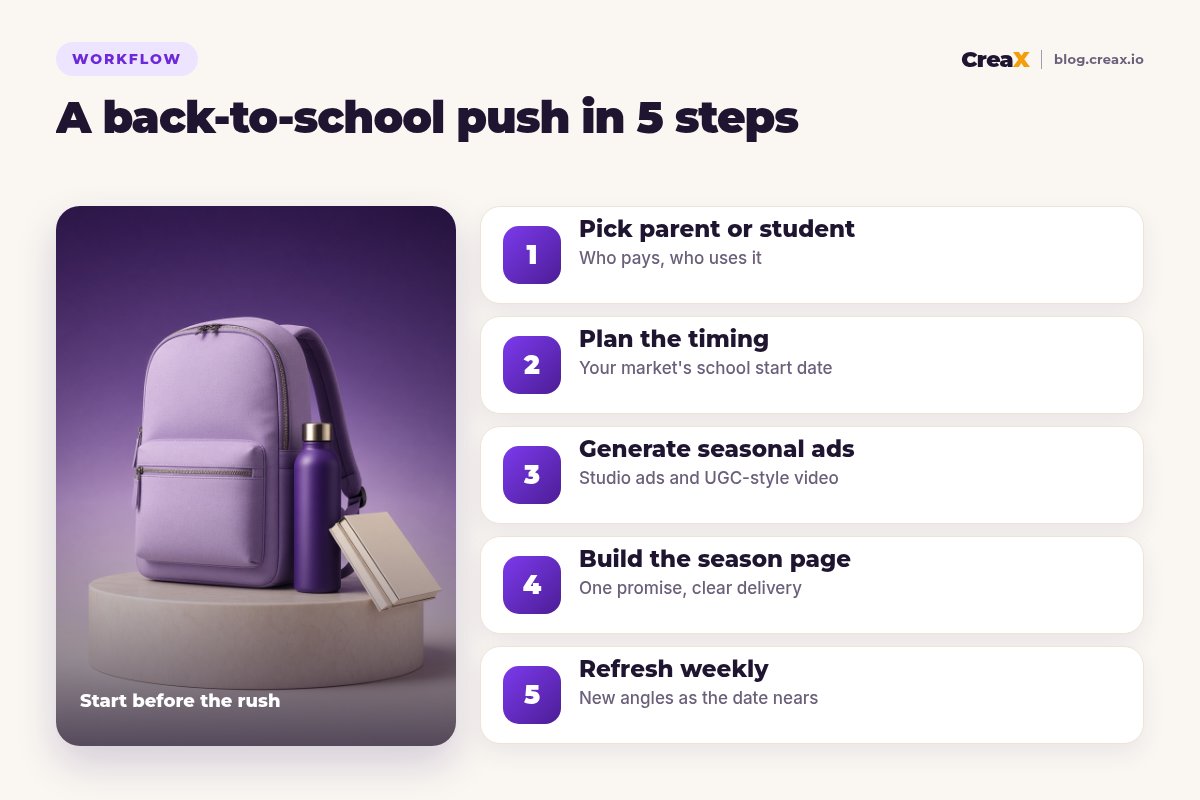
Pick parent or student (or both)
Plan the timing
Generate the seasonal ads
Build the season page
Refresh weekly
★One page, two headlines
Turn your school product into a season kit
Paste one product link and get studio ad creatives, UGC-style video ads and a back-to-school landing page you can edit and launch today.
ExampleWorked example: an insulated lunch box
Say you sell an insulated lunch box with a matching water bottle and want to run back-to-school ads in two markets with different start dates. Your supplier confirms processing times and you set a last safe order date for each market.
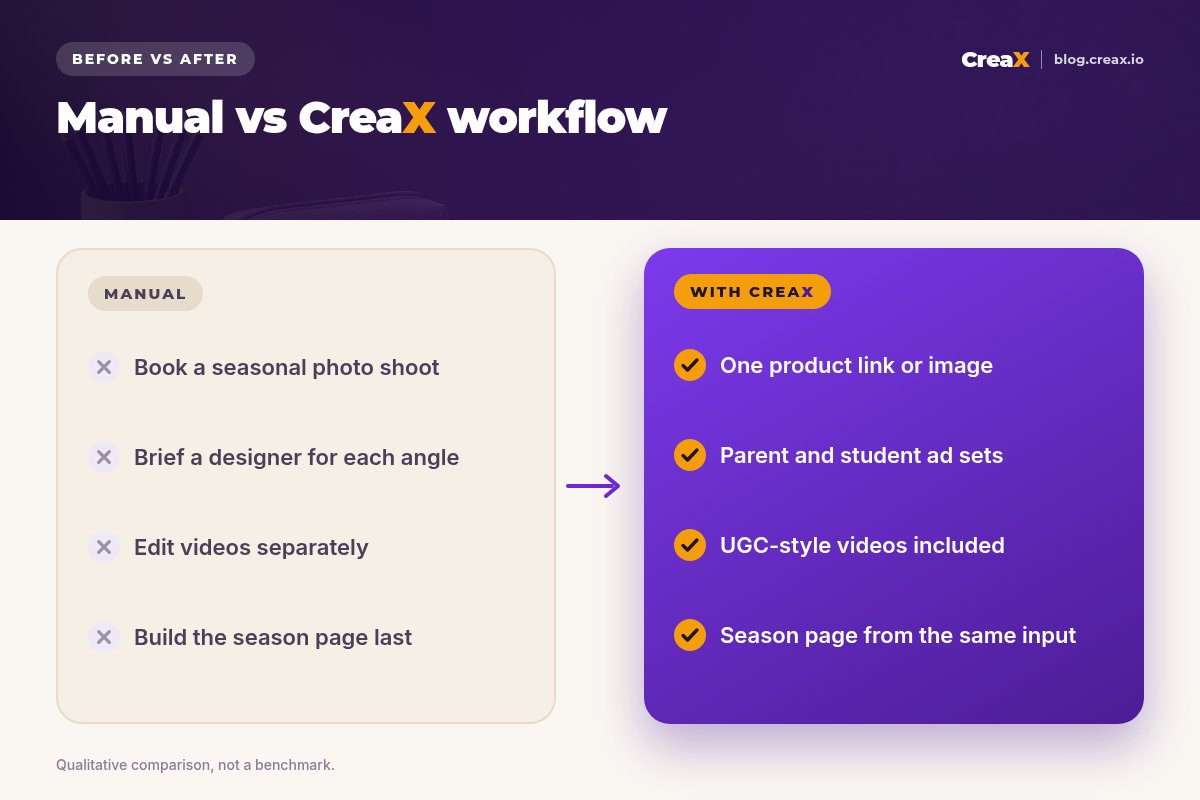
| Angle | Ad creative | Video | Page headline |
|---|---|---|---|
| Parent: easy mornings | Classic-style studio ad, lunch box open on a kitchen counter, 4:5 for feed | 30-second UGC-style packing routine | Packed in two minutes, still cool at lunch |
| Parent: value | Meta Feed style ad showing the box and bottle set together, 1:1 | 18-second set reveal | One set for the whole school year |
| Student: style | Punch-style ad with bold colors, 9:16 for Stories and Reels | 18-second quick reveal with music | The lunch box you will not want to hide |
Illustrative plan. Only claim insulation times, materials or dishwasher safety if your supplier can prove them.
All three angles come from the same product link, so they share one look and one message. The seller launches the two parent angles first, on a modest budget, while families plan, and adds the student angle closer to the start date when teenagers are choosing their own gear. When one angle clearly leads, they generate fresh variations of it and pause the rest.
If you are not sure how many angles to start with, our guide on testing ad angles for a new product walks through it. If you sell several items, consider a bundle page for the season.
PlansWhich plan fits (real CreaX prices)
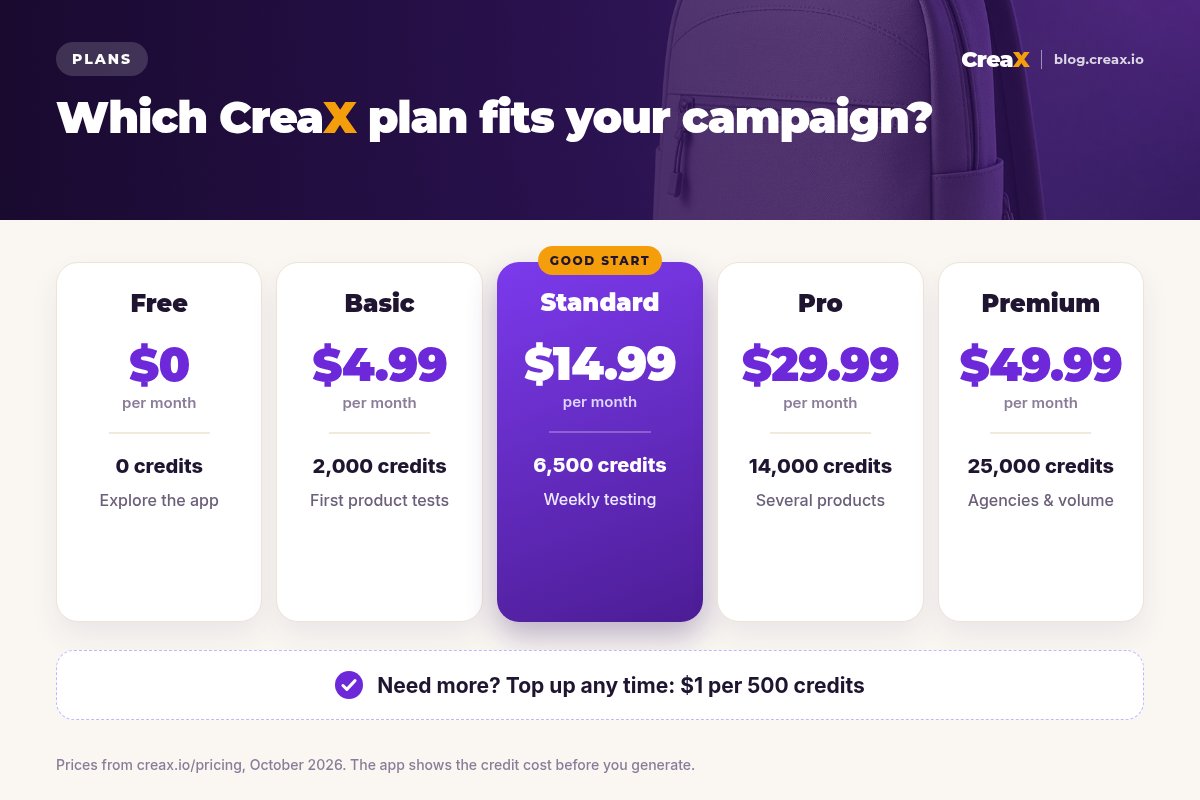
| CreaX plan | Price / month | Credits | Good fit for back to school |
|---|---|---|---|
| Free | $0 | 0 | Look around the app before buying credits |
| Basic | $4.99 | 2,000 | One or two school products, a parent and a student angle |
| Standard | $14.99 | 6,500 | A few products and weekly refreshes through the season |
| Pro | $29.99 | 14,000 | Several products or stores at once |
| Premium | $49.99 | 25,000 | Agencies and media buyers running many clients |
| Top-up | $1 | 500 | Extra credits when a product takes off mid-season |
Current plans on creax.io/pricing. The app shows the credit cost before you generate.
Start smaller than you think. You can top up mid-season if a product takes off, which is cheaper than paying for a big plan you do not use.
Make it workTips for better results
Back-to-school checklist
- ✓Show the product in use, not just on white. A packed bag by the door or a lamp on a desk tells the story faster than a spec list.
- ✓Answer the parent questions on the page. Size, age range, materials, cleaning, warranty and returns. Unanswered questions stop the purchase.
- ✓Give students a reason to care. Colors, comfort, fit for their laptop or tablet, and how it looks in real life.
- ✓Use the right size per placement. 4:5 or 1:1 for feeds, 9:16 for Stories, Reels and TikTok. CreaX makes all four sizes.
- ✓Put real dates near the button. If you can promise arrival before the first day, say when to order by. If you cannot, do not imply it.
- ✓Plan the second wave. Some families buy again in the first weeks, once they see what is missing. Keep a “forgot something?” angle ready.
Be realisticLimits and when to use other tools
CreaX makes the creatives and the page for a test. It does not replace everything around a seasonal campaign:
- Media buying is still your job. CreaX makes the assets; you choose budgets, audiences and placements in Meta, TikTok or Google.
- Proof needs real documents. Safety certificates, material tests and warranty terms have to come from you or your supplier, not from an AI tool.
- Big catalogs need a full store platform. If you sell hundreds of school items, your main catalog probably lives in Shopify, WooCommerce or similar; use CreaX pages for focused tests and hero products.
- Real customer content is different. AI-made UGC-style videos are a fast way to test angles. Never present them as reviews from real customers, and label AI content where platforms require it.
⚖Honest take
Get your back-to-school kit live before the rush
One product link, about 60–120 seconds, and you have parent and student ads, UGC-style videos and a season page to edit.
FAQFrequently asked questions
Q.When should I start back-to-school ads?
Q.Should I target parents or students?
Q.Can CreaX make back-to-school video ads?
Q.Can I use a supplier link from AliExpress or Amazon?
Q.Which ad sizes do I need?
Q.What do I do after school starts?
Ready for the school season?
Paste your product link and get the ads and the page for your back-to-school test in one pass.
This guide is published by CreaX. We describe other tools from their own public websites as of October 2026, avoid invented scores or prices, and recommend checking each vendor's site for current features and plans.