

CreaX Affiliate Program: How It Works and Who It's For
Use case · Affiliates & creators
The CreaX affiliate program lets creators, affiliates, agencies and educators earn a commission when people they refer subscribe to CreaX or buy credits. This guide explains how it works, who it suits, what you would actually be showing your audience, and how to promote an AI tool honestly so the referrals you get are people who stay.
Updated October 2026 · By the CreaX team
Key takeaways
- ✓The program is built for people whose audience sells online: ecommerce and dropshipping creators, media buyers, agencies, coaches and course creators.
- ✓Referrals are tracked with a 30-day cookie, so someone who clicks your link and subscribes within 30 days can still be credited to you.
- ✓Commissions go through a 30-day holding period after the referred purchase before they clear. Current rates and payout details are shown on the affiliate page in your CreaX account.
- ✓The content that works best is a real demo: paste a product link on camera, show the landing page, ads and video it produces, and say who it is (and isn't) for.
In this guide
AudienceWho this is for: affiliates and creators
An affiliate program only works when the product genuinely helps the people who trust you. CreaX is an AI ecommerce creative OS, so the best fit is anyone whose audience sells products online or makes ads for people who do:
- Ecommerce and dropshipping creators on YouTube, TikTok or Instagram who teach product research, store building or ad testing.
- Media buyers and ad educators whose followers need a steady supply of new creatives to test.
- Agencies and freelancers who recommend tools to clients or build stores for them.
- Coaches and course creators who teach people to launch offers and need a practical tool to point students to.
- Bloggers and review sites covering AI marketing tools, Shopify apps or dropshipping software.
- Community owners running Discord, Telegram or newsletter groups for sellers.
If you promote physical products as an affiliate rather than software, that is a different job: see CreaX for affiliate marketers, which covers using CreaX to build pre-sell pages and ads for the offers you promote.
Why it mattersThe problem this solves
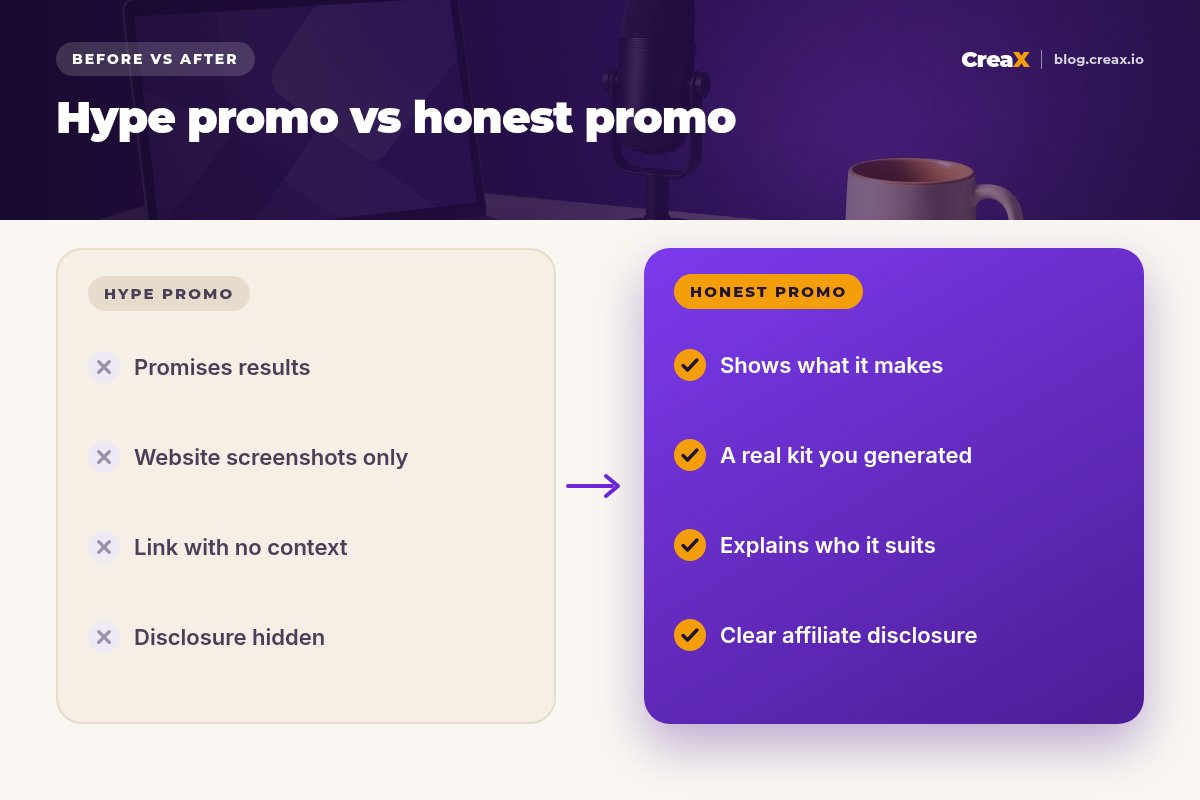
Most AI tool promotions look the same: a screen recording of a homepage, a big claim, and a link. Audiences have seen hundreds of them, so they convert poorly and the people who do sign up often leave quickly because the tool was not what they expected.
CreaX is easier to promote honestly because the output is visual and immediate. You can paste a real product link while recording and show exactly what comes out: a landing page, studio ad creatives and UGC-style video ads, in about 60–120 seconds. Your audience sees the tool working on a real product instead of hearing a promise. For sellers, that solves a concrete pain: getting a full creative kit for a product test without a designer, an editor or a page builder.
iWhy a 30-day cookie matters for creators
What you demoWhat CreaX produces from one product link or image
When you demo CreaX, these are the outputs your audience will care about. Stick to these, because they are what the product actually does:
| Output | What it is | Why sellers care |
|---|---|---|
| Landing page | Publish-ready page at Simple, Detailed or Advanced level | A page to send ad traffic to without a page builder |
| Studio ad creatives | Product photos and static ads in 5 styles and 4 sizes (1:1, 3:4, 4:5, 9:16) | Polished statics without a photoshoot |
| UGC-style video ads | Short videos in 18, 30 or 45 seconds | Video ads for TikTok, Reels and Shorts tests |
| Multi-tenant store | A store builder for several niches or clients | Sell without stitching tools together |
CreaX works in 40+ languages and for 160+ target countries, per creax.io.
The five ad styles are Classic, Humble Orbit, Punch, Luxe and Meta Feed, which makes for a good on-screen moment: one product, five looks. For a deeper look at each output, link your audience to the CreaX landing page generator explained and CreaX UGC video ads explained.
See what you would be showing your audience
Paste any product link into CreaX and look at the landing page, studio ads and UGC-style videos it generates, before you record a single video.
How it worksStep-by-step workflow
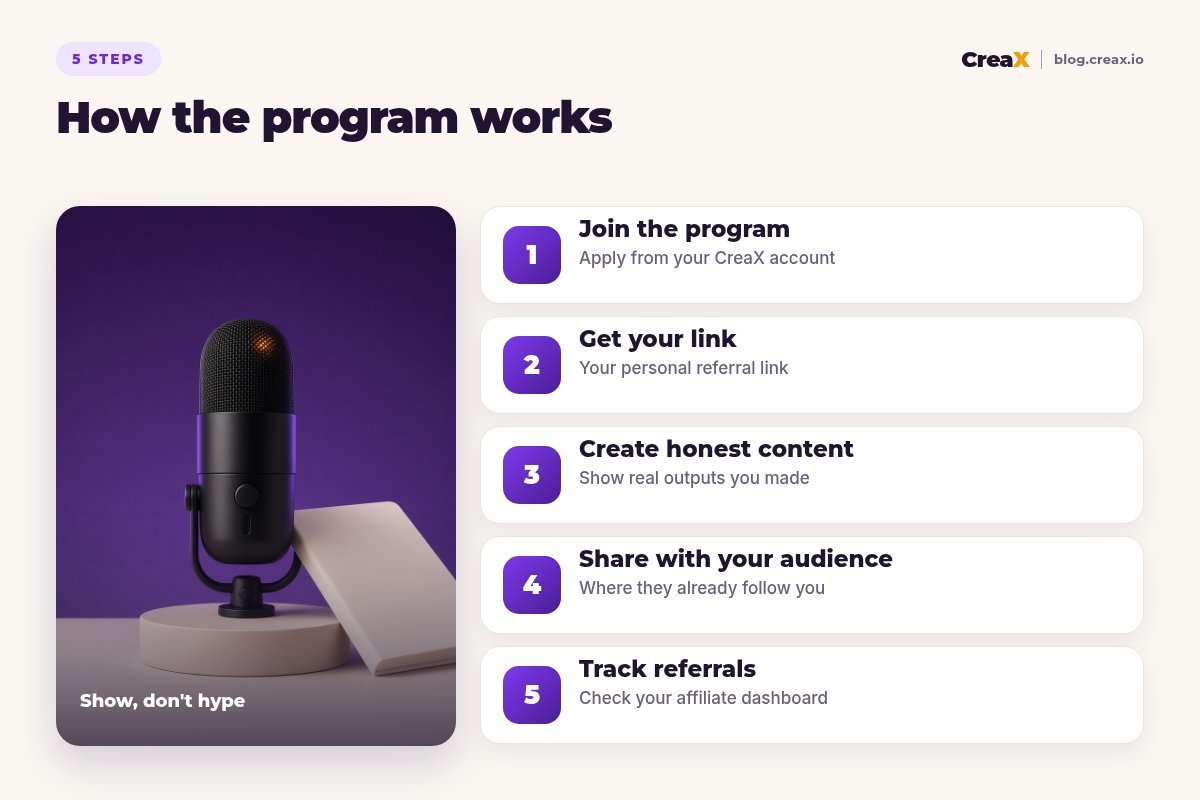
Join the program
Get your link
Create honest content
Share with your audience
Track referrals
!Read the program terms before you promote
ExampleWorked example: one creator video
Say you run a YouTube channel about starting a dropshipping store. Here is one honest way to feature CreaX:
- Pick a real product your audience would test, such as a portable blender or a posture corrector, and open its supplier or store page.
- Record the generation. Paste the link into CreaX and show the landing page, a few studio ads in different styles and a UGC-style video as they come in.
- Review it critically. Point out what you would edit (a headline, an image, a claim you can't prove) and edit it on screen. This is what builds trust.
- Explain who it suits. “If you test a new product every week and don't have a designer, this saves you the most time. If you already have an editor and a page builder, you may not need it.”
- Disclose and link. Say out loud and in the description that the link is an affiliate link, and add a timestamp to the demo.
Then reuse the same demo across formats: a short clip of the five ad styles for TikTok or Reels, a written walkthrough for your blog, and a resource link in your community. If you write comparison content, our best AI tools for affiliate marketers roundup shows the kind of fair, criteria-based format readers trust.
PlansWhich plan fits your audience (real CreaX prices)
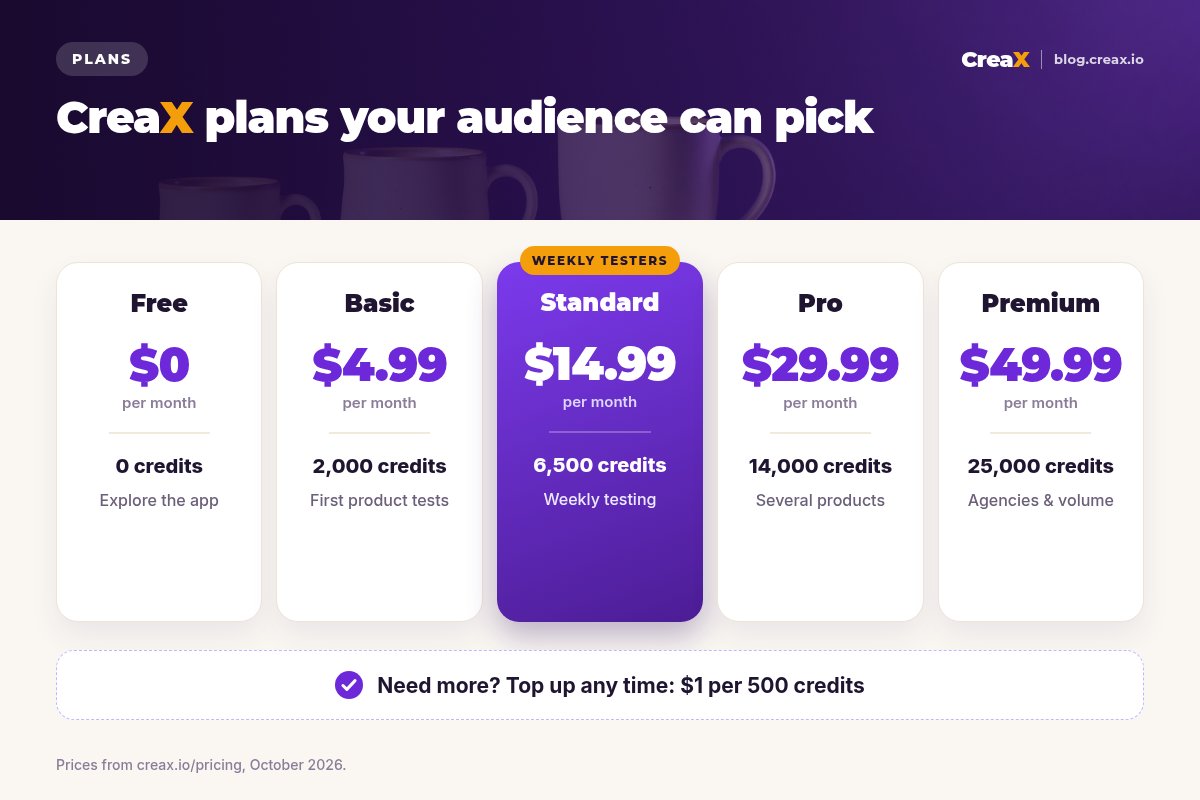
Your audience will ask what it costs. Point them to the plan that matches how often they test products:
| Plan | Price / month | Credits | Who to point to it |
|---|---|---|---|
| Free | $0 | 0 | People who want to look around first |
| Basic | $4.99 | 2,000 | Beginners running their first product tests |
| Standard | $14.99 | 6,500 | Sellers testing new products every week |
| Pro | $29.99 | 14,000 | Several products or stores at once |
| Premium | $49.99 | 25,000 | Agencies and high-volume media buyers |
| Top-up | $1 | 500 | Extra credits when a test takes off |
Current plans on creax.io/pricing. The app shows the credit cost before each generation.
For a full explanation of how credits work, link to CreaX pricing and credits explained. Recommending the plan that genuinely fits, rather than the most expensive one, keeps referrals subscribed and keeps your audience's trust.
Do thisTips for better results
What works for creators
- ✓Demo, don’t describe. Generate on screen with a real product link.
- ✓Use products your audience sells. A kitchen gadget for dropshippers, a skincare product for beauty brands.
- ✓Show the edits. Fix a headline or remove an unprovable claim on camera.
- ✓Say who it isn’t for. Honest limits make your recommendation credible.
- ✓Disclose clearly. Put the disclosure where people see it before they click.
- ✓Update old content. When features or plans change, refresh the video description or post.
Disclosure is not optional. In the US, the FTC's Endorsement Guides expect a clear disclosure when you earn money from a recommendation, and many other countries have similar rules, as do the platforms themselves. A simple line such as “I earn a commission if you subscribe through my link” is enough to be clear.
⚖Only promise what CreaX does
Be honestLimits and when it is not a fit
The program is not for every audience. It is a weak fit if:
- Your audience doesn’t sell online. General tech or productivity audiences rarely need an ecommerce creative tool.
- Your audience needs deep video editing. If they film themselves and want a full editor, a dedicated video tool may serve them better; see our guide to the best AI video editors for ad creatives.
- You only want to post links. Low-effort link drops tend to bring sign-ups that don't stick.
- You rely on brand-name search ads. Check the terms first: programs often restrict bidding on the brand name.
Start with a real demo
Create your CreaX account, generate a kit for one product, and use it as the backbone of your first honest review.
FAQFrequently asked questions
Q.How does the CreaX affiliate program work?
Q.What is the cookie length?
Q.Where can I see the commission rates?
Q.Do I need a big audience to join?
Q.Do I have to disclose my affiliate link?
Q.Can I promote CreaX with paid ads?
Ready to show your audience what CreaX makes?
One product link, about 60–120 seconds, and you have a landing page, studio ads and UGC-style videos to demo.
This guide is published by CreaX. Program details are described from creax.io as of October 2026. Commission rates, payout details and terms are set in the affiliate terms in your CreaX account and can change; this is not legal advice.