

How to Build a Shopify Product Page With AI (Step by Step)
How to · Shopify product pages
You can build a Shopify product page with AI far faster than from scratch, but only if you give the AI the right inputs and check what it gives back. This step-by-step guide shows how to gather product facts, generate a page draft, fix the offer and proof, add images and video, and test it on a phone, with a reusable section-by-section template.
Updated October 2026 · By the CreaX team
Key takeaways
- ✓AI is great at drafting: headlines, benefit sections, FAQs, image ideas. It is bad at knowing what's true about your product, so facts go in first.
- ✓A converting product page follows a simple order: promise → proof → details → objections → guarantee → buy.
- ✓The offer, the proof and the photos are your job: real prices, real reviews, real product images, real shipping and returns.
- ✓Test on a real phone before any paid traffic. Most ad traffic from Meta and TikTok arrives on mobile.
In this guide
The goalWhat you'll have at the end
By the end of this guide you will have a Shopify product page that repeats your ad’s promise, shows the real product clearly, presents a simple offer, answers the buyer's main objections and makes the buy button easy to reach on a phone. You will also have a template you can reuse for every new product, so the second page takes a fraction of the time.
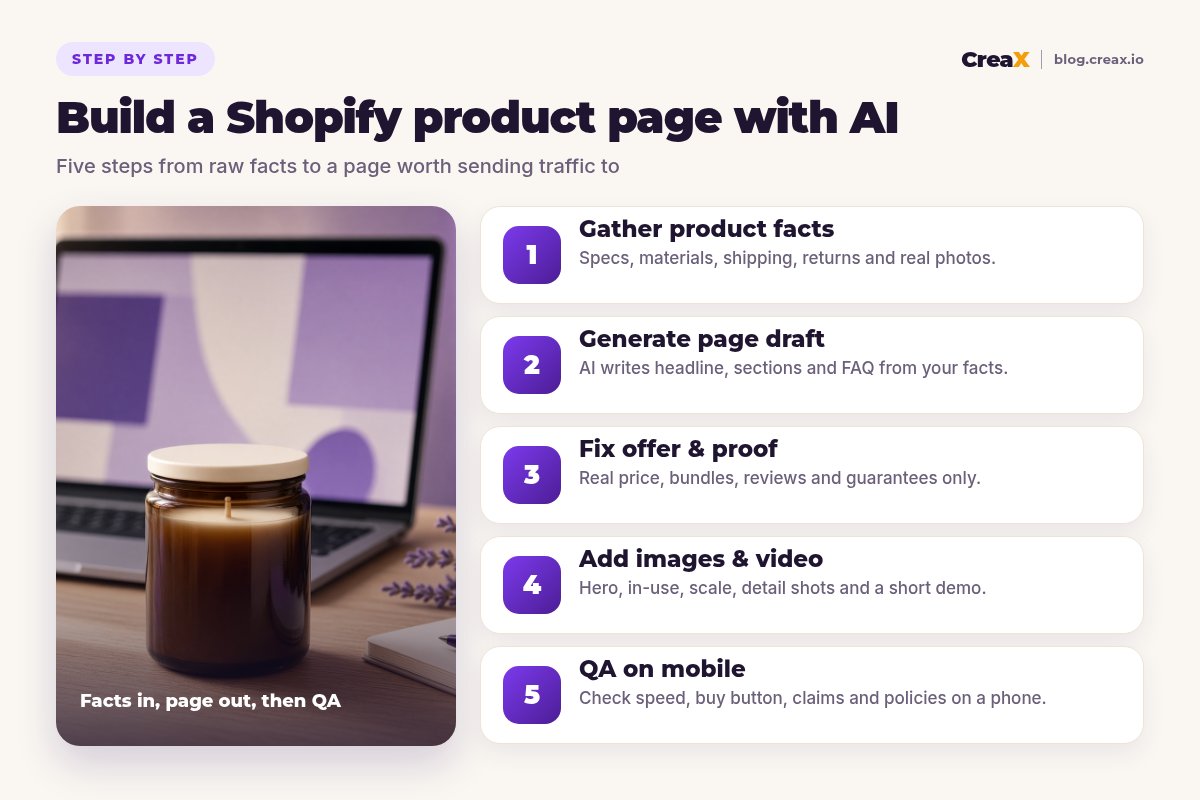
Here is the section order we will build. It works for most physical products sold through paid social traffic:
| Section | Job it does | Who writes it |
|---|---|---|
| Hero: title, promise, price, buy button | Confirms the click and makes buying possible immediately | AI drafts, you approve |
| Key benefits (3–5) | Explains why the product is worth it | AI drafts from your facts |
| How it works / in use | Shows the product doing its job | AI drafts, your images and video |
| Proof | Reviews, photos, guarantees | You only: real proof |
| Specs and what's in the box | Answers detail questions | Facts from your supplier |
| FAQ | Handles objections | AI drafts, you check |
| Shipping, returns, guarantee | Removes risk | You only: your real policies |
A practical section order for paid-traffic product pages. Simple, cheap products can use fewer sections.
PrepWhat you need before you start
- A Shopify store with a theme that supports product templates (the theme editor lets you add, remove and reorder sections).
- The product link from your supplier or your own listing, and at least one honest product photo.
- An AI tool. Shopify's built-in AI features can help write product descriptions inside the admin; a general AI assistant can draft copy; a creative tool like CreaX can turn a product link into a full landing page draft with images and ads.
- Your real numbers: price, any genuine discount, shipping times, return policy.
★Know which AI does which job
InputsStep 1: Gather product facts
This is the step most people skip, and it is why AI pages sound generic or say things that aren't true. Before you generate anything, collect a product fact sheet. It can be a simple note:
- What it is: product name, materials, dimensions, weight, colors or variants.
- What it does: the main job, plus 3–5 features you can verify from the supplier's specs or your own testing.
- Who it’s for: the buyer and the situation (“people who want a calm evening routine”, “renters who can’t drill walls”).
- What’s in the box: every item the customer receives.
- Your offer: price, bundles, any real discount.
- Logistics: processing time, delivery estimate, returns window, warranty.
Also write down the ad angle you plan to test. If the ad will say “a candle that makes your living room smell like a spa, without the headache”, the page needs to repeat that promise in the headline. Message match between ad and page is one of the simplest wins in ecommerce.
!Never let AI invent specs
DraftingStep 2: Generate the page draft
Now give the AI your fact sheet and ask for the sections in order. If you use a text assistant, a prompt structure that works well is:
- Role and goal: “You are writing a Shopify product page for paid social traffic.”
- Facts: paste the fact sheet and say “use only these facts; do not add numbers or claims.”
- Angle: “The ad promise is: …. The headline must repeat it.”
- Sections: list the section order from the table above.
- Style: “Short paragraphs, plain English, benefits first, specs in a short list.”
If you use a page generator like CreaX, the input is simpler: paste the product link or upload the product image, and it generates a publish-ready landing page along with matching studio ad creatives and UGC-style video ads in about 60–120 seconds. You then edit the page to match your fact sheet. Our walkthrough on turning a product link into a landing page without a designer shows that flow.
Whichever tool you use, move the copy into Shopify: the title and description in the product editor, and any extra sections (benefits, FAQ, guarantee) in the product template via the theme editor. Fill in the search engine listing fields too, so the page title and meta description read well in search results.
Get the page draft and the ads in one pass
CreaX turns a product link into a publish-ready landing page, studio creatives and UGC-style video ads, so your page and ads start from the same promise.
TrustStep 3: Fix the offer and proof
This is where AI drafts most often go wrong, and where you add the most value. Go through the draft and fix three things:
The offer
Make the price impossible to miss and the offer understandable at a glance. Only show a compare-at price if it is a real price you have charged. If you offer bundles, keep it to two or three clear options and state the savings in currency. Delete vague urgency the AI added (“only a few left!”) unless it is literally true.
The proof
Remove every review, rating, “customers love it” line or sales count that the AI invented. Replace them with proof you actually have: real reviews from a reviews app, customer photos shared with permission, a guarantee you honor. A new product can launch without reviews; that's normal and far safer than faking them.
The policies
Put your real processing time, delivery estimate and return window near the buy button, in plain words. These answer the two questions that stop many buyers: “when will it arrive?” and “what if I don't like it?”
For a deeper look at what makes this section work, see our FAQ on what makes a high-converting product page.
VisualsStep 4: Add images and video
Images answer the questions a buyer can't ask you in person. A solid set for a product page:
- Hero shot: clean, well lit, product filling the frame.
- In-use shot: the product doing its job in a realistic setting.
- Scale shot: in a hand, on a shelf, next to a familiar object.
- Detail shots: materials, textures, closures, labels.
- What’s in the box: every item the customer receives.
- A short vertical clip: the product in use, ideally the same style as your ads.
AI can generate lifestyle scenes and studio-style images, and CreaX produces studio ad creatives and UGC-style videos you can reuse on the page. The rule is simple: backgrounds, props and lighting can change; the product cannot. Keep at least one true-to-life photo so buyers see exactly what arrives. Our guide to the best AI product photo generators compares tools for this step.
iCompress before you upload
TestingStep 5: QA on mobile
Open the page on a real phone, ideally on mobile data, and go through it as a buyer who just tapped your ad:
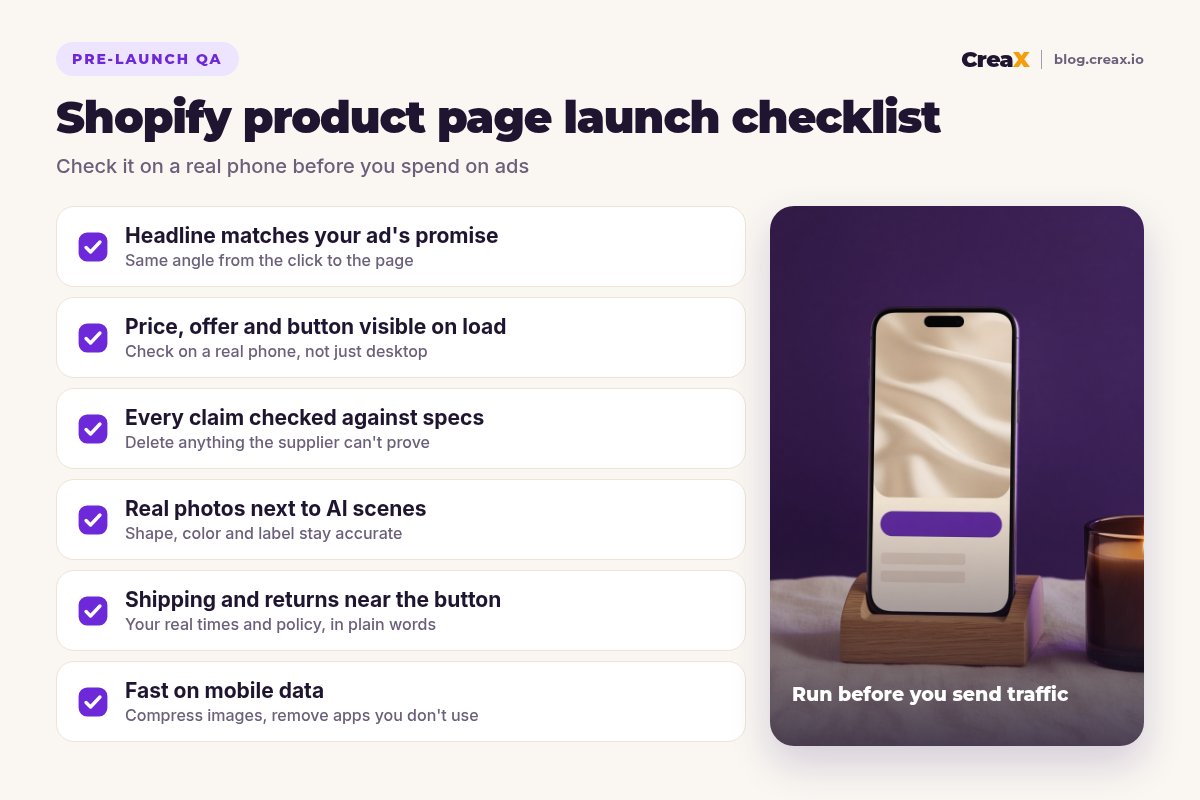
Look at the first screen
Read every claim
Tap everything
Check speed
Do a test order
Build your next product page from one link
Paste a product link and get a publish-ready landing page, studio creatives and UGC-style video ads in about 60–120 seconds. Then review, edit and launch.
ExampleWorked example: a scented soy candle
Say you are launching a scented soy candle in an amber glass jar on Shopify, with ads built around the angle “a calm evening ritual in one match strike”. Here's how the five steps play out:
| Step | What you do | Output |
|---|---|---|
| 1. Facts | Collect wax type, jar size, scent notes, burn guidance and shipping times from the supplier | A short, verified fact sheet |
| 2. Draft | Generate the page from the product link or fact sheet with the ad angle as the headline | Hero, benefits, how to use, FAQ drafts |
| 3. Offer & proof | Set the real price, a two-candle bundle, delete invented reviews, add your returns policy | An honest offer with real proof only |
| 4. Visuals | Studio hero shot, candle lit on a shelf, hand-for-scale, label close-up, short vertical clip | Six images and one video |
| 5. Mobile QA | Check the first screen, claims, buttons and speed on a phone, then place a test order | A page ready for traffic |
Illustrative example. Use your own supplier's verified specs and your real policies.
Notice what the AI did and didn't do. It produced the structure, the copy and the creative quickly. It did not decide the price, provide the reviews or confirm the burn time. Those came from you, and they are exactly the parts that make buyers trust the page.
MistakesMistakes to avoid
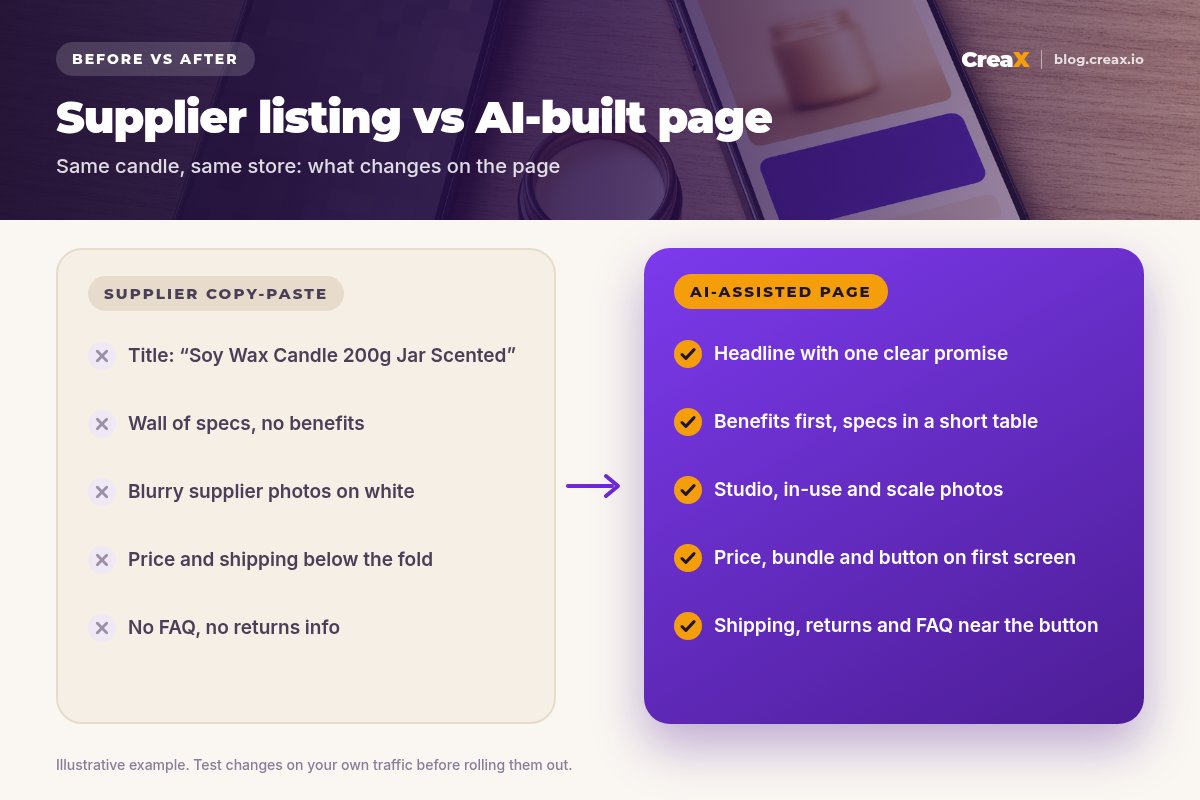
- Pasting the supplier listing into AI and publishing the result. You get polished nonsense. Facts first, always.
- A headline that ignores the ad. The ad sells one angle, the page another. Repeat the promise.
- Invented proof. Fake reviews, ratings or “as seen on” badges put your store and ad account at risk.
- AI images that change the product. Different color, shape or size leads to returns and complaints.
- Too many choices. Five variants and three bundles before the visitor understands the product.
- Desktop-only checking. The page looks great on your laptop and buries the button on a phone.
If you are comparing Shopify page builders for this job, our comparison of CreaX vs PageFly and GemPages and our look at CreaX vs Shopify Magic cover the trade-offs.
Copy thisChecklist
Before you send traffic
- ✓Fact sheet written: specs, materials, what's in the box, offer, shipping, returns
- ✓Ad angle chosen; headline repeats it
- ✓AI draft generated from facts only, in the section order above
- ✓Every number and claim checked against the fact sheet
- ✓Real price; compare-at price only if genuine; bundles kept simple
- ✓Invented reviews, ratings and urgency removed; real proof added
- ✓Hero, in-use, scale, detail and in-the-box images; at least one true-to-life photo
- ✓Shipping, returns and guarantee near the buy button
- ✓Search engine listing title and description filled in
- ✓Tested on a real phone on mobile data, plus one test order
FAQFrequently asked questions
Q.Can Shopify's own AI build the whole product page?
Q.Is AI-written product copy bad for SEO?
Q.How long should a Shopify product page be?
Q.Should I send ad traffic to a product page or a landing page?
Q.Do I need a Shopify store to use CreaX?
Q.Can I use AI images on my Shopify product page?
Ready to launch your next product page?
One product link, about 60–120 seconds: a landing page, studio creatives and UGC-style video ads that tell the same story.
This guide is published by CreaX. It contains general best practices, not guaranteed results, and no invented statistics. Shopify features change, so check Shopify's help center for current options.