
10 Best Tools to Make Snapchat Ads for Ecommerce
Top 10 · Snapchat ads
Looking for a Snapchat ad maker? Snapchat ads are full-screen and vertical, so the right tool is the one that gives you strong 9:16 video and images without a week of editing. Here are the 10 best tools to make Snapchat ads for ecommerce in 2026, what each is actually good at, and a small-budget stack you can copy.
Updated October 2026 · By the CreaX team
Key takeaways
- ✓Almost every Snapchat ad format uses full-screen 9:16 media. Snapchat recommends Single Image or Video ads for new advertisers, and Story and Collection ads suit product catalogs.
- ✓CreaX is our first pick for ecommerce: one product link or image becomes UGC-style vertical video, studio static ads and a matching landing page in about 60–120 seconds.
- ✓Snapchat Ads Manager is free and includes Snap Publisher templates and AI headline ideas. Lens Studio is the tool for custom AR Lenses.
- ✓Editors like CapCut, VEED and Captions suit sellers who film their own footage; InVideo AI and Creatify focus on AI video ads with presenters.
In this guide
TL;DRQuick picks: the best tool for each situation
| If you need… | Start with | Why |
|---|---|---|
| Video ads, statics and a landing page from one product | CreaX | UGC-style 9:16 video and studio ads from a product link |
| Free, simple ads built inside Snapchat | Snapchat Ads Manager | Snap Publisher templates, AI headline suggestions |
| Templates and editing for your own clips | CapCut | Ad templates, captions and AI ad tools |
| Quick static designs and resizing | Canva or Adobe Express | Templates you edit by hand |
| A branded AR Lens or try-on | Lens Studio | Snap's own AR creation tool |
| Subtitles and browser editing | VEED | Auto subtitles, translation, templates |
| Presenter-style AI video ads | InVideo AI, Creatify or Captions | AI avatars or creators from a product link |
MethodHow we chose (criteria, no invented scores)
- Fit for Snapchat: does it produce full-screen vertical media that works in Snap ad formats?
- Ecommerce focus: does it help show a product clearly and drive a click to buy?
- Speed: how fast can a small team go from product to finished creative?
- Control: how much can you edit the result?
- Cost model: free, credits or subscription, and whether it scales sensibly.
⚖No fake scores
The basicsWhat Snapchat ads actually need
Snapchat's ad formats page lists Single Image or Video ads, Story ads, Collection ads, Commercials, Sponsored Snaps, AR Lenses and Filters. For a typical online store, the practical requirements are simple:
- Vertical 9:16 media at 720×1280 or higher, as .mp4, .mov, .jpg or .png.
- Short video. Video ads can run from 3 to 180 seconds, but the first seconds do the work. For Sponsored Snaps, Snapchat recommends keeping it under 10 seconds.
- A brand name and headline. Up to 25 characters for the brand name and 34 for the headline on most formats.
- A destination. A product page or landing page with a clear Shop Now style call to action.
Because every ad is full-screen and sits between friends' content, native-looking, creator-style video tends to fit the app better than a TV-style ad. If you want to compare platforms first, read our guide to Meta ads vs TikTok ads, and see ecommerce ad creative sizes for every format you might need.
Comparison tableAll 10 at a glance
| Tool | Main job | 9:16 video | Statics | AR |
|---|---|---|---|---|
| CreaX | Product-to-ad kit with landing page | Yes | Yes | No |
| Snapchat Ads Manager | Build and run Snap ads | Yes | Yes | Lens Web Builder |
| CapCut | Video editor with ad templates and AI | Yes | Yes | No |
| Canva | Template design and resizing | Yes | Yes | No |
| Lens Studio | AR Lens creation | No | No | Yes |
| VEED | Browser video editor and subtitles | Yes | Partial | No |
| Captions | AI editing and AI ads | Yes | No | No |
| InVideo AI | Agentic AI video platform | Yes | Yes | No |
| Adobe Express | Templates with Firefly AI | Yes | Yes | No |
| Creatify | AI video ads with avatars | Yes | Partial | No |
Summarised from each tool's public website, October 2026. Features change often; check each site.
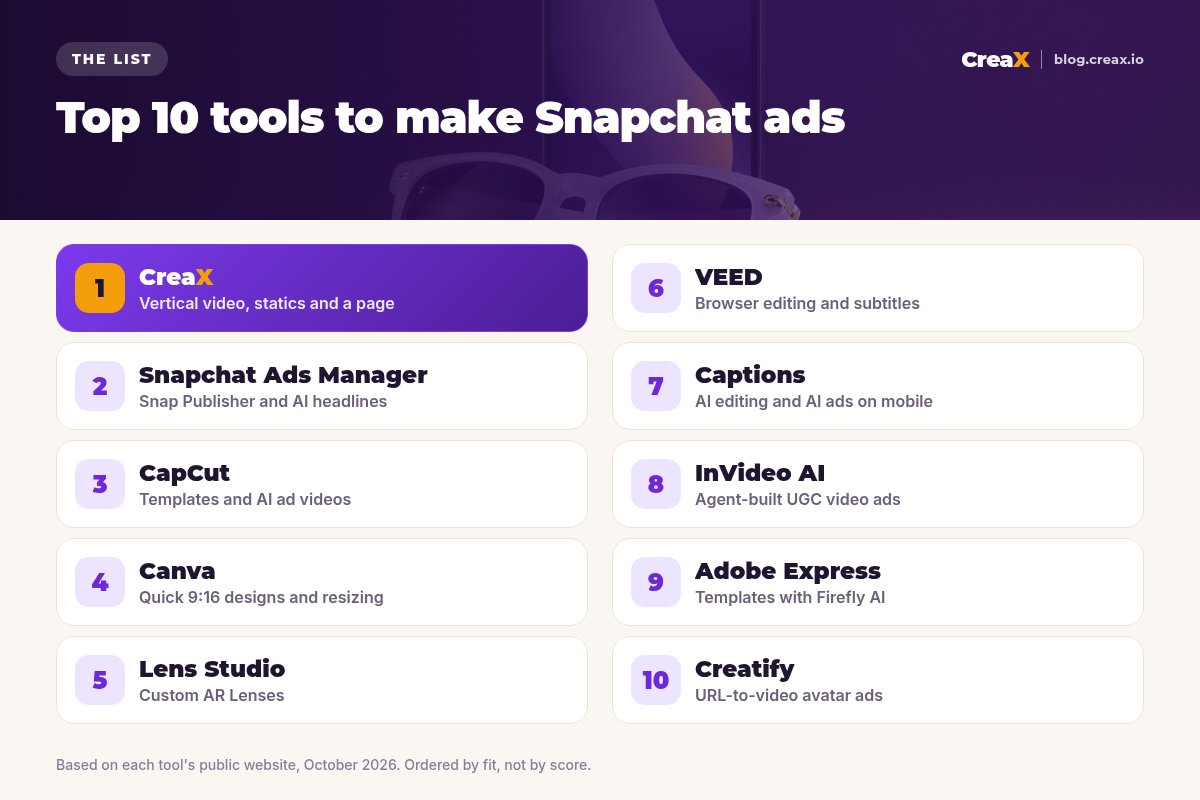
The listThe 10 best tools to make Snapchat ads
CreaX
Best for: vertical video ads, statics and a landing page from one product
CreaX is an all-in-one AI ecommerce creative OS. Paste a product link from Alibaba, AliExpress, Amazon, Etsy or any product page, or upload a product image, and in about 60–120 seconds you get UGC-style video ads, studio ad creatives, a publish-ready landing page and a multi-tenant store. For Snapchat, the important parts are the 9:16 outputs: videos run 18, 30 or 45 seconds, and static ads come in 1:1, 3:4, 4:5 and 9:16 in five ad styles.
The landing page matters as much as the ad: a Snap ad that opens a page with a different promise wastes the click. CreaX builds both from the same product. Plans start at $4.99 a month for 2,000 credits, with top-ups at $1 per 500 credits. See how the CreaX UGC video generator works.
Good for
- Video, statics and page from one input
- 9:16 sizes ready for Snap ads
- Low entry price, credit-based
Keep in mind
- Not a timeline video editor
- No AR Lens creation
Snapchat Ads Manager
Best for: free, simple Snap ads with Snap Publisher and AI headlines
Snapchat's own Ads Manager is where every campaign runs, and it includes free creative tools. Snapchat describes Snap Publisher as a way to design ads from scratch, use a template or convert existing video into vertical, full-screen ads. When you create an ad, a Generate with AI button can suggest headlines in English, French, Spanish and Arabic, and Dynamic ads with animated templates can turn catalog product images into slideshow or carousel videos.
Good for
- Free and built into Snapchat
- Templates made for Snap formats
- Catalog-based dynamic ads
Keep in mind
- Basic design tools compared with dedicated apps
- You still need good product visuals to start
Website: forbusiness.snapchat.com
CapCut
Best for: templates and AI ad videos for sellers who edit
CapCut is a popular video editor with business and video ad templates, auto captions, background removal and a music library. Its AI ad generator can turn a script into a video ad with AI voiceover, captions, music and optional AI avatars, and its Design Studio can create product scenes and promo images. It suits sellers who want to edit their own clips and templates.
Good for
- Large template library
- AI ad tools plus a full editor
- Free to start
Keep in mind
- Hands-on editing for best results
- No landing page or store
Website: www.capcut.com
Canva
Best for: quick 9:16 static designs and resizing
Canva is a general design platform with a huge template library and AI features. It is a flexible way to design your own vertical static ads and simple videos, then resize them for other placements. You do the design work, which gives control but takes time. Our comparison of CreaX vs Canva covers the trade-off.
Good for
- Full design control
- Templates for stories and vertical formats
- Free plan to start
Keep in mind
- You design each creative by hand
- No product-to-ad automation
Website: www.canva.com
Lens Studio
Best for: custom AR Lenses and try-on experiences
Lens Studio is Snap's AR development platform. Snap describes it as a way to build selfie Lenses and shoppable try-on experiences, with a GenAI Suite that creates 2D and 3D assets and ML models from text or image prompts. For a simpler start, Snapchat's Lens Web Builder (inside Ads Manager) uses ready-made objects and animations. AR Lenses are a Snap-exclusive ad format, best for awareness and engagement.
Good for
- Snap's own AR tool
- Try-on and branded Lenses
- GenAI help for assets
Keep in mind
- A learning curve for custom Lenses
- Not a tool for standard video or static ads
Website: ar.snap.com/lens-studio
VEED
Best for: browser editing, subtitles and translation
VEED describes itself as an AI video creation platform made for social. It runs in the browser with a video editor, ad templates, automatic subtitles, translation and AI dubbing, brand kits, AI avatars and an AI ad generator. It is a good fit when you have footage and want captions and quick edits for vertical ads. See CreaX vs VEED.
Good for
- Strong subtitles and translation
- Works in the browser
- Templates and brand kits
Keep in mind
- Editing-first: you build each ad
- No landing page or store
Website: www.veed.io
Captions
Best for: AI editing and AI ads on mobile
Captions describes itself as AI that edits like a professional editor. It offers AI Edit, stylised captions and translated subtitles, AI avatars and AI twins, clean-up tools, and an AI Ads feature that turns a product URL into a UGC-style script and avatar video. It runs on iOS, Android and the web. See CreaX vs Captions.
Good for
- Fast AI editing on your phone
- AI Ads from a product URL
- Good captions
Keep in mind
- Video only: no statics or pages
- Avatar ads need a careful realism check
Website: www.captions.ai
InVideo AI
Best for: agent-built UGC-style video ads
InVideo AI (now branded invideo) presents an agentic AI video platform. From a product link, its agents can build AI UGC ads with cast AI creators, statics and placement sizes, and you can edit everything on a multitrack timeline. It suits teams that want deep control over creator-led video. See CreaX vs InVideo AI.
Good for
- Cast and reuse AI creators
- Timeline editor for control
- Placement sizing
Keep in mind
- More decisions per ad
- No landing page or store
Website: invideo.io
Adobe Express
Best for: templates with Firefly generative AI
Adobe Express is Adobe's quick design app, with templates, Firefly generative AI features, resizing and simple video editing. Like Canva, it is a hands-on way to build vertical statics and short videos. See CreaX vs Adobe Express.
Good for
- Adobe templates and fonts
- Firefly generative features
- Resize for different formats
Keep in mind
- Manual design per creative
- No product-to-ad automation
Website: www.adobe.com/express
Creatify
Best for: URL-to-video ads with AI avatars
Creatify is an AI video ad platform built around URL-to-video: paste a product page link and it writes scripts and produces avatar-led video ads with voice-over, b-roll, music and captions, in vertical, square or horizontal versions. It also offers batch mode and an avatar library. See CreaX vs Creatify.
Good for
- Presenter-led ads at volume
- Batch variations
- Vertical exports
Keep in mind
- Video-focused: no landing page
- Avatar realism needs a check
Website: creatify.ai
ChooseHow to choose: 5-question checklist
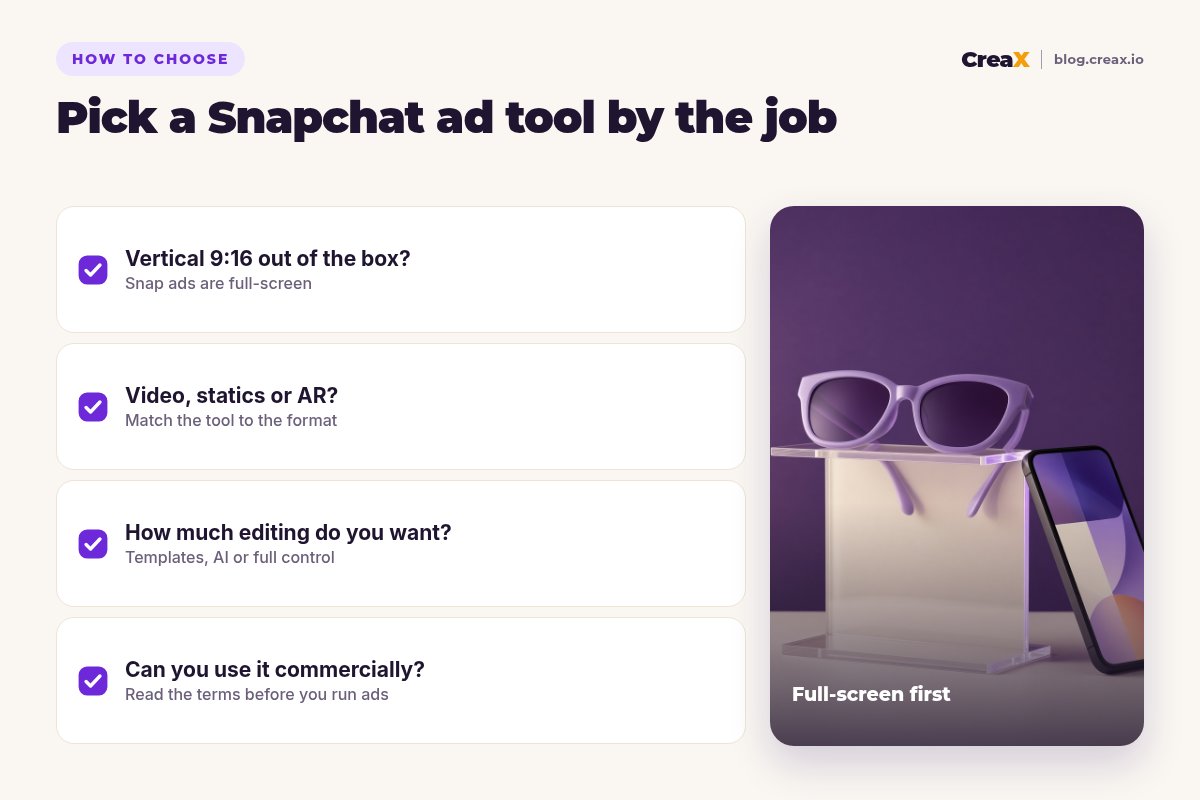
Answer these first
- ✓Does it output true 9:16? Snap ads are full-screen; cropped horizontal video looks out of place.
- ✓Which format do you need? Video, statics, a catalog slideshow or an AR Lens each point to a different tool.
- ✓Do you have footage? If yes, an editor like CapCut or VEED helps. If not, generate from the product with CreaX.
- ✓Where does the click go? If you have no strong product page, choose a tool that also builds a landing page.
- ✓Can you use the output commercially? Read each tool's terms and label AI content where Snapchat's policies require it.
Make vertical Snapchat creatives from your product link
Paste a product link into CreaX and get 9:16 UGC-style video, studio static ads and a landing page that matches the ad.
ExampleWorked example: a small-budget stack
Say you sell polarized sunglasses and want to test Snapchat with a small budget. A lean stack could look like this:
| Job | Tool | What you do |
|---|---|---|
| Vertical video ads | CreaX | An 18-second UGC-style video for each of 2–3 angles |
| Static Snap ads | CreaX | 9:16 statics in Classic or Punch style |
| Landing page | CreaX | A Simple page with the same promise as the ads |
| Headlines | Snapchat Ads Manager | Generate headline ideas with AI, then edit them |
| Optional AR try-on | Lens Web Builder or Lens Studio | Only once a product has proven it sells |
An illustrative stack, not a performance claim.
Start with Single Image or Video ads, as Snapchat recommends for new advertisers, and send every angle to the same page. Only claim things like polarization or UV protection if your supplier can prove them. When a winner appears, make fresh variations instead of running one ad until it tires; see how to test ad angles for a new product and how long a video ad should be.
Build your Snapchat test in one pass
One product link, about 60–120 seconds: vertical video, static ads and a landing page with the same message.
FAQFrequently asked questions
Q.What size should Snapchat ads be?
Q.How long should a Snapchat video ad be?
Q.Is there a free Snapchat ad maker?
Q.Can I reuse TikTok or Reels videos on Snapchat?
Q.Do I need an AR Lens to sell on Snapchat?
Q.Which tool is best for dropshipping Snapchat ads?
Ready to make your first Snapchat ads?
Paste a product link and get vertical video, static ads and a landing page for your next test.
This guide is published by CreaX. We describe other tools from their own public websites as of October 2026, avoid invented scores or prices, and recommend checking each vendor's site for current features and plans.