

10 Best Tools for Google Shopping and Performance Max Creatives
Top 10 · Google Ads
Performance Max creatives come from three places: the ad assets you upload (images, videos, headlines), the product images in your Merchant Center feed, and the feed data itself. The best tools for Google Shopping and Performance Max each fix one of those. Here are the 10 we would look at in 2026, what each one is actually for, and how to build a small stack that fills your asset groups without guesswork.
Updated October 2026 · By the CreaX team
Key takeaways
- ✓Split the work into creatives (CreaX, Canva, Adobe Express), product images (Product Studio, Photoroom, Claid.ai) and feed data (Channable, DataFeedWatch, Feedonomics).
- ✓CreaX is our first pick for ad assets: one product link or image becomes studio static ads, UGC-style vertical video and a landing page in about 60–120 seconds.
- ✓Start with Google's free built-in tools: Performance Max asset generation in Google Ads and Product Studio in Merchant Center.
- ✓Keep feed images clean: Merchant Center product images should show the product accurately, without promotional text. Save text-heavy creatives for your asset groups.
In this guide
TL;DRQuick picks: the best tool for each situation
| If you need… | Start with | Why |
|---|---|---|
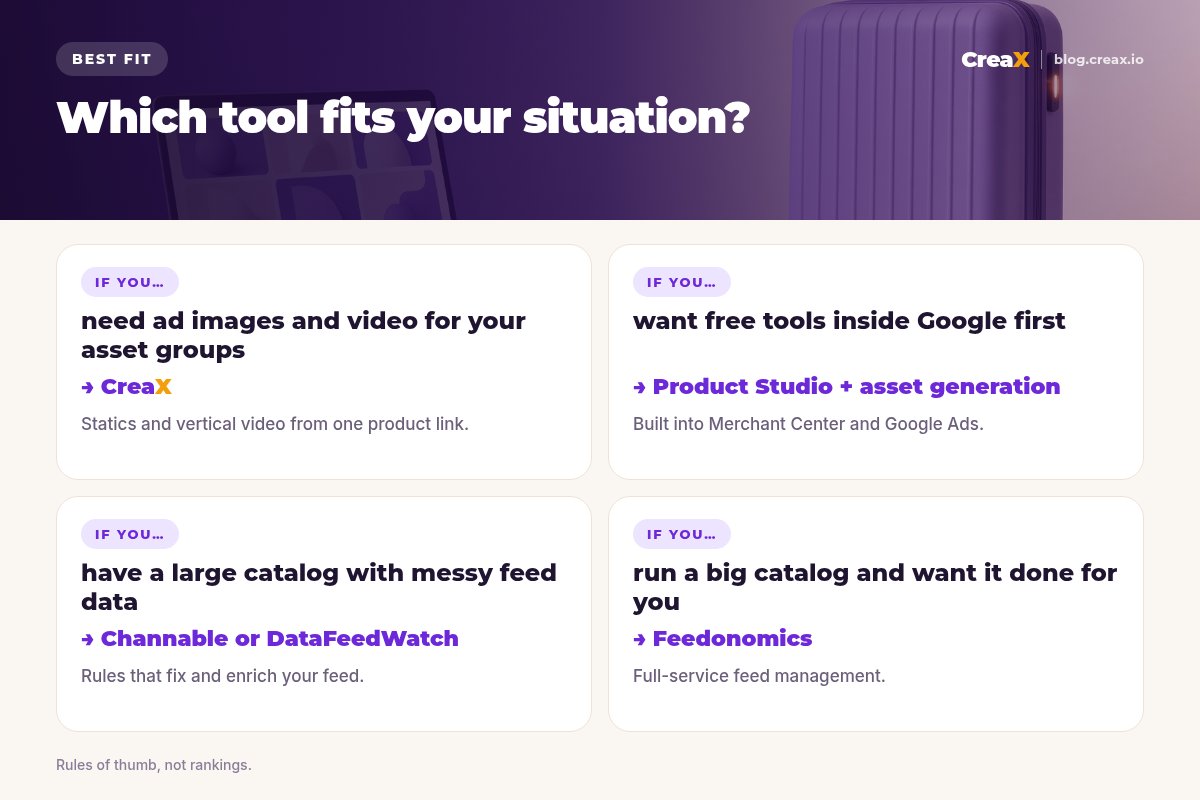
| Ad images and vertical video for asset groups | CreaX | Statics in 4 sizes and UGC-style video from one product |
| Free text and image assets inside Google Ads | Google Ads asset generation | Built into Performance Max setup |
| Free product image fixes for your feed | Merchant Center Product Studio | Scenes, background removal, upscaling |
| Hands-on design with templates | Canva or Adobe Express | Resize and edit layouts yourself |
| Clean product photos in bulk | Photoroom or Claid.ai | Background removal, enhancement, batch tools |
| A feed that passes checks and sells | Channable or DataFeedWatch | Rules to fix and enrich product data |
| Feeds handled for you at enterprise scale | Feedonomics | Full-service feed management |
MethodHow we chose (criteria, no invented scores)
- Fit for Google: does it help with Performance Max asset groups, Merchant Center images or Shopping feeds?
- The gap it fills: creatives, product images or feed data.
- Accuracy: does it keep the product looking like what the buyer receives?
- Effort: how much manual work does a small team still need to do?
- Cost model: free, credits or subscription, and whether it grows sensibly.
⚖No fake scores
The basicsWhat Performance Max actually needs
A Performance Max campaign for an online store usually combines two things: your Merchant Center product feed, and asset groups with images, logos, headlines, descriptions and videos. Google mixes these into ads across Search, Shopping, YouTube, Display, Discover and Gmail. In practice, you need:
- Image assets in landscape (1.91:1), square (1:1) and portrait (4:5) formats.
- Video assets, ideally including vertical video for YouTube Shorts. If you do not add a video, Google may create one from your other assets.
- Text assets: headlines, long headlines and descriptions.
- Clean product images and accurate data in your Merchant Center feed.
Google's own asset generation can draft text and images from your landing page, but the help center is clear that generated assets need your review before you publish them. For sizes on other channels, see our guide to ecommerce ad creative sizes.
!Feed images are not ad creatives
Comparison tableAll 10 at a glance
| Tool | Main job | Images | Video | Feed |
|---|---|---|---|---|
| CreaX | Ad creatives, video, landing page | Yes | Yes | No |
| Google Ads asset generation | Text, images (and more) in Google Ads | Yes | Yes | No |
| Merchant Center Product Studio | Product image scenes and fixes | Yes | Yes | No |
| Canva | Template design and resizing | Yes | Yes | No |
| Photoroom | Product photo editing at scale | Yes | Yes | No |
| Claid.ai | AI product photos and enhancement | Yes | Yes | No |
| Channable | Feed management, PPC automation | No | No | Yes |
| DataFeedWatch | Feed management and optimization | No | No | Yes |
| Feedonomics | Full-service feed management | No | No | Yes |
| Adobe Express | Templates with Firefly generative AI | Yes | Yes | No |
Summarised from each tool's public website or help center, October 2026. Availability can vary by country and account.
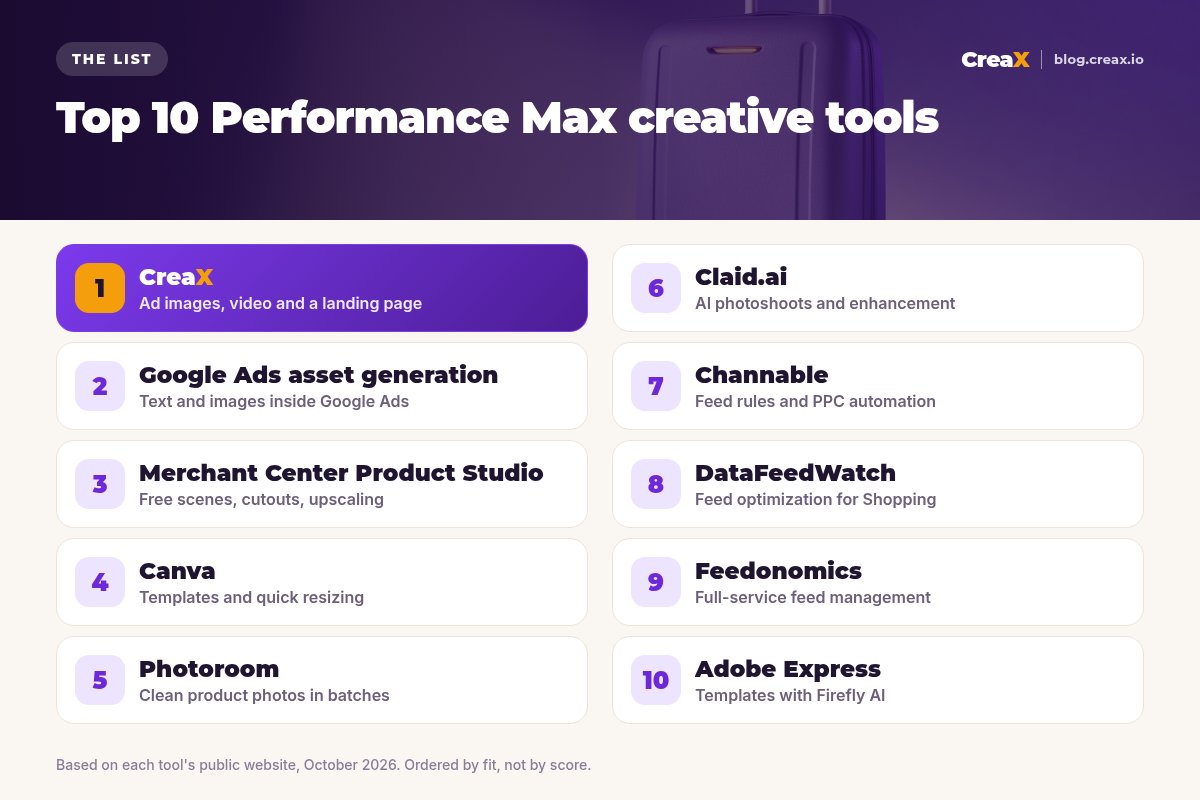
The listThe 10 best tools for Performance Max creatives
CreaX
Best for: ad images, vertical video and landing pages from one product
CreaX is an all-in-one AI ecommerce creative OS. Paste a product link or upload a product image and, in about 60–120 seconds, you get studio ad creatives (product photos and static ads), UGC-style video ads, a publish-ready landing page and a multi-tenant store. For Performance Max, that covers two of the hardest parts of an asset group: enough strong images and a vertical video.
Static ads come in five styles (Classic, Humble Orbit, Punch, Luxe and Meta Feed) and four sizes (1:1, 3:4, 4:5 and 9:16), and videos run 18, 30 or 45 seconds. The 1:1 and 4:5 sizes map to Performance Max square and portrait images, and 9:16 video suits Shorts. Plans start at $4.99 a month for 2,000 credits, with top-ups at $1 per 500 credits. See studio ad creatives from one product photo.
Good for
- Statics and vertical video from one input
- Landing page with the same message as the ads
- Low entry price, credit-based
Keep in mind
- No 1.91:1 landscape size, so crop or add one elsewhere
- Not a feed tool: does not edit Merchant Center data
Google Ads asset generation
Best for: text and image assets right inside Google Ads
When you build a Performance Max asset group, Google AI can read your landing page and generate headlines, descriptions and long headlines, and suggest images (including newly generated ones), logos and your business name. Google's image editor in Asset studio can also generate images, replace backgrounds and create the different sizes asset groups need. Availability depends on your account, language and country, and Google notes that you should review every generated asset.
Good for
- Free and built into campaign setup
- Generates text and images from your site
- Creates the image sizes asset groups use
Keep in mind
- Rolling out gradually; not every account has every feature
- Generated assets still need an accuracy and policy check
Website: support.google.com/google-ads
Merchant Center Product Studio
Best for: free scenes, cutouts and upscaling for feed images
Product Studio is Google's suite of free AI tools inside Merchant Center (and the Google & YouTube app for Shopify). According to its help pages, it can generate product scenes, change or remove backgrounds, increase image resolution and generate product videos, and you can add the results to Merchant Center as new images.
Good for
- Free, inside Merchant Center
- Fixes small or busy product images
- Adds images without replacing originals
Keep in mind
- Focused on product images, not finished ads
- Feature availability varies by country
Website: support.google.com/merchants
Canva
Best for: templates and quick resizing for asset groups
Canva is a general design platform with a huge template library and AI features. It is a flexible way to design your own static ads, logos and simple videos, then resize them for each aspect ratio. You do the design work, which gives control but takes time. Our comparison of CreaX vs Canva covers the trade-off.
Good for
- Full design control
- Templates and resizing
- Free plan to start
Keep in mind
- You design each asset by hand
- Not built around product feeds
Website: www.canva.com
Photoroom
Best for: clean, consistent product photos in batches
Photoroom is an AI photo editor for product photography: instant background removal, generated product scenes, resizing and expanding, batch processing and an API. It is useful when your feed or asset group images come from suppliers in mixed styles and you want them consistent.
Good for
- Fast cutouts and backgrounds
- Batch editing for catalogs
- API for automation
Keep in mind
- Photos first: no full ad kit or landing page
- AI scenes need an accuracy check
Website: www.photoroom.com
Claid.ai
Best for: AI photoshoots and image enhancement at scale
Claid.ai offers AI product photography and editing: AI photoshoots and backgrounds, background removal, upscaling and enhancement, generative resize, image-to-video, and APIs for each. It suits teams processing many product images. See CreaX vs Claid.ai for how it differs from an ad kit.
Good for
- Strong enhancement and upscaling
- Generative resize for new ratios
- API-first for large catalogs
Keep in mind
- Image tools, not finished ad creatives
- Best value at volume
Website: claid.ai
Channable
Best for: feed rules and Google Ads automation
Channable is a feed management and PPC automation platform. Its help center describes setting up Google Shopping feeds, mapping required fields, categorising products and using rules to fix and enrich product data, then sending products to Merchant Center. Its PPC tool builds and updates Google Ads campaigns from your feed, including Shopping and Performance Max.
Good for
- Rules to fix and enrich product data
- Feeds for many channels
- Campaign automation from feed data
Keep in mind
- No creative production
- Takes set-up time to get rules right
Website: www.channable.com
DataFeedWatch
Best for: feed optimization for Google Shopping
DataFeedWatch is a product feed management platform. It focuses on channel-ready feeds, with AI help to build and enrich product data, so titles, categories and attributes meet each channel's requirements. It suits stores whose Shopping performance is held back by thin or messy feed data.
Good for
- Feed optimization focus
- AI help with enriching data
- Free trial to test
Keep in mind
- No images or video
- Another subscription to manage
Website: www.datafeedwatch.com
Feedonomics
Best for: full-service feed management for big catalogs
Feedonomics offers product data feed management with full-service support, sending optimized listings to many destinations across ad channels, marketplaces and AI shopping surfaces. It is aimed at brands that want experts to run their feeds rather than doing it in-house.
Good for
- Done-for-you feed management
- Many destinations from one connection
- Support from feed specialists
Keep in mind
- Aimed at larger catalogs and brands
- No creative production
Website: feedonomics.com
Adobe Express
Best for: templates with Firefly generative AI
Adobe Express is Adobe's quick design app, with templates, Firefly generative AI features, resizing and simple video editing. Like Canva, it is a hands-on way to build static ads and short videos for your asset groups. See CreaX vs Adobe Express.
Good for
- Adobe templates and fonts
- Firefly generative features
- Resize for different formats
Keep in mind
- Manual design per asset
- No product-to-ad automation
Website: www.adobe.com/express
ChooseHow to choose: 5-question checklist
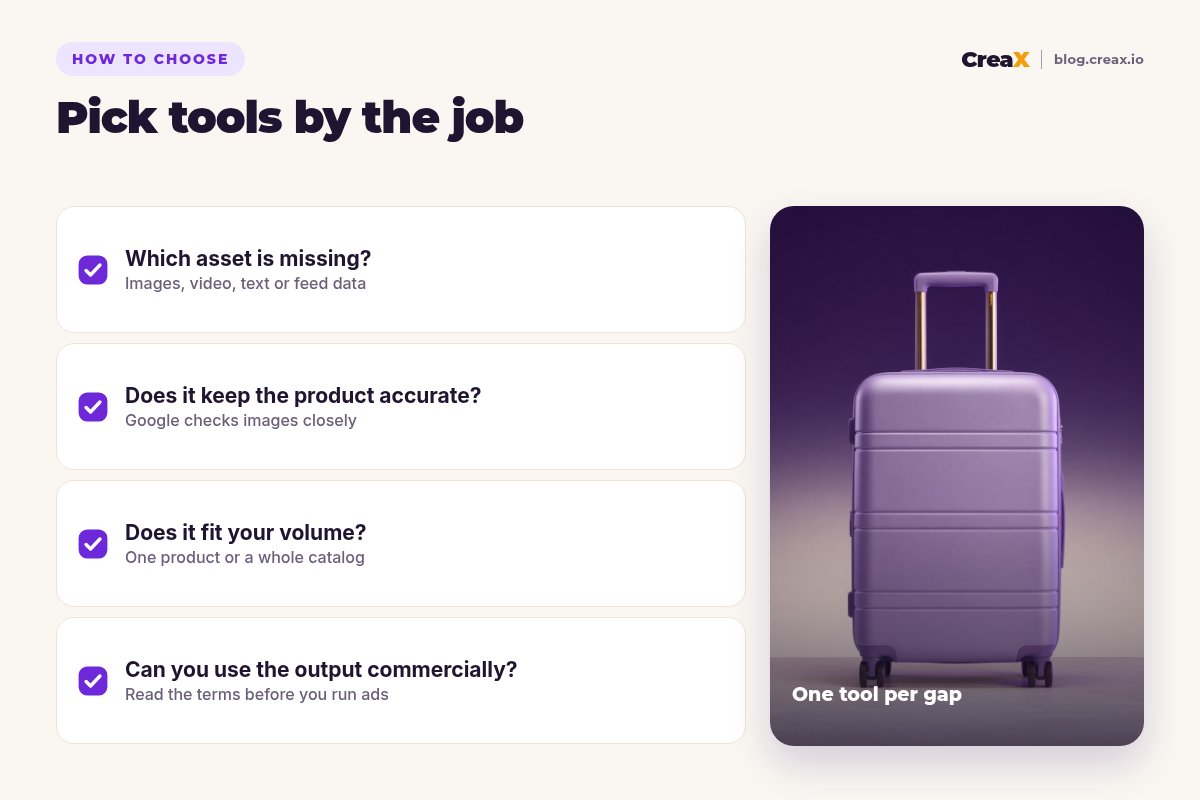
Answer these first
- ✓Which asset is missing? Weak images and no video point to a creative tool; disapproved or thin products point to a feed tool.
- ✓Have you tried the free Google tools? Asset generation and Product Studio cost nothing to test.
- ✓Does the output keep the product accurate? Google reviews product images and ads; misleading images cause trouble.
- ✓How many products do you sell? A handful of hero products needs creatives; a big catalog needs feed rules.
- ✓Can you use the output commercially? Read each tool's terms before you run AI-generated assets.
Fill your asset groups with real product creatives
Paste a product link into CreaX and get static ads in 1:1, 3:4, 4:5 and 9:16, UGC-style vertical video and a landing page.
ExampleWorked example: a small-budget stack
Say you sell carry-on luggage with five hero products and want to launch your first Performance Max campaign. A lean stack could look like this:
| Job | Tool | What you do |
|---|---|---|
| Clean feed images | Merchant Center Product Studio | Remove busy backgrounds, upscale small supplier photos |
| Square and portrait ad images | CreaX | Studio statics in 1:1 and 4:5 for each hero product |
| Landscape images | Google's image editor or Canva | Create the 1.91:1 versions from your best visuals |
| Vertical video | CreaX | An 18- or 30-second UGC-style video per product |
| Headlines and descriptions | Google Ads asset generation | Generate drafts, then edit for accuracy |
| Feed data | Merchant Center (later Channable or DataFeedWatch) | Fix titles and attributes; add a feed tool if the catalog grows |
An illustrative stack, not a performance claim.
Build one asset group per product theme (for example, cabin bags versus travel sets), so the images, video and headlines match the products shown. Review results after the learning period and replace the weakest images first. For the CreaX side, our guide to the best AI ad creative generators shows how it compares more widely.
Make Performance Max creatives from your product link
One product link, about 60–120 seconds: studio statics, vertical video and a landing page with the same message.
FAQFrequently asked questions
Q.What image sizes does Performance Max use?
Q.Can I use CreaX static ads as Merchant Center product images?
Q.Is Product Studio free?
Q.Do I need a feed tool for Performance Max?
Q.Will Google make a video if I don't upload one?
Q.Which tool should I start with on a small budget?
Ready to give Performance Max better creatives?
Paste a product link and get the statics, video and landing page for your next campaign.
This guide is published by CreaX. We describe other tools from their own public websites as of October 2026, avoid invented scores or prices, and recommend checking each vendor's site for current features and plans.