
10 Best Creative Automation Tools for Ecommerce Ads
Top 10 · Creative automation
Creative automation tools turn one input, such as a product link, a catalog feed or a design template, into many ad variations without building each one by hand. They range from self-serve AI generators to enterprise platforms. Here are the 10 we would look at for ecommerce ads in 2026, what each one automates, and how to pick the right one for your size.
Updated October 2026 · By the CreaX team
Key takeaways
- ✓Creative automation means producing many ad versions from a structured input: a product link, a catalog feed, a spreadsheet or a template. The input you already have should decide the tool.
- ✓Pick CreaX when you launch new products and need studio ads, UGC-style video ads and a landing page from one product link or image.
- ✓Pick Marpipe or Hunch to put branded templates on catalog (DPA) ads, Bannerbear if a developer will render templates through an API, and Smartly, Celtra or Storyteq if you are a global brand with many markets and teams.
- ✓More variations only help if each one is accurate and testable. Automate the production, not the judgment about what to test.
In this guide
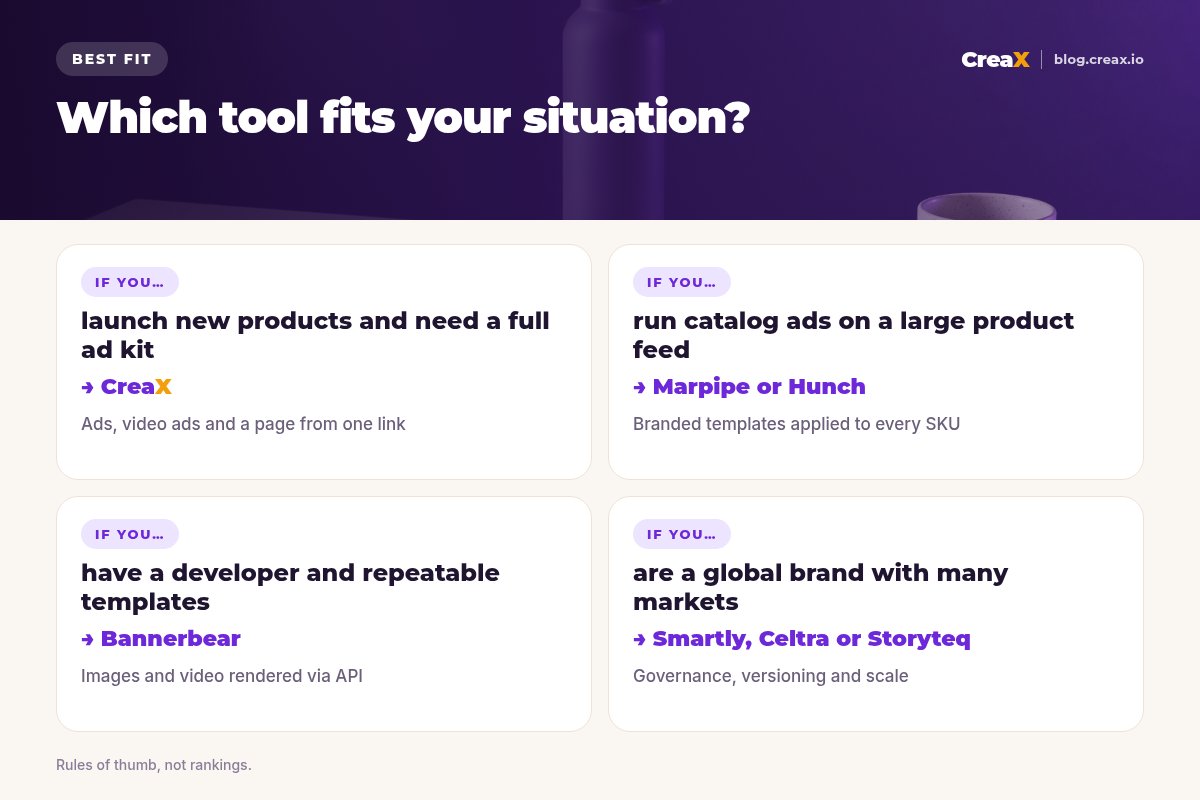
TL;DRQuick picks: the best tool for each situation
| If you… | Start with | Why |
|---|---|---|
| Launch new products often | CreaX | Ads, video ads and a page from one product link |
| Run catalog ads on a big feed | Marpipe | Branded designs applied to every SKU |
| Run feed-driven paid social in many regions | Hunch | Templates, catalog video and localized ads |
| Have a developer and fixed templates | Bannerbear | Images, video and PDFs rendered via API |
| Are a global brand with many teams | Smartly, Celtra or Storyteq | Governance, versioning and scale |
BasicsWhat creative automation means for ecommerce ads
Every product needs several angles, formats and sizes, and ads wear out. Creative automation tools take over the repetitive part. They usually start from one of four inputs:
- A product link or image: AI reads the product and generates finished ads, videos or pages.
- A catalog feed: a branded template is applied to every product in your feed for dynamic product ads.
- A spreadsheet or API call: each row or request fills a template with new text, prices and images.
- A master design: one approved layout is resized, localized and versioned for every market and channel.
Pick the tool that starts from what you already have: a dropshipper has a supplier link, a big retailer has a feed, a global brand has master designs. If you are new to this, our guide to scaling winning creative variations explains when more versions actually help.
MethodHow we chose (criteria, no invented scores)
- Input fit: does it start from what an ecommerce seller already has?
- Output: static ads, video, catalog ads, landing pages, or a mix?
- Product accuracy: does the product stay true to the real item?
- Who can run it: a founder alone, a designer, a developer, or an enterprise team?
- Platform fit: does it cover the ad platforms and sizes you buy?
⚖No fake ratings
Comparison tableAll 10 at a glance
| Tool | Starts from | Main output | Best for |
|---|---|---|---|
| CreaX | Product link or image | Studio ads, UGC-style video, page, store | Sellers and agencies |
| Marpipe | Catalog feed | Enriched catalog ads, product video | Brands with big catalogs |
| Hunch | Feeds and sheets | Catalog ads, CPVs, localized ads | Paid social teams |
| AdCreative.ai | Brand, URL or image | AI banners, photos, videos | Small teams wanting volume |
| The Brief (Creatopy) | Designs, PSD, Figma, prompts | Multi-size ad sets, publishing | Design and marketing teams |
| Bannerbear | Template plus API data | Images, video, PDFs | Developers, automations |
| Canva | Template plus spreadsheet | Designs in bulk | Non-designers |
| Smartly | Creative and campaigns | Creative, media, insights | Large advertisers |
| Celtra | Brand assets, live data | Display, social, video ads | Enterprise creative teams |
| Storyteq | Assets in a DAM | Versioned, localized content | Global brands |
Summarised from each tool's public website, October 2026.
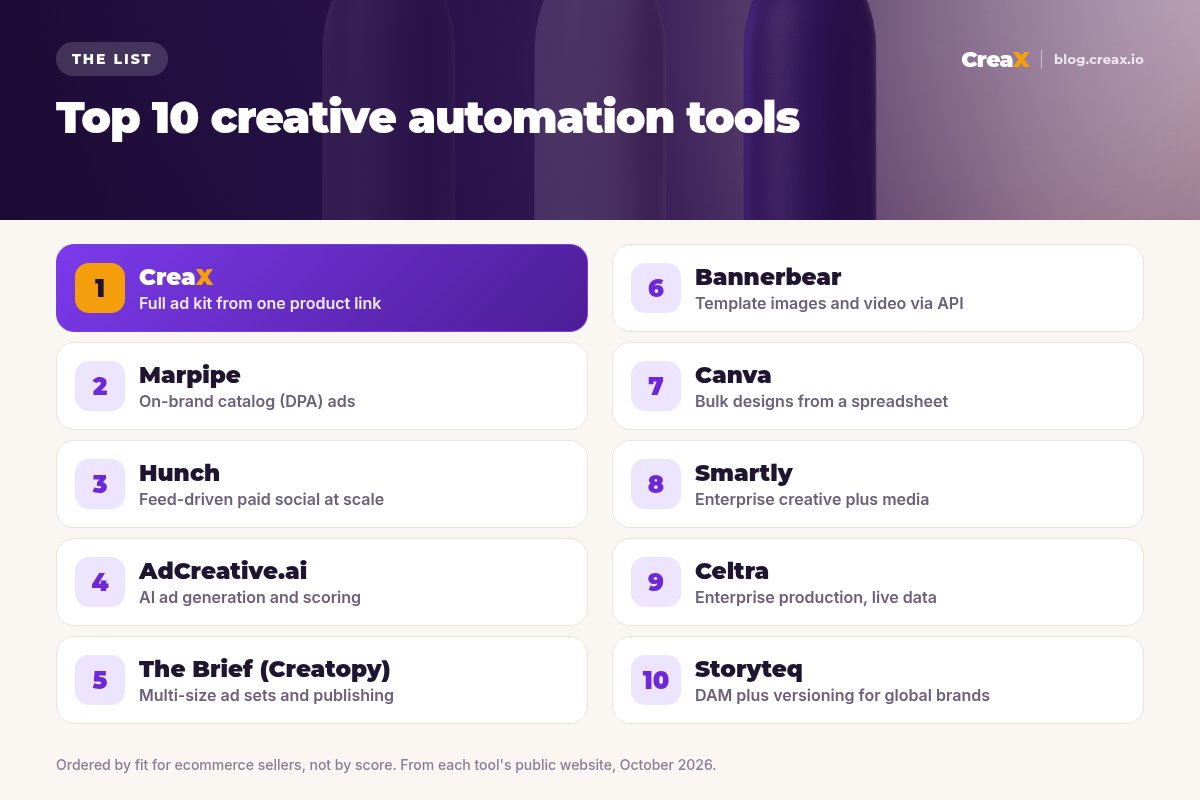
The listThe 10 best creative automation tools for ecommerce ads
CreaX
Best for: launching new products with a full ad kit
CreaX is an all-in-one AI ecommerce creative OS. Paste a product link (from Alibaba, AliExpress, Amazon, Etsy or any product page) or upload a product image and, in about 60–120 seconds, it generates studio ad creatives, UGC-style video ads, a publish-ready landing page and a multi-tenant store. The automation starts before the design: the product itself is the input, so there is no template to build first.
Static ads come in five styles (Classic, Humble Orbit, Punch, Luxe and Meta Feed) and four sizes (1:1, 3:4, 4:5 and 9:16). Video ads run 18, 30 or 45 seconds, and landing pages come in Simple, Detailed or Advanced levels, so the ad and the page tell the same story. creax.io lists 40+ languages and 160+ target countries. Plans start at $4.99 a month for 2,000 credits. See CreaX ad styles explained.
Good for
- Ads, video ads, landing page and store from one input
- No templates or feeds to set up
- Low entry price, credit-based
Keep in mind
- Not a catalog (DPA) feed tool for thousands of SKUs
- Not an enterprise DAM or approval workflow
Marpipe
Best for: on-brand catalog (DPA) ads
Marpipe is built around one problem: plain catalog ads look generic. It turns your product feed into designed catalog ads, and its site lists catalog design, product-level video, generative catalogs, SKU optimization and feed management in one place. If your Meta catalog ads show bare product shots, Marpipe adds your brand, value props and layouts to every product in the feed.
Good for
- Focused on catalog and dynamic product ads
- Works across a whole feed at once
- Product-level video from the feed
Keep in mind
- Assumes you already have a catalog feed
- Not built for one-off launch creatives or landing pages
Website: www.marpipe.com
Hunch
Best for: feed-driven paid social at scale
Hunch calls itself a creative performance platform for paid social teams on Meta, Snapchat and TikTok. Its site describes enriched catalog ads with AI background removal and color matching, catalog product videos generated from your feed, bulk localized campaigns with local pricing and language, Smart Product Sets built from GA4 and conversion data, and importing Figma or PSD files as templates. It connects to sources like Google Sheets and Shopify.
Good for
- Strong on catalog ads and localization
- Publishes directly to Meta and Snapchat
- Designers keep control through Figma and PSD imports
Keep in mind
- Aimed at teams running larger paid social programs
- Feed and template setup comes first
Website: www.hunchads.com
Automate your next product launch, not just your resizing
Paste a product link or upload one image and get studio ads, UGC-style video ads and a landing page in one pass.
AdCreative.ai
Best for: AI ad generation and scoring
AdCreative.ai generates ad banners, ad text, product photoshoots and video ads, including UGC-style videos, from your brand and product images. It can also scan a webpage to create ads, and it offers a Creative Scoring AI that predicts which creatives will perform before you spend, plus competitor insights. It suits small teams that want lots of on-brand static variations quickly. Compare it in detail in CreaX vs AdCreative.ai.
Good for
- Many static variations quickly
- Brand kit for logo, colors and fonts
- Creative scoring and competitor insights
Keep in mind
- Credits are used per downloaded creative, per its site
- No landing page or store built from the product
Website: www.adcreative.ai
The Brief (formerly Creatopy)
Best for: multi-size ad sets and publishing
Creatopy's website now presents The Brief, an AI ad platform for generating, adapting, deploying and optimizing ads. Its Ad Studio imports PSD and Figma files, generates hundreds of size and format variations, and animates designs with Magic Animator. A Create agent generates ads from a prompt and brand context, and the platform publishes and serves ads across 40+ ad networks. It fits teams that already design master ads and need every size and language.
Good for
- Strong resizing and animation tools
- PSD and Figma import
- Publishing and ad serving built in
Keep in mind
- Best value when you have master designs to adapt
- A broad platform with more to learn
Website: www.creatopy.com
Bannerbear
Best for: template images and video via API
Bannerbear is an API and no-code platform for generating images, videos and PDFs from templates at scale. You design a template once, then send data through its REST API, Zapier, one of its 50+ integrations such as Airtable or Notion, or an AI agent via MCP. Its ecommerce page focuses on banners and social promos across regions. It suits developers who want precise, repeatable output.
Good for
- Full control over templates
- Fits automated workflows and AI agents
- Images, video and PDFs from one platform
Keep in mind
- You design the templates and the logic
- No AI creative ideas or angles out of the box
Website: www.bannerbear.com
Canva
Best for: bulk designs from a spreadsheet
Canva is best known as a design platform, but it has real automation features. Bulk Create turns a spreadsheet into many designs, with each row becoming one design and each column filling a text or image element. Magic Resize (now part of Magic Switch) adapts a design for other formats, and AI tools like Magic Edit and Background Remover speed up image work. For small shops, it is an easy first step. See CreaX vs Canva.
Good for
- Easy for non-designers
- Bulk Create from CSV, XLSX or Canva Sheets
- Huge template library
Keep in mind
- You still design the master layout by hand
- No catalog feed engine for dynamic product ads
Website: www.canva.com
Smartly
Best for: enterprise creative plus media
Smartly describes itself as an AI advertising platform that brings creative and media together. Its site covers building, personalizing and scaling creative across platforms, automated campaign launch and management across channels, and Smartly Intelligence for a single view of performance.
Good for
- Creative and media buying in one platform
- Cross-channel campaign automation
- Insights across your whole ad mix
Keep in mind
- Sold through a demo, not self-serve
- More platform than a small store needs
Website: www.smartly.io
Celtra
Best for: enterprise creative production with live data
Celtra positions itself as a creative performance system for enterprises. Its site describes GenAI-powered production with automated brand governance, scoring creatives before launch, tracking which elements drive results, and live-data creatives that respond to pricing, inventory and market changes across 100+ media platforms.
Good for
- Brand governance at scale
- Live pricing and inventory in ads
- Covers display, social and video
Keep in mind
- Built for enterprise teams and budgets
- Demo-led onboarding
Website: www.celtra.com
Get a complete ad kit without building templates first
One product link or image: studio ads in 1:1, 3:4, 4:5 and 9:16, UGC-style video ads and a landing page that matches them.
Storyteq
Best for: DAM plus versioning for global brands
Storyteq is an AI content marketing platform that combines digital asset management, creative automation and production workflows. Its site describes AI smart tagging for finding brand-approved assets, automated versioning and localization across markets and channels including video and print, AI-powered templates, briefs and approvals, and Halo Intelligence for content insights.
Good for
- Assets, automation and approvals together
- Localization across many markets
- Covers video and print as well as ads
Keep in mind
- Enterprise scope and setup
- Overkill for a single store
Website: storyteq.com
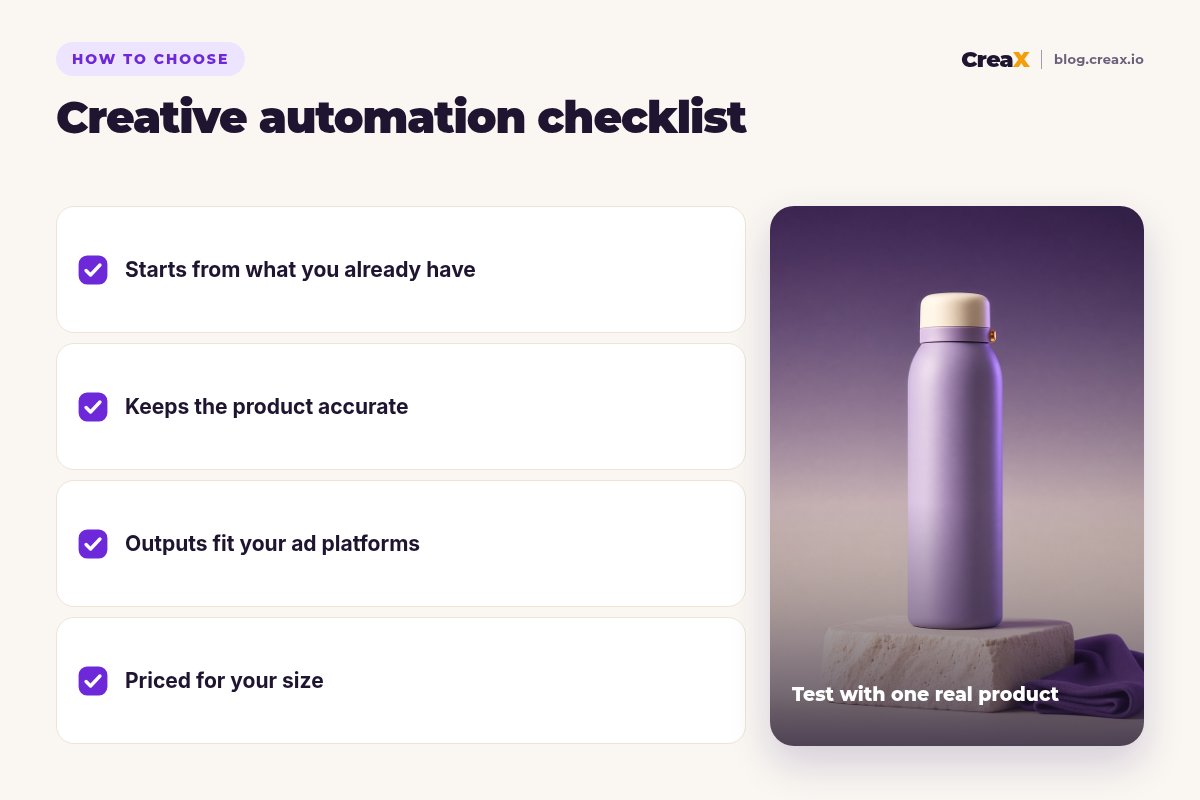
Buyer's checklistHow to choose: 5-question checklist
Every demo looks great. Run one of your own products through your top two or three tools with the same goal and compare the result you could actually publish.
Answer these five before you pay
- ✓What is your input? A product link, a catalog feed, a spreadsheet or master designs. Pick a tool that starts there.
- ✓What do you need out? Statics only, video, catalog ads, or a landing page too. Missing outputs mean extra tools.
- ✓Is the product still accurate? Check shape, color, labels and size in every variation.
- ✓Who will run it? A founder needs self-serve; templates and APIs need a designer or developer; enterprise platforms need a team.
- ✓Do outputs fit your platforms? Feed ads need 1:1 or 4:5, Stories and Reels need 9:16. Our ad creative sizes guide lists them.
★Automate production, not judgment
ExampleWorked example: two stores, two stacks
Imagine two sellers. The first is a small store launching a lavender insulated water bottle next week. The second is a sports retailer with thousands of products already in a Meta catalog. They need different automation:
Store A: generate the launch kit
Store A: test three angles
Store B: brand the catalog
Both: refresh on a schedule
!Keep every automated variation honest
FAQFrequently asked questions
Q.What is creative automation?
Q.What is the difference between creative automation and dynamic product ads?
Q.Does CreaX work with a catalog feed?
Q.How much does CreaX cost?
Ready to automate your next launch?
One product link or image, about 60–120 seconds: studio ads, UGC-style video ads and a landing page for your first test.
This guide is published by CreaX. We describe other tools from their own public websites as of October 2026, avoid invented scores or prices, and recommend checking each vendor's site for current features and plans.