
10 Best AI Video Editors for Ad Creatives
Top 10 · AI video editors 2026
The best AI video editor for ad creatives depends on one question: do you have footage to edit, or do you need ads generated from scratch? This list covers both: nine editors that cut, caption and resize what you film, and one generator that makes UGC-style video ads from a product link. Here's what each is best for and how to pick.
Updated October 2026 · By the CreaX team
Key takeaways
- ✓Editing and generating are different jobs. Editors polish footage you have; generators create ads when you don't.
- ✓CreaX is our top pick when you have no footage: one product link gives you UGC-style video ads, studio creatives and a landing page in about 60–120 seconds.
- ✓For editing, CapCut and Captions are fast for short-form ads; Descript edits by text; Premiere Pro and DaVinci Resolve give full control.
- ✓Many good options have free plans or versions: CapCut, Canva, DaVinci Resolve and others. Start free, pay for speed.
In this guide
TL;DRQuick picks: the best tool for each situation
- Best when you have no footage: CreaX (generates UGC-style video ads from a product link).
- Best free editor for short-form ads: CapCut.
- Best for polishing talking videos: Captions.
- Best browser-based editor: VEED.
- Best for editing by text: Descript.
- Best professional editor: Adobe Premiere Pro or DaVinci Resolve (which has a free version).
- Best for turning long videos into clips: Opus Clip.
- Best template-based video ads: Canva.
- Best quick edits on your phone: InShot.
MethodHow we chose (criteria, no invented scores)
- Ad fit: vertical formats, captions, quick cuts and resizing for Reels, TikTok and feeds.
- Speed: how fast you can go from raw material to a usable ad.
- AI help: auto captions, smart cuts, reframing, or full generation.
- Cost to start: free plan, free version or trial.
iNo invented scores or prices
Comparison tableAll 10 at a glance
| Tool | Type | Best for |
|---|---|---|
| CreaX | Generator | UGC-style video ads, statics and a page from a link |
| CapCut | Editor | Free short-form editing, captions, templates |
| Captions | Editor | AI edits and captions for talking videos |
| VEED | Editor | Browser-based editing and subtitles |
| Descript | Editor | Editing video by editing the transcript |
| Adobe Premiere Pro | Editor | Professional editing with AI tools |
| Opus Clip | Clipper | Long videos into short clips |
| Canva | Editor | Template-based video ads |
| InShot | Mobile editor | Quick edits on your phone |
| DaVinci Resolve | Editor | Pro editing and color, free version |
Based on each company's public information, October 2026.
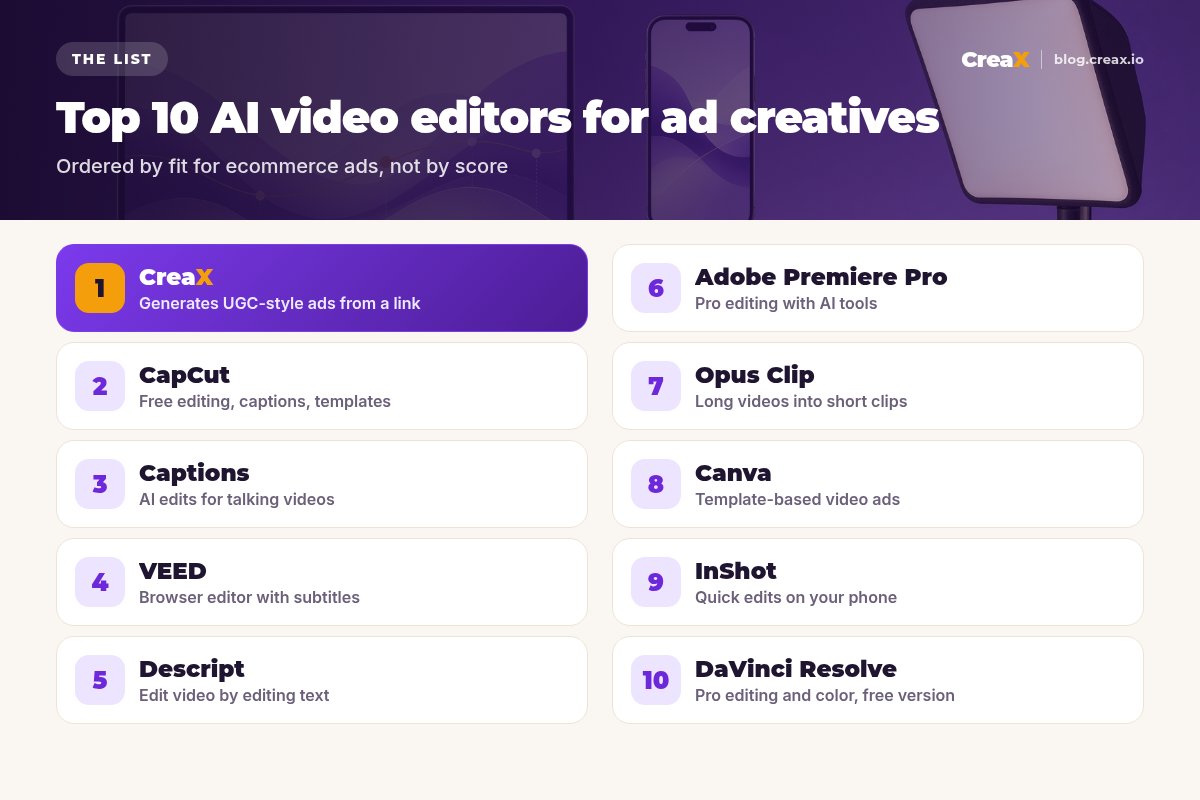
The listThe 10 best AI video editors for ad creatives
CreaX
Best for: UGC-style video ads when you have no footage
Plans: Free ($0, 0 credits), Basic $4.99 (2,000 credits), Standard $14.99 (6,500), Pro $29.99 (14,000), Premium $49.99 (25,000), top-ups $1 per 500 credits. See how CreaX UGC video ads work.
Good for
- No filming or editing needed
- Video, statics and a page from one input
- Fast variations per product
Keep in mind
- Not a timeline editor for your own footage
- AI presenters, not real customers
No footage? Generate your video ads
Paste a product link and get UGC-style video ads, studio creatives and a landing page in about 60–120 seconds. Plans from $4.99 a month.
CapCut
Best for: Free editing, captions and templates for short-form ads
Good for
- Free to start
- Auto captions and templates
- Built for vertical video
Keep in mind
- You need footage to edit
- Editing time adds up across many ads
Website: www.capcut.com
Captions
Best for: AI edits for talking-to-camera videos
Good for
- Fast polish for talking videos
- Captions and translation
- AI avatars
Keep in mind
- Best with your own footage
- Overlaps with CapCut for basics
Website: www.captions.ai
VEED
Best for: Browser-based editing and subtitles
Good for
- No install, works in the browser
- Auto subtitles
- Easy sharing
Keep in mind
- Less control than desktop pro editors
- Check plan limits on the site
Website: www.veed.io
Descript
Best for: Editing video by editing the transcript
Good for
- Edit by text
- Audio clean-up tools
- Great for talking-heavy ads
Keep in mind
- Less suited to fast visual montages
- Learning curve for the workflow
Website: www.descript.com
Adobe Premiere Pro
Best for: Professional editing with AI tools
Good for
- Full professional control
- AI captions and reframing
- Works with other Adobe apps
Keep in mind
- Paid subscription
- Overkill for quick social ads
Website: www.adobe.com/products/premiere.html
Opus Clip
Best for: Turning long videos into short ad clips
Good for
- Clips from long content automatically
- Captions and reframing
- Free plan to try
Keep in mind
- Needs long source videos
- Clips still need an ad hook
Website: www.opus.pro
Canva
Best for: Template-based video ads
Good for
- Huge template library
- Free plan
- Easy for non-editors
Keep in mind
- Template look if not customized
- No UGC-style ads from a link
Website: www.canva.com
InShot
Best for: Quick edits on your phone
Good for
- Fast mobile editing
- Simple to learn
- Free to start
Keep in mind
- Limited for complex edits
- Paid upgrade for some features
Website: inshot.com
DaVinci Resolve
Best for: Pro editing and color grading, with a free version
Good for
- Powerful free version
- Industry-standard color tools
- Full professional control
Keep in mind
- Steep learning curve
- Slow for quick social ads
Spend less time editing, more time testing
CreaX generates UGC-style video ads, studio creatives and a landing page from one product link, so you only edit when you want to.
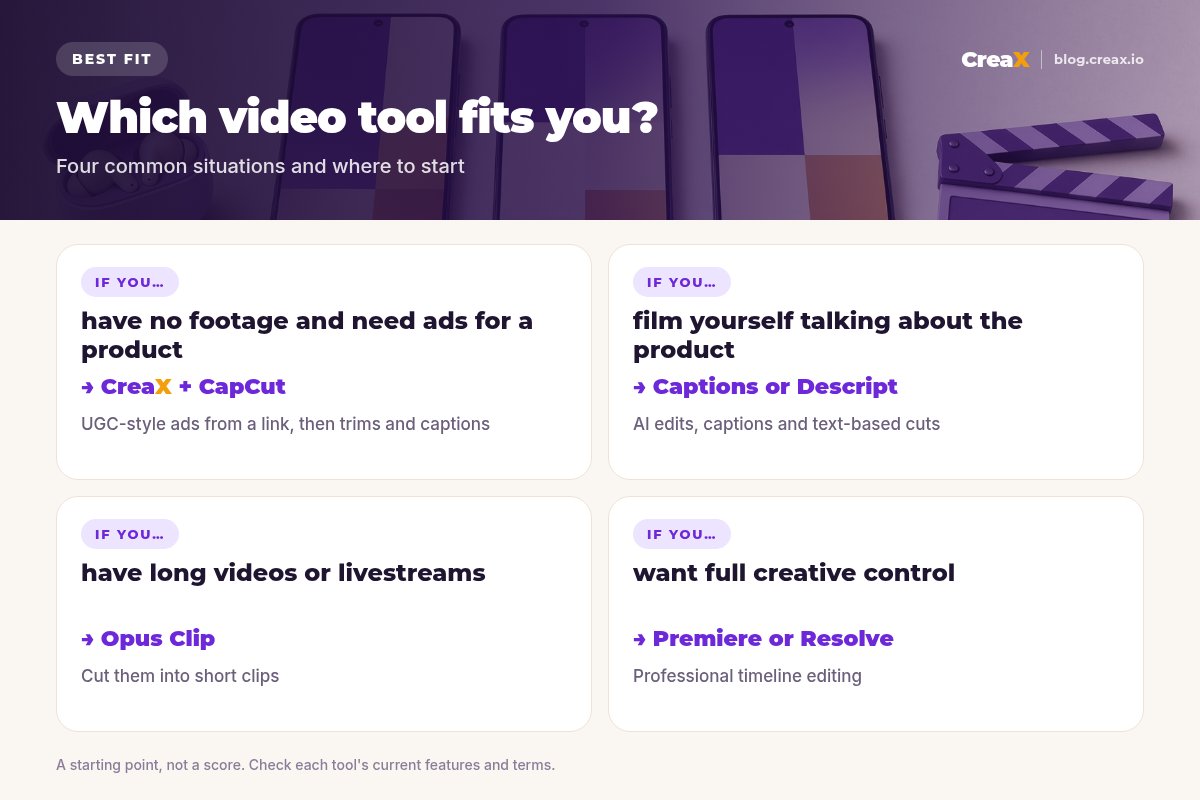
Key questionGenerate or edit: which do you need?
Most sellers pick a video editor first and then discover they don't have footage to edit. Ask yourself:
| Your situation | What you need | Start with |
|---|---|---|
| No footage, many products to test | Generation | CreaX, then CapCut for tweaks |
| You film yourself or creators send clips | Fast editing | Captions, CapCut or Descript |
| You have long videos or livestreams | Clipping | Opus Clip |
| You need brand-level polish | Pro editing | Premiere Pro or DaVinci Resolve |
A starting point, not a rule.
Whichever route, keep ads short and front-load the hook. Our guides on how long a video ad should be and hook rate cover what to measure. If you're wondering whether AI video works for your category, see do AI video ads work for ecommerce.
ChooseHow to choose: 5 questions
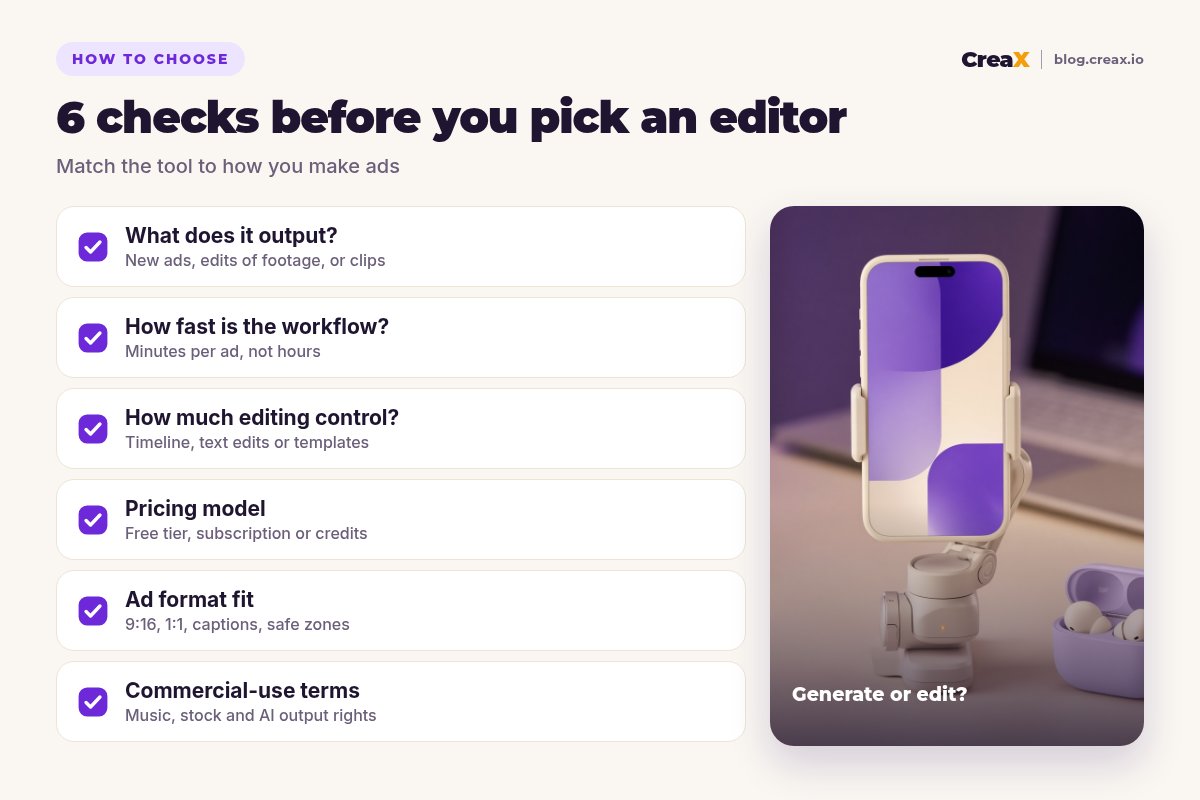
Before you pick a video tool
- ✓Do you have footage, or do you need ads generated?
- ✓How many ads per week do you need to produce?
- ✓Do you need full timeline control, or are templates enough?
- ✓Does it export vertical, square and 4:5 with captions?
- ✓Can you use the music, stock and AI output in paid ads?
ExampleWorked example: a small-budget video stack
Say you sell wireless earbuds and test new angles every week, with no time to film. A lean stack:
Generate
Tweak
Clip
Launch
Iterate
⚖Where editors beat CreaX
FAQFrequently asked questions
Q.What is the best AI video editor for ads?
Q.Is there a free AI video editor for ads?
Q.Is CreaX a video editor?
Q.Can I edit CreaX videos in CapCut?
Q.What length should a video ad be?
Q.Do I need Premiere Pro for social ads?
Ready to make your next video ad?
One product link, about 60–120 seconds: UGC-style video ads, studio creatives and a landing page from the same product story.
This guide is published by CreaX. We describe other tools from their own public websites as of October 2026, avoid invented scores or prices, and recommend checking each vendor's site for current features and plans.