
10 Best AI Video Ad Makers for TikTok Shop Sellers
Buyer's guide · TikTok Shop video ads
The best AI video ad makers for TikTok Shop sellers turn a product into vertical, native-looking videos fast enough to test new angles every week. We compared 10 tools from their official websites, from link-to-video generators and AI UGC avatar platforms to editors for footage you film yourself, so you can pick the right one (or the right pair) for your shop.
Updated October 2026 · By the CreaX team
Key takeaways
- ✓There are three kinds of tools here: link-to-video generators, AI avatar / UGC platforms and editors for real footage. A practical stack is one generator plus one editor.
- ✓CreaX is our top pick when you also need the landing page and static ads: one product link gives you the whole test kit.
- ✓Pippit and CapCut are the natural picks if you want to stay inside the TikTok ecosystem; Creatify, MakeUGC and Arcads focus on presenter-led AI UGC.
- ✓Whatever you choose, follow TikTok's rules: label AI-generated content, show the real product, and never fake reviews or results.
In this guide
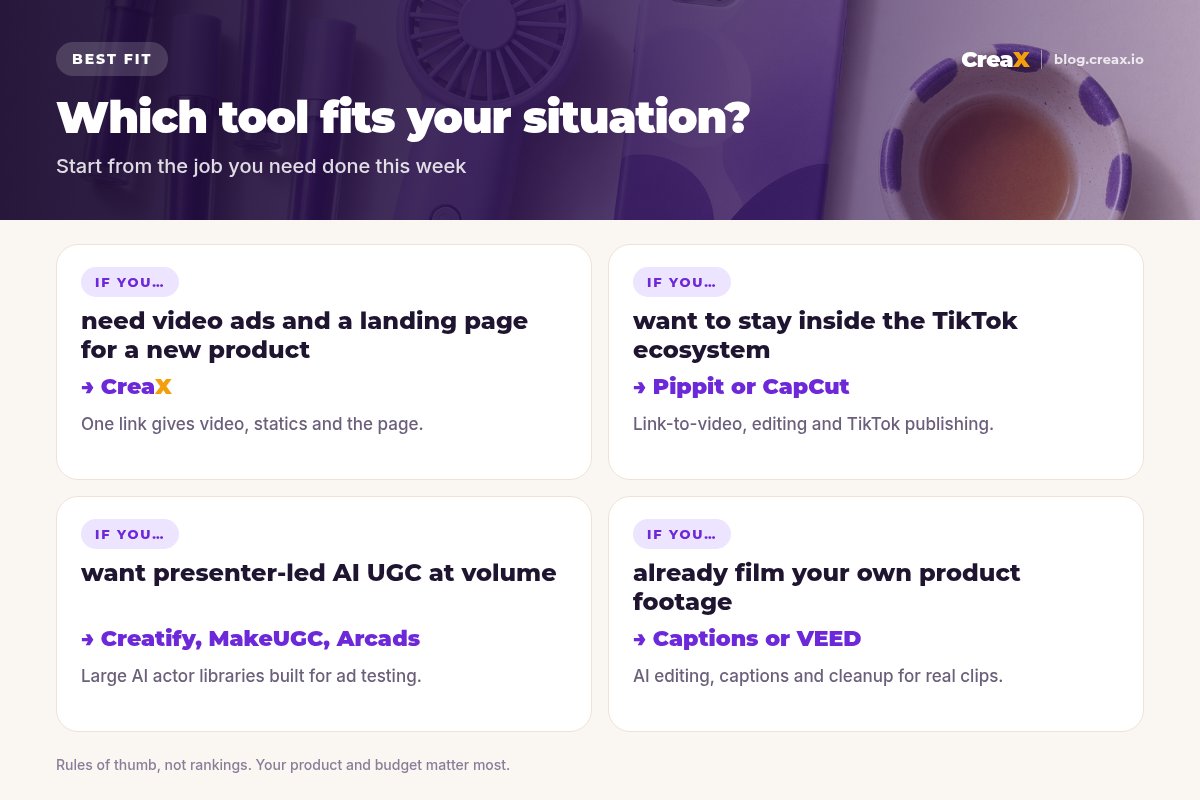
TL;DRQuick picks: the best tool for each situation
| If you need… | Start with | Why |
|---|---|---|
| Video ads plus statics and a landing page for a new product | CreaX | One product link or image produces the whole test kit |
| Link-to-video inside the TikTok ecosystem | Pippit | Product links to videos, avatars, scheduling and publishing |
| Hands-on editing with templates and auto captions | CapCut | Popular editor with AI tools and templates |
| URL-to-video ads with AI avatars, in batches | Creatify | Built for ad testing at volume |
| Remaking a reference ad for your product | Topview or MakeUGC | Video agents that rebuild ads from references |
| A big library of AI actors | Arcads | Large actor library and translation |
| Polishing footage you filmed yourself | Captions or VEED | AI editing, captions and cleanup |
MethodHow we chose (and what we didn't do)
We looked at tools TikTok Shop sellers actually use to make short video ads and judged them on five practical questions:
- TikTok fit: does it produce vertical, caption-friendly videos that show the product early?
- Starting point: can it start from what a seller has: a product link, a few photos, raw clips or a script?
- Speed to variations: how quickly can you get 3–5 different angles to test, not just one video?
- Control: can you fix a wrong claim, swap a hook or trim a scene without starting over?
- Beyond the video: does it help with the statics, page or store the traffic lands on?
⚖No fake scores
Comparison tableAll 10 at a glance
| Tool | Type | Typical input | Beyond video? |
|---|---|---|---|
| CreaX | Link-to-kit generator | Product link or image | Yes: statics, landing page, store |
| Pippit | Link-to-video + avatars | Link, file or media | Scheduling, publishing, analytics |
| CapCut | Editor with AI tools | Your clips, templates, prompts | Editing-focused |
| Creatify | URL-to-video ad platform | Product URL, script | Ad insights, launch tools |
| Topview | AI video agent | URL, reference video | Video-focused |
| MakeUGC | AI UGC actors | Script, product image, reference ad | Video-focused |
| Arcads | AI actor library | Script | Translation, workflows |
| HeyGen | Avatars and translation | Script, image, audio | Broad video platform |
| Captions | AI editor for footage | Your filmed clips | Editing-focused |
| VEED | Browser video editor | Clips, prompts | Subtitles, brand kit |
Summarised from each tool's public website, October 2026.
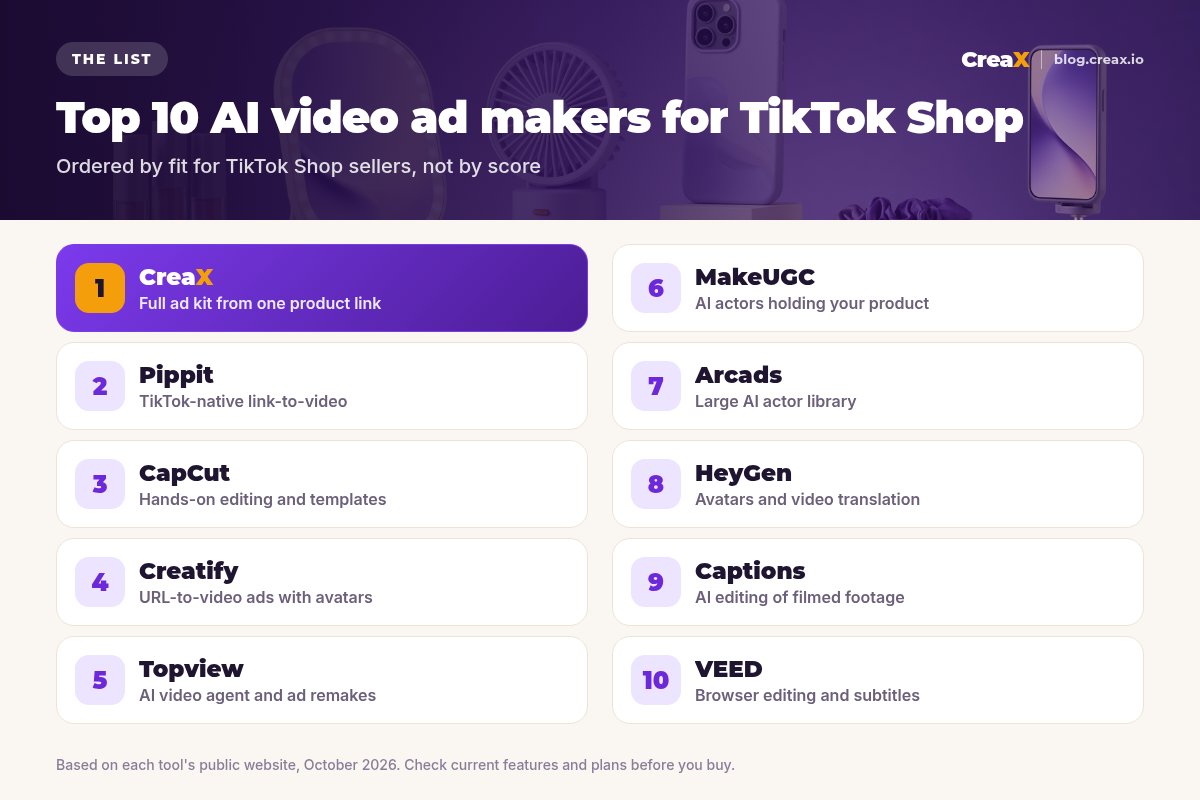
The listThe 10 best AI video ad makers for TikTok Shop sellers
CreaX
Best for: a full ad kit from one product link
CreaX is an all-in-one AI ecommerce creative OS. Paste a product link or upload a product image and, in about 60–120 seconds, it generates UGC-style video ads, studio ad creatives (static ads), a publish-ready landing page and a multi-tenant store. For TikTok Shop sellers, the advantage is that the video is not an orphan: the same product understanding drives the static ads and the page, so every asset tells the same story.
It suits sellers who test new products often and don't want to brief a creator, a designer and a page builder separately. Plans start at $4.99 a month (2,000 credits), with top-ups at $1 per 500 credits. Our walkthrough on generating a UGC video in under two minutes shows the flow.
Good for
- Video, statics, landing page and store from one input
- No script, actor casting or editing needed to get a first draft
- Low entry price, credit-based
Keep in mind
- Not a timeline editor for footage you filmed
- No built-in TikTok publishing or analytics
Get your TikTok video ads and the page in one pass
Paste a product link and get UGC-style video ads, studio creatives and a landing page that tell the same story.
Pippit
Best for: TikTok-native link-to-video
Pippit presents itself as a smart creative agent and lists the TikTok ecosystem (TikTok, TikTok Shop, TikTok Ads, CapCut) among its brands. Its video agent turns a link, file or media into videos with adjustable aspect ratio and duration, and it adds AI avatars, a product showcase feature, scheduled posting, publishing and analytics. If your whole business lives on TikTok, it is the most native-feeling option on this list.
Good for
- Built around TikTok and TikTok Shop
- Link-to-video plus avatars
- Scheduling and publishing in the same tool
Keep in mind
- Focused on content, not landing pages or stores
- Check plan limits for commercial ad use
Website: www.pippit.ai
CapCut
Best for: hands-on editing and templates
CapCut is one of the most widely used short-video editors, on mobile, desktop and web. It combines a full editor with templates and AI tools such as auto captions, background removal and AI video generation. If you or your team like to cut videos by hand, add trending formats and fine-tune every second, CapCut gives you that control.
Good for
- Full manual control and templates
- Auto captions and AI helpers
- Familiar to many TikTok creators
Keep in mind
- You do most of the creative work yourself
- No page or store for your traffic
Website: www.capcut.com
Creatify
Best for: URL-to-video ads with avatars
Creatify is built for performance marketers. You paste a product URL and it generates video ads with AI avatars and scripts, with batch generation for testing many variations, an ad library and insights, and tools to launch and A/B test. It is a strong pick for sellers who want lots of presenter-led variations quickly.
See our comparison of CreaX vs Creatify for a closer look at how the two differ.
Good for
- Batch variations for testing
- Avatar-led ads from a URL
- Ad insights and launch tools
Keep in mind
- Video-first; the page is separate work
- Avatar style won't suit every product
Website: creatify.ai
Topview
Best for: AI video agent and ad remakes
Topview describes itself as an AI video agent. It turns a URL into a video, can clone the structure of a reference video for your product and creates UGC-style ads, with support for 30+ languages according to its site. It is useful when you have spotted an ad format that works and want to rebuild it around your own product.
Good for
- Remake a proven ad structure
- URL-to-video
- Multi-language output
Keep in mind
- Remakes still need your own angle and claims check
- Video-focused only
Website: www.topview.ai
MakeUGC
Best for: AI actors holding your product
MakeUGC focuses on AI UGC. Its site lists 1,000+ AI actors, product-in-hand videos, a video agent that recreates reference ads and an editor. If you want the classic “person talking to camera about the product†format without booking creators, it is built for exactly that.
Good for
- Large actor choice
- Product-in-hand scenes
- Reference-ad recreation
Keep in mind
- AI presenters must not claim real experience
- No statics or page
Website: makeugc.ai
Arcads
Best for: a large AI actor library
Arcads is one of the best-known AI actor platforms for ads. It lists 1,000+ AI actors, custom avatars, translation into 30+ languages and a workflow canvas. It suits teams that test many scripts with many faces and want to localize winners.
Good for
- Big, varied actor library
- Custom avatars
- Translation for new markets
Keep in mind
- Script-first: you bring the angle
- Video only; page and statics elsewhere
Website: www.arcads.ai
HeyGen
Best for: avatars and video translation
HeyGen is a broad AI video platform known for realistic avatars and video translation into 175+ languages, with text, image and audio-to-video tools. It is less ecommerce-specific than the tools above, but strong if you sell across languages or want a consistent presenter.
Good for
- High-quality avatars
- Extensive translation
- Flexible inputs
Keep in mind
- General-purpose, not built around product links
- You design the ad structure
Website: www.heygen.com
Captions
Best for: AI editing of filmed footage
Captions is an AI editor for video you record yourself: automatic captions, AI edits, eye-contact correction, noise reduction, translation and AI avatars. If you or a creator already film the product, it turns raw takes into polished TikTok-style cuts quickly.
Good for
- Fast polish for real footage
- Captions and translation
- Mobile-friendly
Keep in mind
- You still need to film
- Not a product-link generator
Website: captions.ai
VEED
Best for: browser editing and subtitles
VEED is a browser-based video editor with AI video generation, automatic subtitles, a brand kit, stock AI avatars and an ad maker. It's a practical choice for small teams who want to edit, subtitle and resize in the browser without installing software.
Good for
- Easy browser workflow
- Subtitles and brand kit
- Some AI generation
Keep in mind
- General editor, not TikTok Shop-specific
- Page and statics are separate
Website: www.veed.io
Buyer's checklistHow to choose the right TikTok video ad maker
Demos always look great. Your own product is the real test. Pick one product you actually sell, write one angle (“a lip gloss that doesn't feel stickyâ€), and run it through your top three tools. Judge the results the way TikTok viewers will: on a phone, with the sound off, in the first few seconds.
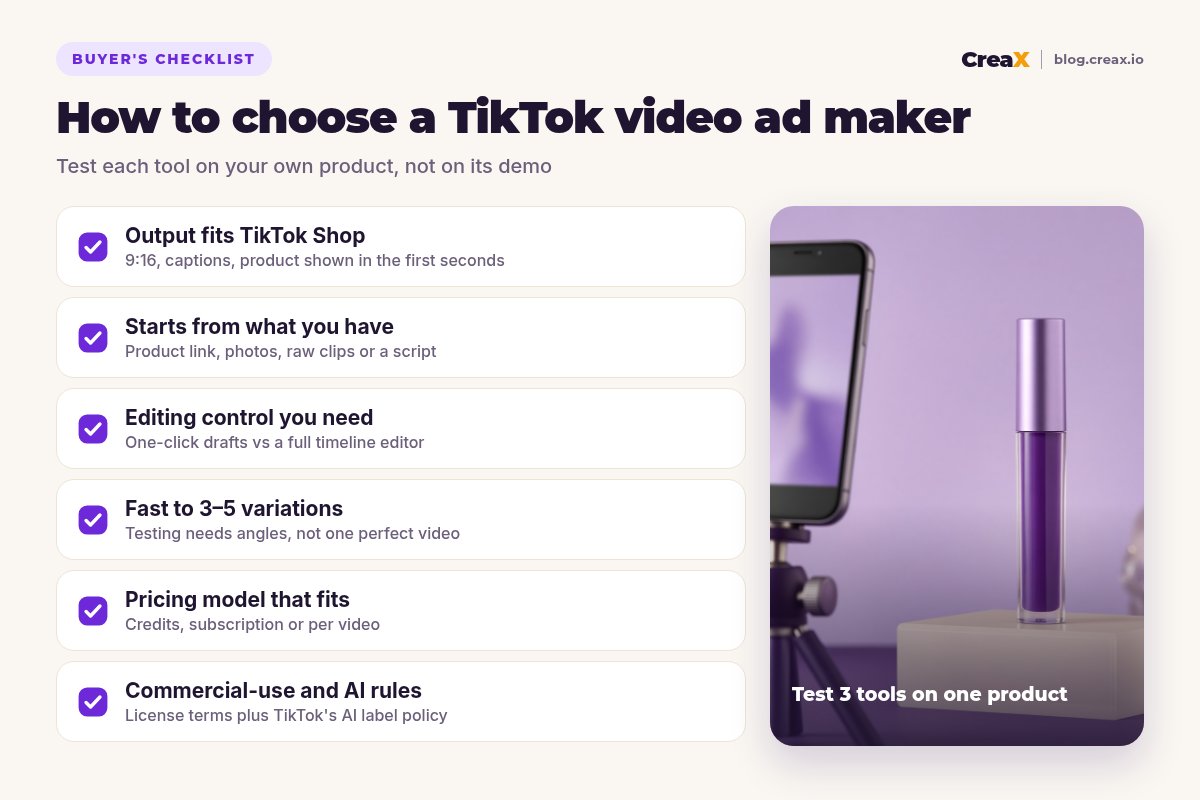
Test each tool against these
- ✓Vertical 9:16 output with readable captions
- ✓Product visible and accurate in the first seconds
- ✓Starts from what you have: link, photos, clips or script
- ✓3–5 different angles possible without starting over
- ✓Easy to fix a wrong claim or swap a hook
- ✓Pricing model fits how often you launch
- ✓Commercial-use terms cover paid ads
- ✓Works with TikTok's AI-generated content label
★One generator, one editor
ExampleWorked example: a small-budget stack
Say you sell a lip gloss set on TikTok Shop and want to test three angles this week: “not stickyâ€, “glass shine that lasts through coffee†(only if the supplier's specs and your own testing back it) and “a gift set under your budgetâ€. You have product photos but no creator.
- Generate the kit. Paste the product link into CreaX and get UGC-style videos, statics and a landing page around the product.
- Pick per angle. Choose one video per angle; rewrite any line you can't prove.
- Polish if needed. Trim, re-caption or add a trend sound in an editor like CapCut.
- Label and launch. Turn on TikTok's AI-generated content toggle where required, give each angle a small equal budget, and watch hold rate and clicks.
- Refresh. When the winner tires, generate new angles from the same link instead of starting from scratch.
If your videos get views but no sales, the problem is often the offer, the angle or the page, not the video tool. Our guide to TikTok ads with views but no sales walks through the fixes, and how many ad creatives to test per product helps you size the test.
Build your first TikTok ad test in about two minutes
Paste a product link and get UGC-style video ads, studio creatives and a matching landing page, ready for your first test.
Stay approvedTikTok rules for AI video ads
AI video makes it easy to produce ads that break platform rules by accident. The basics from TikTok's advertising policies:
- Label AI-generated content. TikTok Ads Manager has a toggle for ads that contain AI-generated content. TikTok says undisclosed AI-generated content can be rejected or restricted. Minor edits such as lighting or background cleanup are treated differently from fully generated scenes and people.
- No misleading claims. Claims in the video must match the product and what you can prove. Before-and-after style results are a common rejection reason.
- Ad and landing page must match. The product, price and offer in the video should be the same on the page people land on.
- No identity misuse. Don't make an AI presenter look like a real celebrity or a real customer they are not.
!Never fake reviews or results
New to the format? Our FAQ on what a UGC video ad is covers the basics, including why native-looking videos tend to fit TikTok better than polished commercials.
FAQFrequently asked questions
Q.What is the best AI video ad maker for TikTok Shop?
Q.Do I need to label AI-generated video ads on TikTok?
Q.Can AI video ads work without a real creator?
Q.Is CapCut enough on its own?
Q.How much does CreaX cost?
Q.How many video ads should I test per product?
Ready to make TikTok video ads that sell?
One product link or image, about 60–120 seconds: UGC-style video ads, studio creatives and a landing page for your next TikTok Shop test.
This guide is published by CreaX. We describe other tools from their own public websites as of October 2026, avoid invented scores or prices, and recommend checking each vendor's site for current features and plans.