
10 Best AI Tools for TikTok Shop Sellers in 2026
Top 10 · TikTok Shop tools 2026
The best AI tools for TikTok Shop sellers cover three jobs: making enough short videos, knowing what's selling, and getting affiliates to post about your products. Here are the 10 tools we'd look at in 2026, what each one is actually for, and how to build a small stack that covers all three jobs without overlap.
Updated October 2026 · By the CreaX team
Key takeaways
- ✓TikTok Shop runs on content volume, product and creator data and affiliates. Pick one tool per job.
- ✓CreaX is our top pick for content: one product link gives you UGC-style video ads, studio creatives and a landing page in about 60–120 seconds.
- ✓Kalodata and FastMoss are TikTok Shop data tools; Euka and Reacher handle affiliate creator outreach.
- ✓Free options matter: TikTok Creative Center for trends and top ads, and the free tiers of CapCut, Captions and Canva.
In this guide
TL;DRQuick picks: the best tool for each situation
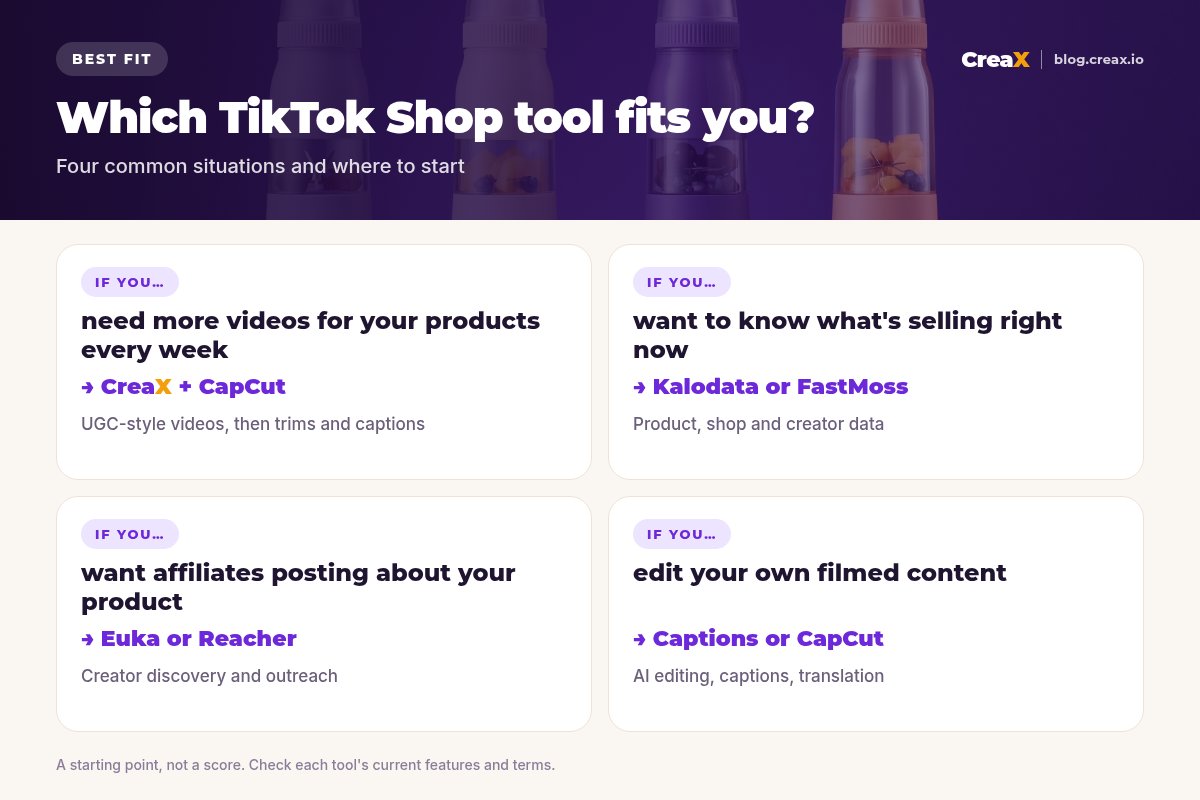
- Best for UGC-style videos and pages from a product link: CreaX.
- Best for TikTok Shop product and creator data: Kalodata or FastMoss.
- Best AI video and image agent: Pippit.
- Best free video editor: CapCut.
- Best free trend and top-ads research: TikTok Creative Center.
- Best for affiliate creator outreach: Euka or Reacher.
- Best for editing your own talking videos: Captions.
- Best for thumbnails and quick graphics: Canva.
MethodHow we chose (criteria, no invented scores)
We looked at tools a TikTok Shop seller would actually use every week, and judged them on:
- Job fit: does it solve one of the three TikTok Shop jobs (content, data, affiliates) well?
- Speed: TikTok rewards frequent posting, so minutes per asset matter.
- TikTok Shop focus: is it built for Shop data, affiliates or short-form video?
- Cost to start: free tier, trial or a low entry plan.
iNo invented scores or prices
Comparison tableAll 10 at a glance
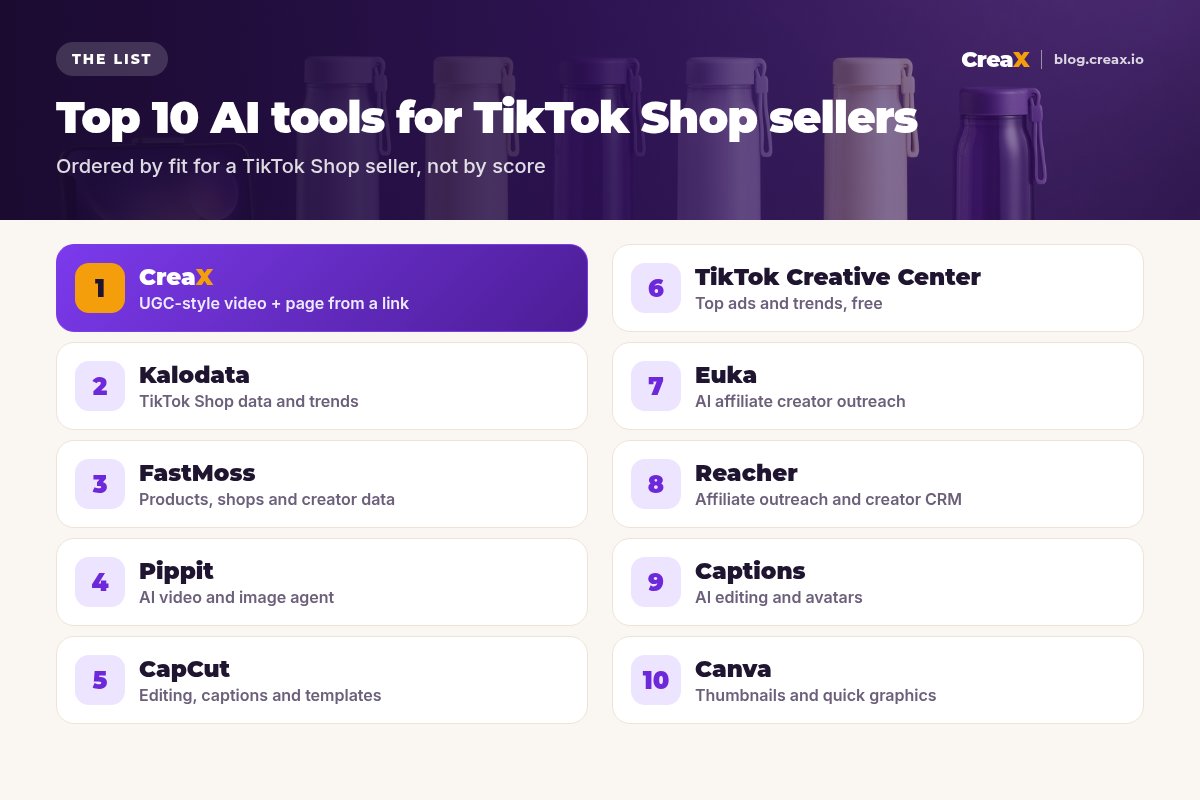
| Tool | Job | Best for |
|---|---|---|
| CreaX | Content | UGC-style video, statics and a page from a link |
| Kalodata | Data | TikTok Shop products, creators, videos, livestreams |
| FastMoss | Data | Winning products, competitor shops, creators |
| Pippit | Content | AI video and image agent |
| CapCut | Content | Editing, captions and templates |
| TikTok Creative Center | Research | Top ads and trends |
| Euka | Affiliates | AI creator discovery and outreach |
| Reacher | Affiliates | Outreach, creator CRM and campaigns |
| Captions | Content | AI editing, captions and avatars |
| Canva | Content | Thumbnails and quick graphics |
Based on each company's public website, October 2026.
The listThe 10 best AI tools for TikTok Shop sellers
CreaX
Best for: UGC-style video ads, statics and a page from a product link
Plans: Free ($0, 0 credits), Basic $4.99 (2,000 credits), Standard $14.99 (6,500), Pro $29.99 (14,000), Premium $49.99 (25,000), with top-ups at $1 per 500 credits. See how to make a TikTok Shop video ad from a product link.
Good for
- Video, statics and page from one input
- Many angles per product, fast
- Low entry price, credit-based
Keep in mind
- Not a TikTok Shop analytics or affiliate tool
- AI presenters, not real customers
Your next TikTok Shop video, from a product link
Paste a product link and get UGC-style video ads, studio creatives and a landing page in about 60–120 seconds. Plans from $4.99 a month.
Kalodata
Best for: TikTok Shop product, creator and video data
Good for
- Built specifically for TikTok Shop
- Products, creators, videos and livestreams
- Market and competitor research
Keep in mind
- Data, not content creation
- Paid plans for full use; check the site
Website: www.kalodata.com
FastMoss
Best for: Winning products, competitor shops and creator data
Good for
- Product and shop research
- Creator data for affiliate planning
- TikTok-focused
Keep in mind
- Research only, no content
- Overlaps with Kalodata; pick one
Website: www.fastmoss.com
Pippit
Best for: AI video and image agent
Good for
- Video and image in one place
- Starts from a link or your media
- Image tools included
Keep in mind
- Broad tool; less focused on landing pages
- Check plans and limits on the site
Website: www.pippit.ai
CapCut
Best for: Free video editing, captions and templates
Good for
- Free to start
- Auto captions and templates
- Built for short-form video
Keep in mind
- You need footage or a video to edit
- Editing time adds up across products
Website: www.capcut.com
TikTok Creative Center
Best for: Free top ads and trend research
Good for
- Free
- TikTok-native ad styles
- Trend and hook ideas
Keep in mind
- Inspiration, not production
- Trends move fast
Euka
Best for: AI affiliate creator discovery and outreach
Good for
- Built for TikTok Shop affiliates
- Outreach and sampling in one place
- Free trial
Keep in mind
- Affiliates only, no content creation
- Results depend on your offer and product
Website: www.euka.ai
Reacher
Best for: Affiliate outreach, creator CRM and campaigns
Good for
- Creator CRM and campaigns
- AI discovery and outreach
- TikTok Shop partner
Keep in mind
- Overlaps with Euka; pick one
- Check plans on the site
Website: www.reacher.app
Captions
Best for: AI editing for your own talking videos
Good for
- Fast AI edits for talking videos
- Auto captions and translation
- AI avatars
Keep in mind
- Best with your own footage
- Overlaps with CapCut for basic edits
Website: www.captions.ai
Canva
Best for: Thumbnails, covers and quick graphics
Good for
- Huge template library
- Free plan
- Easy for non-designers
Keep in mind
- You design each asset yourself
- No UGC-style videos from a link
Website: www.canva.com
Keep your TikTok Shop posting every day
CreaX turns each product link into UGC-style videos, studio creatives and a landing page, so you have new content for every product.
ChooseHow to choose: a 5-question checklist
Before you add a TikTok Shop tool
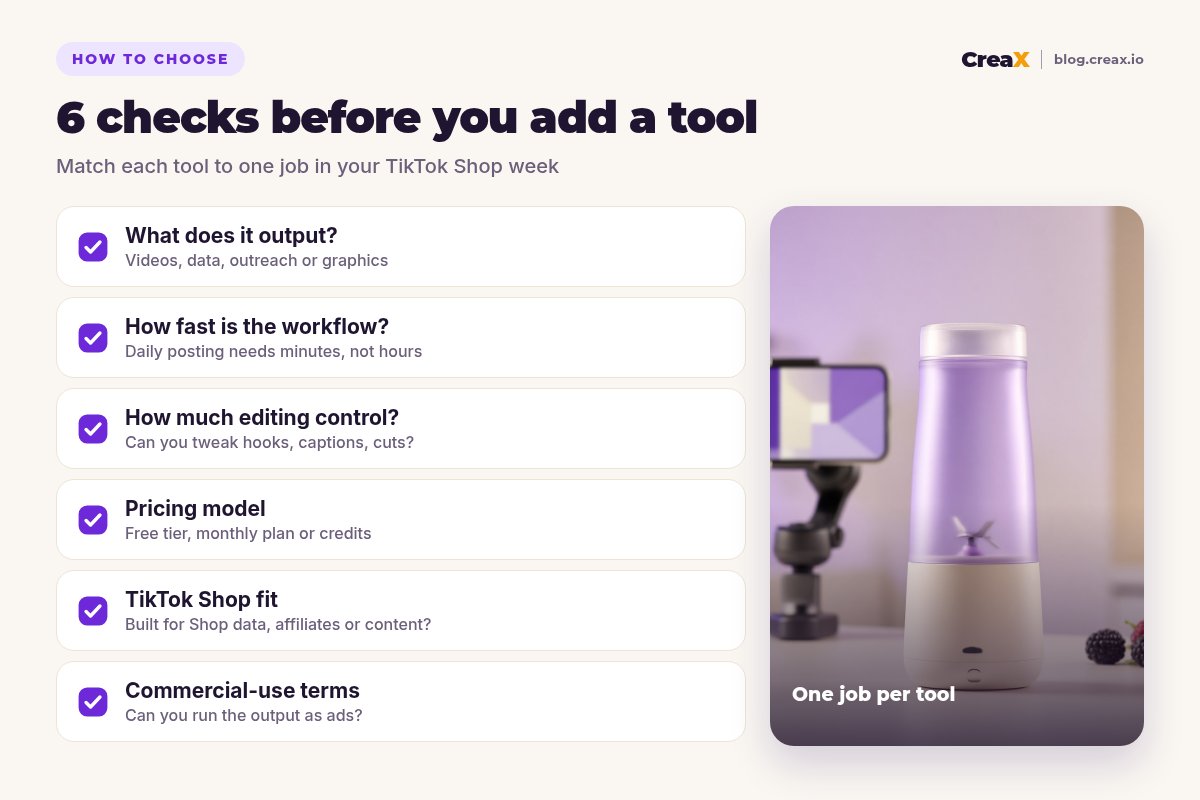
- ✓Which job is slowing you down most: content, data or affiliates?
- ✓Will this tool replace something, or overlap with a tool you already pay for?
- ✓How many minutes does it take per product or per creator?
- ✓Is there a free tier or trial to test it on one product first?
- ✓Can you use the output commercially, including as paid ads?
Most sellers need one tool from each column. If your videos get views but no sales, the problem may be the offer or the page rather than the tool; see TikTok ads with views but no sales.
ExampleWorked example: a small-budget stack
Say you're launching a portable blender on TikTok Shop with a small budget. A lean stack:
Research for free
Produce the content
Finish in CapCut
Recruit affiliates
Review weekly
⚖Where other tools beat CreaX
RoutineA weekly TikTok Shop workflow
- Monday: research. Check Creative Center and your data tool for trends and competitor videos.
- Tuesday: produce. Generate new UGC-style videos for each product's best angle in CreaX; see product demo videos without filming.
- Wednesday to Friday: post and edit. Post daily, adjusting captions in CapCut or Captions.
- Ongoing: affiliates. Send samples and follow up through Euka or Reacher.
- Weekend: review. Keep what drove sales, drop what didn't, and plan next week's angles.
FAQFrequently asked questions
Q.What is the best AI tool for TikTok Shop sellers?
Q.Are there free TikTok Shop tools?
Q.Do I need both Kalodata and FastMoss?
Q.Can AI videos replace affiliate creators?
Q.Can I use CreaX videos on TikTok Shop?
Q.How many tools should a new TikTok Shop seller start with?
Ready to fill your TikTok Shop with videos?
One product link, about 60–120 seconds: UGC-style video ads, studio creatives and a landing page from the same product story.
This guide is published by CreaX. We describe other tools from their own public websites as of October 2026, avoid invented scores or prices, and recommend checking each vendor's site for current features and plans.