
10 Best AI Tools for Social Media Managers at Ecommerce Brands
Top 10 · Social media teams
The best AI tools for social media managers at ecommerce brands save time on four jobs: creating content, editing video, scheduling posts and reporting results. No single tool does all four well. Here are the 10 we would look at in 2026, what each one is genuinely good at, and how to build a lean stack for a busy ecommerce social calendar.
Updated October 2026 · By the CreaX team
Key takeaways
- ✓Social media managers at ecommerce brands juggle creation, video, scheduling and reporting. Pick one strong tool per job instead of one tool that does everything averagely.
- ✓Pick CreaX when you need product ads, UGC-style videos and a landing page from one product link, for launches and paid social.
- ✓Pick Canva for everyday branded posts, Buffer, Later or Metricool for scheduling, Hootsuite or Sprout Social for larger teams with inboxes and reporting.
- ✓Use CapCut and Opus Clip for short-form video editing and clipping, and ChatGPT for captions, ideas and briefs, always checked by a human.
In this guide
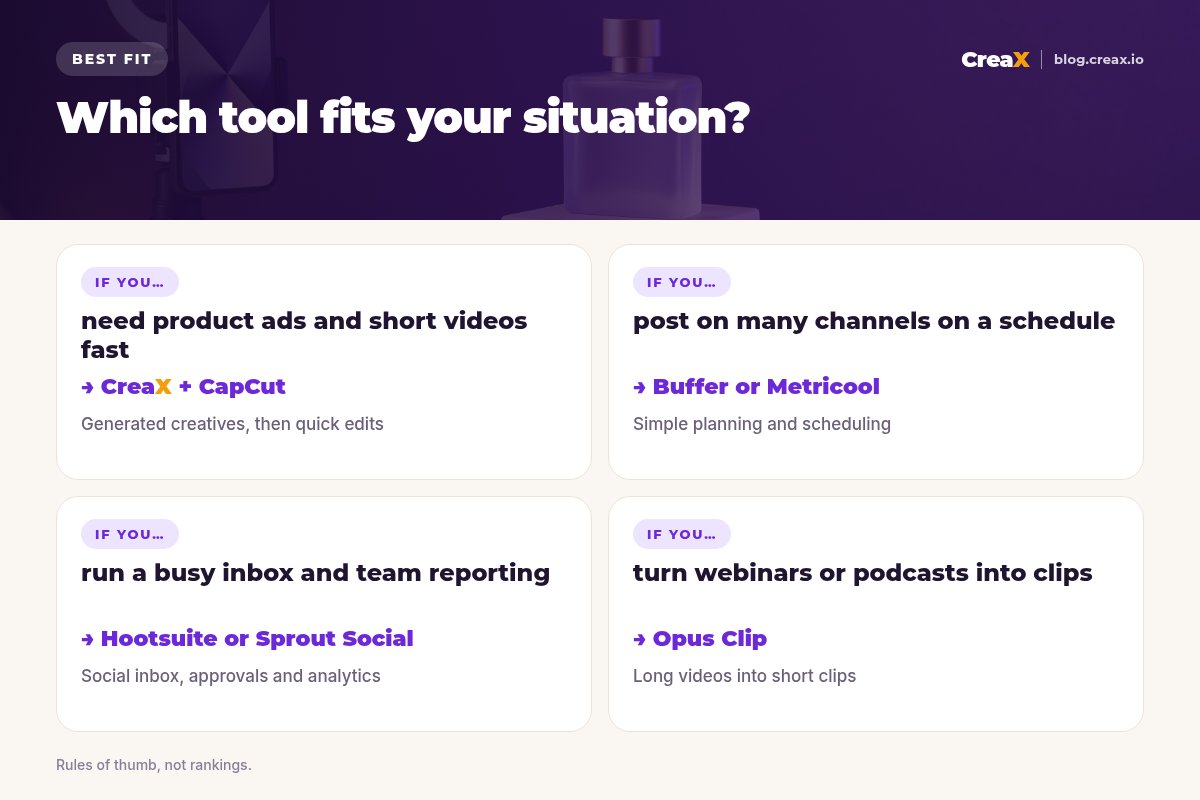
TL;DRQuick picks: the best tool for each situation
| If you need… | Start with | Why |
|---|---|---|
| Product ads, UGC-style videos and a page for a launch | CreaX | One product link becomes a full creative kit |
| Branded posts, Stories and carousels every day | Canva | Templates, brand kits and AI editing |
| Simple scheduling across many channels | Buffer | Clean planner, AI assistant, free plan |
| Instagram-first planning plus creators | Later | Scheduling, Link in Bio and influencer tools |
| A full suite for a larger team | Hootsuite or Sprout Social | Publishing, inbox, listening and reporting |
| Organic and paid results in one dashboard | Metricool | Planning, analytics and ads reporting |
| Short videos and clips from long content | CapCut + Opus Clip | Quick edits, captions and AI clipping |
MethodHow we chose (criteria, no invented scores)
We looked at tools that ecommerce social teams actually use, and judged them on five questions:
- Job fit: does it clearly solve one of the four jobs (create, edit video, schedule, report)?
- Ecommerce fit: does it help with product content, launches and paid social, not just generic posting?
- Time saved: does the AI remove real steps, or just add a button?
- Team fit: does it work for a solo manager and a small team with approvals?
- Pricing model: is there a free plan or trial to test it on your own content?
⚖No fake ratings
Comparison tableAll 10 at a glance
| Tool | Job | Best for | Free option? |
|---|---|---|---|
| CreaX | Create (ads) | Product ads, UGC-style videos, landing pages | Free plan to look around; paid from $4.99 |
| Canva | Create (design) | Branded posts and templates | Check canva.com |
| Buffer | Schedule | Simple multi-channel planning | Free plan, per its site |
| Later | Schedule + creators | Instagram planning, Link in Bio, influencers | Check later.com |
| Hootsuite | Suite | Publishing, inbox, listening | Free trial, per its site |
| Sprout Social | Suite | Engagement and reporting at scale | Free trial, per its site |
| Metricool | Schedule + report | Planning plus organic and ads data | Free account, per its site |
| CapCut | Edit video | Quick short-form edits | Check capcut.com |
| Opus Clip | Edit video | Clipping long videos into shorts | Check opus.pro |
| ChatGPT | Create (text) | Captions, ideas and briefs | Check openai.com |
Summarised from each tool's public website, October 2026. Plans change, so confirm on each site.
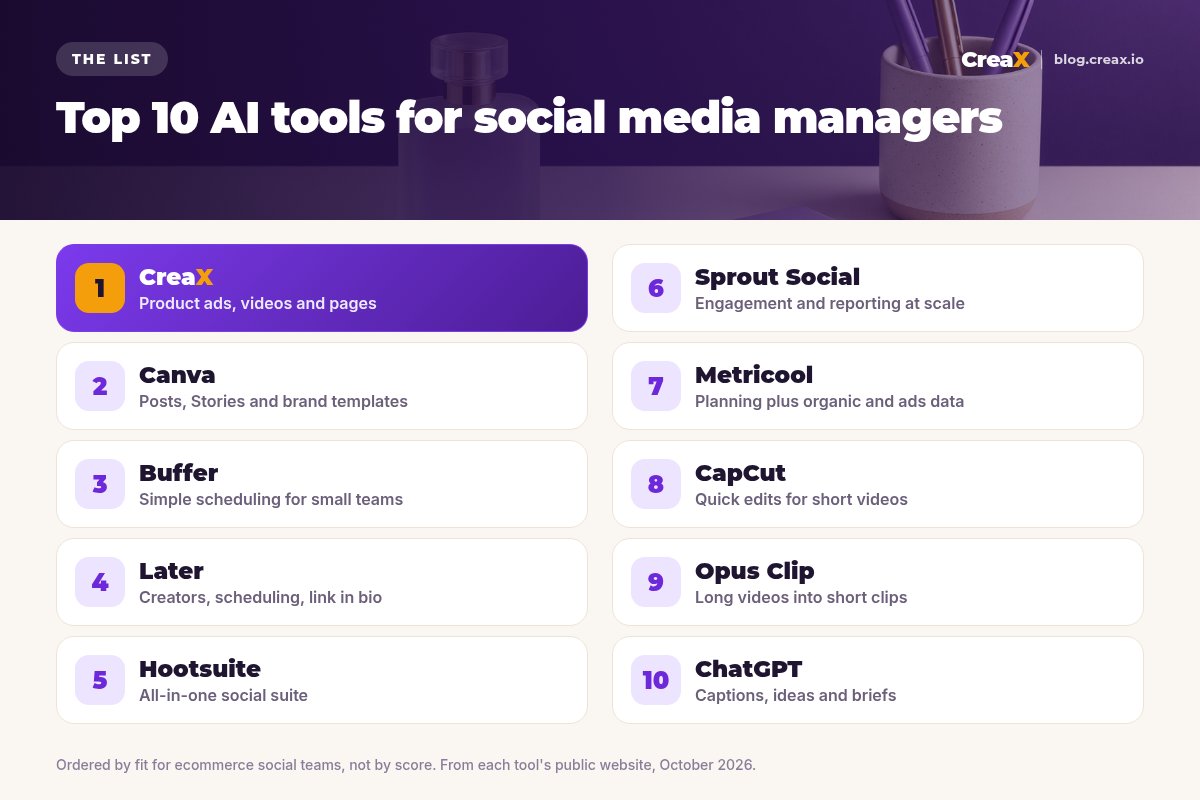
The listThe 10 best AI tools for social media managers
CreaX
Best for: product ads, UGC-style videos and launch pages
CreaX is an all-in-one AI ecommerce creative OS. Paste a product link or upload a product image and, in about 60–120 seconds, it generates studio ad creatives, UGC-style video ads, a publish-ready landing page and a multi-tenant store. For a social media manager, that covers the hardest part of a launch: making enough good product creative for organic posts and paid social at the same time.
Static ads come in five styles (Classic, Humble Orbit, Punch, Luxe and Meta Feed) and four sizes (1:1, 3:4, 4:5 and 9:16), so one generation covers feed, Stories and Reels. Videos run 18, 30 or 45 seconds. creax.io lists 40+ languages and 160+ target countries. Plans start at $4.99 a month. See our guide to ecommerce ad creative sizes.
Good for
- Product creatives for organic and paid from one input
- All four ad sizes in one pass
- Landing page that matches the ads
Keep in mind
- Not a scheduler or analytics tool
- Not built for non-product content like memes or event recaps
Canva
Best for: branded posts, Stories and templates
Canva is a design platform with a huge template library, brand kits and AI editing tools. For social teams, it is the everyday workhorse for carousels, Stories, announcements and sale graphics, and it is easy for non-designers to use.
Good for
- Templates for every social format
- Brand kits keep posts consistent
- Easy for the whole team
Keep in mind
- You design each post yourself
- No landing pages from a product (see CreaX vs Canva)
Website: www.canva.com
Buffer
Best for: simple scheduling for small teams
Buffer plans and schedules posts across channels including Instagram, Facebook, TikTok, LinkedIn, YouTube, Pinterest and Threads. It adds an AI Assistant for creating, refining and repurposing posts, a Start Page link-in-bio builder, community replies and insights. Its site advertises a forever free plan.
Good for
- Clean, simple planner
- AI Assistant for drafts and repurposing
- Free plan to start
Keep in mind
- Lighter reporting than enterprise suites
- Does not create product ads
Website: buffer.com
Fill your content calendar with product creatives
Paste a product link and get studio ads in four sizes, UGC-style videos and a landing page in one pass.
Later
Best for: Instagram-first planning, creators and link in bio
Later combines social media management (plan, publish, analyze, Link in Bio and content creation tools) with influencer marketing software and full-service creator programs. It suits ecommerce brands whose social strategy leans on Instagram, TikTok and creators.
Good for
- Scheduling and creators in one place
- Link in Bio for shoppable traffic
Keep in mind
- Full-service programs suit larger budgets
- Does not generate product ads
Website: later.com
Hootsuite
Best for: an all-in-one social suite
Hootsuite brings scheduling, content creation, analytics and social listening into one place, with a social inbox, employee advocacy and built-in AI. It fits teams that manage many accounts and need approvals, customer care and reporting under one login.
Good for
- Publishing, inbox and listening together
- Built for teams and approvals
Keep in mind
- More than a solo manager may need
- Check plans and trial terms on its site
Website: www.hootsuite.com
Sprout Social
Best for: engagement and reporting at scale
Sprout Social covers planning and scheduling, AI-assisted replies to customers, analytics, trend discovery and influencer marketing. It is a strong choice when community management and reporting to leadership are big parts of the job. Its site offers a free trial.
Good for
- Strong engagement and inbox tools
- Detailed analytics and reports
Keep in mind
- Priced for teams rather than solo sellers
- Creative production happens elsewhere
Website: sproutsocial.com
Metricool
Best for: planning plus organic and ads data
Metricool combines a planner and approvals with analytics, competitor tracking, an inbox, SmartLinks, an AI assistant and reporting for ad campaigns. For ecommerce teams that run both organic and paid social, seeing both in one dashboard is the main appeal. Its site lets you create a free account.
Good for
- Organic and ads reporting together
- Planner with approvals
- Free account to start
Keep in mind
- Interface covers a lot, so there is a learning curve
- Does not create product creatives
Website: metricool.com
CapCut
Best for: quick edits for short videos
CapCut is an AI-powered video editor on desktop, mobile and the web, with templates, auto captions, text to speech, background removal and other AI tools. Social managers use it to trim, caption and polish short videos for Reels, TikTok and Shorts quickly.
Good for
- Fast short-form editing
- Auto captions and templates
- Works on phone and desktop
Keep in mind
- You need footage or clips to start
- Not a scheduler (see our roundup of AI video editors for ad creatives)
Website: www.capcut.com
Opus Clip
Best for: turning long videos into short clips
Opus Clip turns long videos into short clips with AI, adding animated captions, reframing for each platform, brand templates and a social scheduler. It is ideal if your brand records livestreams, webinars, podcasts or founder videos and needs a steady supply of shorts from them.
Good for
- Clips long content automatically
- Captions and reframing included
Keep in mind
- Needs long-form video to work from
- Not built for product ads from scratch
Website: www.opus.pro
ChatGPT
Best for: captions, ideas and briefs
ChatGPT is a general AI assistant. Social managers use it to brainstorm post ideas, draft captions and hooks, rewrite copy for different platforms and summarise comments or reports. It is flexible, but it does not know your brand unless you tell it, so every output needs a human edit.
Good for
- Fast drafts for captions and ideas
- Useful for repurposing copy
Keep in mind
- Generic without a good brief
- Check facts and claims before posting
Website: chatgpt.com
Buyer's checklistHow to choose: 5-question checklist
Before adding another subscription, look at where your week actually goes. Most social managers lose time in one or two places, and that is where a tool pays for itself.
Answer these five before you pay
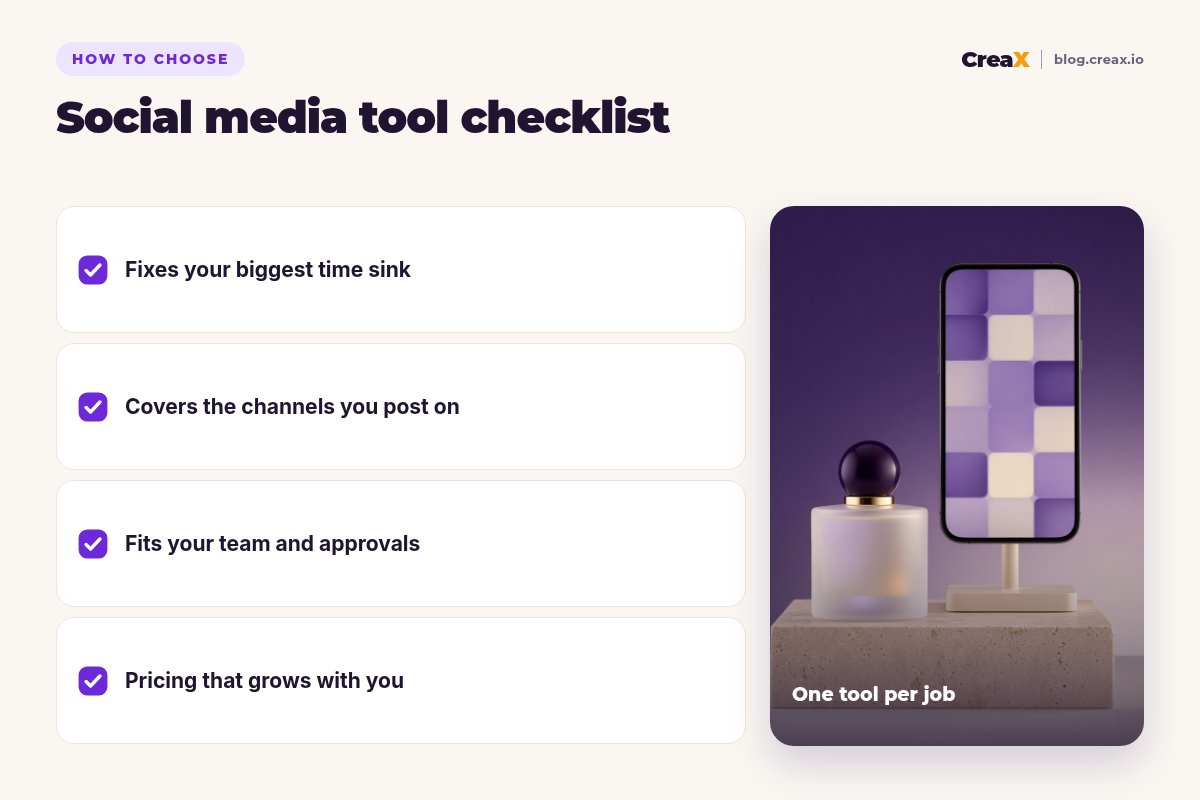
- ✓Where do you lose the most time? Making creatives, editing video, scheduling or reporting. Fix that first.
- ✓Which channels matter? Make sure the tool supports every network you post on, including TikTok and Pinterest if you use them.
- ✓Who else is involved? Approvals, clients or a customer-care team point to a suite like Hootsuite or Sprout Social.
- ✓Do you run paid social too? You will need ad-ready creatives in every size, and ideally reporting that includes ads.
- ✓Can you test it free? Use a free plan or trial on a real week of content before you commit.
★Separate 'make' from 'move'
ExampleWorked example: a small-budget stack
Imagine a solo social media manager at a small brand selling fragrances, posting on Instagram and TikTok and supporting a modest paid social budget. A lean stack could look like this:
Make the product creatives
Design the everyday posts
Edit short videos
Schedule and report
Draft captions faster
A larger team might replace Buffer with Hootsuite or Sprout Social for the inbox, approvals and reporting. For channel-specific ideas, see our guides to Instagram Reels ads and carousel ads for ecommerce.
Give your social calendar a steady supply of product creatives
Paste a product link and get studio ads, UGC-style videos and a matching landing page for your next launch.
FAQFrequently asked questions
Q.What is the best AI tool for social media managers?
Q.Can one tool handle all of social media management?
Q.Is CreaX a scheduling tool?
Q.Which AI tool is best for short-form video?
Q.How much does CreaX cost?
Q.Should I let AI write my captions?
Ready to make your next launch easier?
One product link, about 60–120 seconds: studio ads, UGC-style video ads and a landing page for your social calendar.
This guide is published by CreaX. We describe other tools from their own public websites as of October 2026, avoid invented scores or prices, and recommend checking each vendor's site for current features and plans.