
10 Best AI Tools for Retail Stores Selling Online
Buyer's guide · Retail
The best AI tools for retail stores are the ones that save a small team real hours: making ads and product photos, keeping the till and the online store in sync, showing up on local search and bringing past shoppers back. This guide ranks ten tools for physical shops that also sell online, says plainly what each one is for, and uses only what each company publishes on its own site. No invented scores, no made-up prices.
Updated October 2026 · By the CreaX team
Key takeaways
- ✓CreaX is our top pick for marketing: one product link or image becomes studio ad creatives, UGC-style video ads and a publish-ready landing page in about 60–120 seconds.
- ✓Shopify POS, Square and Lightspeed run the shop itself: in-store sales, online orders and stock in one system, now with built-in AI assistants.
- ✓Google Business Profile and Meta Business Suite are free ways to be found locally and to manage Facebook and Instagram posts and messages.
- ✓Canva, Photoroom, Mailchimp and ChatGPT cover in-store signs and social graphics, product photos, email and SMS, and everyday writing.
In this guide
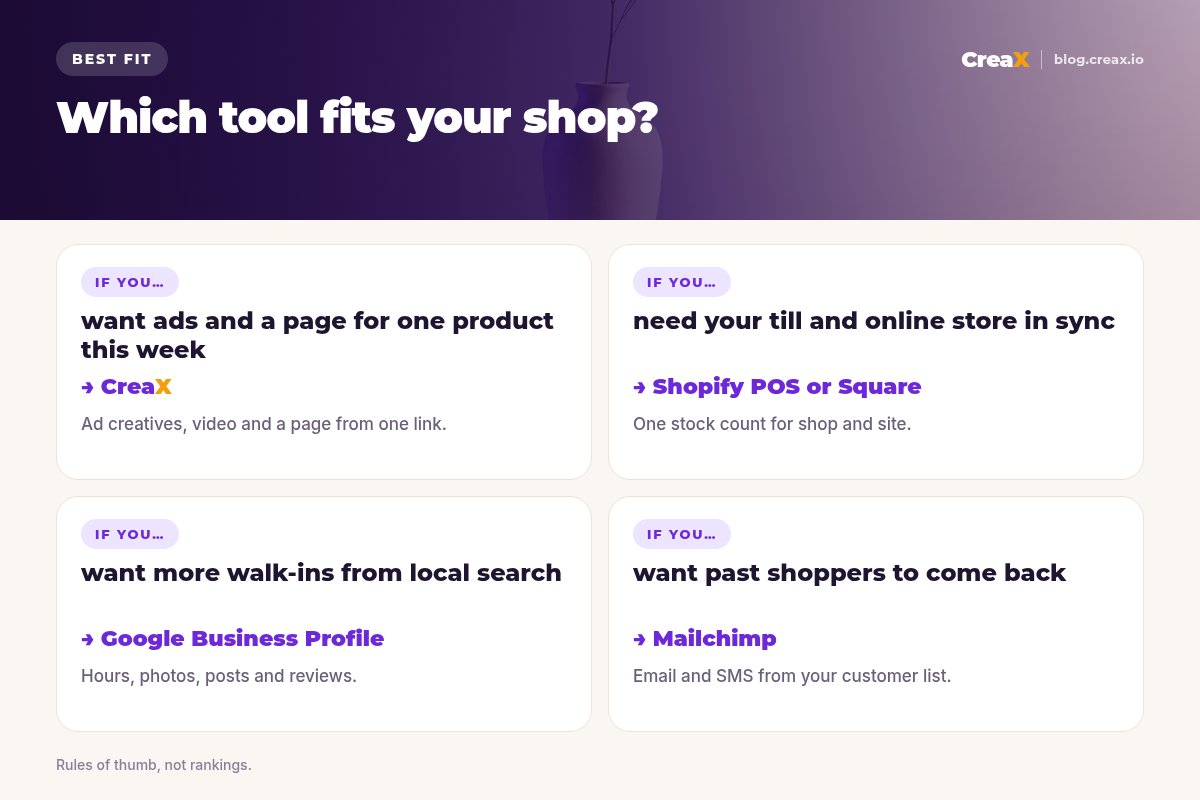
Short versionQuick picks: the best tool for each situation
- You need ads, video and a landing page for a product this week: CreaX.
- You want one system for the till, online store and stock: Shopify POS, or Square if you already take payments with Square.
- You run several locations with a big catalog: Lightspeed.
- You want more people to find and visit the shop: Google Business Profile.
- You post on Facebook and Instagram and answer messages: Meta Business Suite.
- You need clean product photos for the website: Photoroom.
- You want past customers to come back: Mailchimp.
MethodHow we chose (criteria, no invented scores)
A shop that sells in person and online has a different problem from a pure online brand. Staff are on the floor, time for marketing is short, and stock has to match in the shop and on the website. We picked tools against five criteria:
- Saves a small team real time on a job retailers actually do every week.
- Works for physical shops or connects the shop to online sales.
- Has useful AI features described on the company's own website or help center.
- Clear access: a free plan, free trial or plan you can check on the vendor's site.
- Easy to start without a developer or agency.
We ranked by fit for a typical independent retailer, not by an overall score. We checked each tool's official website in October 2026; features change quickly, so check before you buy. We do not quote competitor prices.
⚖Our bias, stated upfront
CompareAll 10 at a glance
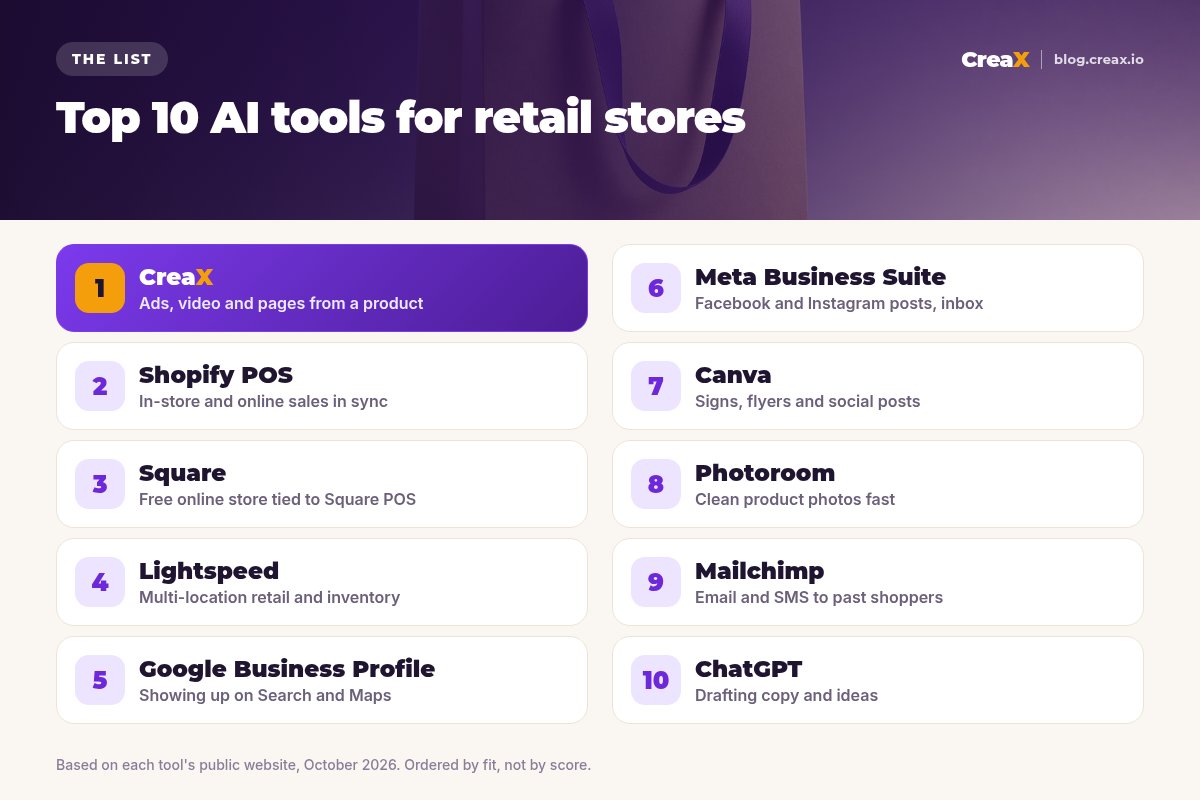
| Tool | Main job | AI features (per its site) | Best for |
|---|---|---|---|
| CreaX | Ad creatives, video ads, landing pages | Whole kit generated from a product link or image | Promoting products online |
| Shopify POS | Point of sale + online store | Sidekick assistant, Shopify Magic | Shops selling in person and online |
| Square | POS + free online store | Square AI / Managerbot (beta) | Small shops already on Square |
| Lightspeed | Retail POS, inventory, suppliers | Lightspeed AI (beta), photo enhancement | Multi-location retailers |
| Google Business Profile | Search and Maps listing | Gemini can draft posts and review replies (rolling out) | Local discovery |
| Meta Business Suite | Facebook and Instagram posts, inbox | Automated replies in the inbox | Social posting and messages |
| Canva | Design for print and social | Magic Write, Magic Resize, AI images | Signs, flyers, social graphics |
| Photoroom | Product photo editing | Background removal, AI product photos, batch edits | Website and marketplace photos |
| Mailchimp | Email and SMS marketing | Write with AI, send-time optimization, AI flows | Bringing customers back |
| ChatGPT | General AI assistant | Writing, ideas and image generation | Drafting copy and plans |
Summary from each tool's official website, October 2026. Availability of some AI features varies by country and plan.
The listThe 10 best AI tools for retail stores
CreaX
Best for: ads, video and landing pages from one product
Good for
- Full ad kit and landing page from one input
- No design or video skills needed
- Low monthly plans with top-ups
- Good for testing which product to push
Keep in mind
- Not a POS or inventory system
- Your main catalog still lives in your store platform
Shopify POS
Best for: shops selling in person and online
Good for
- Shop and website share stock and customers
- Built-in AI assistant in the admin
- Large app ecosystem
Keep in mind
- Hardware and plans add up; check current pricing
- Best value if you also sell online with Shopify
Website: www.shopify.com/pos
Square
Best for: small shops already taking payments with Square
Good for
- Free plan to start selling online
- Shop and website stay in sync
- Marketing and loyalty in the same system
Keep in mind
- Some AI features are beta or US-only
- Design control is lighter than a full store builder
Website: squareup.com/us/en/online-store
Lightspeed
Best for: multi-location retailers with big catalogs
Good for
- Strong multi-store inventory and supplier tools
- AI reporting assistant (beta)
- 24/7 support
Keep in mind
- More than a single small shop may need
- Check plans and AI availability for your region
Website: www.lightspeedhq.com/pos/retail/
Google Business Profile
Best for: being found on Search and Maps
Good for
- Free, and where many local shoppers look first
- Posts for offers and events
- AI help with posts and review replies (where available)
Keep in mind
- AI features are rolling out gradually
- Not a place to sell or run full ad campaigns
Website: www.google.com/business/
Meta Business Suite
Best for: Facebook and Instagram posts and messages
Good for
- Free and made by Meta
- Schedule a week of posts at once
- One inbox for messages and comments
Keep in mind
- Does not make the creative for you
- Ads still need strong images and video
Website: www.facebook.com/business/tools/meta-business-suite
Canva
Best for: in-store signs, flyers and social graphics
Good for
- Print and digital in one tool
- Templates for almost every format
- AI resize and writing
Keep in mind
- You still design each ad yourself
- Video ads and landing pages need other tools
Website: www.canva.com/
Photoroom
Best for: clean product photos for the website
Good for
- Fast, consistent product photos
- Batch editing for many items
- Works on mobile in the shop
Keep in mind
- Focused on images, not full ad kits or pages
- Large volumes need a paid plan
Website: www.photoroom.com/
Mailchimp
Best for: bringing past shoppers back
Good for
- Email and SMS in one place
- Pre-built automations with AI copy
- Integrations with common retail systems
Keep in mind
- Several AI features need paid plans
- Results depend on growing a real customer list
Website: mailchimp.com/solutions/ai-tools/
ChatGPT
Best for: drafting copy, ideas and plans
Good for
- Flexible for almost any writing task
- Free tier available
- Image generation built in
Keep in mind
- Generic unless you give it context
- Not built for ad sizes, video ads or pages
Website: chatgpt.com/
Promote this week's best product online
Paste the product link into CreaX and get studio ads, UGC-style video ads and a landing page your shop can launch today.
DecideHow to choose: 5-question checklist
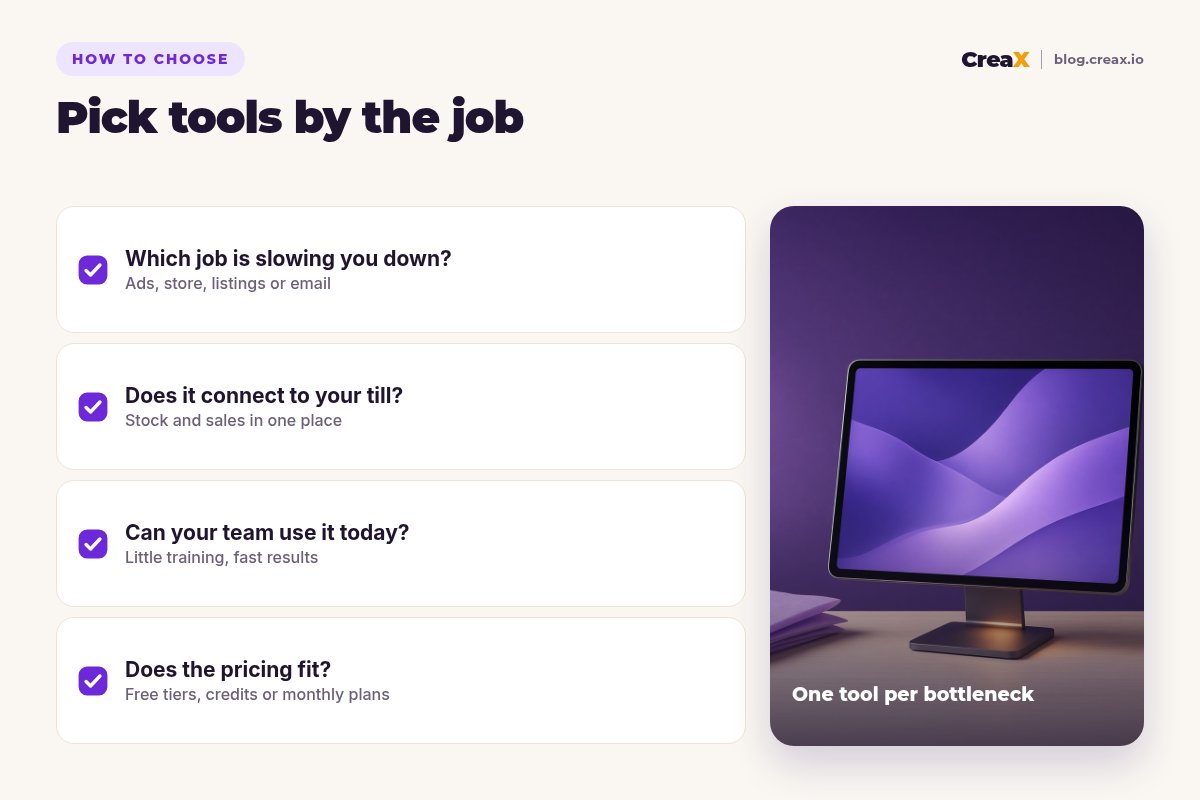
Before you sign up
- ✓Which job takes the most hours today? Ads and photos, stock and orders, local visibility, or customer follow-up. Fix the biggest one first.
- ✓Does it connect to your till and stock? If you sell the same items in the shop and online, one stock count saves overselling.
- ✓Can your staff use it without training days? The best tool is the one people actually open on a busy Saturday.
- ✓Is the AI feature available where you are? Some features are beta, plan-limited or not yet in every country.
- ✓Does the pricing fit how often you use it? Free tiers, credits and monthly plans suit different shops; check each vendor's site.
ExampleWorked example: a small-budget stack
Say you run a home goods and gift shop with one location and a small website. You want more online sales from your best-sellers and more people walking in on weekends.
| Need | Tool | How the shop uses it |
|---|---|---|
| Online ads for best-sellers | CreaX | Paste each hero product link; launch studio ads and a UGC-style video to a matching landing page |
| Till and website stock | Shopify POS or Square | Sell in the shop and online from one inventory |
| Local visibility | Google Business Profile | Weekly Offer post, fresh photos, replies to reviews |
| Social posting | Meta Business Suite | Schedule the week's posts on Monday morning |
| Window and counter signs | Canva | One sale design resized for print and social |
| Repeat customers | Mailchimp | Welcome email for new sign-ups and a monthly new-arrivals email |
Illustrative stack, not a recommendation for every shop. Start with the one or two tools that fix your biggest bottleneck.
The shop does not need all ten. It adds CreaX for the products it wants to push online, because that is where creative usually runs out first, and keeps its existing POS. If you are deciding what to send ad traffic to, our guide to landing pages vs product pages helps, and our roundups of AI product photo generators and AI website builders for small stores go deeper on two of these jobs.
Comparing CreaX with tools on this list? See CreaX vs Photoroom and CreaX vs Canva for ecommerce ad creatives.
Give your shop a full ad kit in minutes
One product link, about 60–120 seconds: studio ads, UGC-style video ads and a landing page, ready to edit.
FAQFrequently asked questions
Q.What is the best AI tool for a retail store?
Q.Do I need a POS that connects to my online store?
Q.Can AI make ads for my shop's products?
Q.Are these tools free?
Q.Should a physical shop run online ads at all?
Ready to promote your best-sellers online?
Paste a product link and get the ads, the video and the landing page for your first online test.
This guide is published by CreaX. We describe other tools from their own public websites as of October 2026, avoid invented scores or prices, and recommend checking each vendor's site for current features and plans.