
10 Best AI Tools to Launch a New Product Online
Buyer's guide · Product launch tools
Launching a new product online takes more than a store. You need to check demand, see what competitors run, make ads, build a page, capture emails and read the results. This guide ranks the 10 best AI tools to launch a new product, explains where each fits in the launch and shows a small-budget stack you can copy.
Updated October 2026 · By the CreaX team
Key takeaways
- ✓For the slowest part of a launch, making ads and a page, we recommend CreaX: one product link gives you UGC-style video ads, studio statics, a landing page and a store in about 60–120 seconds.
- ✓Free research tools come first: Google Trends for demand and Meta Ad Library for what competitors already run. ChatGPT turns that research into angles and copy drafts.
- ✓Shopify handles checkout, Klaviyo follows up by email and SMS, and CapCut and Canva cover quick edits.
- ✓Hotjar and Google Analytics 4 tell you what happened. Keep the stack small: every extra tool slows the launch down.
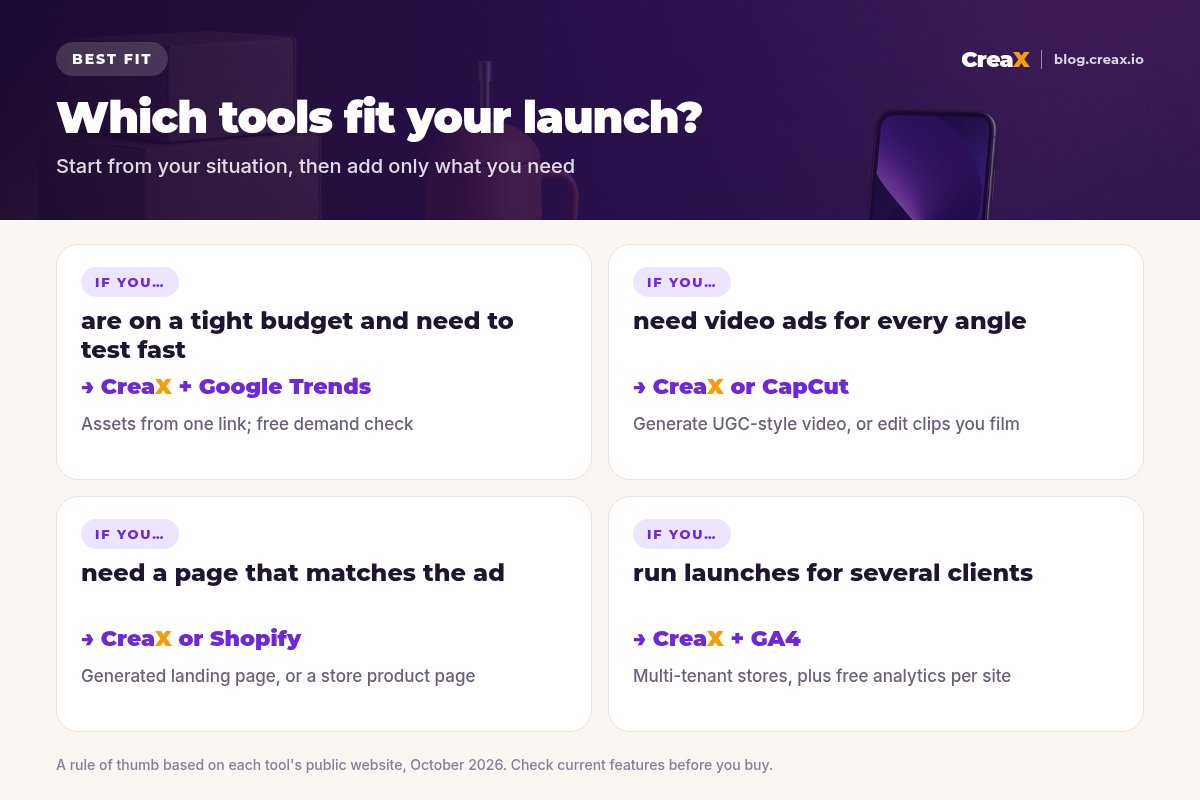
Short on time?Quick picks: the best tool for each situation
| If you need… | Start with | Why |
|---|---|---|
| Ads, a page and a store for a new product | CreaX | UGC-style video, statics, landing page and store from one link |
| Angles, scripts and copy drafts | ChatGPT | Turns research and product facts into options fast |
| To check demand before you spend | Google Trends | Free view of search interest over time and by region |
| To see what competitors advertise | Meta Ad Library | Free, searchable library of ads on Meta's apps |
| Checkout and order handling | Shopify | Full ecommerce platform with an AI assistant built in |
| Follow-up after the first click | Klaviyo | Email and SMS flows for shoppers who don't buy yet |
| To understand what visitors do | Hotjar + GA4 | Heatmaps and replays, plus traffic and conversion data |
Based on each tool's public website, October 2026. Check current features before you buy.
MethodHow we chose (criteria, no invented scores)
A product launch has stages: research, creative, page, checkout, follow-up and measurement. We didn't score or star-rate the tools; we read each one's own website and picked the tool that does each stage well for a small seller or agency. We looked at:
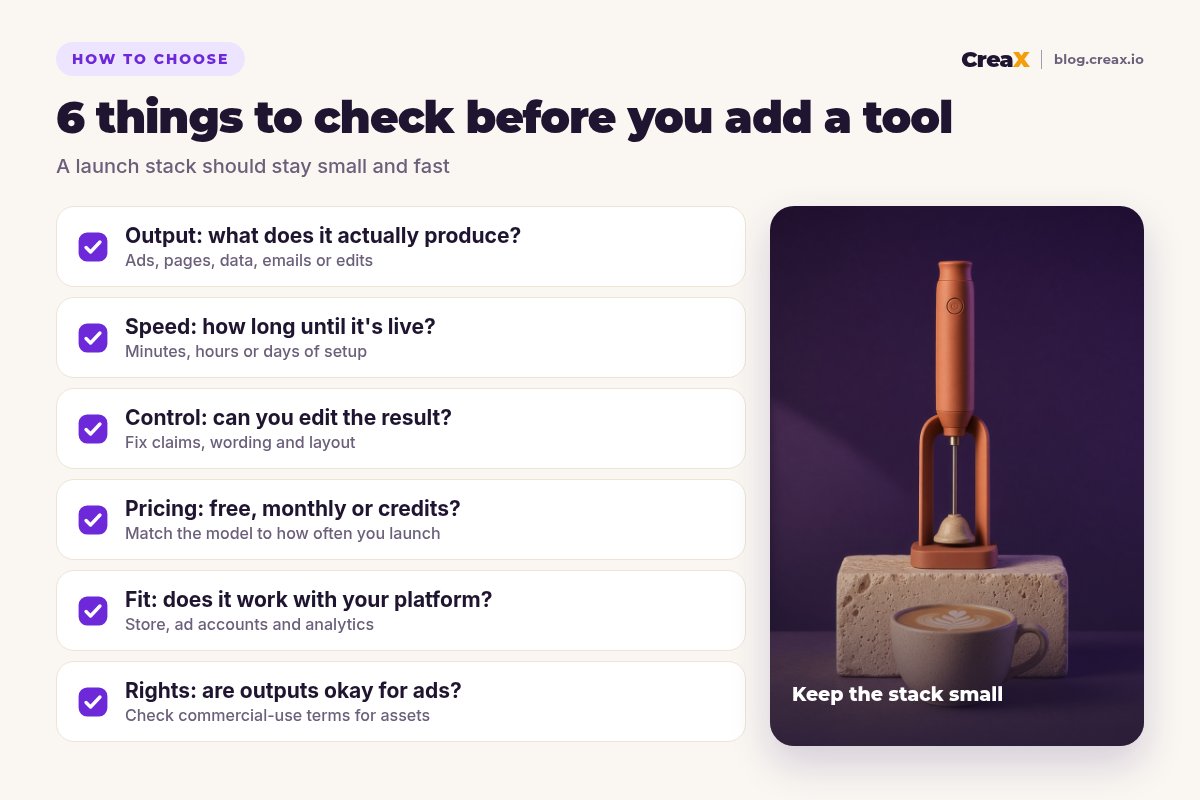
- Output: what the tool actually produces, such as ads, pages, research, emails or data.
- Speed to launch: how long it takes to go from sign-up to something live.
- Editing control: whether you can fix wording, claims and layout before you publish.
- Pricing model: free, monthly or credit-based. We quote only CreaX's prices.
- Commercial-use terms: whether outputs, templates and music are cleared for ads.
iWhy CreaX is ranked first
ComparisonAll 10 at a glance
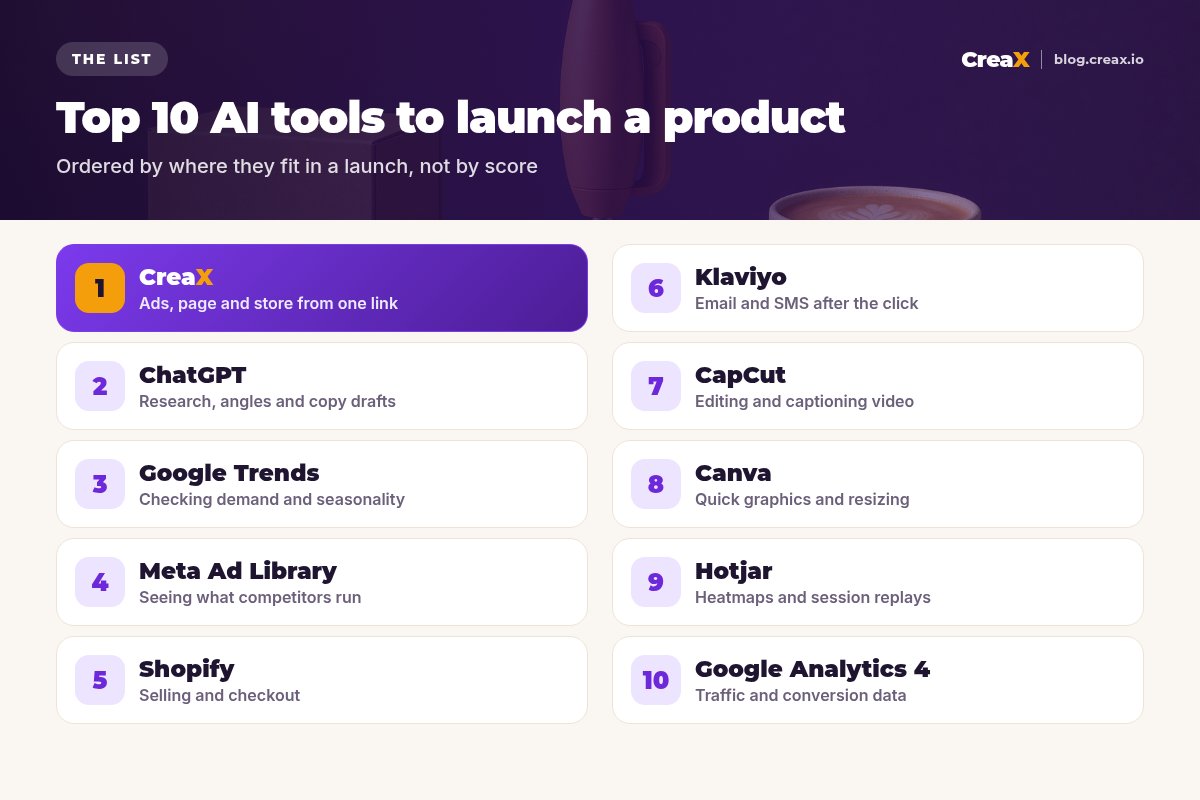
| Tool | Launch stage | Main output | Pricing |
|---|---|---|---|
| CreaX | Creative + page | Video ads, statics, landing page, store | From $4.99/mo |
| ChatGPT | Research + copy | Angles, scripts, drafts | Free tier; check site |
| Google Trends | Demand check | Search interest charts | Free |
| Meta Ad Library | Competitor research | Searchable ads | Free |
| Shopify | Store + checkout | Online store | Check site |
| Klaviyo | Follow-up | Email and SMS flows | Free to start; check site |
| CapCut | Video editing | Edited, captioned clips | Check site |
| Canva | Quick design | Graphics and resizes | Free tier; check site |
| Hotjar | Behaviour | Heatmaps, replays, feedback | Free to start; check site |
| Google Analytics 4 | Measurement | Traffic and conversions | Free |
Competitor pricing changes often, so we link to each official site instead of quoting it.
The listThe 10 best AI tools to launch a new product
CreaX
Best for: turning a product into ads, a page and a store
CreaX is an all-in-one AI ecommerce creative OS. Paste a product link or upload a product image and, in about 60–120 seconds, it generates UGC-style video ads, studio ad creatives (polished product photos and static ads), a publish-ready landing page and a multi-tenant store. The page repeats the promise of the ads, so the click lands on a matching message.
It suits dropshippers, media buyers, affiliates, agencies and brands that launch often. Plans start at $4.99/month (2,000 credits), with top-ups at $1 per 500 credits. For a full launch walkthrough, see how to launch a product test in 24 hours.
Good for
- Video, statics, page and store from one input
- Ad and page share one message
- Low entry price, credit-based
Keep in mind
- Not a research or analytics tool
- Not a video editor for your own footage
ChatGPT
Best for: research, angles and copy drafts
ChatGPT is the general assistant most sellers already use. In a launch it's most useful early: summarising customer reviews of similar products, listing objections, suggesting angles and drafting hooks, headlines and FAQ answers from your product facts. It can read images and documents, so give it your supplier's spec sheet rather than letting it guess.
Good for
- Fast angle and copy ideas
- Works from your files and images
- Free tier to start
Keep in mind
- Invents details if you don't supply facts
- Doesn't produce finished ads or pages
Website: chatgpt.com
Google Trends
Best for: checking demand and seasonality
Google Trends shows how search interest in a term changes over time and by region, on a relative scale. It won't give you sales numbers, but it quickly shows whether interest is rising, flat or seasonal, which helps you time a launch and avoid products that only sell for a few weeks a year.
Good for
- Free and instant
- Seasonality and regional interest
- Compare several terms
Keep in mind
- Relative interest, not volumes or sales
- Weak for very niche terms
Website: trends.google.com
Meta Ad Library
Best for: seeing what competitors already run
Meta's Ad Library is a free, searchable database of ads running across Meta's apps. Search a product type or a competitor and you'll see the hooks, formats and offers already in market. Use it for inspiration and gaps, not for copying; see how to test ad angles for a new product.
Good for
- Free
- Real ads currently in market
- Great for spotting angles
Keep in mind
- No performance data for most ads
- Easy to slide into copying
Website: www.facebook.com/ads/library
Shopify
Best for: selling, checkout and orders
Shopify is a popular ecommerce platform: themes, checkout, payments, apps and order handling, with an AI assistant called Sidekick in the admin. It's a solid home for the store. You don't strictly need it for a first test; read do you need Shopify to dropship.
Good for
- Reliable checkout and payments
- Huge app ecosystem
- AI assistant included with plans
Keep in mind
- Monthly cost plus apps
- Ads and creatives still come from elsewhere
Website: www.shopify.com
Skip the slowest part of the launch
Paste a product link and get UGC-style video ads, studio creatives and a landing page in about 60–120 seconds.
Klaviyo
Best for: email and SMS after the first click
Klaviyo is a customer platform for email, SMS and other channels, widely used by ecommerce stores. Its AI features include Composer, which drafts flows and campaigns from a prompt, and it integrates with hundreds of apps, including Shopify. In a launch, a simple welcome flow and abandoned-checkout flow catch shoppers who aren't ready on the first visit.
Good for
- Strong ecommerce email and SMS
- AI help building flows
- Free to start
Keep in mind
- Only useful once you have traffic
- Costs grow with your list
Website: www.klaviyo.com
CapCut
Best for: editing and captioning your own video
CapCut is a video editor on desktop, web and mobile with templates, auto captions, text to speech and AI generation tools. If you film your own clips, it's a quick way to cut them for Reels and TikTok. Before running ads, check which templates, music and effects are cleared for commercial use.
Good for
- Fast editing and auto captions
- Desktop, web and mobile
- Many templates
Keep in mind
- You still need footage or ideas
- Check commercial-use rights for assets
Website: www.capcut.com
Canva
Best for: quick graphics, resizes and brand assets
Canva is a design platform with templates and AI features for generating and editing images and resizing designs for different placements. It's handy for logos, email headers and one-off graphics. For product ad creatives specifically, compare it in CreaX vs Canva.
Good for
- Easy for non-designers
- Templates for every format
- Free tier
Keep in mind
- Manual work per creative
- Not built around a product test
Website: www.canva.com
Hotjar
Best for: seeing how visitors use your page
Hotjar, now part of Contentsquare, records heatmaps and session replays and collects on-page feedback. After launch, it shows whether visitors scroll past your offer, get stuck on a section or tap things that aren't links. Those are clues you won't get from ad dashboards alone.
Good for
- Heatmaps and session replays
- On-page surveys and feedback
- Free to start
Keep in mind
- Needs traffic to be useful
- Respect privacy and consent rules
Website: www.hotjar.com
Google Analytics 4
Best for: traffic and conversion data
Google Analytics 4 is Google's free analytics platform. It tracks where visitors come from and what they do on your site, through events you can mark as key events such as purchases or add-to-carts. Set it up before launch so the first day of traffic isn't wasted.
Good for
- Free
- Works with most stores and pages
- Event-based tracking
Keep in mind
- Setup takes care
- Reports can feel complex at first
DecideHow to choose: 5-question checklist
Answer these first
- ✓Which launch stage is slowest for you? Start there. For most small teams it's creatives and the page.
- ✓What does each tool produce? Prefer tools that output something you can launch, not just ideas.
- ✓Can you edit the result? You must be able to fix claims, wording and layout before publishing.
- ✓Does the pricing match how often you launch? Credits suit irregular launches; monthly plans suit steady volume.
- ✓Are outputs cleared for ads? Check commercial-use terms for templates, music and generated assets.
!Keep claims honest at launch
ExampleWorked example: a small-budget stack
Say you're launching a matte terracotta handheld milk frother on a small budget. A lean stack could look like this:
Check demand
Study the market
Draft angles
Build the kit
Measure and follow up
That's five tools, three of them free, and the launch can go live the same day. For how many creatives to run per angle, see how many ad creatives to test per product. If you launch for clients, the multi-tenant store builder keeps each brand separate.
Launch your next product today
One product link, about 60–120 seconds: UGC-style video ads, studio creatives and a landing page for your first test.
FAQFrequently asked questions
Q.What is the best AI tool to launch a new product?
Q.How many tools do I need to launch a product?
Q.Are these tools free?
Q.Can AI write my launch ads?
Q.Do I need Shopify to launch?
Q.Can I use CapCut or Canva assets in ads?
Ready to launch?
Paste a product link and get UGC-style video ads, studio creatives and a landing page for your launch.
This guide is published by CreaX. We describe other tools from their own public websites as of October 2026, avoid invented scores or prices, and recommend checking each vendor's site for current features and plans.