
10 Best AI Tools for Instagram Shop Sellers (2026)
Top 10 · Instagram selling
Selling on Instagram means making Reels, carousels and Stories, answering DMs, and sending people somewhere they can buy, often all on the same day. These are the 10 best AI tools for Instagram sellers in 2026, what each one is genuinely good at, and how to build a small stack that covers content, conversations and checkout without paying for overlap.
Updated October 2026 · By the CreaX team
Key takeaways
- ✓Instagram selling has three jobs: making content that stops the scroll, handling the conversations it starts, and sending buyers to a page where they can pay. No single tool does all three.
- ✓Pick CreaX when you need ad creatives, UGC-style video ads and a landing page for a product, generated from one product link or image.
- ✓Pick Canva, CapCut or Adobe Express for designing and editing your own posts and Reels; Meta Business Suite, ManyChat or Later for scheduling, DMs and links.
- ✓Most small shops need one creative tool plus one or two helpers. Start with your biggest bottleneck, not the longest feature list.
In this guide
TL;DRQuick picks: the best tool for each situation
| If you need… | Start with | Why |
|---|---|---|
| Ads, Reels-style video and a landing page for a new product | CreaX | One product link or image produces the whole test kit |
| Branded posts, Stories and carousels from templates | Canva | Huge template library plus AI design and editing tools |
| Editing Reels with captions, effects and voiceover | CapCut | AI video editing, auto captions and Reels templates |
| Free scheduling and one inbox for DMs and comments | Meta Business Suite | Meta's own tool for Facebook and Instagram |
| Clean product photos taken on your phone | Photoroom | Background removal and AI product scenes on mobile |
| Automatic replies to DMs and comment keywords | ManyChat | Instagram DM automation from a Meta business partner |
| Planning the grid and a shoppable link in bio | Later | Visual planning, scheduling and Link in Bio |
MethodHow we chose (and what we didn't do)
We looked at the tools small Instagram sellers actually reach for, from solo jewelry makers to dropshippers running Reels ads, and judged them on five practical questions:
- Job fit: does it solve one of the three Instagram jobs (content, conversations, checkout) well?
- Product accuracy: when it touches product imagery, does your product stay the product you ship?
- Speed to post: how many steps from idea to something you would publish today?
- Phone-friendliness: Instagram is mobile-first, so can you work from your phone when you need to?
- Overlap: does it add something your other tools don't already do?
⚖No fake scores, and a clear bias disclosure
Comparison tableAll 10 at a glance
| Tool | Main job | What you get | Pricing model |
|---|---|---|---|
| CreaX | Content + checkout | Studio ads, UGC-style video ads, landing page, store | Free plan; paid credit plans from $4.99/mo |
| Canva | Content | Posts, Stories, carousels, simple video, scheduling | Free plan; paid tiers |
| CapCut | Content | Edited Reels, captions, AI video and images | Free plan; paid tiers |
| Meta Business Suite | Conversations | Scheduling, unified inbox, automations, insights | Free |
| Photoroom | Content | Cutouts, AI backgrounds, batch product photos | Free plan; paid tiers |
| ManyChat | Conversations | DM and comment automations, lead capture | Free plan; paid tiers |
| Later | Content + checkout | Planning, scheduling, Link in Bio, analytics | Paid plans; see site |
| Picsart | Content | Mobile photo edits, AI effects, templates | Free plan; paid tiers |
| Adobe Express | Content | Templates, generative AI, resizing, scheduling | Free plan; paid tiers |
| Linktree | Checkout | Link-in-bio page with links to products and offers | Free plan; paid tiers |
Summarised from each tool's public website, October 2026. Check vendor sites for current plans.
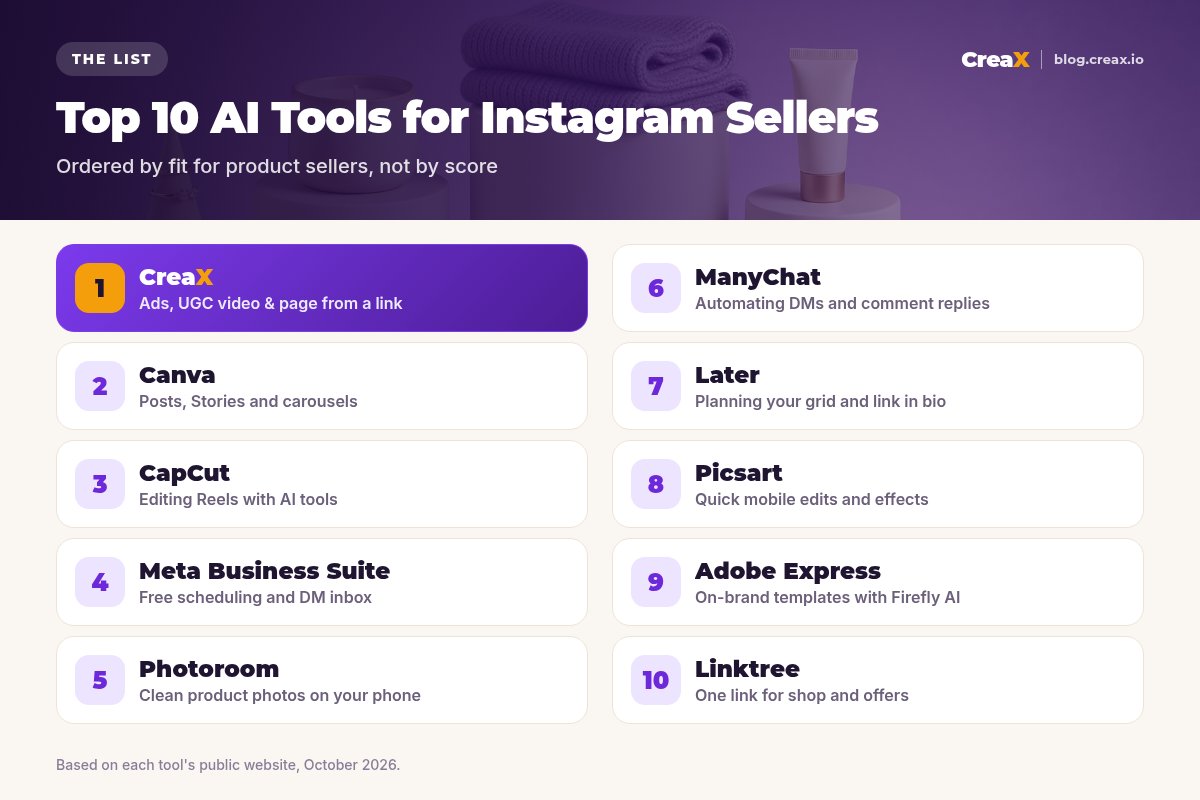
The listThe 10 best AI tools for Instagram sellers
CreaX
Best for: ad creatives, UGC-style video and a landing page from one link
CreaX is an all-in-one AI ecommerce creative OS. Paste a product link or upload a product image and, in about 60–120 seconds, it generates studio ad creatives, UGC-style video ads, a publish-ready landing page and a multi-tenant store. For an Instagram seller, that covers the two hardest parts of a product launch: scroll-stopping creatives for the feed and Reels, and a focused page to send link clicks to.
It suits product sellers and dropshippers who launch or test products often and don't have a designer or a video creator on call. You still review every headline and claim before it goes live. Plans start free, then $4.99 a month for 2,000 credits, with top-ups at $1 per 500 credits. See how it works in studio ad creatives from one product photo.
Good for
- Statics, video ads and a page from the same input
- Built around a product, not a blank canvas
- Low entry price, credit-based
Keep in mind
- Not a scheduler or DM tool; pair it with one
- Less pixel-level control than a design editor
Turn one product into a week of Instagram content
Paste a product link and get studio creatives, UGC-style video ads and a matching landing page in one pass.
Canva
Best for: branded posts, Stories and carousels
Canva is the default design tool for many small shops, and for good reason. Its template library covers Instagram posts, Stories, carousels and Reels covers, and its AI tools (Magic Studio) add things like Magic Design, Magic Edit, background removal and Resize & Magic Switch for turning one design into other formats. On paid plans, Content Planner lets you schedule straight to an Instagram business account from a desktop browser.
Good for
- Massive template library
- Brand Kit keeps the grid consistent
- Design and scheduling in one place
Keep in mind
- You start from a template, not from your product
- Product video ads still take manual work
Website: www.canva.com
CapCut
Best for: editing Reels with AI help
CapCut is a popular AI video editor on mobile, desktop and web. For Instagram sellers, the useful parts are auto captions, text to speech, background removal for photos and video, Reels and social templates, and newer AI video and image generators.
Good for
- Fast Reels editing with auto captions
- Templates made for short-form video
- Works on phone and desktop
Keep in mind
- You still need to film or source footage
- Check template and music licensing for ads
Website: www.capcut.com
Meta Business Suite
Best for: free scheduling and one inbox
Meta Business Suite is Meta's free tool for managing Facebook Pages and Instagram business accounts. You can plan and schedule posts, Reels and Stories, see insights, and reply to Instagram DMs and comments from one inbox. Its inbox automations cover instant replies, away messages, FAQs and, on desktop, custom keyword and comment-to-message replies.
Good for
- Free and official
- Scheduling, inbox and insights together
- Built-in keyword automations
Keep in mind
- Basic compared with dedicated schedulers
- Doesn't create your content for you
Website: business.facebook.com
Photoroom
Best for: clean product photos on your phone
Photoroom is a well-known AI photo editor for sellers. It removes backgrounds cleanly, generates AI product scenes and shadows, batch-edits many photos at once and resizes for different channels, on mobile and web. If your product photos come from a phone on a kitchen table, it's a quick way to make them grid-worthy. For a deeper comparison of photo tools, see the best AI product photo generators.
Good for
- Fast, clean cutouts
- Batch editing for many products
- Strong mobile app
Keep in mind
- Photos only; ads and pages are separate work
- Generated scenes need an accuracy check
Website: www.photoroom.com
ManyChat
Best for: automating DMs and comment replies
ManyChat automates Instagram conversations: reply to comments with a DM, send a link when someone types a keyword, answer common questions and collect emails or phone numbers. It describes itself as an official Meta business partner, and its builder ranges from guided quick automations to a full flow builder, with AI that can help draft flows.
Good for
- Comment-to-DM and keyword flows
- Lead capture inside Instagram
- No code needed
Keep in mind
- Only as good as the offer and page you link to
- Overkill if you get a handful of DMs a day
Website: manychat.com
Later
Best for: planning your grid and link in bio
Later started as a visual Instagram planner and has grown into a social media management and influencer marketing platform. For sellers, the core is still useful: plan and schedule posts, see what performs, and use Link in Bio to turn your grid into a clickable page that sends followers to products.
Good for
- Visual grid planning
- Link in Bio built in
- Analytics on what performs
Keep in mind
- Meta Business Suite covers basic scheduling for free
- Content creation is not its main strength
Website: later.com
Picsart
Best for: quick mobile edits and effects
Picsart is a creative editing app with AI tools for background removal and replacement, image generation, effects and templates, on mobile and web. It suits sellers who make most of their content on a phone.
Good for
- Strong mobile editing
- Lots of effects and stickers
- AI background tools
Keep in mind
- General-purpose, not ecommerce-specific
- Easy to over-edit product photos
Website: picsart.com
Need the ads and the page, not just the post?
CreaX turns a product link into studio creatives, UGC-style video ads and a landing page you can send Instagram traffic to.
Adobe Express
Best for: on-brand templates with Firefly-powered AI
Adobe Express is Adobe's quick-design app for social posts, images and short videos. It includes generative AI that Adobe describes as designed to be commercially safe, an AI Assistant for prompting and editing designs, one-click resizing for different channels, brand kits and the option to schedule what you make. If you already use Photoshop or other Adobe apps, it fits neatly alongside them.
Good for
- Generative AI positioned for commercial use
- Brand kits and one-click resize
- Works with other Adobe apps
Keep in mind
- Similar job to Canva; you rarely need both
- Product video ads still take manual work
Website: www.adobe.com/express/
Linktree
Best for: one link for your shop and offers
Linktree is the best-known link-in-bio tool: one shareable page that connects followers to your store, products, offers and other channels. Paid plans add analytics, customization and commerce features. It isn't an AI content tool, but it solves a real Instagram problem, which is that you only get one link in your bio, so it earns a spot on most sellers' lists.
Good for
- Simple and widely recognized
- Free to start
- Templates and add-on apps
Keep in mind
- A menu of links, not a sales page
- Each extra click can cost buyers
Website: linktr.ee
Buyer's checklistHow to choose the right tools for your shop
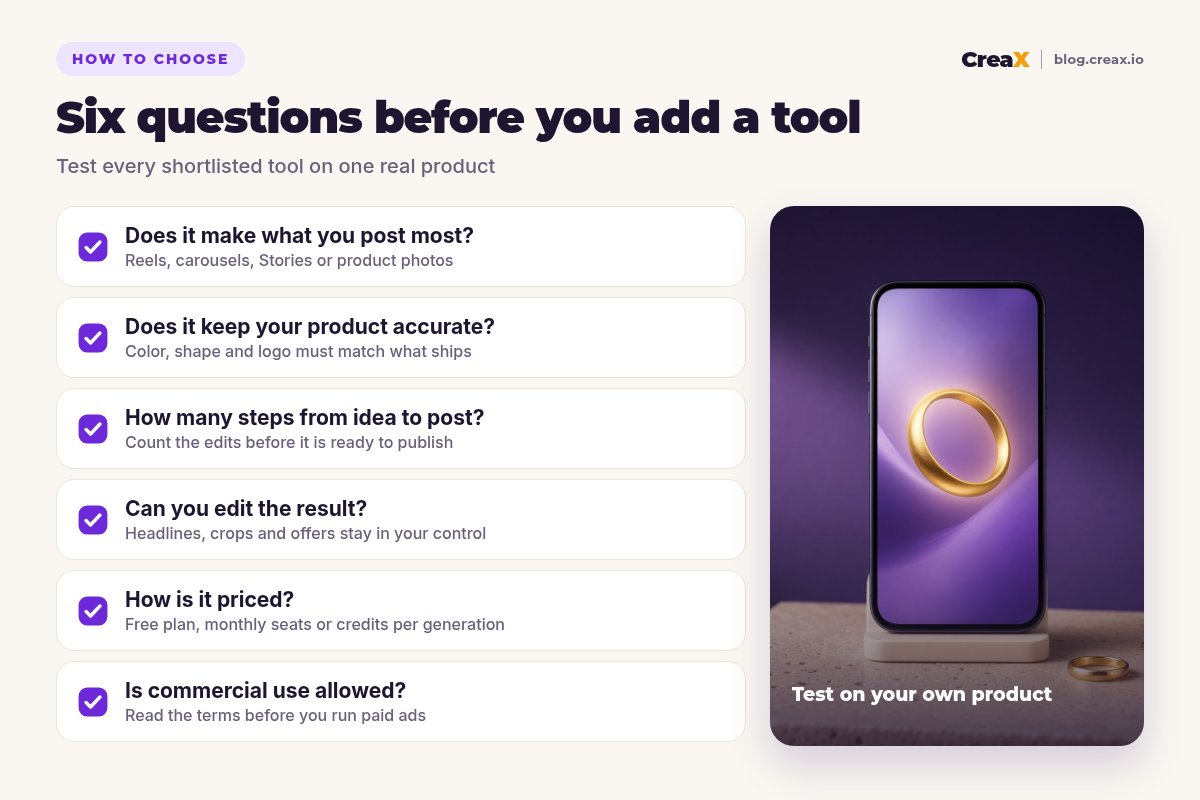
Demos always look good. Your own product is the real test. Pick one product you actually sell, define one goal (for example “three Reels and a carousel for a launch” or “answer price questions automatically”) and run your top two or three tools against it.
Test every tool against these six points
- ✓Output: does it produce what you post most: Reels, carousels, Stories or product photos?
- ✓Accuracy: are the color, shape, label and size of your product still correct?
- ✓Speed: how many steps from idea to a post you would publish today?
- ✓Control: can you change headlines, crops, offers and claims easily?
- ✓Price: free plan, monthly seats or credits; what will a normal month cost you?
- ✓Terms: are commercial use and paid ads allowed with what it generates?
★Count the whole job, not just the post
ExampleWorked example: a small-budget stack
Imagine a two-person shop selling handmade gold-plated rings on Instagram. They post four times a week, run a small Reels ad budget for new collections, and get a steady stream of “how much?” comments. A lean setup could look like this:
Create launch assets with CreaX
Polish posts in one editor
Schedule and answer for free
Send clicks to the right page
Refresh weekly
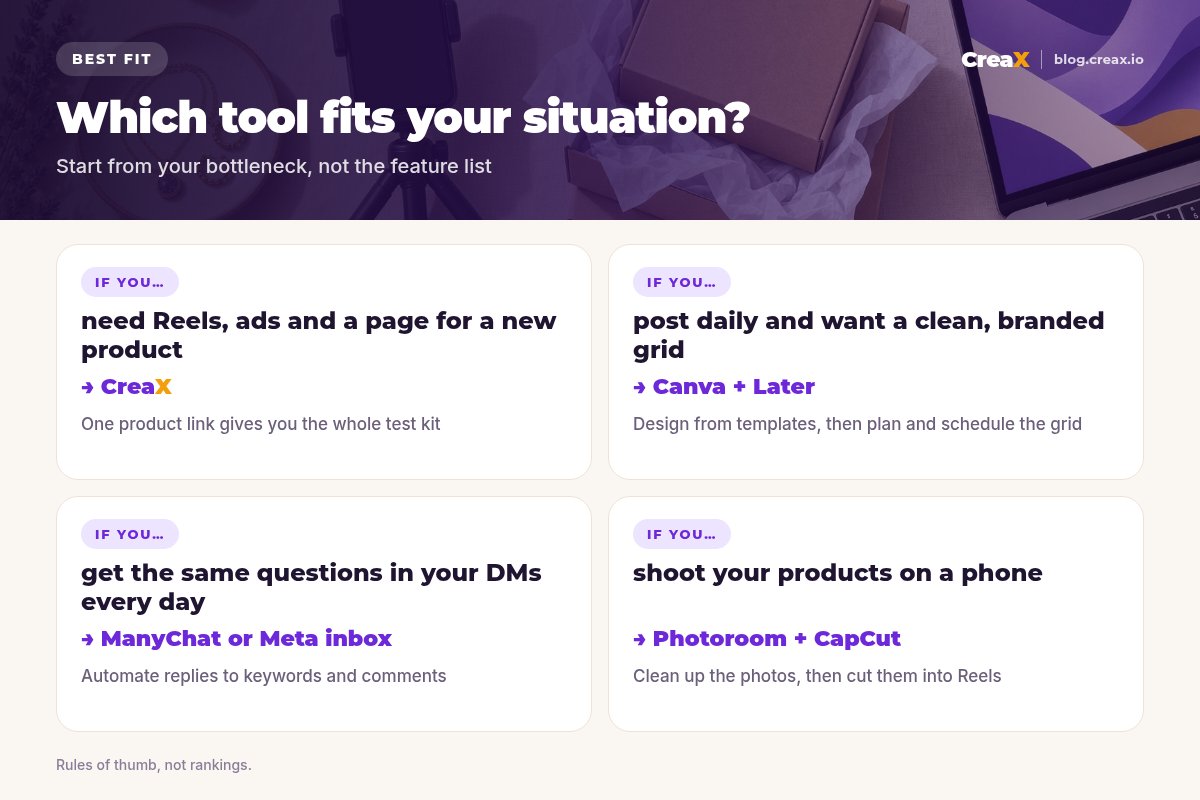
The rule: one tool for the job you do most, plus a helper only where it pays for itself. If you're unsure how many variations to make, read how many ad creatives to test per product, and watch for signs of creative fatigue once something works.
!Keep claims honest
FAQFrequently asked questions
Q.What is the best AI tool for Instagram sellers?
Q.Is there a free way to schedule Instagram posts?
Q.Can AI create Instagram Reels for my products?
Q.Do I need ManyChat if I have Meta Business Suite?
Q.Should I send Instagram traffic to my store or a landing page?
Q.How much does CreaX cost?
Ready to make Instagram content that sells?
One product link or image, about 60–120 seconds: studio creatives, UGC-style video ads and a landing page for your next launch.
This guide is published by CreaX. We describe other tools from their own public websites as of October 2026, avoid invented scores or prices, and recommend checking each vendor's site for current features and plans.