
10 Best AI Tools for Fashion and Apparel Brands
Top 10 · Fashion and apparel
The best AI tools for fashion brands do very different jobs: some put your garments on AI models, some clean up product photos, some design clothes in 3D, and some turn a product into finished ads. Here are the 10 we would look at in 2026, what each one is genuinely good at, and how to build a small stack that fits your brand.
Updated October 2026 · By the CreaX team
Key takeaways
- ✓Fashion brands need AI for four separate jobs: on-model and product imagery, ad creatives, garment design, and launch marketing. No single tool does all four well.
- ✓Pick CreaX when a new style needs ad creatives, UGC-style video ads and a landing page from one product link or image, fast.
- ✓Pick Botika or Claid.ai for on-model images without a photoshoot, Photoroom or Pebblely for clean product photos, and CLO 3D for 3D garment design.
- ✓Whatever you use, the garment must stay true: color, fabric, cut and fit in the image have to match what the customer receives.
In this guide
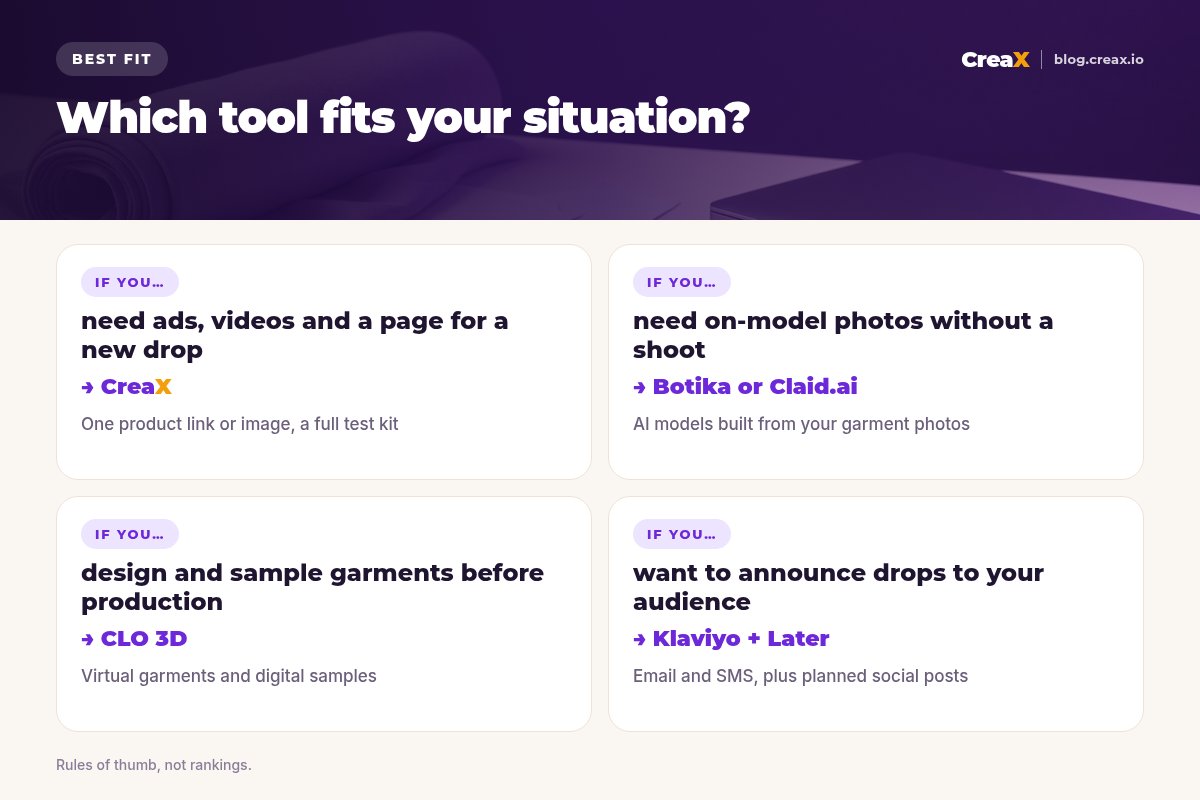
TL;DRQuick picks: the best tool for each situation
| If you need… | Start with | Why |
|---|---|---|
| Ads, video ads and a landing page for a new style | CreaX | One product link or image becomes a full test kit |
| On-model photos from flat lays or mannequin shots | Botika | Built around AI fashion models |
| Clean, consistent product photos for the catalog | Photoroom | Background removal and batch editing |
| Catalog-scale shoots with AI models and scenes | Claid.ai | Product-photography focus with an API |
| Pretty lifestyle backgrounds in a few clicks | Pebblely | Simple themed scenes from one photo |
| Designing new garments and samples digitally | CLO 3D | 3D garment simulation for design teams |
| Announcing drops to customers you already have | Klaviyo + Later | Email/SMS plus social scheduling |
MethodHow we chose (criteria, no invented scores)
We picked tools that fashion and apparel sellers actually use, then judged them on five practical questions:
- Garment fidelity: does the output keep the real color, print, fabric texture and cut?
- Job fit: does it solve a real fashion job, such as on-model shots, catalog images, ads, design or launch marketing?
- Workflow speed: how many steps from what you have (a flat lay, a supplier photo, a sketch) to something you can publish?
- Scale: does it work for one capsule drop and for a full seasonal catalog?
- Fit for small teams: can a founder or a two-person team use it without an agency?
⚖No fake ratings
Comparison tableAll 10 at a glance
| Tool | Best for | Main output | Job |
|---|---|---|---|
| CreaX | Launching and testing new styles | Studio ads, UGC-style video ads, landing page, store | Ads and pages |
| Botika | On-model photos without a shoot | AI fashion model imagery | Imagery |
| Photoroom | Clean catalog photos | Cutouts, AI backgrounds, batch edits | Imagery |
| Claid.ai | Catalog-scale AI photoshoots | Scenes, AI models, upscaling, API | Imagery |
| Pebblely | Quick lifestyle scenes | Themed product backgrounds | Imagery |
| Canva | Lookbooks and social layouts | Designs from templates, AI editing | Design |
| Adobe Firefly | Precise generative edits | Generative fill, expand, new images | Design |
| CLO 3D | Garment design and sampling | 3D virtual garments | Product design |
| Klaviyo | Email and SMS for drops | Campaigns, flows, segments | Launch marketing |
| Later | Creators and social posts | Influencer programs, scheduling, link in bio | Launch marketing |
Summarised from each tool's public website, October 2026.
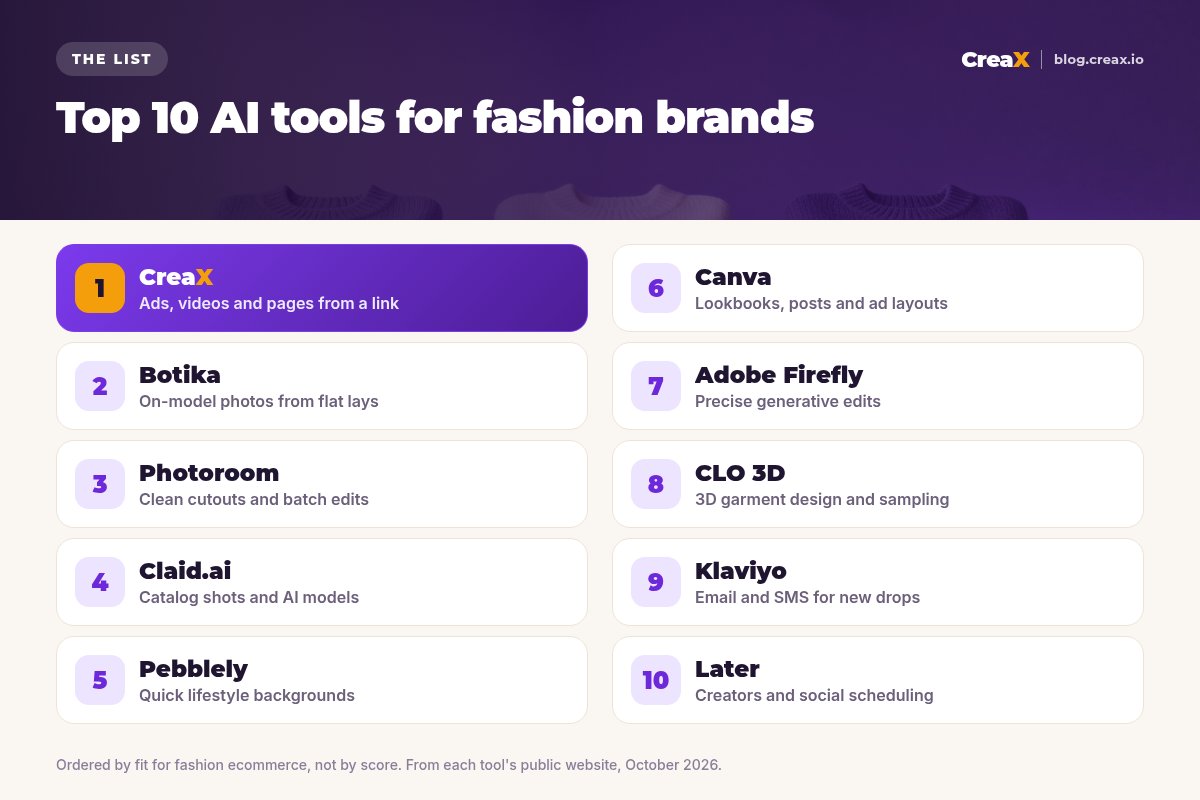
The listThe 10 best AI tools for fashion and apparel brands
CreaX
Best for: launching new styles with ads, videos and a page
CreaX is an all-in-one AI ecommerce creative OS. Paste a product link or upload a product image and, in about 60–120 seconds, it generates studio ad creatives, UGC-style video ads, a publish-ready landing page and a multi-tenant store. For a fashion brand, that means a new jacket or dress can go from product photo to a testable campaign the same day.
Static ads come in five ad styles (Classic, Humble Orbit, Punch, Luxe and Meta Feed) and four sizes (1:1, 3:4, 4:5 and 9:16); video ads run 18, 30 or 45 seconds; landing pages come in Simple, Detailed or Advanced levels. creax.io lists 40+ languages and 160+ target countries. Plans start at $4.99 a month for 2,000 credits. See how studio ad creatives come from one product photo.
Good for
- Ads, video ads, landing page and store from one input
- Luxe and Classic styles suit premium apparel
- Low entry price, credit-based
Keep in mind
- Not a virtual try-on or AI model studio
- Not a garment design tool
Botika
Best for: on-model photos from flat lays
Botika is built around AI fashion models. Its site describes turning flat-lay or product imagery into on-model shots with AI-generated models that are diverse in tone, body and style, plus editorial-style visuals and a retouching workflow with a team that refines assets to your brand standards. It targets fashion teams that need a lot of on-model imagery without booking a shoot for every style.
Good for
- Fashion-specific, on-model focus
- Diverse AI models
- Human retouching support
Keep in mind
- Imagery only: ads and pages are separate work
- Check plans on its site for your volume
Website: botika.io
Photoroom
Best for: clean, consistent catalog photos
Photoroom is one of the best-known AI photo editors for sellers. It is known for fast background removal, plus AI backgrounds, shadows, resizing and batch editing on web and mobile, with an API for larger catalogs. If your problem is a rail of garments shot on a messy background, it gets you to consistent catalog images quickly.
Good for
- Fast, clean cutouts
- Batch editing for whole collections
- Mobile and web apps
Keep in mind
- You still design ads and pages elsewhere
- Photo-focused (see CreaX vs Photoroom)
Website: www.photoroom.com
Turn your next style into a ready-to-test campaign
Upload one product image or paste a link and get studio ads, UGC-style video ads and a landing page in one pass.
Claid.ai
Best for: catalog-scale AI photoshoots
Claid.ai focuses on product photography. Its AI photoshoot tools place products in lifestyle and editorial scenes, and it also offers AI fashion models, backgrounds, upscaling and an API for processing large catalogs. It suits brands with many SKUs that want consistent, detail-faithful images at scale.
Good for
- Emphasis on keeping product details
- AI models plus scenes
- API and bulk workflows
Keep in mind
- More than a small capsule brand may need
- Images only (see CreaX vs Claid.ai)
Website: claid.ai
Pebblely
Best for: quick lifestyle backgrounds
Pebblely keeps it simple: upload a product photo, remove the background, pick a theme or describe a scene, and get lifestyle-style product images. For accessories, folded knitwear or shoes, it is a quick way to get attractive scenes without learning a complex tool.
Good for
- Very easy to learn
- Good for quick variations
Keep in mind
- Less suited to on-body garment shots
- No video, ads or pages
Website: pebblely.com
Canva
Best for: lookbooks, social posts and ad layouts
Canva is a broad design platform with a huge template library and AI editing tools, including background removal. Fashion brands use it for lookbooks, sale banners, social posts and simple ad layouts. It is flexible, but you supply the photos and do the design work yourself.
Good for
- Templates for almost every format
- Easy for non-designers
- Team brand kits
Keep in mind
- You design each asset by hand
- No landing pages built from a product (see CreaX vs Canva)
Website: www.canva.com
Adobe Firefly
Best for: precise generative edits
Adobe Firefly is Adobe's family of generative AI models and apps, with tools like generative fill and expand that also appear inside Photoshop. For brands with an in-house designer, it is a precise way to extend a campaign image, swap a background or fix a detail without leaving Adobe tools.
Good for
- Fine control with layers and masks
- Fits existing Adobe workflows
Keep in mind
- Needs design skills to get the most out of it
- Slower path from photo to finished ad
Website: www.adobe.com/products/firefly.html
CLO 3D
Best for: 3D garment design and virtual sampling
CLO is 3D fashion design software. Its site describes visualising fabric, fit and silhouette in real time, and using virtual sampling and remote collaboration to shorten time to market and reduce physical samples. It sits earlier in the process than the other tools here: it helps you design and approve the garment before it exists.
Good for
- True garment design tool
- Fewer physical samples
- Useful for remote teams
Keep in mind
- A learning curve for non-designers
- Not a marketing or ad tool
Website: www.clo3d.com
Klaviyo
Best for: email and SMS for new drops
Klaviyo is a B2C CRM and AI marketing platform for email, SMS, mobile push and more, with native integrations for platforms like Shopify. Its AI features help build and personalise campaigns. For fashion brands, it is where drop announcements, back-in-stock messages and size-run flows usually live. Its site lists a free plan, with paid plans that scale by contacts and channels.
Good for
- Strong for repeat customers
- Flows for drops and restocks
- Free plan to start, per its site
Keep in mind
- Only reaches people already on your list
- Does not make ad creatives
Website: www.klaviyo.com
Later
Best for: creators and social scheduling
Later combines influencer marketing (software and full-service programs) with social media management: planning, scheduling, analytics and a Link in Bio page. For apparel brands that rely on creators and Instagram or TikTok, it keeps the content calendar and creator programs in one place.
Good for
- Creator programs and scheduling together
- Link in Bio for social traffic
Keep in mind
- Does not generate product ads
- Full-service programs suit larger budgets
Website: later.com
Buyer's checklistHow to choose: 5-question checklist
Demos always look good. Your own garment is the real test. Take one product you actually sell, ideally one with a tricky print or texture, and run it through your top two or three tools with the same goal.
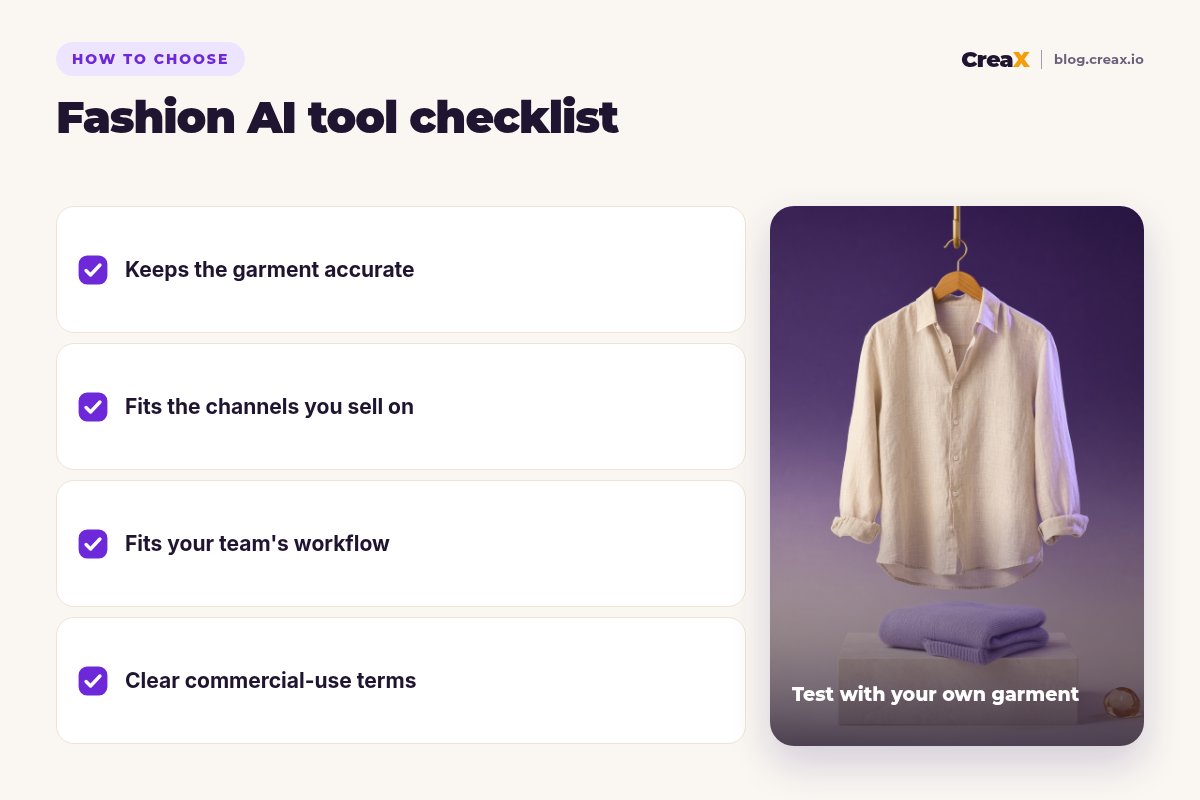
Answer these five before you pay
- ✓Is the garment still accurate? Zoom in on color, print, stitching and fabric texture.
- ✓Which job is your bottleneck? Imagery, ads, design or reaching existing customers. Fix the biggest one first.
- ✓Does the output fit your channels? Feed ads need 1:1 or 4:5, Stories and Reels need 9:16, marketplaces want clean backgrounds.
- ✓Can your team run it? A founder needs one-click tools; a team with a designer can use precise editors.
- ✓Are the commercial terms clear? Read the license and content policy before running paid ads.
★Count the whole job, not the image
ExampleWorked example: a small-budget stack
Imagine a small label launching a linen summer shirt in three colors, with no designer and a modest monthly tool budget. A sensible stack could look like this:
Get clean product photos
Add on-model shots if you need them
Build the campaign kit
Tell your list
A larger brand might add CLO 3D at the design stage and Adobe Firefly for campaign edits. The pattern stays the same: one creative tool for the job you do most, plus a specialist only where it pays for itself.
Launch your next drop with a complete creative kit
Paste a product link or upload an image and get studio ads, UGC-style video ads and a matching landing page for your first test.
Avoid returnsKeep fashion imagery honest
Fashion is a category where the photo is the product for most shoppers, so accuracy matters more than anywhere else. A few rules keep you safe, and our article on whether AI product photos can replace a photoshoot goes deeper:
- Never change the garment. Backgrounds, models and lighting can change; color, print, length, cut and fabric cannot.
- Show true fit. If an AI model makes a shirt look more tailored than it is, expect returns. Keep at least one real photo of the garment.
- Keep size info real. Size charts and model measurements must describe the real product, not the image.
- Follow platform rules on AI-generated media and label it where they require it.
!A two-minute check before every launch
FAQFrequently asked questions
Q.What is the best AI tool for fashion brands?
Q.Can AI replace fashion photoshoots?
Q.Does CreaX put clothes on AI models?
Q.Which tool is best for a small apparel brand on a budget?
Q.How much does CreaX cost?
Q.Are AI fashion images allowed in ads?
Ready to show your collection at its best?
One product link or image, about 60–120 seconds: studio ads, UGC-style video ads and a landing page for your next drop.
This guide is published by CreaX. We describe other tools from their own public websites as of October 2026, avoid invented scores or prices, and recommend checking each vendor's site for current features and plans.