

10 Best AI Tools for Amazon Sellers: Images, Video and Listings
Top 10 · Amazon sellers
The best AI tools for Amazon sellers cover five jobs: finding products and keywords, making listing images, making video, running ads, and bringing in shoppers from outside Amazon. Most sellers already have one research tool; the gaps are usually creative and traffic. Here are the 10 tools we would look at in 2026, what each one really does, and how to build a stack without paying twice for the same job.
Updated October 2026 · By the CreaX team
Key takeaways
- ✓Split tools by job: research (Helium 10, Jungle Scout, Keepa), images (Photoroom, Claid.ai, Canva), video and ads (Amazon's Video Generator, Perpetua) and outside traffic (CreaX).
- ✓CreaX is our first pick for creative beyond Amazon: one product link or image becomes studio ad creatives, UGC-style video ads and a landing page for TikTok, Instagram or Meta.
- ✓Amazon Ads now offers a free AI Video Generator for Sponsored Brands video in many marketplaces. Check it before paying for basic product videos.
- ✓Follow Amazon’s image and content rules: AI can help with lifestyle and infographic images, but your main image and claims must meet Amazon's requirements.
In this guide
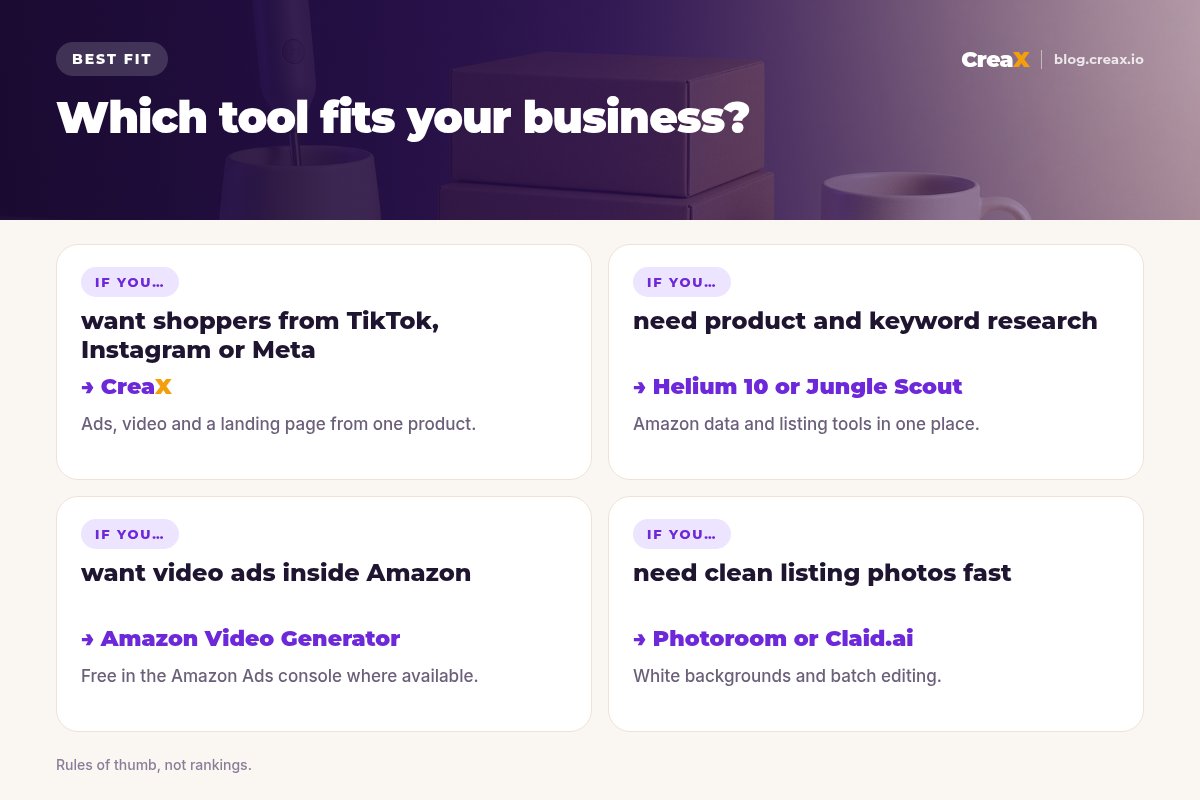
TL;DRQuick picks: the best tool for each situation
| If you need… | Start with | Why |
|---|---|---|
| Ads and video to bring shoppers from social media | CreaX | Studio ads, UGC-style video and a landing page from one product |
| Product research, keywords and listing tools in one place | Helium 10 | Broad all-in-one seller suite |
| Market and sales estimates for a category | Jungle Scout | Amazon data for sellers and brands |
| Sponsored Brands video without a video team | Amazon Video Generator | Free in the Amazon Ads console where available |
| Clean white-background listing photos | Photoroom or Claid.ai | Background removal and batch editing |
| Infographics and A+ content layouts | Canva | Templates you can adapt to Amazon sizes |
| Price and sales rank history before you source | Keepa | Long price and rank charts per product |
| Automated Amazon ad bidding at scale | Perpetua | Goal-based ad optimization software |
MethodHow we chose (and what we did not do)
We looked at tools Amazon sellers actually use and judged each one on five practical questions:
- Amazon fit: is it built for Amazon, or does it produce output that fits Amazon listings and ads?
- The job it removes: does it take real work off your plate, or add another dashboard?
- Rule safety: does it help you stay inside Amazon's image and content policies?
- Cost for a small seller: is there a free option or a sensible entry plan?
- Beyond Amazon: does it help if you also want traffic from social media or your own site?
⚖No fake scores
Comparison tableAll 10 at a glance
| Tool | Main job | Built for Amazon? | Output |
|---|---|---|---|
| CreaX | Creative and pages for outside traffic | No: works for any product | Static ads, UGC-style video, landing page |
| Helium 10 | Research, listings, ads, operations | Yes (also Walmart, TikTok Shop) | Data, listing drafts, ad automation |
| Jungle Scout | Amazon market data | Yes | Sales estimates, benchmarks |
| Amazon Video Generator | Sponsored Brands video | Yes: Amazon's own tool | Short product video ads |
| Photoroom | Product photo editing | No: general seller tool | Cutouts, backgrounds |
| Claid.ai | AI product photography | No: general ecommerce | Backgrounds, AI photoshoots, upscaling |
| Canva | Design | No: general design tool | Infographics, A+ layouts |
| Keepa | Price and rank tracking | Yes | History charts, alerts |
| Perpetua | Ad optimization | Yes (and other marketplaces) | Automated bids and budgets |
| ChatGPT | Writing and brainstorming | No: general AI assistant | Draft titles, bullets, descriptions |
Summarised from each tool's public website, October 2026.
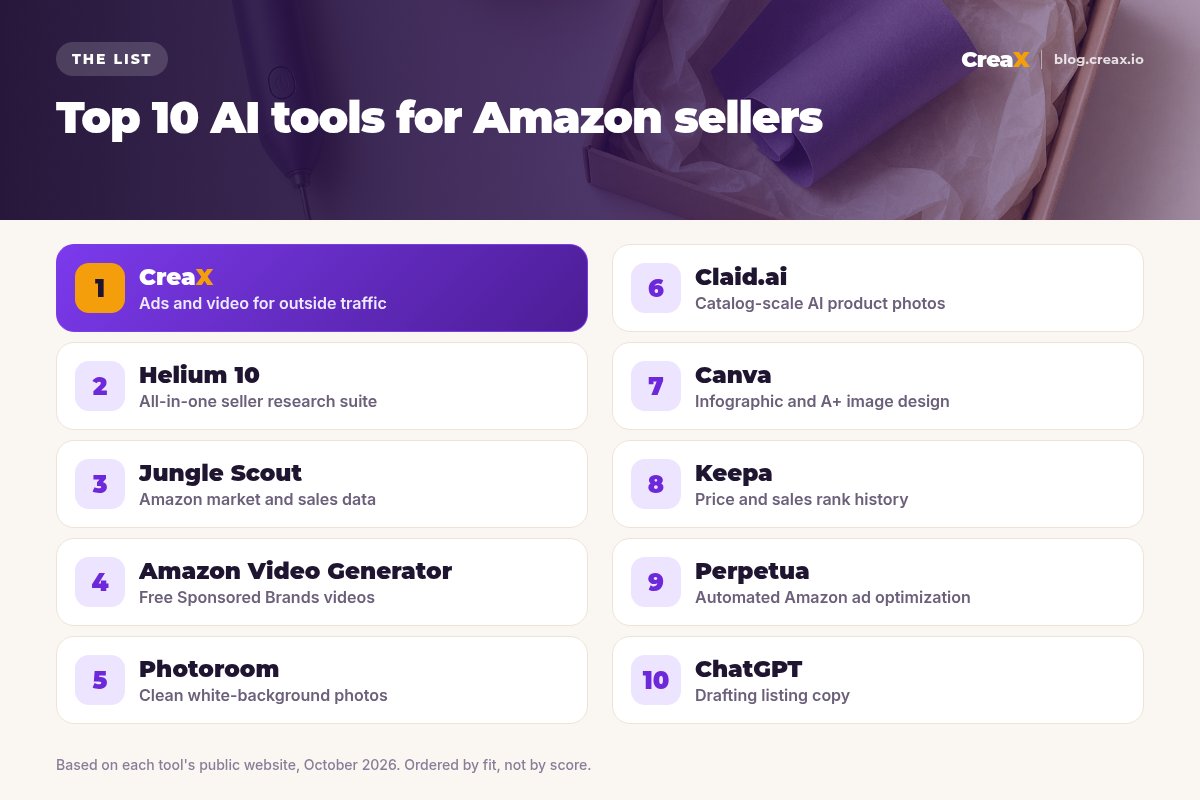
The listThe 10 best AI tools for Amazon sellers
CreaX
Best for: ads, video and a landing page for traffic from outside Amazon
CreaX is an all-in-one AI ecommerce creative OS. Paste a product link or upload a product image and, in about 60–120 seconds, you get studio ad creatives (polished product photos and static ads), UGC-style video ads, a publish-ready landing page and a multi-tenant store. For an Amazon seller, it fills the gap most Amazon tools leave: creative for TikTok, Instagram and Meta that can send shoppers to your listing or to a page you control.
Static ads come in five styles (Classic, Humble Orbit, Punch, Luxe and Meta Feed) and four sizes (1:1, 3:4, 4:5 and 9:16), and video ads run 18, 30 or 45 seconds. Plans start at $4.99 a month for 2,000 credits, with top-ups at $1 per 500 credits. See how a single photo becomes a set of ads in our guide to studio ad creatives from one product photo.
Good for
- Ad-ready statics and UGC-style video from one product
- Landing page if you want traffic you control
- Low entry price, credit-based
Keep in mind
- Not an Amazon research or PPC tool
- Ad creatives with text are not meant as Amazon main images
Helium 10
Best for: an all-in-one research and listing suite
Helium 10 is one of the best-known Amazon seller platforms, and it now covers Walmart and TikTok Shop too. Its site describes keyword research, product research, listing optimization, ad campaign tools with rules-based bidding, profit and inventory tools, and an AI agent you can ask about your business. If you want one subscription for most of the data side, it is a strong default.
Good for
- Very broad toolset
- Keyword and listing tools in one place
- AI assistant over your own data
Keep in mind
- Many tools to learn
- Creative assets still come from elsewhere
Website: www.helium10.com
Jungle Scout
Best for: Amazon market data and sales estimates
Jungle Scout focuses on Amazon intelligence: sales estimates, category benchmarking, pricing insights and advertising data, with Cobalt for brands and agencies and Catalyst for new and growing sellers. It also offers an MCP connection so you can ask questions about Amazon data inside your own AI tools. Choose it when market data is the decision you struggle with most.
Good for
- Deep Amazon data
- Options for new sellers and established brands
Keep in mind
- Sales figures are model estimates
- No creative output
Website: www.junglescout.com
Bring shoppers to your Amazon products from social media
Paste a product link and get studio ad creatives, UGC-style video ads and a landing page for TikTok, Instagram or Meta.
Amazon Ads Video Generator
Best for: free Sponsored Brands video ads
Amazon Ads offers a free, AI-powered Video Generator in Creative Studio in the Amazon Ads console. Amazon says it turns a product image or video plus your ASIN into short multi-scene video ads with text animation and music, using information from your product detail page, and lets you adjust headlines, fonts, colors and logo placement. Amazon lists it for Sponsored Brands video in several marketplaces, including the US, UK, Canada, Germany, France, Italy, Spain, Mexico and India. It also offers a conversational Creative Agent in some markets.
Good for
- Free and built into Amazon Ads
- Uses your own listing information
- Made for Sponsored Brands placements
Keep in mind
- Built for ads on Amazon, not TikTok or Meta
- Availability depends on marketplace and eligibility
Website: advertising.amazon.com
Photoroom
Best for: clean white-background listing photos
Photoroom is an AI photo editor known for fast background removal, with AI backgrounds, shadows, resizing and batch editing on web and mobile. For Amazon, its most useful job is turning product shots into clean, consistent white-background images for your listing. See CreaX vs Photoroom for how it compares with a full creative kit.
Good for
- Fast cutouts
- Batch editing for many SKUs
- Mobile app
Keep in mind
- Photos only
- AI scenes still need an accuracy check
Website: www.photoroom.com
Claid.ai
Best for: catalog-scale AI product photography
Claid.ai focuses on product photography: AI backgrounds, AI photoshoots that place products in lifestyle scenes, upscaling and an API for processing large catalogs. It suits sellers and brands with many SKUs who want consistent secondary images without a photo studio.
Good for
- Strong focus on product photos
- API and bulk workflows
Keep in mind
- More than a seller with a few SKUs may need
- No ads or video
Website: claid.ai
Canva
Best for: infographic images and A+ content layouts
Canva is a general design tool, but many Amazon sellers use it to build infographic images (features, dimensions, what is in the box) and A+ content modules from templates. Its AI editing tools help with backgrounds and resizing. It is the easiest way to make secondary images that explain the product clearly.
Good for
- Templates for infographics and banners
- Easy to keep a consistent look
Keep in mind
- You design everything by hand
- Check Amazon's size and content rules yourself
Website: www.canva.com
Keepa
Best for: price and sales rank history
Keepa is a long-standing Amazon price tracker. Its charts show the price and sales rank history of a product, and it offers price alerts, a browser extension and data access for heavier users. Sellers use it before sourcing or pricing to see how a product has behaved over time. It is less AI than data, but it answers questions that AI tools cannot guess.
Good for
- Long price and rank history
- Browser extension and alerts
Keep in mind
- Charts take practice to read
- Research only
Website: keepa.com
Perpetua
Best for: automated Amazon ad optimization
Perpetua is retail media optimization software for Amazon, Walmart and other marketplaces. You set goals such as growth, profitability or brand defense, and its engine creates and optimizes campaigns, bids and budgets, with reporting on advertising and organic sales. It suits brands and agencies with meaningful ad spend.
Good for
- Goal-based automation
- Multi-marketplace reporting
Keep in mind
- Built for established ad budgets
- Does not make creatives
Website: perpetua.io
Your listing is ready. Now find more buyers.
CreaX turns your product into UGC-style video ads, studio creatives and a landing page, so you are not relying on Amazon search alone.
ChatGPT
Best for: first drafts of listing copy
ChatGPT is a general AI assistant. Sellers use it to draft titles, bullet points and descriptions, to summarise reviews into customer pain points, and to brainstorm A+ content angles. It does not know live Amazon search data, so pair it with a keyword tool and fact-check every claim. Our roundup of AI tools for product descriptions and ad copy lists more writing options.
Good for
- Fast first drafts
- Good for summarising reviews
Keep in mind
- No Amazon keyword data
- Can invent details, so fact-check
Website: chatgpt.com
DecideHow to choose: 5-question checklist
Answer these before you pay
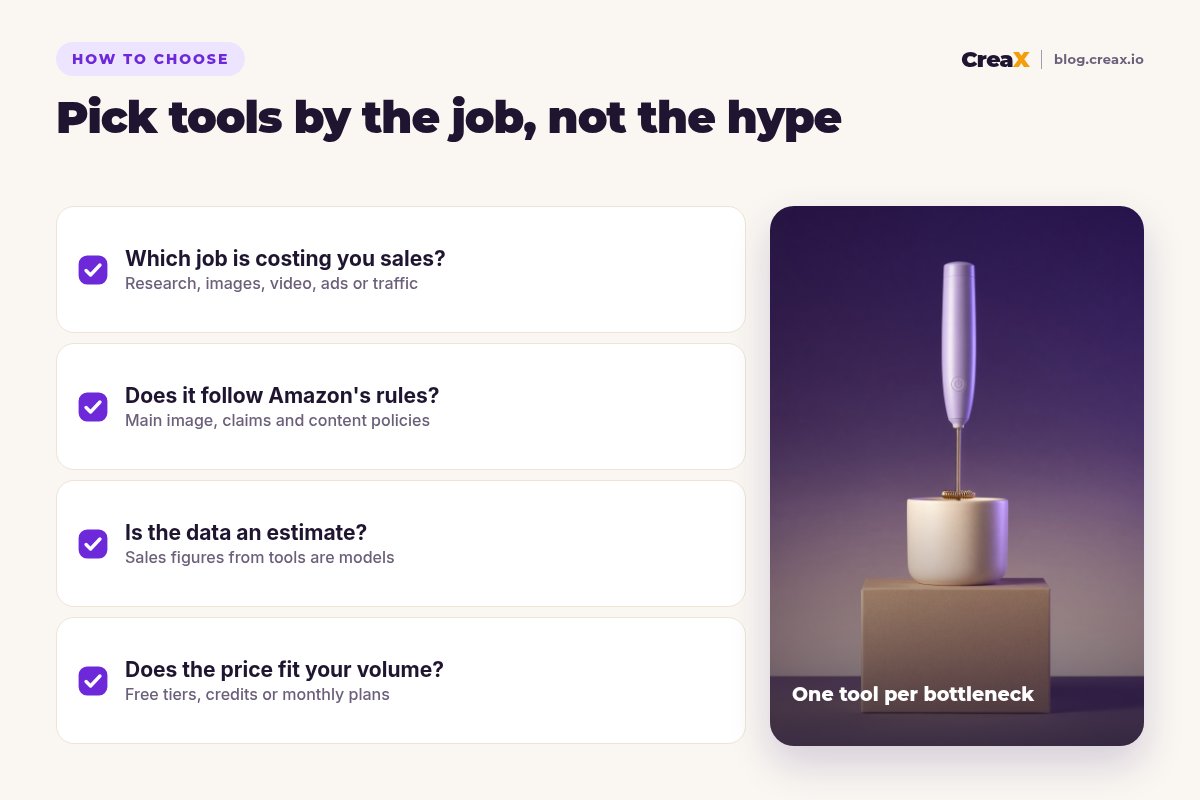
- ✓Which job is costing you sales? Weak research, weak images, no video, inefficient ads or no outside traffic. Fix one.
- ✓Does it fit Amazon’s rules? Main image requirements, claims and content policies come first.
- ✓Is the data an estimate? Sales numbers from research tools are models. Use them to compare, not as facts.
- ✓What does it cost at your volume? Check free tiers, credits and how pricing grows with SKUs or ad spend.
- ✓Do you already have a tool that does this? Many suites overlap. Do not pay twice for keyword research.
ExampleWorked example: a small-budget stack
Say you sell a handheld milk frother on Amazon and want more sales without hiring an agency. A lean stack could look like this:
| Job | Tool | What you do |
|---|---|---|
| Research | Helium 10 or Jungle Scout (one, not both) | Keywords, competitors and pricing |
| Listing images | Photoroom + Canva | Clean main image, then infographic secondaries |
| Copy | ChatGPT | Draft bullets from real features and reviews, then edit |
| Ads on Amazon | Amazon Video Generator | Sponsored Brands video, if you are eligible |
| Traffic from social | CreaX | UGC-style video and static ads for TikTok and Instagram |
An example stack, not a performance claim. Swap tools to match your bottleneck.
For the social side, paste the product link into CreaX, generate a 30-second UGC-style video and a few statics in 9:16 and 4:5, and test two angles such as “café foam at home” and “a small gift for coffee lovers”. Point the ads at your listing or at a CreaX landing page. Our guide on landing page vs product page helps you decide, and product demo video ads without filming shows the video workflow.
★Measure outside traffic properly
TrustStay inside Amazon's rules
- Main image. Amazon has strict requirements for the main product image, including a pure white background. Use AI scenes and text overlays for secondary images and ads, not the main image.
- Accuracy. Every image and video must show the real product: size, color, what is included. AI that changes the product creates returns and bad reviews.
- Claims. Do not let AI add medical, safety or performance claims you cannot prove.
- Reviews. Never use AI to fake reviews or testimonials, in listings or ads. Our guide on whether AI-generated ads are safe to use commercially covers the wider risks.
FAQFrequently asked questions
Q.What is the best AI tool for Amazon sellers?
Q.Can I use AI images on Amazon?
Q.Is Amazon's Video Generator free?
Q.Do I need Helium 10 and Jungle Scout?
Q.Can CreaX make Amazon main images?
Q.Should I send social traffic to Amazon or my own page?
Find buyers beyond Amazon search
One product link, about 60–120 seconds, and you have UGC-style video ads, studio creatives and a landing page for your first outside test.
This guide is published by CreaX. We describe other tools from their own public websites as of October 2026, avoid invented scores or prices, and recommend checking each vendor's site for current features and plans.