
How Agencies Build a Client Store and Ad Kit in One Day
How-to · Agency client onboarding
Want to build a client store fast without cutting corners? This playbook shows how an agency can take a new ecommerce client from kickoff brief to a live store, landing page and first ad kit in one working day. You get a time-blocked schedule, the exact inputs to collect, a review process that doesn't drag on, and a handover checklist.
Updated October 2026 · By the CreaX team
Key takeaways
- ✓A one-day launch is mostly preparation and process: the brief, the inputs and one structured review round decide whether it works.
- ✓Generate the store, landing page and ad kit from the same product link so the message matches everywhere. CreaX does this in about 60–120 seconds per product.
- ✓Plan 2–3 clear angles, each with a UGC-style video and studio statics, instead of one generic ad.
- ✓Hand over with a checklist, a naming convention and a report date, so the client knows what happens next.
In this guide
The outcomeWhat you'll have at the end of the day
By the end of a well-run launch day, the client should have:
- A live store with the hero products, policies and contact details in place.
- A landing page for the main product or offer, written to match the ads.
- A first ad kit: 2–3 angles, each with a UGC-style video ad and a few studio static creatives.
- A launch plan: which ads run first, how they're named, and when you'll report back.
This isn't a full brand build. It's a first test-ready launch, which is what most new ecommerce clients need before they invest in more. If you run several clients, the CreaX for agencies overview explains how the platform fits an agency workflow.
PrerequisitesWhat you need before you start
Most one-day launches fail because something is missing at 2 pm. Collect these before launch day:
| Input | Why you need it | Who provides it |
|---|---|---|
| Hero product links or photos | The source for store, page and ads | Client |
| Offer and pricing | What the page and ads promise | Client, agreed with you |
| Product facts | Sizes, materials, delivery times, returns | Client or supplier |
| Brand basics | Name, logo, colours, tone of voice | Client |
| Policies | Shipping, returns, privacy, contact | Client (check local rules) |
| Ad account access | To launch the same day | Client grants access |
| One decision-maker | So feedback doesn't stall | Client names one person |
Send this list with the contract so launch day starts with everything in hand.
★Send a pre-launch form
Plan the dayThe one-day schedule
Here's a realistic way to block the day. Adjust the times to your team and the client's availability; the order is what matters.
| Block | What happens | Output |
|---|---|---|
| Morning, first hour | Kickoff call and brief sign-off | Signed brief, 2–3 angles agreed |
| Late morning | Generate store and landing page, then edit | Store and page drafts |
| Midday | Generate and select the ad kit | Videos and statics per angle |
| Early afternoon | Client review, one structured round | Consolidated feedback |
| Late afternoon | Fixes, final checks, launch | Live store, page and first ads |
| End of day | Handover message and report date | Client knows what's next |
A suggested order, not a stopwatch. Client approvals are usually the slowest part.
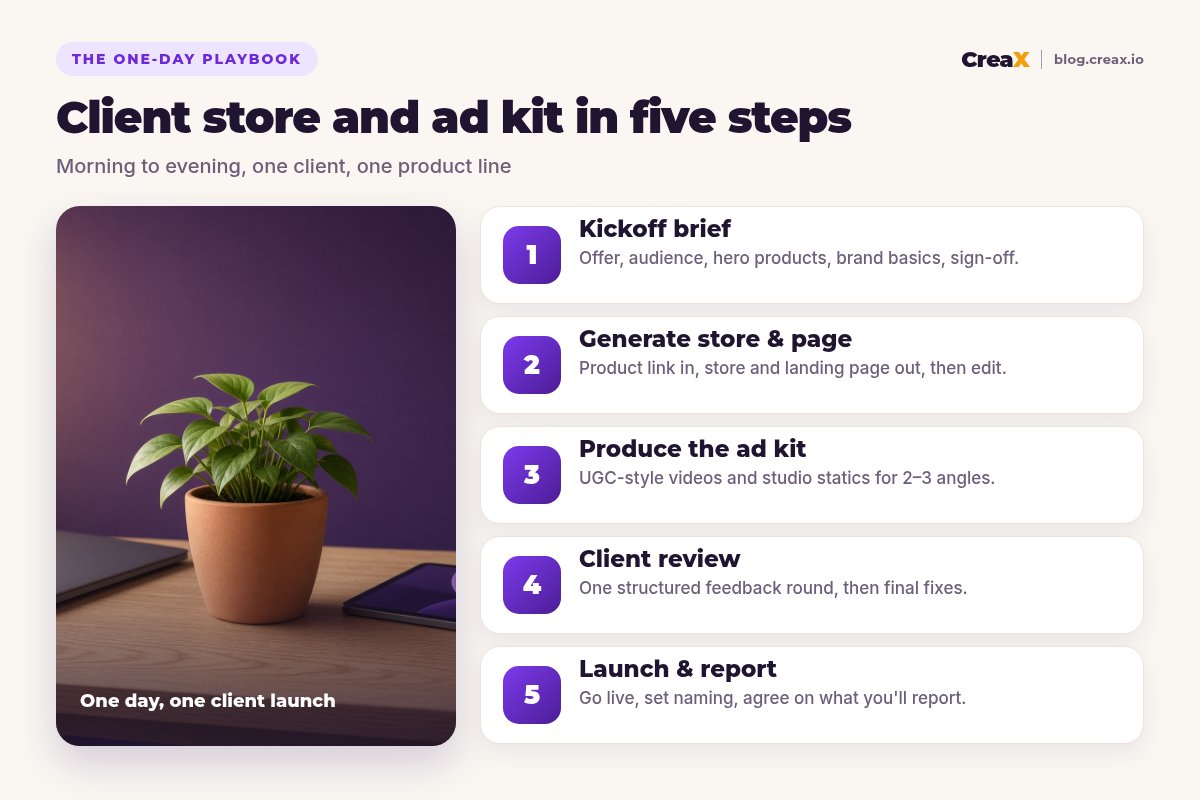
MorningStep 1: Kickoff brief
Keep the kickoff call short and focused on decisions. Cover:
- The offer: what's being sold, at what price, with what guarantee or bundle.
- The audience: who buys it and what problem it solves for them.
- The hero products for launch, usually one to three.
- Claims you can and can't make, based on the product facts.
- Two or three ad angles to test (for example: problem/solution, gift, everyday upgrade).
End the call by writing a one-paragraph brief and getting the client's written OK. That paragraph becomes the source for every headline you write today. For how many angles to test, see how many ad creatives to test per product.
Late morningStep 2: Generate the store and landing page
Paste the hero product link (or upload the product image) into CreaX. In about 60–120 seconds it generates a publish-ready landing page, studio ad creatives, UGC-style video ads and a store. Agencies can use the multi-tenant store to keep each client's store separate.
Then edit with the brief open next to you:
- Headline and first screen repeat the main promise from the brief.
- Prices, variants and delivery information match what the client confirmed.
- Policies, contact details and brand name are correct.
- Every claim on the page can be backed by the product facts.
For more on turning a product link into a page that converts, see how to turn a product link into a landing page without a designer.
MiddayStep 3: Produce the ad kit
Because the ads come from the same generation as the page, they already share its product understanding. Your job is to select and shape them into a kit:
Map assets to angles
Check hooks and claims
Add formats
Name everything
If the client also wants carousels, see carousel ads for ecommerce for structure ideas.
Build a client's store, page and ad kit from one link
Paste a product link and get a landing page, studio ad creatives, UGC-style video ads and a store in about 60–120 seconds.
Early afternoonStep 4: Client review
This is where one-day launches usually slip. Protect the day with one structured review round:
- Send one link or document with the store, page and ad kit, grouped by angle.
- Ask for feedback in one place, from the one decision-maker, by a set time.
- Ask specific questions: “Are these product facts correct?” “Which angle feels most on-brand?”
- Separate must-fix items (wrong facts, wrong prices) from nice-to-haves (save those for round two after launch).
!Don't launch with unverified claims
Late afternoonStep 5: Launch & report
Once the must-fix items are done:
- Do a final mobile check of the store and page: prices, buttons, checkout, policies.
- Upload the ad kit with your naming convention and equal budgets per angle.
- Send a short handover message: what's live, what you're testing, what you're not testing yet.
- Book the first report and agree on what you'll show, such as spend, clicks, cost per result and which angle leads.
Keep the first report about learning, not judgement. Early results tell you which angle to push and what to make next.
ExampleWorked example: a ceramic planter brand
Imagine a client selling handmade ceramic plant pots in terracotta, sage and cream.
- Brief: a set of three pots at one bundle price, for people decorating small apartments. Angles: “small-space jungle”, “the housewarming gift”, and “handmade, not mass-produced”.
- Store and page: generated from the bundle's product link; edited so the headline matches the small-space angle and the materials and sizes match the client's facts.
- Ad kit: one UGC-style video and a few statics per angle; the gift angle gets a carousel showing the three colours.
- Review: the client corrects a pot diameter and asks to remove a drainage claim they can't confirm. Both are fixed before launch.
- Launch: three angles, equal budgets, consistent names, first report booked.
Watch outMistakes to avoid
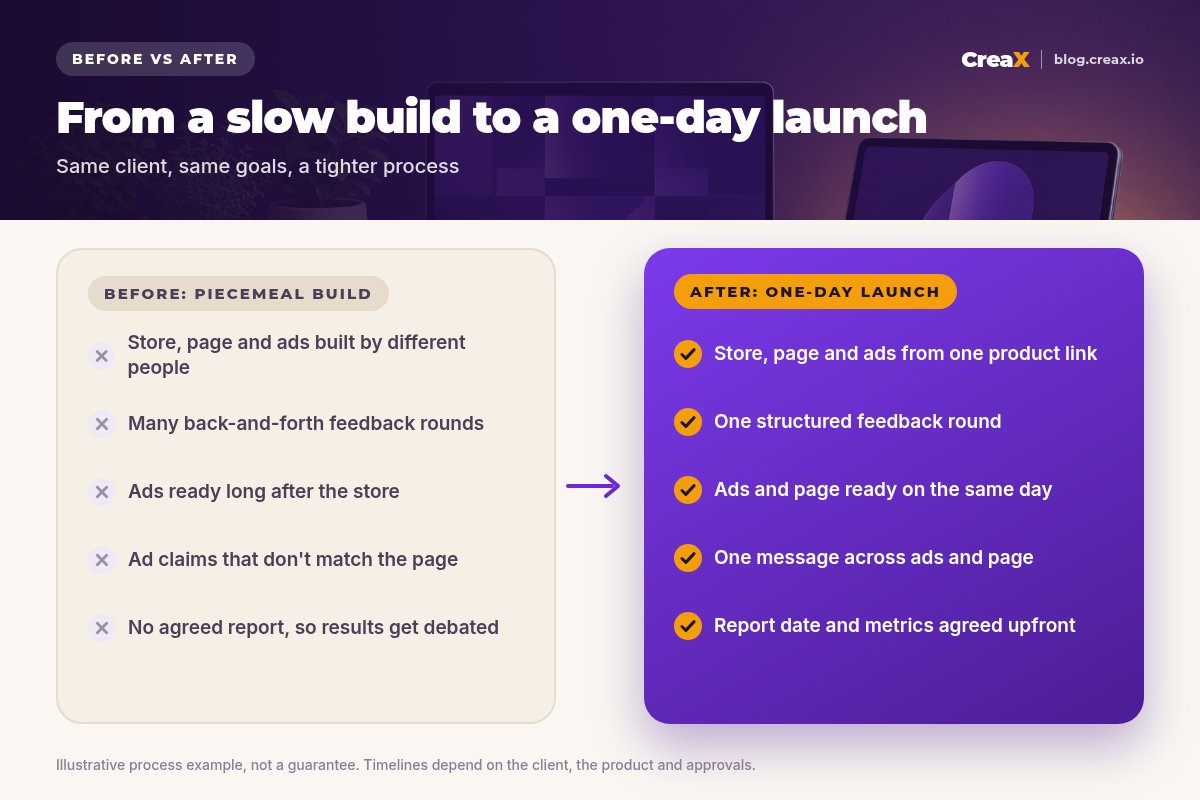
- Starting without the inputs. Missing product facts or access will stop the day.
- Too many products. Launch day is for one to three hero products, not the full catalog.
- Open-ended feedback. “Any thoughts?” leads to endless rounds. Ask specific questions.
- Ads and page saying different things. Message mismatch wastes the client's budget.
- No naming convention. You'll struggle to report which angle worked.
- Promising results. Promise a professional launch and a clear report, not a specific ROAS.
Before you hand overHandover checklist
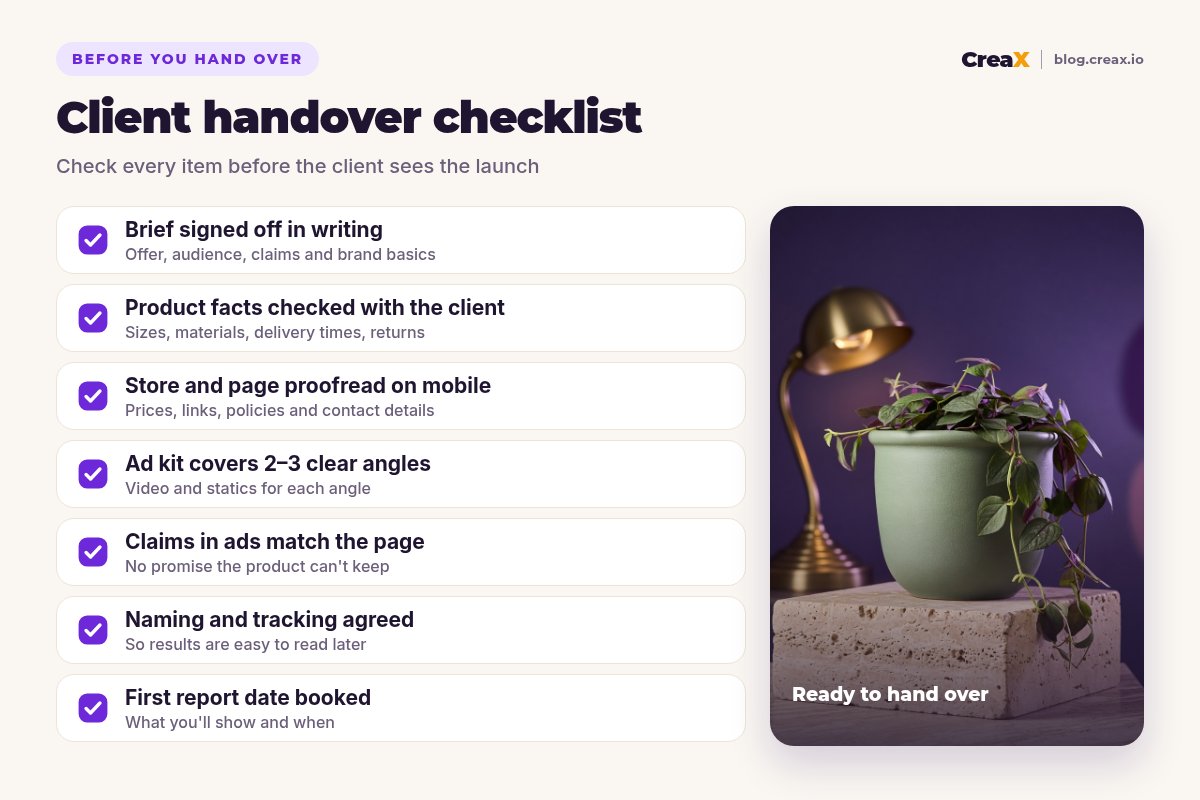
Copy this into your project tool
- ✓Brief signed off in writing by the client's decision-maker.
- ✓Product facts (sizes, materials, delivery, returns) confirmed.
- ✓Store and landing page proofread on mobile, including checkout.
- ✓Policies and contact details in place.
- ✓Ad kit covers 2–3 angles with video and statics for each.
- ✓Every claim in the ads also appears, accurately, on the page.
- ✓Naming convention applied to every ad.
- ✓First report date and metrics agreed.
Make one-day client launches your standard
CreaX turns a product link into the store, landing page and ad kit your team needs for launch day.
FAQFrequently asked questions
Q.Can an agency really launch a client store in one day?
Q.What does CreaX generate for an agency?
Q.How many ad angles should we launch with?
Q.How do we keep client stores separate?
Q.Which CreaX plan suits agencies?
Q.What should the first client report include?
Ready for your next client launch?
Paste the hero product link and get the store, landing page and ad kit ready for review today.
This guide is published by CreaX. We describe other tools from their own public websites as of October 2026, avoid invented scores or prices, and recommend checking each vendor's site for current features and plans.